Pinkfong Baby Shark: Kid Games
- 1.39K
- 3.4
- Installs
- 50.00M
- Price
- Free

Screenshots

Analysis by Reviewed
When a young child has a few minutes to fill—waiting for dinner, sitting through a journey, or needing a quiet activity while a parent finishes a task—I look for something simple to start and easy to put down. Pinkfong Baby Shark: Kid Games is aimed squarely at that moment: a children’s education app from The Pinkfong Company built around familiar characters, music, and short play. Its appeal is immediate for kids who already recognize Baby Shark, though that familiarity is also part of its limits.
Who this kind of play suits
I see the strongest fit in preschool-age children who already enjoy Baby Shark and respond well to bright characters, songs, and direct touch interactions. The familiar theme can help a child approach an unfamiliar activity without needing much explanation. It is also a practical choice for a caregiver who wants to sit nearby and share a short screen session, rather than set up a lesson or guide a complicated game.
It is less compelling for a child who is not interested in the characters, or for a family seeking a broad educational program with a clear sequence of lessons. The app’s appeal comes from recognizable entertainment and simple activities, not from a promise of a comprehensive curriculum. If a child is ready for longer stories, open-ended creative tools, or a wider variety of subjects, I would look at alternatives designed specifically for those interests.
The app is free to download and has an Everyone age rating. That makes trying it straightforward, but I would still set it up as an adult first. Its average rating is 3.4 from around 44,000 ratings, and it has passed 50 million installs. Those figures show that many families have encountered it, but popularity alone is not a reason to expect every child to enjoy its style or every parent to prefer its approach.
From a quick invitation to a play session
In a typical handoff, I would open the app with the child nearby, let them choose an activity, and stay close long enough to see whether they understand what to do. The bright underwater scenes and large controls make that first step approachable. Once a child knows where to tap, the experience can feel more independent—but I would still treat it as a shared activity rather than assuming every young user can navigate every screen without help.
Immersive Gameplay and Fun Learning
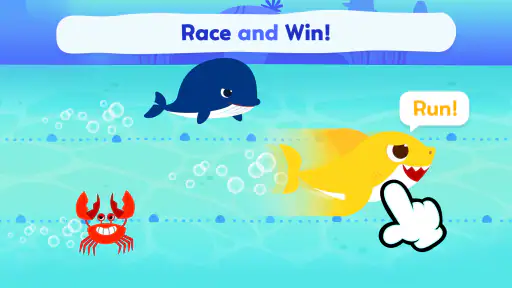
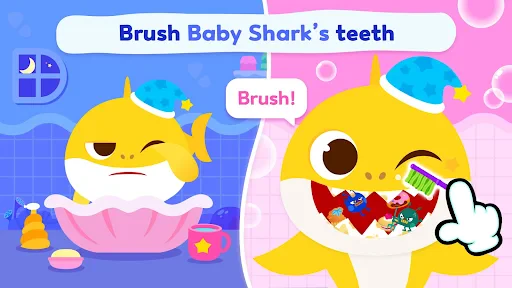
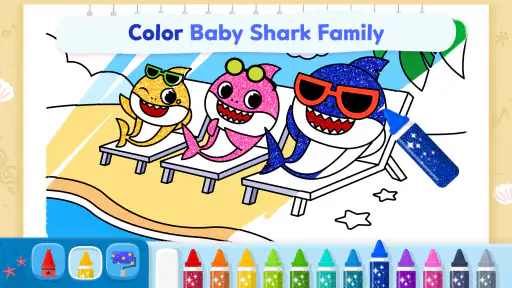
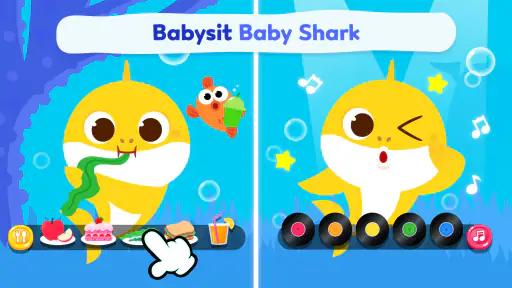
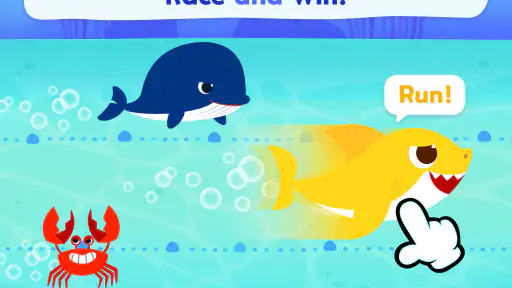
Now, let's dive into the details. The app is designed to engage children with a variety of educational games. From memory puzzles to rhythm-based challenges, it offers different ways to play. Each game is set against a backdrop of vibrant underwater scenes that are sure to capture the imagination of any child. What I love most is how it subtly combines learning with play. Kids can improve their cognitive skills without even realizing it – it's pure genius!
For a practical routine, I would use a short session as a transition rather than as an open-ended distraction: choose an activity together, give the child time to explore, then close the app when the next part of the day begins. The memory and rhythm activities suit different moods, so a child who is restless may respond better to music, while one willing to concentrate may prefer a puzzle. That small choice can make the screen time feel more purposeful without turning play into a lesson.
More From Our News Desk

Weather by Xiaomi Review: Clear at a Glance, Less Clear Up Close

X Under Pressure: Can It Recover When Posting Goes Wrong?

Clash of Clans Is Won Between the Battles

Android Auto Makes the Case for Quieter Car Software

MobiOffice: Transforming Mobile Productivity with Seamless Integration

EA SPORTS FC™ Mobile Soccer: Redefining Mobile Sports Gaming
A Musical Adventure
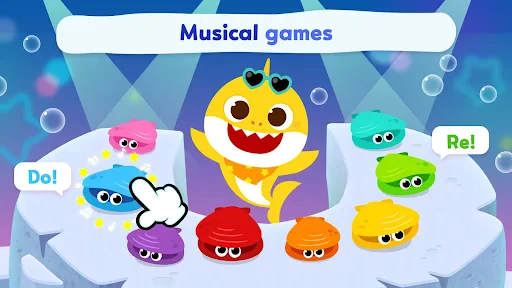
Of course, it wouldn't be a Baby Shark app without some catchy tunes. The app includes the famous Baby Shark song along with other tunes that kids can sing along to. The music is peppy and uplifting, perfect for keeping the little ones entertained. I found myself humming along too! The interactive elements, like tapping to make characters dance or move, add another layer of fun to the musical experience.
The music also creates an easy handoff between screen play and ordinary play. I’d invite a child to sing or move along, then carry that energy into a dance break away from the device. This is a better fit for families who want a familiar character to prompt interaction than for anyone looking for a quiet, mostly text-based learning tool. The songs can be a draw, but a child who tires quickly of repeated musical material may lose interest sooner than a Baby Shark fan.
Intuitive Design for Little Fingers
One thing that really stands out about the app is its intuitive design. The interface is simple and easy for kids to navigate on their own, which is always a plus. Bright colors and big buttons mean that even the youngest users can find their way around without much help. It's a breeze for both kids and parents, and there's no need to worry about complicated menus or controls.
Compared with a general collection of preschool games, the character-led approach gives a child a recognizable starting point, but it is less suited to parents who want a broad mix of themes or a more structured curriculum. I would also check the current purchase and safety settings with an adult before handing over a device; a child-friendly look is not a substitute for supervising how a young child uses an app. If your priority is calm, low-stimulation content, the vivid presentation may not be your first choice.
Making a session work in everyday life
A useful routine is to decide the purpose of the session before opening the app. If I need to bridge the few minutes between getting home and starting dinner, I would choose one activity with the child, stay within earshot, and give a simple warning before it is time to stop. For a longer wait, such as a delayed appointment, I would alternate screen play with conversation or a small offline activity instead of relying on the app to occupy the whole stretch.
This approach also helps answer a common practical question: does a child need an adult beside them every second? Once a child recognizes the controls, they may manage a familiar activity with less help, but I would still keep an eye on the device and remain available. Navigation that feels obvious to an adult can be confusing to a younger child, especially when they move between activities or encounter a screen they have not seen before.
Another small but useful tactic is to let the child make a limited choice rather than handing over the device with no direction. Offering a puzzle or a music activity gives them a sense of control while making the session easier to end. If the child is already tired or overstimulated, though, the animated colors and songs may add energy rather than calm them down. In that situation, a book, drawing, or quiet conversation is likely a better handoff.
Another noteworthy feature is the app's offline functionality. This means you can keep your kids entertained on long car rides or flights without needing an internet connection. It's a lifesaver for parents who are always on the go!
For travel, I’d test the activities at home before relying on them in a car or plane. That gives the child a chance to learn the taps and gives the adult a chance to see what is available without a connection. Offline access can make the app useful when connectivity is unreliable, but it does not remove the need to prepare the device or set expectations about when play will end. A familiar activity can smooth a wait; it cannot guarantee that every trip will stay quiet.
What to check before handing over the device
For a trip or a waiting room, I would check the app while connected before leaving, then confirm that the activities the child expects to use are available offline. This is more dependable than discovering a connection problem after the child is already bored. I would also make sure the device has enough battery for the outing and agree on a stopping point in advance. Those steps are ordinary preparation, but they matter more than expecting any app to solve travel delays by itself.
Families often wonder whether the free download means the whole experience is free. It does not: optional in-app purchases are listed from $4.99 to $107.88 per item. I would check purchase settings before letting a young child explore without supervision, and explain that an unfamiliar prompt means they should ask an adult. The free starting point lowers the barrier to trying it, while the purchase range makes adult setup and oversight sensible.
Another question is whether the app can take the place of other early-learning activities. I would not use it that way. Its games and music can add a playful change of pace, but they work best alongside talking, reading, movement, and hands-on experiences. If a child is practicing a particular skill, a caregiver can connect a game to something real—counting objects nearby or clapping a rhythm together—without presenting the app as a formal teaching plan.
Parental Controls and Safety
As much fun as this app is, safety is always a top priority. The developers have done a fantastic job of incorporating parental controls to ensure a safe environment for children. Kids can enjoy the app without the risk of stumbling upon anything inappropriate. Plus, there are no in-app purchases, so you won't have to worry about any surprise charges.
For parents weighing the practical details, the app is free to download and rated Everyone, while optional in-app purchases are listed at prices from $4.99 to $107.88 per item. That makes it worth checking purchase settings before a child explores independently, rather than assuming every part of the experience is included at no cost. I would also distinguish between a child-friendly rating and a promise that the app will suit every family’s screen-time rules.
It has been available since August 31, 2016, and the current version is 52.06, with Android support starting at version 6.0. Its 3.4 average from around 44,000 ratings, alongside more than 50 million installs, suggests it has reached a large audience but does not make it an automatic fit for every child. I’d treat it as a focused option for families whose children enjoy Pinkfong’s characters, not as a replacement for books, hands-on play, or a parent-guided learning routine.
Where the experience can fall short
The biggest limitation is also the clearest part of its identity: the app stays close to Baby Shark and its familiar musical world. That focus can make the first tap inviting, but it may not hold a child’s attention once the novelty wears off. A child who prefers animals, vehicles, drawing, or quieter stories may be happier with a different preschool app, even if the alternative has fewer recognizable characters.
There is also a difference between simple controls and a fully independent experience. Large buttons help, but a parent may still need to guide the first session, manage choices, and step in around purchases or transitions. If your goal is to hand over a device and be certain that a child can use every part without help, I would be cautious. The more reliable use is a brief, supervised activity with a clear beginning and end.
For families comparing it with the usual alternatives, I would place it between a video playlist and a structured learning app. It offers more tapping and participation than simply watching songs, but less of a planned progression than a curriculum-focused tool. That middle ground is useful when a child wants recognizable music and small interactions; it is less useful when the adult needs measurable lesson coverage or the child wants a long, uninterrupted game.
It is an education app from The Pinkfong Company, and its current version is 52.06, with Android support beginning at version 6.0. It first appeared on August 31, 2016. For a family with an older device, checking compatibility before planning a trip around it is worthwhile. The rating and large audience offer context, but I would give more weight to a short trial with the particular child than to popularity figures.
All in all, the Pinkfong Baby Shark: Kid Games app is a wonderful tool for combining fun and education. It's a hit with kids and provides peace of mind for parents. If you're looking for an app that will keep your child engaged and learning, this might just be the one. Dive in and let the adventures begin!
Pinkfong Baby Shark: Kid Games Frequently Asked Questions
Can I use Pinkfong Baby Shark: Kid Games on a tablet as well as a phone?
Yes, it can be used on a compatible Android phone or tablet, which gives families flexibility about where children play. Before downloading, check that the device runs Android 6.0 or later. A tablet’s larger screen may be convenient for watching animated videos and tapping through activities, while a phone can be easier to bring along.
What kind of activities can children expect in Pinkfong Baby Shark: Kid Games?
The app brings together animated videos and games featuring Baby Shark and Bebefinn. Its mix of familiar characters and play-based activities is aimed at young fans who enjoy watching and interacting with Pinkfong content. Families considering the app can expect an entertainment-and-learning focus rather than a general-purpose collection of children’s media.
Is Pinkfong Baby Shark: Kid Games suitable for children who are new to apps?
The app is intended for children, and its familiar characters and activities are designed to be approachable for young users. As with any app used by a child, an adult can help with the first setup and stay nearby while the child explores. This lets families guide play and manage device settings in a way that suits their household.
Does Pinkfong Baby Shark: Kid Games have a child-appropriate content rating?
Pinkfong Baby Shark: Kid Games has an Everyone content rating, reflecting its intended audience of children and families. The app focuses on Baby Shark and Bebefinn animated videos and games. Parents can still review the experience themselves and decide whether its characters and activities are a good fit for their child.
Is Pinkfong Baby Shark: Kid Games free to download?
The app is free to download, so families can try it without paying upfront. Some content is available through in-app purchases, with prices ranging from around five dollars to over one hundred dollars per item. It is worth checking purchase settings before handing the device to a child, especially if you want to keep spending under your control.
Pros
- Engaging and colorful graphics.
- Educational content for kids.
- Easy navigation for children.
- Regular content updates.
- Parental control features.
Cons
- In-app purchases can add up.
- Requires internet connection.
- Limited content without subscription.
- Ads can be intrusive.
- May not engage older kids.
- Category
- Education
- Version
- 52.06