Bible App for Kids
- 19.67K
- 4.3
- Installs
- 100.00M
- Price
- Free

Screenshots
Analysis by Reviewed
When several people share one phone or tablet, a children’s Bible app can make a short family activity easier to start: one adult opens a story, and a child can listen and explore alongside them. I find Bible App for Kids most useful in that shared moment, rather than as a substitute for every kind of Bible reading. It is a free education app from Life.Church, rated for Everyone, and its animated presentation gives younger children a more approachable way into biblical stories.
A small routine that works on a shared device
Picture a family waiting for dinner to finish or settling down before bedtime. An adult can choose a story to explore together, letting the child listen, watch, and take part instead of handing over a device with no context. That distinction matters: the app can hold a child’s attention, but a parent’s presence turns the session into a chance to pause, answer questions, and connect the story to a conversation.
On a household tablet, I would treat it as a shared activity first and a solo activity second. A child may be able to navigate the stories, but younger users still benefit from an adult helping them decide what to open and talking through anything confusing. If siblings take turns, agreeing on whose turn it is before opening the app can prevent the familiar argument over who gets to tap next.
The Latest on Bible App for Kids
Set expectations before handing over the screen
Because children may use a device that also belongs to adults, it helps to decide in advance when and where the app fits into the routine. I would open it for a planned story session rather than use it as an automatic way to fill every quiet moment. That keeps the activity purposeful and makes it easier to stop when dinner is ready or bedtime has arrived.
It is also worth checking the device’s general setup yourself before a child uses it, especially if the same screen is used for other apps. The age rating is Everyone, but that does not mean every child will understand each story in the same way or have the same questions. An adult can choose whether to listen together, let a confident reader explore independently, or keep the device nearby for a conversation afterward.
Coordinate around the child, not the app
For parents, relatives, and Sunday school teachers, the practical benefit is having a visual starting point for a shared discussion. You can use a story as a brief introduction, then ask the child what stood out or what they want to know. I would not assume that opening the app automatically creates a coordinated lesson across different caregivers; a quick conversation between adults about which story the child has already explored can make repeat sessions feel more intentional.
That approach is especially helpful when a child uses a family device at different times. One adult might sit beside them, while another simply wants a calm, familiar activity. Keeping the expectation simple—listen, explore, then talk if a question comes up—helps the app serve both situations without pretending that the screen itself replaces adult guidance.
More From Our News Desk

Weather by Xiaomi Review: Clear at a Glance, Less Clear Up Close

X Under Pressure: Can It Recover When Posting Goes Wrong?

Clash of Clans Is Won Between the Battles

Android Auto Makes the Case for Quieter Car Software

MobiOffice: Transforming Mobile Productivity with Seamless Integration

EA SPORTS FC™ Mobile Soccer: Redefining Mobile Sports Gaming
Make shared sessions easier to manage
A useful household habit is to decide who will lead before the story begins. With a younger child, an adult can handle the device and let the child choose when to listen or explore; with siblings, the adult can alternate who makes the next choice. This keeps the focus on the story instead of turning every screen interaction into a contest. It also gives caregivers a simple way to make a short session feel fair without needing the app to manage turns for them.
If the device is used by adults as well as children, I would keep the child’s session distinct from whatever else is open on the tablet. Put the device in the adult’s hands at the end, rather than assuming the child will move from a story to another activity independently. That small boundary is useful in a shared-device home because it makes the end of the activity clear and leaves the adult in charge of what happens next.
Choosing the right moment and format
The app is most convincing when a child has enough time to watch and talk, not when an adult needs a silent screen for a few seconds. A quick story before a meal can work well if the family treats it as a shared pause; if everyone is rushing, the child may only tap through scenes without taking in the narrative. For a longer conversation, I would use the story as a starting point and then move away from the screen, rather than trying to make the app carry the entire discussion.
It can also be a practical bridge for a child who enjoys hearing a story but is not yet ready to read a full passage alone. That does not make it the best option for every child: some prefer an adult reading from a book, while others want time to look at pictures without animation or prompts. Watching how the child responds during the first session is more useful than assuming the same presentation will suit every age or temperament.
A Fun Journey Through Biblical Stories
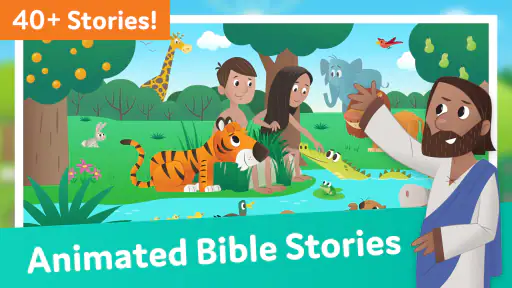
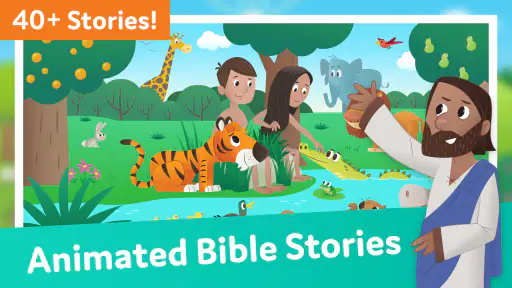
The Bible App for Kids is not just any app; it’s an adventure waiting to unfold in the palms of your children’s hands. Imagine a place where kids can tap, swipe, and watch stories come to life. That’s exactly what this app delivers. The stories are brought to life with animations that are both adorable and engaging, making the app ideal for children to dive into the depths of biblical tales.
Interactive and Easy to Navigate
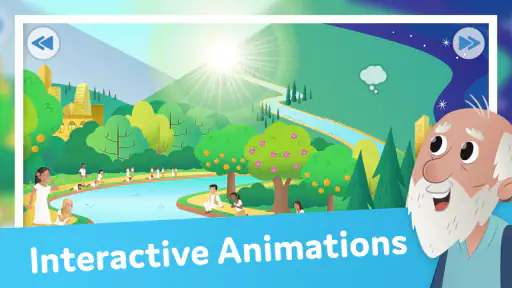
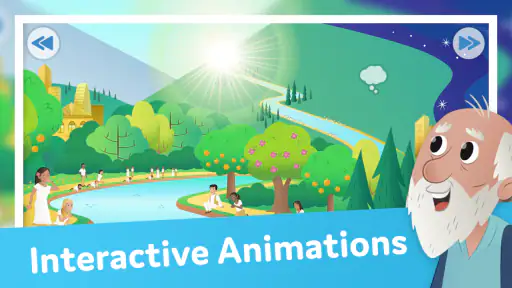
One of the things I love about this app is how user-friendly it is. The interface is intuitive, which means your kids will have no trouble navigating through the different stories. Each story is interactive, allowing kids to engage with the characters and scenes, making learning about the Bible a hands-on experience. The app also offers narration, which is a fantastic touch for younger kids who might still be learning to read.
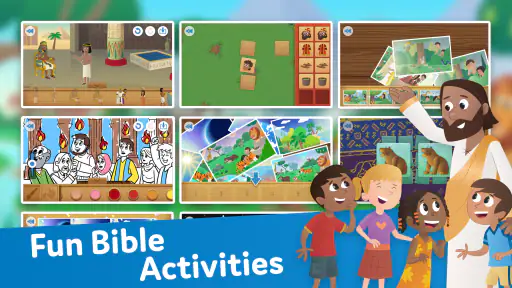
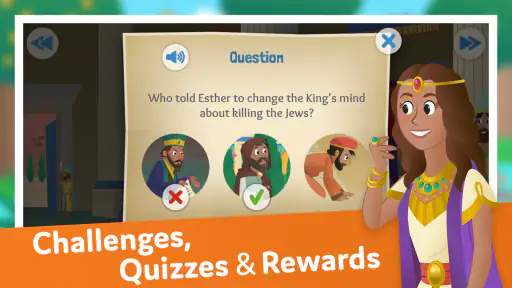
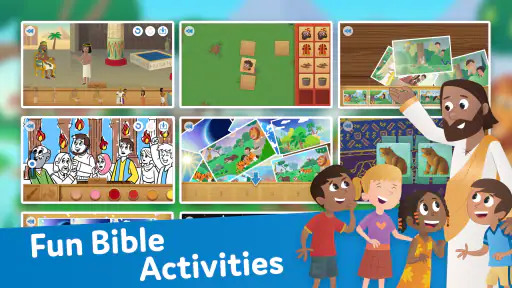
And get this, the app doesn’t just stop at storytelling. It includes fun quizzes and activities related to the stories, helping kids remember what they’ve learned. It’s like having a Sunday school in your pocket!
Visually Captivating
Let’s talk about the visuals for a second. They are simply stunning! The animations are vibrant and colorful, capturing the attention of kids from the get-go. The artwork is not only appealing but also faithful to the stories, ensuring that kids get a visually accurate representation of the tales they are exploring. It’s as if the pages of a picture book have come to life with a touch of a finger.
Engaging Content
What sets the Bible App for Kids apart is its engaging content. It covers a vast array of stories from the Old and New Testaments, ensuring that kids get a well-rounded biblical education. From the creation story to the life of Jesus, the app covers it all. And it does so in a way that is both informative and fun.
Moreover, the developers have done a stellar job in ensuring that the content is age-appropriate and easy to understand. It’s perfect for Sunday school teachers, parents, or anyone who wants to introduce children to the Bible in a modern and entertaining way.
Where it fits among other ways to learn
Compared with a printed children’s Bible, this app offers motion, narration, and touch-based interaction, which can help a child stay involved when reading alone is still a challenge. A paper book may be the better choice when you want to avoid screen time, linger over a page, or let a child browse without tapping through animations. For older children who want sustained reading or detailed study, a regular Bible and an adult’s explanation are likely to offer more depth than an animated story format.
The interactive elements are useful as prompts, but I would not treat quizzes as proof that a child has understood the meaning of a story. A better habit is to let the child explain what they remember in their own words. If an answer surprises you, that gives you a natural opening to clarify the story without turning a relaxed activity into a test.
Who will get the most from it
I would recommend it to families looking for an accessible first introduction, to caregivers who want a short activity they can share, and to teachers who need a visual aid to begin a conversation. The narration makes it more workable for children who are not yet comfortable reading independently. The app is less suitable for someone seeking a comprehensive study tool, a text-first experience, or a screen-free alternative; in those cases, a children’s printed Bible or a guided discussion may fit better.
Life.Church’s app has an average rating of 4.3 from around 382,000 ratings, and it has been installed over 100 million times. It first appeared in 2013, and version 2.40 requires Android 5.0 or later. Those figures suggest that it has reached a broad audience, but they do not change the main question for a parent: does its animated, interactive style suit this particular child and the way your household uses devices?
A few practical trade-offs
The animation and tap-to-explore format are the main draw, yet they can also make a story feel more like an activity than a quiet reading session. If your child gets absorbed in tapping, sit with them and guide attention back to the story. Narration can reduce the need for reading help, though it does not remove the value of an adult explaining unfamiliar ideas or answering questions.
Since the app is free, it is easy to try without making a purchase decision. I would start with one short session, watch how the child responds to the narration and interactive scenes, and decide whether it suits your routine. If you are setting it up for a group, choose the story and agree on a stopping point beforehand; that small bit of preparation can make shared use calmer and more focused.
What to expect from the first try
For a first session, I would sit with the child and let them explore at their own pace, then ask what they remember without turning the questions into a scorecard. This reveals whether they enjoy listening, prefer to tap through scenes, or need help staying with the story. It also gives an adult a chance to explain words or events that may be unfamiliar. If the child loses interest quickly, that is useful information: a printed story, a conversation, or another activity may be a better fit that day.
Families may also wonder whether this replaces a children’s Bible or a lesson. I would see it as a companion, not a substitute. The app can make a story more inviting and give a caregiver something visual to discuss, while a book offers a slower pace and a teacher or parent can add context that an animated presentation cannot provide by itself. That division of roles helps keep expectations realistic.
A household verdict
For a home that wants an approachable way to share biblical stories, this is a worthwhile option to try, especially when an adult can be nearby and make the screen time conversational. Its strongest setting is a short, intentional session with a child who responds well to animation and narration. I would skip it as the main resource for a child who wants detailed study, dislikes interactive screens, or needs a screen-free routine; a book and direct discussion will serve those needs better.
In conclusion, the Bible App for Kids is a fantastic resource for introducing children to the Bible. It’s interactive, visually appealing, and packed with engaging content. Whether you’re a parent looking to share your faith or a teacher wanting to add another tool to your educational arsenal, this app is definitely worth checking out. So, why not give it a try and watch your kids embark on a biblical adventure like no other?
Happy exploring!
Bible App for Kids Frequently Asked Questions
Is Bible App for Kids suitable for a child who is just beginning to explore Bible stories?
Bible App for Kids is an education app made for children and families, with animated stories about Jesus. Its visual storytelling offers a gentle way to introduce Bible narratives, while parents can join in and talk with children about what they see. The app is rated Everyone, though families may still want to preview its faith-based content and decide whether it suits their child.
Can parents and children use Bible App for Kids together?
Yes. Bible App for Kids is presented as an app for children and families, so it can be a shared activity rather than something a child has to explore alone. Sitting together can give parents a chance to answer questions and connect the animated stories with family conversations. The child-friendly presentation may also help make Bible stories more approachable for young learners.
What devices and operating systems can run Bible App for Kids?
Bible App for Kids is an educational app from Life.Church for children and families. It requires Android 5.0 or later, so it is worth checking your device’s software before downloading. The app’s store content describes animated stories about Jesus, offering a way for families to explore Bible stories together on a compatible device.
What age group is the Bible App for Kids suitable for?
The Bible App for Kids is designed for children aged 2 to 10 years. It's a child-friendly app that provides interactive Bible stories, making it suitable for young learners. The app uses colorful animations and engaging audio to capture the attention of children, making it a fun way to introduce them to biblical teachings and stories.
Does the Bible App for Kids require an internet connection?
The Bible App for Kids can be used both online and offline. While an internet connection is required to download the app and any updates, the stories and activities can be accessed offline once downloaded. This feature is particularly useful for parents who want to provide their children with educational content without constant internet access.
Pros
- Engaging animation for children
- Interactive Bible stories
- Easy-to-navigate interface
- Free to use with no ads
- Regular content updates
Cons
- Requires internet for full features
- Limited content for older kids
- No offline story downloads
- Some stories too simplified
- In-app purchases for extras
- Category
- Education
- Version
- 2.40