Baby Shark Car Town: Kid Games
- 170.00
- 3.4
- Installs
- 5.00M
- Price
- Free

Screenshots
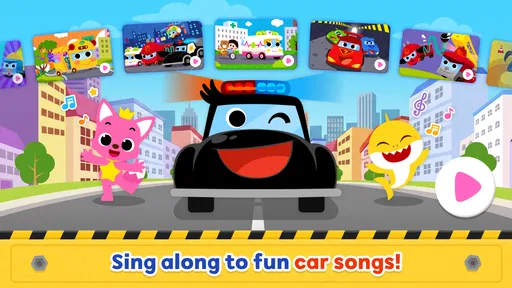
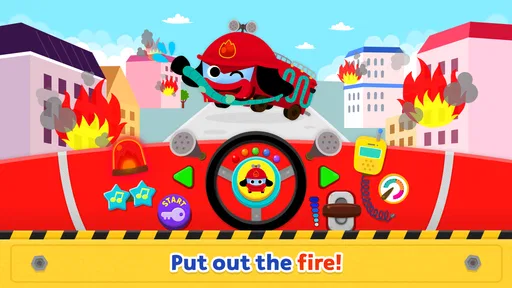
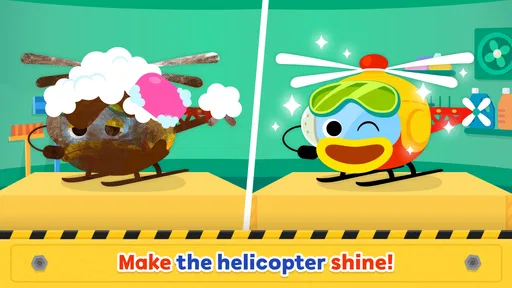
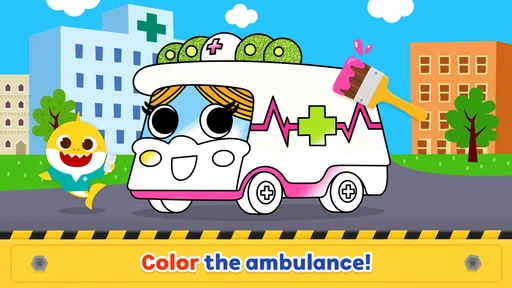
Analysis by Reviewed
I find Baby Shark Car Town: Kid Games easiest to judge as a short, shared activity rather than a complete learning plan. It is an education app from The Pinkfong Company, built around familiar characters, music, and child-friendly play. The appeal is immediate for children who already recognize Baby Shark, but the better question for parents is whether its simple activities fit the moment: a brief play break, a sing-along, or a chance for a young child to explore a screen with an adult nearby.
Starting with a Simple Play Routine
For a first session, I’d sit with the child and let them explore one activity at a time rather than treating the app like a course that needs to be completed. That gives you a chance to see what holds their attention: the characters, the music, or the act of tapping through the play. It also makes it easier to spot whether they can follow the screens independently or need a little help.
A useful habit is to agree on the stopping point before opening the app. For example, you might say that you’ll play until one activity is finished, then put the device away for snack time. That simple cue can make the transition less abrupt than ending in the middle of a song or after a child has begun expecting another round. I would keep the rule consistent, especially if the app becomes part of a regular routine.
Parents often want to know whether a child can use it alone. I’d answer that with a cautious “sometimes”: a child who is comfortable with touchscreens may be able to handle familiar play, but a first visit is better with an adult close by. If a screen is confusing, help them once and then let them try again. That supports independence without turning the session into a series of adult instructions.
Choosing the Right Moment and Setting
This is a lively app, so I would choose the setting with its sound and visuals in mind. At home, it can work well during a short break when music is welcome and an adult can keep an eye on the device. In a quiet place, I’d either skip it or prepare a different activity; a child may be more interested in the songs than in keeping the volume low.
For a family outing, it can be a backup for a brief wait, but I wouldn’t make it the only plan. Children can tire of a familiar character, and a battery-free alternative such as a small toy, a picture book, or a simple verbal game makes it easier to switch gears. The app is at its best when it adds variety rather than carrying the whole job of keeping a child occupied.
What Careful Parents Should Check
Before handing over the device, I’d explore the menus with the child and check how they move between activities. This isn’t about making a complicated setup ritual; it’s about knowing whether a child can return to play easily or might wander into areas they don’t understand. I’d also make sure the device’s volume is set appropriately and that purchase controls are protected on the device.
More From Our News Desk

Weather by Xiaomi Review: Clear at a Glance, Less Clear Up Close

X Under Pressure: Can It Recover When Posting Goes Wrong?

Clash of Clans Is Won Between the Battles

Android Auto Makes the Case for Quieter Car Software

MobiOffice: Transforming Mobile Productivity with Seamless Integration

EA SPORTS FC™ Mobile Soccer: Redefining Mobile Sports Gaming
The app is free to download, but it includes in-app purchases, with items ranging from $2.99 to $107.88. I’d review purchase settings on the device before letting a young child tap around, and explain that not every button is part of the free experience. That is a more useful precaution than assuming a child will understand purchase prompts. The app is rated Everyone, but that age label does not replace a parent’s judgment about screen time, sound, or the child’s response to the content.
One practical trade-off is that a child may connect the fun with the character and soundtrack more strongly than with any particular learning goal. If you want to make the session more purposeful, keep your prompts light: ask what they noticed, invite them to name something on screen, or sing along together. I wouldn’t quiz them after every interaction. The point is to add a little shared conversation, not to make play feel like homework.
How to Keep Repeats Fresh
When a child asks to play again, changing the adult’s role can add variety without assuming the app has a hidden mode or a feature you need to unlock. One time, let the child lead and narrate what they are doing; another time, sit beside them and join the song. You can also alternate app time with an off-screen activity inspired by the same playful mood, such as drawing a character or making up a short story about a drive.
That approach is especially handy for siblings or children at slightly different stages. Rather than expecting them to enjoy the same screen in the same way, one child can take the lead while another sings or points things out. If they start competing over the device, though, I’d end the shared session and take turns another day. A themed app can be a friendly common interest, but it does not automatically make every group interaction smooth.
The main question about repetition is whether the child still chooses the activities willingly or is only asking for the familiar song. If the music is doing all the work, I’d shorten the session and move on to another kind of play. That is a better signal than trying to keep the app novel by stretching screen time. Familiarity can be comforting, but it does not mean a child needs unlimited repeats.
A Splash of Fun and Learning
Imagine an app where your kids can dive into colorful adventures while learning. That’s exactly what Baby Shark Car Town: Kid Games offers. The app is brimming with catchy tunes, engaging graphics, and interactive gameplay that keeps children hooked while subtly imparting knowledge. With the beloved Baby Shark characters leading the way, kids can explore various mini-games that develop their cognitive skills.
Gameplay and Features
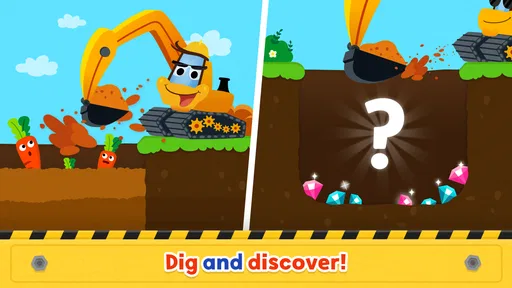
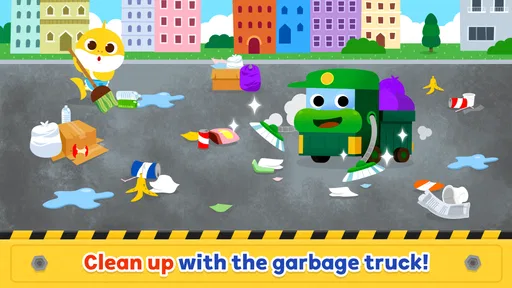
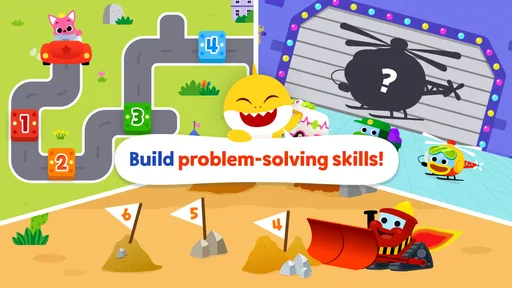
From the moment you launch the app, you’re greeted with a lively interface that’s both intuitive and appealing to young ones. The app features a variety of mini-games, each designed to teach different skills like counting, color recognition, and basic problem-solving. The games are short and sweet, catering perfectly to the attention spans of toddlers.
One of the standout features is the music integration. As expected, the Baby Shark song is at the core, but it’s cleverly intertwined with the games to enhance the overall learning experience. Kids can sing along while they play, making learning feel like a natural part of the fun. Plus, the app is consistently updated with fresh content, ensuring that children always have something new to explore.
Why It’s a Hit with Kids
Let’s face it, kids love Baby Shark! The app leverages this popularity by creating an engaging environment that kids can’t get enough of. The visuals are bright, and the characters are full of life, making it a visually stimulating experience. The sound effects and music are top-notch, ensuring that kids remain entertained while they learn.
The app also encourages kids to complete levels and earn rewards, which adds an element of achievement and motivation. It’s a fantastic way to keep them engaged and eager to learn more.
A Routine That Keeps Play Manageable
I’d use it in small, predictable windows: let a child choose an activity, stay close enough to help with a confusing screen, then agree on a stopping point before starting. That routine matters more than trying to turn every round into a lesson. Asking a child to name a color or count something they notice can make the play more interactive without expecting the app to replace conversation, books, or hands-on toys.
For a realistic example, it could fill a few minutes while dinner is nearly ready, when a child wants something familiar but you still want to keep the activity brief. I would avoid handing over a device when I need uninterrupted time for a long stretch; the app’s appeal and music can encourage another round, and a clear boundary helps prevent a short break from becoming an open-ended session.
Settings, Spending, and Practical Checks
Before a child plays independently, I’d explore the menus together and see how easily they can move between activities. That simple check helps you learn where a child might need guidance and lets you decide which parts are suitable for solo exploration. I would also check the device’s sound level and use the app in a place where music is welcome; repeated songs can be fun for a child and tiring for everyone else nearby.
The app is free to download, but it includes in-app purchases, with items ranging from $2.99 to $107.88. I’d review purchase settings on the device before letting a young child tap around, and explain that not every button is part of the free experience. That is a more useful precaution than assuming a child will understand purchase prompts. The app is rated Everyone, but that age label does not replace a parent’s judgment about screen time, sound, or the child’s response to the content.
How It Fits Beside Other Kids’ Apps
Compared with a general drawing or puzzle app, this one has a much stronger character-and-song hook. That can make it easier to get a Baby Shark fan interested, while a quieter puzzle app may suit a child who gets overstimulated by bright visuals or repeated music. Compared with books and physical toys, it offers quick, touch-based interaction but less room for a child to invent their own story or manipulate real objects. I’d choose it for a themed play break, not as the only activity in a child’s routine.
It is best suited to younger children who enjoy familiar songs and can manage simple touch interactions, especially when an adult is available to help. Older children looking for deeper challenges may outgrow the format, while families seeking a calm, music-free experience may prefer another option. If a child loses interest in the characters, the central appeal may not be strong enough to keep the activities engaging on their own.
Parental Controls and Safety
As a parent, safety is always a priority. This app understands that and includes several parental controls to ensure a safe learning environment. You can manage the time your child spends on the app and monitor their progress. The app is free from ads, making it a safe haven for kids to play without distractions.
It has been available since February 25, 2015, and its current version is 32.47, with a minimum operating-system requirement of 7.1. It is free, rated Everyone, and has passed five million installs; its average rating is 3.4 from around nine thousand ratings, alongside 170 written reviews. I’d treat those numbers as context rather than a promise that every child will enjoy it: a child’s familiarity with Baby Shark and tolerance for musical repetition are more telling than popularity alone.
Where It Works—and Where It Doesn’t
In practice, the strongest habit is to use the app with a purpose: choose a short play window, let the child pick an activity, and finish with a natural transition to something away from the screen. If the child becomes frustrated, needs constant help, or asks to keep going long after the agreed stopping point, I’d pause rather than push through. That keeps the app in its proper role as an optional activity, not a test of patience or a substitute for a broader mix of play.
Parents may also wonder whether it works as a quiet distraction. Its music is part of the experience, so I wouldn’t count on it for a silent waiting room or a sleeping child nearby. For travel or errands, it can be useful when sound is acceptable and the device is ready, but I’d keep another no-screen option available in case the child tires of the same characters or songs. The best fit is a family that welcomes lively, familiar entertainment in moderation.
My Take After Weighing the Fit
The app’s strongest use is not as a stand-alone teaching tool but as a familiar invitation to interact. I’d choose it when a child is curious about the characters and ready for simple on-screen play, then use the moment to talk, sing, or take turns. That combination makes the screen session feel more connected than simply placing a device in front of a child and walking away.
It is also reasonable to wonder whether the free download is enough to decide if the app suits your family. I’d treat it as a low-commitment way to try the style of play, while keeping in-app spending protected and checking how the child responds before making any purchase decisions. If they enjoy the characters but quickly tire of the activities, there is little reason to push for a longer session. Their actual response matters more than the app’s popularity.
My verdict is simple: it is a lively, character-led option for short play breaks, especially for a young Baby Shark fan, but it asks parents to manage the volume, the stopping point, and purchase access. Families wanting deep lessons, quiet play, or open-ended creative tools should look elsewhere. For the right child and moment, though, a few minutes of music and simple interaction can be an enjoyable change of pace.
In conclusion, Baby Shark Car Town: Kid Games is a delightful fusion of fun and education that both kids and parents will appreciate. With its engaging gameplay, educational content, and safe environment, it’s an app that ticks all the right boxes. So why not give your little ones a chance to learn while they play and let Baby Shark guide them through a world of discovery?
Baby Shark Car Town: Kid Games Frequently Asked Questions
What age is Baby Shark Car Town: Kid Games suitable for?
Baby Shark Car Town: Kid Games is rated Everyone, making it suitable for a broad audience, including young children. Its car-themed activities and familiar Baby Shark character are aimed at playful, child-friendly entertainment. As with any app used by a child, parents can preview the experience and decide whether its activities and purchase options are appropriate for their family.
What is Baby Shark Car Town: Kid Games?
Baby Shark Car Town: Kid Games is an interactive mobile application designed for children, featuring the beloved Baby Shark character. This app offers a variety of educational mini-games centered around cars and town exploration, helping kids develop cognitive and motor skills in a fun and engaging environment. Its theme combines driving, singing, and coloring for a playful experience.
Is Baby Shark Car Town: Kid Games safe for children?
Yes, Baby Shark Car Town: Kid Games is designed with child safety in mind. It includes age-appropriate content, parental controls, and no third-party advertisements, ensuring a secure and ad-free experience for young users. Parents can feel confident about the app's focus on education and entertainment. It is still sensible to supervise a child's use and manage purchase settings on the device.
What are the main features of Baby Shark Car Town: Kid Games?
Baby Shark Car Town: Kid Games offers a variety of features including interactive car-themed mini-games, vibrant graphics, and engaging soundtracks featuring popular Baby Shark songs. The app encourages learning through play, promoting problem-solving skills, hand-eye coordination, and creativity among young children. Driving, singing, and coloring give children different activities to explore within its kid-focused theme.
Does Baby Shark Car Town: Kid Games require an internet connection?
No, Baby Shark Car Town: Kid Games does not require a constant internet connection to play. Once downloaded, all games and features are available offline, making it convenient for parents to allow their children to play anytime, anywhere without worrying about internet availability. Downloading the app itself requires a connection, so it is practical to install it before an offline trip.
Pros
- Engaging for young children
- Educational content included
- Colorful graphics
- Easy to navigate
- No in-app purchases
Cons
- Limited game variety
- Can be repetitive
- Requires internet
- Ads may interrupt play
- No parental controls













