Brainly: AI Homework Helper
- 17.92K
- 4.5
- Installs
- 100.00M
- Price
- Free

Screenshots



Analysis by Reviewed
I started using Brainly: AI Homework Helper when I wanted a quicker way to work through school questions without treating every confusing exercise as a dead end. I found it most useful as a study aid: it can help me get unstuck, but I still need to check the reasoning and do the learning myself. That distinction matters, especially when an answer looks convincing at first glance.
A sensible way to judge the cost
Before relying on Brainly, I’d separate what is free from what costs extra. The app is free to install and use, while optional in-app purchases range from around $0.49 to $96 per item. That is a broad spread, not a promise that one particular purchase will improve every study session. I’d begin with the free option, notice which tasks it already handles well, and only then decide whether a paid option is worth considering.
For a family, that means it is possible to try the app without committing to a purchase, but it is still sensible to review any purchase choices before a child uses them. The age rating is Everyone. I’d also keep the purpose clear: paying for access should not change the basic study habit of checking an explanation against classwork and learning the method rather than collecting answers.
What the app can add to a study session
Brainly is an education app developed by Brainly, and its combination of AI assistance with community answers gives me more than one route into a question. If a response does not make sense, I can use another explanation as a comparison rather than assuming the first one is the only way to approach the problem. That variety is valuable when I understand the topic broadly but cannot follow a particular solution.
The practical benefit is not just speed. A student can use a response to identify the step they do not understand, then return to a textbook or notes with a more precise question in mind. For instance, instead of asking only “What is the answer?”, I’d focus on why a particular operation is used or how a scientific term applies to the problem. That small shift makes the app more useful as a learning tool and less tempting as an answer shortcut.
Where accuracy and convenience meet
The app has an average rating of 4.5 from around 4.5 million ratings, with over 100 million installs. That shows it has reached a large audience, but popularity is not a substitute for checking schoolwork. Brainly launched in 2015, and its current version, 5.274.0, needs Android 10 or later. I’d check that requirement before planning to use it on an older Android device.
For a quick check, I’d compare the response with the wording of the original question, not just the numbers or topic. Small differences in what a problem asks can change what counts as a complete answer. If an explanation skips a step, I’d treat that as a reason to slow down, work through the missing part myself, or consult class materials—not as a reason to fill in the gap by guessing.
More From Our News Desk

Weather by Xiaomi Review: Clear at a Glance, Less Clear Up Close

X Under Pressure: Can It Recover When Posting Goes Wrong?

Clash of Clans Is Won Between the Battles

Android Auto Makes the Case for Quieter Car Software

MobiOffice: Transforming Mobile Productivity with Seamless Integration

EA SPORTS FC™ Mobile Soccer: Redefining Mobile Sports Gaming
Getting more than a quick answer
I must say, the first thing that struck me about Brainly: AI Homework Helper was its intuitive design. The interface is super user-friendly, which means you can dive right in without a steep learning curve. Trust me, the last thing you need when you're knee-deep in algebra is a complicated app to navigate.
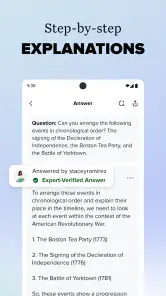
One of the coolest features is the AI-driven assistance. We're talking about a smart helper that can tackle a range of subjects, from math and science to the humanities. Just pop in your question, and boom – you get detailed explanations that actually make sense. It's like having a tutor on your phone, ready to help at a moment's notice.
To get learning value from a response, I’d compare each step with the method taught in class instead of copying the final result. For a multi-part problem, asking about the exact step that caused trouble is more useful than pasting in the whole assignment and accepting a result without understanding it. I’d also use a response to make a similar practice question for myself; if I can solve that without help, I’m more likely to have learned the method rather than memorized an answer.
AI help and community answers
What makes Brainly stand out is its community-driven approach. You’re not just getting answers from a machine; you’re tapping into the collective knowledge of students and educators worldwide. This interactive aspect adds a dynamic layer to learning, making it less of a solitary journey and more of a collaborative effort.
Plus, it’s not all about getting answers. Brainly encourages you to engage with others by asking questions and offering solutions. It's a bit like a social network but with a focus on education. This means you're not only learning but also contributing to a community. Pretty neat, huh?
The mix of AI help and community contributions is useful when one explanation doesn’t click: another person may express the idea in a way that makes more sense to me. The trade-off is that answers from different sources can vary in clarity and usefulness, so I wouldn’t assume that a response is correct simply because it appears in the app. I’d check calculations, definitions, and the question’s wording against my notes or textbook, especially before using an answer in graded work.
A realistic use case is getting home with a science question I can’t explain in my own words. I can use the app to find a starting explanation, write down the key idea, then close it and try to explain the concept from memory. If I’m still stuck, I can bring the specific point to a teacher or classmate. That workflow makes Brainly a useful bridge between homework and asking for help, rather than a substitute for instruction.
Making its explanations work for you
I’d keep a short record of the questions that repeatedly trip me up, along with the step that finally made sense. That turns a quick lookup into a small revision resource and can help me spot whether I’m struggling with a single exercise or a broader concept. It also gives me something concrete to revisit before a quiz, instead of reopening the app and searching without a clear goal.
When an answer seems clear, I’d still test it by changing one detail in the problem or trying a comparable question from class. If the same reasoning still works, I have a better sign that I understand the method. If it falls apart, the explanation may have helped with that particular example without teaching me how to handle variations. This is a useful check for math and science, where recognizing a pattern is not always the same as knowing why it applies.
Where it fits in a study routine
Another thing I appreciate is how seamless the experience is across different devices. Whether you're on your phone or tablet, the app syncs effortlessly. So, if you start a question on your phone and want to switch to your tablet for a larger view, it's no hassle at all.
And let's not forget about the app’s capacity to save your progress. It remembers where you left off, which is perfect for those moments when life interrupts your study time. You can jump back in without missing a beat.
Compared with searching the web for a solution, Brainly keeps the focus on school questions and brings AI assistance together with a student-and-educator community. A textbook or a teacher is still a better choice when I need a reliable course-specific explanation, and a calculator is better when I only need to check arithmetic. Brainly is most helpful when I need a starting point or another way to understand a topic; it is less suitable when I need a guaranteed answer, a full lesson tailored to my class, or help that requires a teacher to assess my work.
Choosing the right alternative for the job
I wouldn’t use Brainly as my only study resource. Class notes are a better first stop when a teacher has shown a specific method that an assignment expects. A textbook can be more dependable for a carefully structured explanation of a whole topic, while a calculator is quicker for checking a numerical result after I have already set up the problem. Brainly earns its place when I need a fresh explanation or a prompt to work out what I should ask next.
It is also not the right choice for someone who wants to avoid screens while studying, or for a learner who is likely to copy an answer without checking it. In those situations, working through notes with a classmate or asking a teacher may be more productive. The app is most rewarding for students who can treat its responses as material to question, compare, and practise with, rather than as final authority.
Who should give it a try
I’d recommend trying it if you regularly get stuck on homework and want another explanation available on your phone. It can also suit students who are comfortable checking answers and using them to practise rather than submitting them unchanged. If you rarely need homework help, prefer printed materials, or find AI and community responses distracting, you may get more from your class notes, textbook, or a direct conversation with a teacher.
For a student deciding whether to pay, my advice is to use the free experience long enough to see whether it fits their actual routine. If it only comes out for an occasional question, a purchase may not add enough value. If it becomes a regular part of study, compare the specific purchase options available in the app with the help you genuinely need; the price range by itself cannot tell you which option is worthwhile.
In conclusion, Brainly is more than just an app; it's a game changer for students looking to enhance their learning experience. It combines the power of AI with the wisdom of a global community, making it a must-have tool for anyone serious about their studies. Give it a try, and you might just find that homework isn't so bad after all!
Brainly: AI Homework Helper Frequently Asked Questions
Can Brainly: AI Homework Helper help me check my work before I submit an assignment?
It can be useful to compare a homework problem with an answer and explanation in Brainly: AI Homework Helper. Rather than treating a matching result as proof that your work is correct, review the reasoning and make sure it applies to the question you were assigned. This can help you spot a missed step while keeping your own understanding at the center.
Can I use Brainly: AI Homework Helper when I get stuck studying outside class?
Brainly: AI Homework Helper is designed to help with school questions and homework, so it may be handy when you want to review a problem on your own. You can use the answer and explanation as a starting point, then revisit the relevant class material or ask a teacher if you are still unsure. It works best as a study aid, not a replacement for instruction.
Can I use Brainly: AI Homework Helper to understand a solution rather than just copy an answer?
Brainly: AI Homework Helper is intended to assist with homework by providing answers and explanations. Its solutions can help you follow the steps behind a result, but the most useful approach is to work through the reasoning and compare it with your own attempt. Treat the app as a study aid, not a substitute for doing assignments or learning the material.
Who develops Brainly: AI Homework Helper, and what kind of app is it?
Brainly: AI Homework Helper is an education app developed by Brainly. It is designed to help students with school questions and homework, with a focus on getting answers and explanations for subjects such as math and science. If you are choosing a study app, consider whether this question-and-solution format suits the way you prefer to review class material.
Does Brainly: AI Homework Helper let me submit a photo of a homework question?
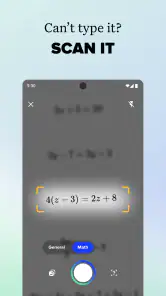
Yes. You can type a question or take a photo of a homework problem, then use the app to receive a solution and explanation. A clear image and a complete question make it easier to get useful help. It is still worth checking that the response addresses the exact problem you are working on and that you understand the steps before using them.
Pros
- Comprehensive homework help resource.
- Accessible for a wide range of subjects.
- Engaging community of learners.
- User-friendly interface and design.
- Fast and reliable AI assistance.
Cons
- Limited free features available.
- May require internet for full use.
- Some answers lack depth.
- Occasional incorrect solutions.
- Ads can be disruptive to experience.
- Category
- Education
- Version
- 5.274.0