Baby Shark Hospital Play: Game
- 32.00
- 3.3
- Installs
- 1.00M
- Price
- Free

Screenshots


Analysis by Reviewed
I’d treat Baby Shark Hospital Play: Game as a short, character-led play activity rather than a serious introduction to medicine. Its appeal is the familiar Baby Shark world and the chance for young children to take a caring role. That makes it an easy option for a child who enjoys pretend play, though it is less suited to families looking for a detailed learning tool or a game with lots of strategic depth.
A small role-play session, not a medical lesson
The hospital premise gives a child a simple reason to act: a patient needs help, and they get to play the doctor. In an everyday setting, I can see it working during a quiet stretch at home when a child wants something to do independently but still enjoys showing a parent what they are doing. Sitting nearby and asking the child to describe their pretend patient can turn the play into a conversation about being gentle and helping others, without treating the app as a source of health advice.
That distinction matters. The game’s educational appeal is best understood as imaginative, caring play, not a substitute for learning about the body or medical care. If your child asks what a real symptom means, I’d answer outside the game and keep the pretend treatment separate from real-world guidance.
Step into the World of Baby Shark
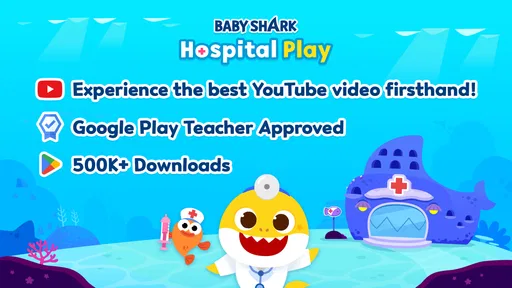
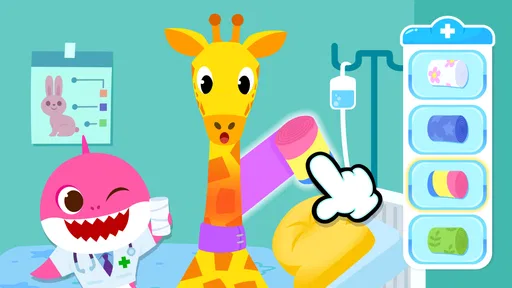
As soon as you launch the app, you’re greeted with a vibrant and cheerful interface that’s bound to capture your child’s imagination. The game is set in the whimsical world of Baby Shark, where kids can assume the role of a doctor in a bustling hospital. The graphics are top-notch, with every character and setting meticulously designed to enhance the playful atmosphere. It’s like stepping into a cartoon, where fun and learning go hand-in-hand.
Engaging Gameplay for the Little Doctors
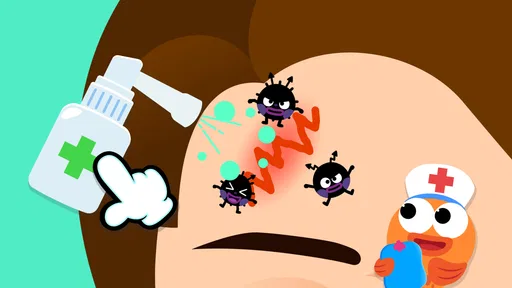
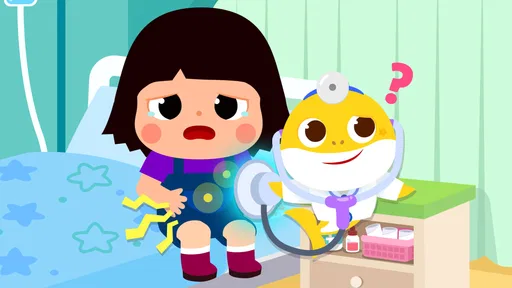
The gameplay of Baby Shark Hospital Play: Game is intuitive and engaging, making it perfect for young children. Kids can interact with various tools and medical equipment to treat their underwater patients. From curing common colds to patching up boo-boos, the game offers a wide array of scenarios that teach children about health and empathy. Plus, the app cleverly incorporates educational elements, helping kids learn about the human body and the importance of taking care of our health.
For parents, a useful way to judge whether this style of play is landing is to watch what the child does without prompting. Do they enjoy choosing how to help, or do they mainly want to tap through quickly? If they like narrating their actions, the pretend-doctor setup can encourage language and turn-taking. If they lose interest as soon as the familiar characters stop being novel, it may work better as an occasional activity than as a regular part of their routine.
Colorful Characters and Fun Challenges
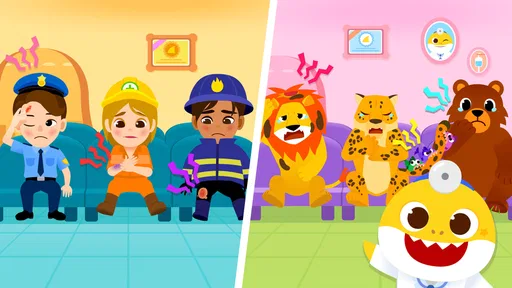
One of the standout features of this game is its cast of colorful characters. Each patient has its own quirky personality and unique ailment, which adds a layer of depth and keeps the game from becoming repetitive. Kids will love helping out their favorite Baby Shark characters, and the app’s rewarding system encourages them to keep playing and improving their skills.
More From Our News Desk

Weather by Xiaomi Review: Clear at a Glance, Less Clear Up Close

X Under Pressure: Can It Recover When Posting Goes Wrong?

Clash of Clans Is Won Between the Battles

Android Auto Makes the Case for Quieter Car Software

MobiOffice: Transforming Mobile Productivity with Seamless Integration

EA SPORTS FC™ Mobile Soccer: Redefining Mobile Sports Gaming
Compared with open-ended drawing apps or toy-based role-play, this offers a more guided theme: the child is placed in a hospital setting and invited to care for patients. That structure can be helpful for a young player who likes clear pretend scenarios, but it gives less room for inventing an entirely different story than a box of toys or a blank drawing canvas. I’d choose it when the child specifically wants Baby Shark and doctor play, not as a replacement for broader creative activities.
Intuitive Controls and Kid-Friendly Design
The user interface is designed with kids in mind, featuring intuitive controls and easy navigation. Parents will appreciate the game’s simplicity, as it allows their children to play independently while still providing a safe and educational environment. The developers have clearly put a lot of thought into making sure that even the youngest players can enjoy the game without any frustration.
One practical consideration is the business model: the app is free to download, but it includes in-app purchases priced from $7.99 to $109.99 per item. I’d check the purchase settings on the device before handing it over, especially if a child is likely to explore buttons without asking. The free entry point makes it easy to try, while the high upper end of the listed purchase range is a reason to set clear boundaries rather than assume every part of the experience is included at no cost.
It is an education app from The Pinkfong Company, with an Everyone age rating. It was released on November 14, 2023, and version 2.2 requires OS 7.1 or later. The average rating is 3.3 from around 960 ratings, with over a million installs. I’d read that rating as a reminder to keep expectations grounded: the Baby Shark theme and simple role-play may delight the right child, but the concept will not suit every family or hold every player’s attention.
Making it work in an ordinary day
A realistic use for this game is a short, supervised pause while dinner is being prepared or while a parent needs a few calm minutes nearby. I’d present it as one activity, not as a promise of extended solo entertainment. Before starting, it can help to agree that the child will play for a little while and then tell you about one patient they helped. That small wrap-up gives the session a natural endpoint and makes it easier to notice whether the child enjoyed the pretend-care aspect or was mainly pressing through the scenes.
If you are choosing between this and a general kids’ video, the difference is that the hospital theme invites the child to take an active role rather than only watch familiar characters. But it still uses a screen and follows a guided game structure, so I wouldn’t count it as a substitute for imaginative play with toys, conversation, or movement. A useful trade-off is to let the app spark a story, then carry that story away from the screen: the child can explain what their pretend patient needed, or continue the doctor game with a toy afterward.
What parents should check before handing over the device
The main practical question is not whether a young child can understand the basic premise, but whether the way the app presents its choices suits that child. I’d sit through the first session together and pay attention to where the child taps, how clearly the next action is signaled, and whether they can recover if they choose something by mistake. A child who needs frequent help may enjoy the theme but not yet be ready to use it independently. In that case, playing side by side is a better fit than expecting the app to occupy them alone.
It is also sensible to decide in advance how purchases will be handled. The app costs nothing to download, but optional spending can change the experience for a family that wants a fully predictable free activity. Device-level purchase controls and a simple rule—ask before buying anything—can prevent an eager child from treating every appealing prompt as part of the game. If you prefer apps with no in-app spending at all, this is a reason to choose another option rather than hope the issue never comes up.
Parents may also wonder whether the play is educational enough to justify screen time. I’d keep that claim modest: pretend caregiving can prompt empathy, naming, and conversation, but the game should not be treated as a structured lesson in anatomy or a guide to real treatment. When a child asks a genuine health question, answer it separately in language they can understand. That boundary keeps the playful hospital setting enjoyable without letting cartoon actions stand in for sound medical information.
Who is likely to enjoy it—and who may not
I’d recommend giving it a try if your child already likes Baby Shark, enjoys caring for pretend patients, and is comfortable with a guided activity on a screen. It may also suit a parent who wants a themed game to share briefly, rather than expecting an app to teach medical facts on its own. A child who prefers building, racing, puzzles, or unrestricted make-believe may be happier with a different kind of play.
For a first session, I’d stay close long enough to see how the child navigates and whether any purchase prompts appear in their path. Then you can decide whether independent play feels appropriate on your device. If the child enjoys explaining each patient’s situation, follow their lead; if the game becomes repetitive or turns into a request to buy more, it is reasonable to stop and choose a different activity.
The strongest reason to choose it is the combination of a recognizable character world and a simple caregiving premise. That can lower the effort needed to get a Baby Shark fan interested in role-play. The strongest reason to pass is equally straightforward: if your child is not drawn to the characters or wants more freedom than a hospital scenario allows, the theme may feel limiting quickly. A broad creative app or real-world pretend play will serve that child better, while this is more appealing as a specific, familiar setting.
In conclusion, Baby Shark Hospital Play: Game is a delightful app that combines fun, education, and creativity in one package. It’s perfect for young children who love the Baby Shark brand and are curious about the world of healthcare. Whether your child dreams of becoming a doctor or simply enjoys caring for others, this game offers a unique and engaging way to explore those interests. So, if you’re looking for an app that’s both entertaining and educational, dive into the world of Baby Shark Hospital and let your little ones start their medical adventure today!
Baby Shark Hospital Play: Game Frequently Asked Questions
Who developed Baby Shark Hospital Play: Game, and what kind of app is it?
Baby Shark Hospital Play: Game is an educational app from The Pinkfong Company. Its hospital theme puts Baby Shark in the role of a doctor, inviting children into a playful setting centered on caring for patients. It may appeal to families looking for a child-focused activity with a learning angle, as well as to young fans of the Baby Shark characters.
What is Baby Shark Hospital Play: Game about?
Baby Shark Hospital Play: Game is an engaging educational app designed for children. It takes kids on an adventure with the beloved Baby Shark characters, where they can learn about healthcare and the human body by playing various mini-games in a hospital setting. The app promotes learning through fun and interactive gameplay, making it ideal for young, curious minds.
Is Baby Shark Hospital Play: Game safe for children?
The app has an Everyone content rating, and its hospital theme is aimed at children. Parents should still check the app and its purchase settings themselves before handing over a device, especially if children can access payment features. The rating offers a quick indication of the intended audience, but it is sensible to supervise young children’s app use and decide what is suitable for your family.
What age group is Baby Shark Hospital Play: Game suitable for?
Baby Shark Hospital Play: Game is tailored for children aged 3 to 8 years old. The app's content is crafted to be both educational and entertaining for this age range, providing age-appropriate challenges and activities that cater to their developmental needs and interests, while also ensuring that it is simple enough for young kids to navigate and enjoy.
Does Baby Shark Hospital Play: Game require an internet connection to play?
No, Baby Shark Hospital Play: Game does not require an internet connection to play. Once the app is downloaded and installed, all its features and mini-games can be accessed offline. This makes it convenient for play on-the-go, allowing kids to enjoy the app anytime and anywhere without needing to be connected to Wi-Fi or mobile data.
Pros
- Engaging gameplay for kids
- Educational value with fun
- Colorful and attractive graphics
- Easy controls for young children
- Encourages creativity and imagination
Cons
- Limited content availability
- In-app purchases needed
- Repetitive gameplay elements
- Requires internet connection
- Advertisements can be intrusive













