Baby Shark World for Kids
- 70.00
- 3.2
- Installs
- 1.00M
- Price
- Free

Screenshots
Analysis by Reviewed
I’d treat Baby Shark World for Kids as a character-led play space for young children, rather than as a structured course. That distinction matters: a toddler drawn in by familiar songs may happily explore, while a parent hoping for a clear lesson sequence may find the experience less focused. The app is free to install, but it includes in-app purchases, so I’d check what is available before handing over a device and set a clear expectation with your child about what they can access.
Who will get the most from it
In my view, it suits preschoolers who already enjoy Baby Shark and respond well to bright visuals, music, and short interactive activities. It can be a handy choice for a quiet stretch at home or a little distraction while waiting somewhere, especially when a child wants to explore familiar characters without needing much help from an adult. I would not rely on it as a substitute for shared reading, hands-on play, or a teacher-led learning activity.
A practical way to use it is to sit together the first time and let your child show you what catches their attention. After that, you can suggest a small activity, such as singing along or trying a puzzle, and then talk about what they saw. That turns screen time into a shared moment rather than simply passing the phone over. It also gives you a chance to notice whether the child can navigate comfortably or needs you nearby.
How it fits beside other children’s apps
Compared with general preschool learning apps, Baby Shark World has a clear advantage for children already attached to its characters: the familiar world can make it easier to invite them into an activity. The trade-off is that its appeal is more specific. A child who is not interested in Baby Shark may prefer a broader app with varied characters or a more deliberate progression through early-learning topics. If your priority is focused practice in one skill, I’d choose a tool built around that goal rather than expecting this app to provide a complete curriculum.
I’d also keep the device setup simple. Before a car ride or waiting-room visit, open the app yourself and check that the child can reach the activity you intend to use. That small step can avoid a frustrating scramble when you are busy. For longer trips, I’d still bring a non-screen option; an app can fill a short gap, but it is not a dependable replacement for varied activities or adult attention.
The Pinkfong Company makes this education app, which is rated for Everyone and has reached over one million installs. It holds an average rating of 3.4 from around 2,100 ratings, so its reception is mixed rather than universally enthusiastic. That is a useful reminder to try it with your own child instead of assuming that a familiar brand will automatically suit every family.
The Underwater Adventure Begins
Hey there, fellow parents! So, I recently took a dive into the colorful and lively world of Baby Shark World for Kids, and let me tell you, it's quite a splash! If you're a parent of a toddler or a preschooler, you probably know the irresistible charm of the "Baby Shark" song. Well, this app takes that fascination to a whole new level. Let's explore what makes this app a must-have for your little ones.
More From Our News Desk

Weather by Xiaomi Review: Clear at a Glance, Less Clear Up Close

X Under Pressure: Can It Recover When Posting Goes Wrong?

Clash of Clans Is Won Between the Battles

Android Auto Makes the Case for Quieter Car Software

MobiOffice: Transforming Mobile Productivity with Seamless Integration

EA SPORTS FC™ Mobile Soccer: Redefining Mobile Sports Gaming
Dive into the Features
As soon as I opened Baby Shark World for Kids, I was greeted with vibrant underwater scenes that felt like a cozy cartoon world. The app is designed to engage kids with its interactive features, colorful graphics, and catchy tunes. It's more than just a digital playground; it's a hub for learning and fun. Everything from the characters' animations to the background music is tailored to keep young minds entertained and engaged.
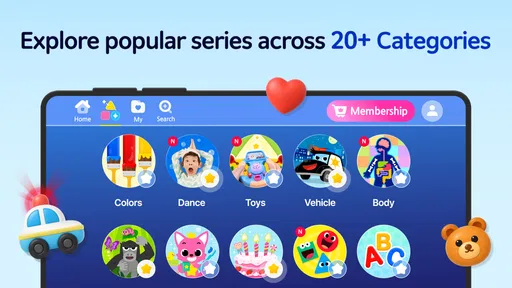
The app offers a plethora of activities that are both educational and entertaining. Your kids can explore ocean-themed games, puzzles, and sing-along sessions that help them develop cognitive and motor skills. I particularly loved the "Shark Dance" section, where kids can follow along with dance moves. It's a joy to see them giggle and groove along with their favorite characters.
Another cool feature is the "Explore the Ocean" mode, where children can learn about different marine creatures. It's like having a mini aquarium right on your phone! Plus, the app's intuitive design makes it easy for little fingers to navigate, so you can let them explore independently without worry.
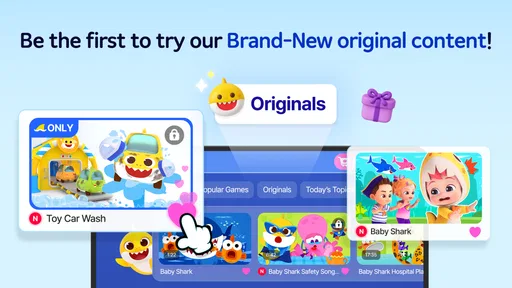
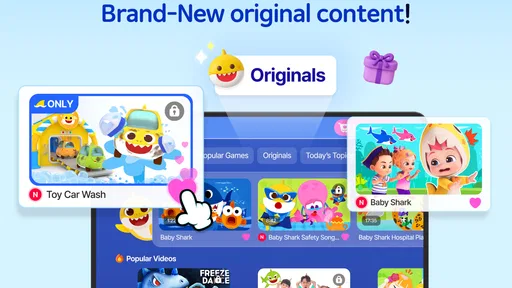
The listing identifies the current version as 3.15, following a release on April 6, 2022. Those details tell me which version the app is currently presented as, but they do not reveal a sequence of specific changes or what has changed for long-time users. The listing also describes pre-release Baby Shark content; I’d treat that as a reason to look for new material over time, not as a promise about what will arrive next. For parents deciding whether to install, the practical question is whether the activities available now suit their child.
Making screen time work for your family
One useful trade-off with a familiar sing-along app is that children may return to the same favorite activity instead of exploring everything. I’d let a child enjoy a repeat, then offer a gentle choice between another activity and putting the device away. That keeps the experience pleasant without turning the app into an endless reward loop. If your child gets overstimulated by songs or bright animation, try a short session together and watch how they respond before making it part of the routine.
Parents may also wonder whether it is suitable for independent use. Its simple presentation can help a young child find their way around, but I would still supervise at first, especially because purchases are available. The app is free, while individual in-app items range from $8.99 to $107.88. I’d review purchase settings on the device and avoid assuming that every activity is included at no cost. If you prefer an entirely predictable, purchase-free experience, a library book, offline toy, or a carefully chosen alternative may be a better fit.
Why Kids (and Parents) Love It
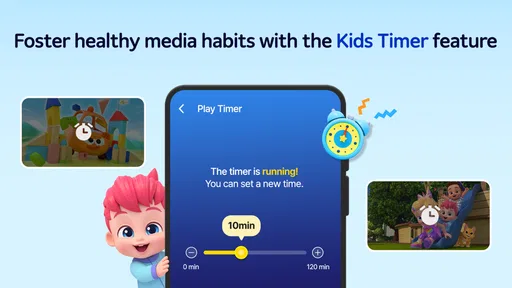
One of the reasons why parents, including myself, appreciate this app is its ability to combine fun with education seamlessly. It's not just about keeping the kids busy; it's about fostering their growth in a playful manner. The app includes parental controls, so you can set time limits and ensure a safe environment for your child.
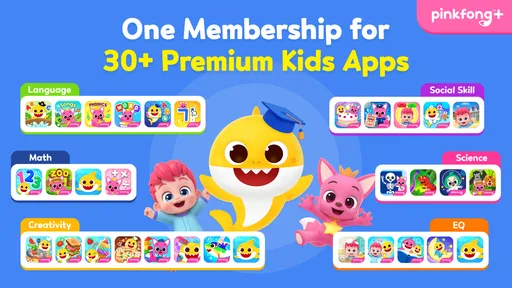
If your child is a fan of the "Baby Shark" universe, this app is a treasure trove of delightful content. It keeps them entertained while also providing a platform for learning basic concepts like colors, numbers, and even languages. It's like a digital babysitter that teaches while it entertains.
Still, I’d frame those learning elements as playful exposure rather than a guarantee of measurable progress. A child may enjoy a song or recognize a color in context, but caregivers can strengthen that moment by asking what they noticed or linking it to something nearby. For example, after an ocean activity, you might talk about a fish on a picture book or toy. That little conversation gives the screen activity a useful bridge into the child’s offline world.
Choosing the right moment and setup
For a realistic everyday use, I’d save it for a short transition rather than making it the default activity whenever a child is bored. If you need a few calm minutes while preparing a meal, choose an activity together, put the device somewhere the child can see and reach comfortably, and agree that the session ends when the task is done. A familiar song can make that pause easier, but having a clear stopping point helps avoid negotiating over the screen later.
On a device shared with adults or older children, I’d also open the app before giving it to a young child and check that the screen is where you want it. This is less about expecting a child to understand every menu and more about reducing accidental taps and purchase prompts. If the child can handle the activity but not the surrounding interface, staying nearby is the more practical choice than assuming a simple-looking app is automatically suitable for unsupervised use.
What to expect from its learning value
One question parents often have is whether a playful app can teach without adult help. I see Baby Shark World as a possible conversation starter, not a replacement for instruction. A song or themed activity can give a child a reason to notice a word, color, or sea creature; you can then ask them to point it out in a book, a toy, or the world around them. That small follow-up makes the experience more active, while still keeping expectations realistic.
Another useful distinction is between entertainment that happens to include learning elements and an app designed to track a child’s progress through a curriculum. If you need a clear sequence, repeated practice, or a specific skill goal, I’d look for a dedicated early-learning resource. Here, the character connection is the main reason to choose it, and the child’s interest may matter more than a parent’s plan for what they should learn in a session.
Age, compatibility, and family fit
The app is rated Everyone, and it is aimed at a young audience, but age labels do not tell you how a particular child will respond to songs, animation, or device navigation. I’d introduce it in a shared session and pay attention to whether the child stays engaged, becomes frustrated, or wants to keep playing after you are ready to stop. A child who enjoys the characters but needs help choosing activities can still benefit from using it with an adult rather than alone.
It is available for devices running at least version 7.0 of the operating system. If you are installing it on an older device, checking compatibility before planning to use it on a trip is sensible. The app’s free entry point may make it easy to try, but the in-app purchases mean families should decide in advance whether they are comfortable with paid content. I would not give a child access to purchase decisions as part of ordinary play.
The Final Splash
In conclusion, Baby Shark World for Kids is a fantastic app that offers a rich blend of entertainment and education. It's perfect for keeping your little ones happy and occupied, whether you're at home or on the go. The app's engaging content and user-friendly design make it a hit among both kids and parents. So, if you're looking for a way to bring a wave of joy to your child's day, dive into this app and let the underwater adventure begin!
My overall recommendation is modest and specific: try it if Baby Shark already makes your child smile and you want a familiar, music-filled option for brief play. Skip it if you need a structured learning plan, want to avoid in-app spending altogether, or are looking for something your child can use for long stretches without supervision. The best test is a short session together; your child’s response will tell you more than the character’s popularity alone.
Baby Shark World for Kids Frequently Asked Questions
How much storage space should I leave for Baby Shark World for Kids?
It is sensible to leave some room on your device for the app and its content, especially if your child plans to explore it regularly. Baby Shark World for Kids is an educational app from The Pinkfong Company, built around Baby Shark content and interactive experiences. Check the available space on your device before installing, and keep some free space afterward so the app can continue to run comfortably.
Is Baby Shark World for Kids free to download, and does it have paid content?
Baby Shark World for Kids is free to download, but it also offers in-app purchases for families who want access to paid content. Those purchases range from $8.99 to $107.88 per item, so it is worth reviewing purchase settings before handing the device to a child. The free download lets you try the app, while paid options may unlock additional content or features.
What is Baby Shark World for Kids?
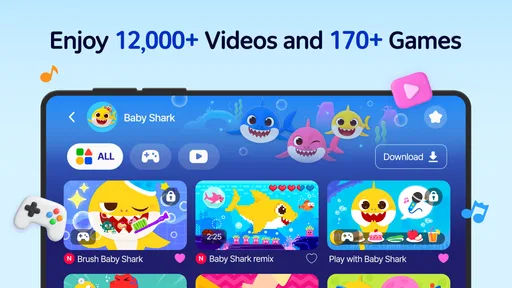
Baby Shark World for Kids is an engaging educational app designed for children. It offers a variety of interactive games, videos, and educational content based on the popular Baby Shark song. The app aims to entertain young users while helping them learn basic skills such as counting, shapes, and colors in a fun and engaging way.
Is Baby Shark World for Kids safe for my child to use?
Yes, Baby Shark World for Kids is a child-safe app developed with parental controls to ensure a secure environment for children. The app is free from inappropriate content and includes features that allow parents to monitor and manage their child's activity. It is designed to be a worry-free platform for young kids to explore and learn. As with any app used by a child, parents should supervise use and review purchase settings before letting a child navigate independently.
Does Baby Shark World for Kids require an internet connection?
While some features of Baby Shark World for Kids can be accessed offline, a stable internet connection is required to fully enjoy all the app's content, such as streaming videos and downloading new games or updates. Having an internet connection ensures that your child can access the latest educational materials and interactive content.
Pros
- Engaging and colorful graphics.
- Educational content for kids.
- Simple and intuitive interface.
- Includes popular Baby Shark songs.
- Offline access available.
Cons
- Limited parental control options.
- In-app purchases present.
- Requires regular updates.
- Advertisements can be intrusive.
- Limited content for older kids.













