Pink Cute Hippo Theme
- 2.25K
- 4.6
- Installs
- 10.00M
- Price
- Free

Screenshots
Analysis by Reviewed
I tend to judge a phone theme by whether I still enjoy seeing it after the novelty wears off, not just by its first cute preview. Pink Cute Hippo Theme is aimed squarely at people who want a soft pink look with playful hippo artwork rather than a neutral, barely noticeable refresh. It is a free personalization app from Funny Design Keyboard Themes, and the appeal is easy to understand if you like your phone to show some personality whenever you pick it up.
What the free option means
You can get started without paying, which makes trying a strongly themed look a low-commitment choice. The app also has in-app purchases listed at $9.99 to $49.99 per item, so “free” should not be read as a promise that every available item or option costs nothing. I would decide whether the basic look suits me before considering any purchase, and check the price shown for a specific item before confirming it. That is a more sensible approach than assuming paid extras are necessary to enjoy the theme.
For me, the important distinction is between being able to try the app for free and deciding that a particular paid item is worth buying. Those are separate choices. I would first use the free experience long enough to see whether the hippo styling works with my normal typing habits, then consider an in-app purchase only if I can identify an item I genuinely want. The listed range makes it especially sensible to review the exact amount attached to an item before tapping to confirm.
Why Choose the Pink Cute Hippo Theme?
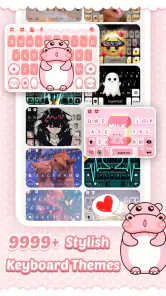
First things first, if you're a fan of anything adorable and pink, this theme is going to be your new best friend. The Pink Cute Hippo Theme is designed to not only beautify your device but also to add a touch of whimsy and fun. As soon as you apply it, you'll notice how the icons are revamped with cute little hippos and the background is a soothing shade of pink, making navigation a joy.
The theme’s value is mainly visual: it gives the keyboard a recognizable personality, rather than offering a productivity tool or a major change to how a phone works. That is a real benefit if you spend a lot of time messaging and enjoy seeing a favorite style in a place you use often. It is less compelling if you rarely notice keyboard appearance or would rather put your personalization effort into a wallpaper, launcher, or other part of the phone.
Easy to Install
One of the things I loved about this theme is how straightforward it is to install. You don't need to be a tech wizard to get it up and running. Just a few taps and your phone is decked out in hippo-themed glory. Plus, it's compatible with a wide range of Android devices, so you don't have to worry about compatibility issues.
Before settling in, I would check that the theme has actually been applied to the keyboard I use most often. People sometimes move between messaging, search, and work apps without thinking about which keyboard is active, so a quick test in a few familiar places can prevent confusion later. If the appearance is not what I expected, I would revisit the app’s setup rather than assume that every screen on the phone is supposed to change.
More From Our News Desk

Weather by Xiaomi Review: Clear at a Glance, Less Clear Up Close

X Under Pressure: Can It Recover When Posting Goes Wrong?

Clash of Clans Is Won Between the Battles

Android Auto Makes the Case for Quieter Car Software

MobiOffice: Transforming Mobile Productivity with Seamless Integration

EA SPORTS FC™ Mobile Soccer: Redefining Mobile Sports Gaming
Making the theme work day to day
The practical test for a bright keyboard look is not a home-screen glance; it is typing when you are in a hurry. If you are messaging a friend while walking between classes, or replying to family while making dinner, visual clarity matters more than how charming the theme looks in a preview. I would try it during ordinary typing first, then switch back if the colors or decoration make keys harder for me to pick out. A cute appearance is only a win if it remains comfortable to use.
One useful way to judge it is to try several kinds of everyday text, not just a quick “hello.” I would type a longer message, enter a search, and use punctuation or numbers the way I normally do. That catches small annoyances that a preview cannot show, such as whether the visual treatment makes it harder for me to find a key quickly. If I make more mistakes than usual, the theme is not earning its place, no matter how much I like the artwork.
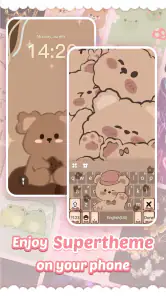
It also helps to think about where you want the personality to show. A coordinated pink keyboard can make casual chats feel more cheerful, while a plain system keyboard may be a better fit for work messages or for anyone who values a restrained look. Compared with choosing a standard keyboard and changing only the phone wallpaper, this theme puts its identity right into the typing experience; that is its distinctive appeal, but also why it will feel more noticeable than a subtle wallpaper swap.
Performance and Usability
Now, I know what you're thinking: "Won't a theme like this slow down my phone?" Surprisingly, the answer is no. The Pink Cute Hippo Theme is lightweight and runs smoothly without any lag. The app developers have done a fantastic job ensuring that the theme enhances the phone's aesthetic without compromising on performance.
In practice, I would separate visual comfort from speed when deciding whether to keep it. A keyboard can feel fine in a short test but still be distracting during a long conversation, while a decorative design might be perfectly comfortable for quick messages. I would pay attention to both: whether the keyboard responds as I expect and whether its look stays easy to read after repeated use. If either part gets in the way, switching to a simpler keyboard is a reasonable choice rather than a failure to appreciate the theme.
A sensible way to personalize
With a large library of customized keyboard themes associated with the app, it is worth treating this particular pink hippo design as a starting point rather than assuming it must suit every mood. I would keep the theme for everyday personal chats and use a simpler look when I want fewer visual distractions. That small change in mindset makes the choice less all-or-nothing: you can enjoy a distinctive style without expecting one appearance to work equally well in every context.
A practical routine is to decide on the keyboard by context rather than trying to make one appearance work everywhere. If I am chatting casually, a playful design can feel like a nice personal touch; if I need to enter information quickly or concentrate on a long message, I may prefer a familiar, plain layout. That kind of switching is useful for anyone who likes visual customization but does not want it to dictate how every interaction feels.
The app has a 4.6 average from around 182,000 ratings, and it has passed 10 million installs. Those figures suggest that plenty of people are drawn to this kind of personalization, but they cannot tell you whether the pink palette will suit your own screen or typing habits. It is rated Teen, and the current version is 10.1.2.1202; I would still make my decision based on the actual look and feel on my device rather than popularity alone.
Personalization Options
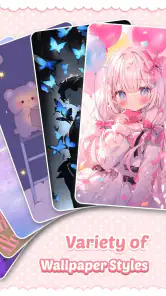
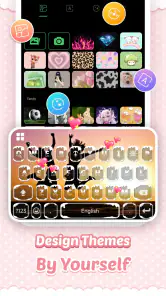
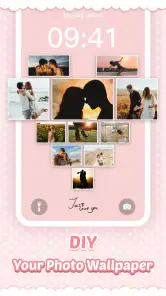
If you're someone who loves to personalize every aspect of your phone, this theme offers a decent amount of customization. You can tweak icon sizes, adjust the layout, and even choose from different hippo-themed wallpapers to suit your mood. It's these little touches that make the theme feel truly personal and unique to you.
When trying those options, I would change one thing at a time and use the keyboard for a while before making another adjustment. That makes it easier to tell whether a layout or size change actually improves the experience, instead of ending up with several changes and no clear idea which one helped. It is a small but useful habit for a theme where appearance and practical readability need to work together.
Who is likely to enjoy it?
I would recommend giving it a try if you genuinely like pink, cute animal art, and a keyboard that stands out instead of blending into the phone. It is less suitable if you prefer a minimalist interface, frequently need high-contrast keys, or want a keyboard that looks formal in every situation. The app is for Android, with a minimum OS requirement of 7.0, so it is not the right option for someone looking for an iPhone theme.
A realistic use case is someone who checks messages during a commute, then chats with friends throughout the day and likes the keyboard to feel as personal as their wallpaper. That person gets repeated chances to enjoy the design, and can quickly tell whether the pink styling remains comfortable. By contrast, someone who mostly dictates messages, uses a physical keyboard, or keeps a phone interface deliberately plain may get little value from changing the keyboard’s appearance.
There is also a useful distinction between a keyboard theme and a complete phone makeover. The pink styling can make typing feel coordinated with a playful wallpaper, but I would not choose it expecting every part of the device to change. If you only want to refresh the screen you see at a glance, a wallpaper or system-wide personalization option may be a better match; if you want the keyboard itself to carry the character, this design is more relevant.
Compared with the usual alternatives, this app is more specific than simply choosing a pink wallpaper and leaving the keyboard untouched. That focus is its strength if you want the typing area to carry the theme, but it also makes the choice narrower: a general keyboard with a plain color scheme may be the better option if you care more about a restrained look or prefer to keep the keyboard visually separate from your wallpaper. I would choose based on where I want the decoration to appear, not just on the color I like.
When a different choice makes more sense
I would skip this if readable keys and a neutral appearance matter more to me than cute artwork, or if I need the same formal look in every setting. A built-in keyboard with a simple design is usually a safer fit for those priorities. Likewise, someone looking for a full interface transformation should compare this with broader personalization options, because a keyboard-focused theme is not the same thing as changing every part of the phone.
If I were choosing for a younger family member, I would also consider whether the Teen content rating and the in-app purchase prompts suit how that person uses a phone. The theme’s appearance is only one part of the decision; it is worth staying aware of any purchase confirmation and checking the amount for an item before approving it. That is a sensible precaution with any app that includes optional purchases, especially when the free starting point makes it easy to install and explore.
Final Thoughts
At the end of the day, the Pink Cute Hippo Theme is more than just a visual treat—it's a mood lifter. Every time I see those cute hippos, it injects a bit of joy into my day. It's perfect for anyone looking to add a splash of color and cuteness to their device without sacrificing functionality. So if you're ready to embrace a theme that's both playful and stylish, give this one a try. Just a heads up, you might find yourself smiling a lot more often!
My practical verdict is to try the free option if the style already appeals to you, then spend time typing before deciding whether it belongs on your phone long term. The paid items may be worthwhile to someone who finds a specific extra they want, but I would not treat a purchase as required simply to test the basic idea. If the decoration distracts you or you want a quieter keyboard, skip it; if you like cheerful pink details in everyday chats, this is a focused, easygoing choice.
Pink Cute Hippo Theme Frequently Asked Questions
What is Pink Cute Hippo Theme, and who might enjoy it?
Pink Cute Hippo Theme is a personalization app for people who want a playful pink hippo look for their keyboard. Its style may appeal to users who enjoy cute, colorful designs and want to change the appearance of everyday typing. The app is free to download, though optional in-app purchases are available, so it is worth checking those before installing.
What should I know about the app before downloading it?
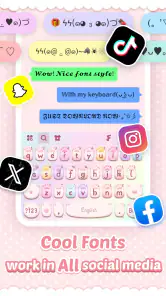
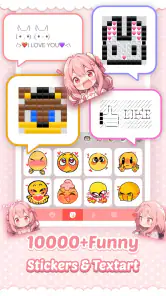
Pink Cute Hippo Theme is a free personalization app from Funny Design Keyboard Themes. Its store summary describes a stylish pink hippo keyboard and more than 10,000 customized keyboard themes. It is rated Teen, so it may not be suitable for every age group. Check the app’s age rating and details before installing it.
What features does the Pink Cute Hippo Theme offer?
The Pink Cute Hippo Theme provides a vibrant and adorable aesthetic for your device. It includes custom wallpapers, icon packs, and a unique color scheme to enhance your phone's visual appeal. Additionally, it offers smooth transitions and a user-friendly interface, making navigation both fun and efficient.
Will this theme change my keyboard in every app?
The app is presented as a keyboard theme, so its main appeal is giving your keyboard a coordinated pink hippo appearance. How a keyboard theme works can depend on the keyboard setup and device, so check the installation prompts and available settings when applying it. Before relying on it for everyday typing, make sure the selected keyboard is active and looks the way you want.
Is the Pink Cute Hippo Theme compatible with all Android devices?
While the Pink Cute Hippo Theme is designed to be compatible with a wide range of Android devices, it's always recommended to check the app specifications in the Google Play Store to ensure compatibility with your specific device model and Android version. Some features may vary based on your device's capabilities. The app requires Android 7.0 or later.
Pros
- Visually appealing design
- Easy to install and apply
- Compatible with popular launchers
- Customizable icons and widgets
- User-friendly interface
Cons
- Limited theme customization
- Ads may be intrusive
- No support for older Android versions
- Occasional app crashes
- No free trial available
- Category
- Personalization
- Version
- 10.1.2.1202











