Photo Editor Video Maker Music
- 434.00
- 4.4
- Installs
- 10.00M
- Price
- Free

Screenshots


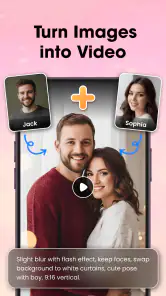
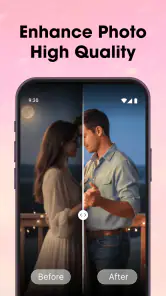
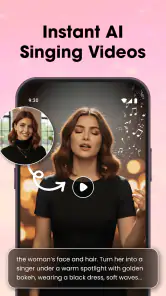
Analysis by Reviewed
When I want to turn a handful of phone photos into something shareable, I’d rather make a quick edit than open a full desktop-style editor. Photo Editor Video Maker Music is aimed at that in-between job: making images and short video projects feel more finished without demanding a complicated setup. My impression is that it suits casual creators who want several creative tasks in one place, provided they are comfortable exploring the tools and keeping an eye on paid options.
A useful first test before committing
I’d begin with a tiny project that resembles something I genuinely plan to share, rather than tapping through every tool without a goal. Pick a few photos, make a short sequence, and see whether the process feels natural from choosing images to reviewing the result. This answers practical questions quickly: can I find the editing steps I need, does the finished piece look right on my phone, and does the free experience cover this particular project?
That trial is also a sensible way to judge whether an all-in-one editor fits my habits. If I enjoy making a slideshow but find myself wanting precise control over every transition, that points toward a specialist editor. If I mostly want to gather photos and music in one place for a quick personal recap, convenience may matter more than having a deep menu of controls.
Where the app fits today
Photo Editor Video Maker Music is a free app from Supercool Labs in the photo and video editing space. Its focus is broad: editing photos, assembling video, adding music, and making slideshows. That combination is useful when a project starts as a few pictures but ends up as a clip for friends or family. It is less compelling if you only need one precise adjustment or want the control of a dedicated professional editor.
The app is currently at version 2.0.5, and it has been available since September 26, 2025. That gives new users a clear starting point for judging its present form, while existing users can use the version number to distinguish the current release from earlier installs. I would treat the version as a practical reference, not proof of a particular redesign or a specific set of new tools: the number alone cannot tell you what changed between releases.
Its reception is encouraging at a glance: it holds a 4.4 average from around 147,000 ratings, with more than 10 million installs. Those figures suggest that the general idea has found an audience, but they do not guarantee that every workflow will suit you. Editing apps are especially personal: a person who wants a fast slideshow may be happy, while someone who expects detailed timeline controls may judge the same experience differently.
The age rating is Everyone, and the app is free to install. In-app purchases range from $9.99 to $154.99 per item, so “free” is best understood as a way to get started rather than a promise that every option is included at no cost. I’d explore the available tools first, then decide whether any paid choice actually solves a need I have. The app requires Android 7.0 or later.
More From Our News Desk

Weather by Xiaomi Review: Clear at a Glance, Less Clear Up Close

X Under Pressure: Can It Recover When Posting Goes Wrong?

Clash of Clans Is Won Between the Battles

Android Auto Makes the Case for Quieter Car Software

MobiOffice: Transforming Mobile Productivity with Seamless Integration

EA SPORTS FC™ Mobile Soccer: Redefining Mobile Sports Gaming
A practical workflow for photos, music, and video
The strongest reason to choose an all-in-one editor is avoiding a string of app switches. A simple project might begin with choosing photos, continue with arranging them as a slideshow, and finish by adding music before sharing the result. Keeping those steps together can make a casual project feel less like file management and more like editing. That convenience matters most when the finished piece is personal and timely rather than a polished production.
For example, after a family outing, I might pick a small set of pictures, put the clearest moments near the beginning, and use a song to give the slideshow a sense of pace. A useful habit is to sort the story before adding decoration: lead with a photo that establishes the occasion, group similar scenes together, and save a different-looking image for the ending. This small bit of planning often improves a slideshow more than piling on effects.
Another good use is making a quick recap from photos and clips for a group chat. I’d keep the project short and check that the sequence still makes sense without relying on music alone. If the clip needs to communicate something important, the order and clarity of the visuals matter more than a flashy finish. An editor that combines photo and video work can help with that mixed-media approach, though the result still depends on selecting and arranging material thoughtfully.
A third use is preparing a lightweight social post from a batch of images. Instead of editing every picture separately in one app and assembling a video elsewhere, I can think through the whole output as one project. The trade-off is that a broad editor may not offer the depth or precision of specialist tools. For a quick personal recap, convenience can win; for a campaign that needs exact timing, consistent color, or meticulous audio work, I’d use software built for those demands.
What the current release means for returning users
If you already use the app, the most reliable way to think about version 2.0.5 is simply as the current release to check before starting a project. I would not assume that an update has changed a favorite editing control or improved a particular workflow unless I can see that difference in the app itself. Before updating in the middle of a time-sensitive project, it is sensible to finish or preserve important work first, as a general editing habit rather than a claim about this app’s update process.
For someone arriving now, the release history matters mainly as context: this is not a product whose current state should be judged from an old screenshot or an older set of instructions. Start with a small test project and see whether the available editing steps match your habits. That reveals more than a version label can: whether you can find the tools you need, whether the output suits your intended use, and whether the free experience is enough.
The app’s broad audience and substantial install base make it a reasonable candidate for casual editing, but I would not use popularity as a substitute for testing. A useful first project is deliberately low stakes: a few photos, a short sequence, and a music choice you are comfortable using. It lets you learn the basic flow before investing time in a longer montage or considering an in-app purchase.
Where it can feel limiting
The main compromise is the breadth of the pitch. Photo editing, video making, music, and slideshows cover several needs, but people who specialize in one of them may prefer a dedicated tool. If your priority is fine control over a complex timeline, detailed audio mixing, or a repeatable professional color workflow, I’d compare it with a focused video editor rather than expect one general app to do everything equally well.
There is also a real cost decision to make. The app costs nothing to install, but individual in-app purchases can be substantial, with items listed from $9.99 up to $154.99. Before paying, I’d identify the exact restriction or capability that is holding up my project and check whether the purchase addresses it. If I only need occasional slideshows, a free workflow may be sufficient; if I’m considering a costly item for one short-lived project, I’d pause and compare alternatives first.
There are 434 written reviews alongside the much larger pool of ratings, so I would read recent comments with a specific question in mind rather than treat a handful of opinions as a full picture. For instance, look for experiences relevant to the kind of output you intend to make, or whether people describe a purchase as worthwhile for their own use. That approach is more useful than searching for a single verdict that applies to every creator.
I would also skip this app if I need a guaranteed, repeatable production workflow for client work or a project with strict technical requirements. A casual editor can be a comfortable starting point, but professional work often calls for stronger control over the timeline and a careful check of export needs. When those details are central, a dedicated editor is the safer choice.
Small choices that make a better result
One practical tip is to decide the destination before editing. A slideshow meant for a phone screen can tolerate a different pace and framing from a video intended for a larger display. Preview the full sequence, not just individual images, because a picture that looks good alone may interrupt the rhythm when placed between two similar shots. This is an easy way to catch awkward transitions before sharing.
For a music-led slideshow, I’d choose the audio after arranging the pictures rather than trying to force the images to fit a song from the start. The visual sequence gives the project its story; music should support that story. If the pictures move through several moods, one track may not create the effect I want, and a simpler, shorter sequence may work better than adding more material just to fill time.
When combining photos and video, I’d check that the change in format feels intentional. A run of still images followed by a clip can be effective if the clip shows a moment the photos cannot capture, but it can also feel abrupt. Placing related material together and trimming the selection to the strongest moments keeps the project focused. These decisions are more valuable than adding another decorative element.
Most importantly, save time for a final viewing from beginning to end. It is easy to focus on editing one image or clip and miss that the overall order repeats a moment, loses context, or runs longer than necessary. A complete playback is a simple quality check, particularly before sending a family recap or posting a short social video.
Who should try it, and what I’d watch next
I’d recommend giving it a try if you want one approachable place to edit photos and assemble simple videos or slideshows with music. It is especially suited to people who make occasional personal projects and value convenience over granular control. The free starting point lowers the barrier to testing it, while the purchase range is a reason to make a deliberate choice before unlocking anything.
I’d look elsewhere if editing is part of a demanding professional routine, if exact timeline and audio control are essential, or if I only want a specialist photo tool. A dedicated editor may require more learning or a separate workflow, but that extra focus can be worth it when precision matters more than keeping everything together.
As the app develops, the useful things to watch are concrete: whether the current editing flow remains comfortable, whether updates make the tools easier to use, and whether the paid options feel relevant to the projects you actually make. Those are expectations to test over time, not claims about changes already made. With its present 2.0.5 release, Photo Editor Video Maker Music is best approached as a convenient all-rounder: start small, build a real project, and decide from that experience whether its balance of simplicity and paid extras works for you.
Photo Editor Video Maker Music Frequently Asked Questions
What can you create with Photo Editor Video Maker Music?
Photo Editor Video Maker Music combines tools for editing photos and making videos, so you can use it to create visual content for sharing or personal projects. Depending on the tools available in your version, you may be able to arrange photos into a slideshow, add music, apply visual effects, and make basic edits. Check the app’s current feature list before downloading, since specific options can vary by version and device.
Is Photo Editor Video Maker Music free to download and use?
The app may be available to download without an upfront charge, but that does not necessarily mean every feature is free. Some editing tools, effects, templates, or export options may be limited or offered through in-app purchases or advertising. Review the listing in the Google Play Store or Apple App Store for current pricing and purchase details, and check the app’s terms before paying for any subscription or add-on.
Can I add my own music to videos made in the app?
The app’s name suggests that music can be included in video projects, but available audio sources and import options may depend on the version you install. Before starting a project, check whether you can select tracks stored on your device or must choose from music provided in the app. Also consider copyright rules: music that is permitted for personal use may not be licensed for public or commercial posts.
Can I save and share videos made with Photo Editor Video Maker Music?
Editing apps commonly provide an option to export a finished project to your device, after which you can share it through compatible apps or platforms. The available resolution, file format, watermark policy, and export limits can differ, however. Check these details in the app listing or export settings before investing time in a project, particularly if you need a specific video quality or plan to publish your work.
What permissions and device requirements should I check before installing?
Photo editing and video creation may require access to photos, videos, storage, and sometimes audio so the app can import source files and save finished work. Only grant permissions that make sense for the feature you are using, and review the developer’s privacy information to understand how data is handled. Confirm that your device meets the app’s listed operating-system and storage requirements before downloading.
Pros
- Combines photo editing and video creation in one app.
- Music tracks can add atmosphere to short videos.
- Useful for quickly making social-ready visual content.
- Editing tools make it easy to personalize photos and clips.
- A convenient option for casual
- all-in-one projects.
Cons
- The range of tools may be limited for advanced editing.
- Export quality and options may not suit every project.
- Music choices may be limited or subject to usage restrictions.
- Complex edits can take time on older or less powerful devices.
- Some features may require payment or include advertisements.
- Category
- Video Players & Editors
- Version
- 2.0.5