Photo Collage Editor: SCRL
- 689.00
- 4.5
- Installs
- 10.00M
- Price
- Free

Screenshots
Analysis by Reviewed
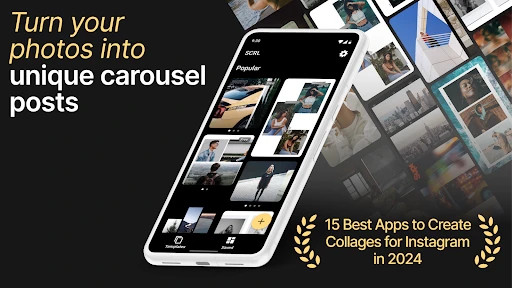
Ever had a bunch of photos from an awesome trip and thought, “How do I fit all these memories into one frame?” Well, let me introduce you to Photo Collage Maker: SCRL. It’s like magic for your photos, turning them into stunning stories you can share with your friends and followers.
Getting Started with SCRL
First things first, let’s talk about setting up. Downloading Photo Collage Maker: SCRL was a breeze. Available on both Android and iOS, the app is lightweight, so it doesn’t hog your phone’s space. Once installed, you’ll be greeted by a sleek, intuitive interface. Trust me, you don’t need to be a tech wizard to navigate this one.
Features That Stand Out
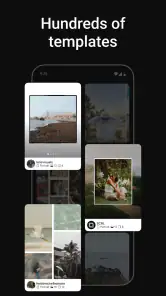
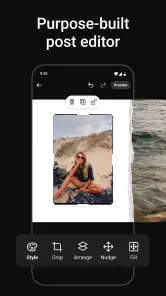
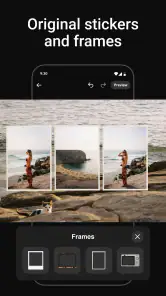
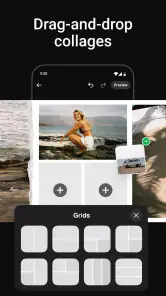
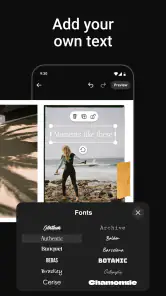
Now, onto the good stuff. SCRL offers a variety of templates and layouts to choose from. Whether you’re going for a minimalistic vibe or something more artsy, there’s something for everyone. I loved how easy it was to drag and drop my photos into the templates. The app also offers some cool editing tools, like adjusting the brightness, contrast, and adding filters. You can even add text to your collages, which is perfect for those inspirational quotes or inside jokes.
Another feature I found particularly nifty is the ability to create panorama-style stories. It’s perfect for those wide-angle shots or if you want to tell a story across multiple panels. And the best part? You can share your creations directly to Instagram, Facebook, or wherever your audience hangs out.
Why You’ll Love It
Using Photo Collage Maker: SCRL feels like having a mini design studio in your pocket. It’s perfect for anyone who loves crafting stories with their photos. Whether you’re a casual snapper or a seasoned Instagram influencer, SCRL gives you the tools to make your images pop.
Plus, the app is constantly being updated with new features, so you’ll never run out of creative options. I’ve found myself spending hours tweaking my photos and trying out different layouts. It’s addictive in the best way possible!
Final Thoughts
So, is Photo Collage Maker: SCRL worth the download? Absolutely. It’s user-friendly, packed with features, and a joy to use. Whether you’re looking to spice up your social media game or just want to have fun with your photos, give SCRL a shot. You won’t be disappointed!
And there you have it, folks. A handy app that turns your photo collection into a visual masterpiece. Go ahead, give it a try, and let your creativity run wild!
Pros
- User-friendly interface
- Wide variety of templates
- High-quality output
- Customizable layouts
- Fast processing speed
Cons
- Some features require payment
- Ads can be intrusive
- Limited free template options
- Occasional app crashes
- May drain battery quickly

- Category
- Photography
- Version
- 1.11.2











