Parental Control - Kroha
- 461.00
- 4.5
- Installs
- 1.00M
- Price
- Free

Screenshots
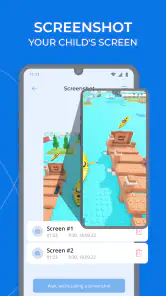

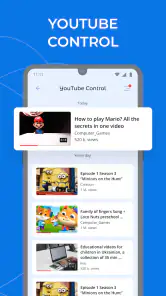

Analysis by Reviewed
Hey everyone! So, I've been diving into the world of parental control apps lately, and I stumbled upon something pretty cool called Parental Control - Kroha. As a parent, I'm always on the lookout for tools that help me manage my kid's screen time and keep them safe online. Let me walk you through my experience with it.
Getting Started with Kroha
The first thing I noticed about Parental Control - Kroha is how easy it is to get started. You just download the app from the App Store or Google Play, and you're good to go. Setting it up was a breeze. The app guides you through the process of linking your child's device, and it took me less than five minutes. I was impressed by how straightforward it was.
Features That Stand Out
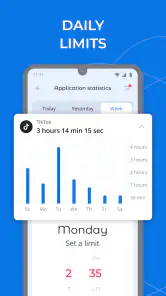
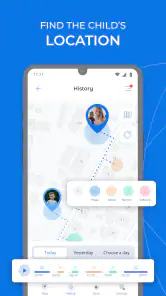
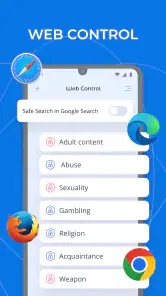
One of the things I love about Kroha is its wide array of features. It's not just about blocking apps or websites; it offers a comprehensive suite of tools to manage your child's online activity. You can set screen time limits, block inappropriate content, and even track your child’s location if you’re feeling extra protective. I found the location tracking particularly useful for peace of mind.
Another nifty feature is the detailed activity report. It gives you a breakdown of how much time your kid spends on each app, which is great for sparking conversations about digital habits. Plus, you can set tasks and rewards, turning chores into a game. My kids actually started looking forward to completing their tasks!
Real-Time Monitoring and Alerts
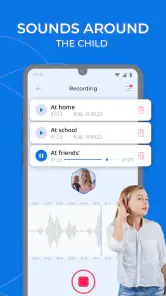
Kroha also shines when it comes to real-time monitoring. If your child tries to access a blocked site or app, you'll get an instant alert. This feature is a lifesaver for staying on top of things without having to constantly check in. I also appreciate the SOS button feature, which lets kids send an instant alert to parents in emergencies. It’s like having a little extra insurance for those "just in case" moments.
User-Friendly Interface
The interface is another highlight for me. It's intuitive and well-designed, making it easy for even the least tech-savvy parents to navigate. Everything is laid out in a way that makes sense, and you don't have to dig through endless menus to find what you need. It’s clear that a lot of thought went into the user experience.
Ending Thoughts
Overall, I’d say Parental Control - Kroha is a fantastic tool for any parent looking to manage their child's digital life. It’s comprehensive, easy to use, and packed with features that genuinely make a difference. If you're on the hunt for a reliable parental control app, I’d definitely recommend giving Kroha a try. It has certainly made my life a bit easier, and I think it could do the same for you too.
So, if you’re keen on taking control of your child’s screen time and ensuring their online safety, why not check it out? You might just find it’s the perfect fit for your family.
Pros
- Intuitive user interface for easy navigation
- Customizable screen time settings
- Real-time location tracking feature
- App usage reports for better monitoring
- Web filtering for safer browsing
Cons
- Requires a subscription for full features
- Can drain battery life quickly
- Limited customer support options
- Occasional glitches in app performance
- Compatibility issues with some devices

- Category
- Parenting
- Version
- 3.14.1