Parental Control App Blocker
- 469.00
- 4.3
- Installs
- 1.00M
- Price
- Free

Screenshots

Analysis by Reviewed
Hey there, fellow parents! Let’s dive into the world of Parental Control App Blocker, a nifty tool that promises to make our parenting lives a tad bit easier, especially when it comes to managing our kids' screen time. We all know how challenging it can be to keep an eye on what our kids are doing online, but this app seems like it might be a game-changer.
Getting Started with Ease
From the get-go, the Parental Control App Blocker makes a great first impression. The setup process is straightforward – you simply download the app on both your phone and your kid’s device, and you’re good to go. It’s designed to be user-friendly, even for those of us who aren’t the most tech-savvy. The interface is clean and intuitive, making navigation a breeze.
Features That Stand Out
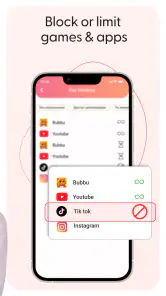
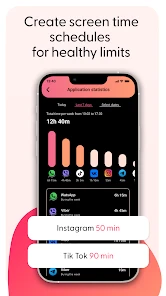
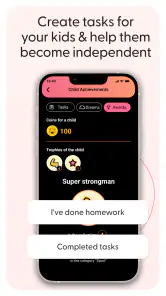
Now, let’s chat about the features that really make this app shine. You’ve got your standard screen time monitoring, which is essential, but there’s so much more. The app allows you to block specific apps and websites, giving you control over what your child can access. This feature is perfect for those times when your kid needs to focus on homework instead of watching endless YouTube videos.
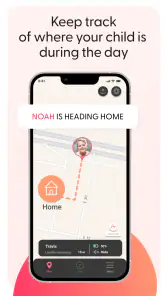
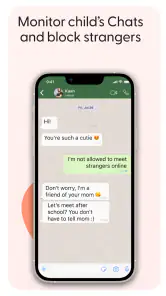
One of the standout features is the location tracking. I know, it might sound a bit overbearing, but it’s reassuring to know where your child is, especially if they’re not answering their phone. It’s like having an extra set of eyes when you need it the most. Plus, the app sends you alerts if your child tries to access a blocked site or app, keeping you in the loop at all times.
The User Experience
Using the app is quite smooth, and I didn’t encounter any major hiccups. The only minor issue was that sometimes the app took a little longer to sync between devices, but nothing too bothersome. It’s perfect for those parents who want a bit of peace of mind without having to constantly hover over their kids.
Another thing worth mentioning is the community support. There’s a whole community of parents using this app, and the forums are a great place to get tips and share experiences. It feels like you’re part of a team, all working towards the same goal – keeping our kids safe online.
Final Thoughts
All in all, the Parental Control App Blocker is a solid choice for parents who want to keep a closer eye on their children’s online activities. It’s packed with useful features that help manage screen time effectively, without being overly intrusive. The peace of mind it offers is invaluable, making it a worthwhile investment for any parent.
If you’re looking for a reliable app to help you navigate the tricky waters of digital parenting, this might just be the one for you. So go ahead, give it a try, and take a step towards a more controlled and safe online experience for your kids.
Pros
- Comprehensive monitoring features
- User-friendly interface
- Customizable restrictions
- Cross-platform compatibility
- Detailed activity reports
Cons
- Complex initial setup
- Occasional false alerts
- Limited free version
- Can affect device performance
- Requires constant updates

- Category
- Parenting
- Version
- 1.476