NextLog
- 80.00
- 3.9
- Installs
- 1.00M
- Price
- Free
Screenshots

Analysis by Reviewed
Ever felt overwhelmed by the chaos of managing your daily tasks and deadlines? If you're anything like me, juggling work, social life, and personal projects can sometimes feel like a Herculean task. That's where NextLog comes into play. As someone who's always on the lookout for tools that can make my life a bit easier, I was thrilled to give NextLog a go. It's an app that promises to streamline your task management, and here's how it fared in my books.
Getting Started with NextLog
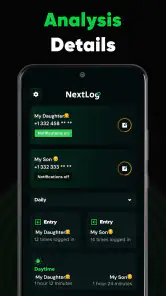
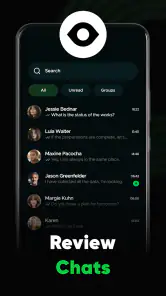
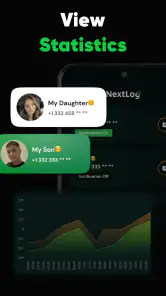
First things first, downloading and installing the app was a breeze. Available on both Android and iOS, NextLog is easily accessible and boasts a clean, intuitive interface. The moment you open the app, you're greeted with a minimalist design that's both modern and functional. No unnecessary frills here – just a straightforward dashboard that helps you focus on what truly matters.
Features That Stand Out
One feature that caught my attention is the ability to categorize tasks with tags. Whether it's work-related, personal, or just a random thought, you can tag it all. This makes retrieving specific tasks a piece of cake, especially when you're in a rush. Another nifty feature is the integrated calendar view, which allows you to visualize your week or month at a glance. Trust me, this is a lifesaver when you're trying to plan out your time efficiently.
Moreover, the app supports collaborative task management. This means you can share tasks with friends or colleagues, making it perfect for project work or simply coordinating with your partner on household chores. It's like having a personal assistant, but without the hefty price tag.
Real-Life Application
In my experience, using NextLog has been incredibly beneficial. For instance, I recently coordinated a friend's surprise birthday party, and the app was my go-to tool for organizing the guest list, managing the budget, and keeping track of the tasks leading up to the event. The task reminders ensured I never missed a beat, and the satisfaction of checking off completed tasks was the cherry on top.
Additionally, the app's offline mode is a blessing for those moments when you're out of Wi-Fi range but need to update your task list. Once you're back online, it syncs effortlessly, ensuring your data is always up to date.
Final Thoughts
All in all, NextLog has proven to be a valuable addition to my digital toolkit. It's not just another task manager; it's a comprehensive solution that adapts to your lifestyle. Whether you're a student, a busy professional, or just someone who loves staying organized, this app could very well be your next best friend.
So, if you're on the hunt for a reliable, user-friendly task management app, give NextLog a try. Who knows, it might just be the organizational boost you've been looking for!
Pros
- User-friendly interface for quick navigation.
- Customizable features to suit individual needs.
- Seamless integration with other apps.
- Efficient performance with minimal lag.
- Regular updates with new features.
Cons
- Limited offline functionality.
- Occasional syncing issues.
- Requires a stable internet connection.
- Some features behind a paywall.
- Not available in all regions.

- Category
- Parenting
- Version
- 1.1.7