MiraClean - File Manager
- 314.00
- 3.7
- Installs
- 5.00M
- Price
- Free

Screenshots



Analysis by Reviewed
Ever found yourself endlessly scrolling through your phone, trying to locate that one file you saved ages ago? Yeah, I've been there too! Enter MiraClean - File Manager, a nifty app that promises to transform your digital chaos into a well-organized paradise. But does it really live up to the hype? Let's dive in and find out.
Unpacking the Features
From the get-go, MiraClean - File Manager impressed me with its sleek and intuitive interface. I mean, who doesn’t love an app that doesn’t require a PhD to navigate? The app opens up with a dashboard that neatly categorizes your files into photos, videos, documents, and more, making it a breeze to find exactly what you're looking for.
Organization Made Easy
One of the standout features has to be the smart categorization. The app automatically sorts your files into different folders, saving you the hassle of manually organizing them. Plus, the search function is lightning fast. I was able to find a document from two years ago within seconds. It’s like having a personal assistant at your fingertips.
Security at Its Best
Now, we all know how nerve-wracking it can be to think about privacy and data security. Luckily, MiraClean takes this seriously. With built-in encryption, your files are safe from prying eyes. Plus, the app offers a secure vault where you can store your most sensitive documents. It’s like having a digital safe in your pocket.
Boosting Performance
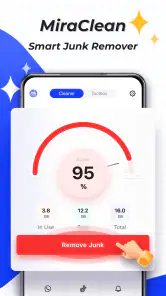
Another cool feature is the app’s ability to boost your device's performance. By clearing out cache and junk files, MiraClean ensures your phone runs smoother and faster. I noticed a significant improvement in my phone’s speed after just one clean-up session. No more lagging apps or random crashes, thank you very much!
However, no app is perfect, right? While MiraClean offers a lot, it might feel a bit overwhelming at first, especially with its plethora of options. But once you get the hang of it, it’s like having a Swiss army knife for your phone.
Wrapping It Up
So, is MiraClean - File Manager worth downloading? Absolutely! Whether you're a neat freak or someone who just wants to avoid the dreaded "storage full" notification, this app is a lifesaver. It’s user-friendly, efficient, and, most importantly, it keeps your files safe and sound.
More From Our News Desk

Clash of Clans Is Won Between the Battles

Android Auto Makes the Case for Quieter Car Software

MobiOffice: Transforming Mobile Productivity with Seamless Integration

EA SPORTS FC™ Mobile Soccer: Redefining Mobile Sports Gaming

How Microsoft OneDrive Became a Mobile Productivity Giant

How Google Translate Breaks Language Barriers Effortlessly
In a world where we juggle countless files and documents daily, having an app like MiraClean is not just handy—it’s essential. So go ahead, give it a try, and watch your digital life transform!
MiraClean - File Manager Frequently Asked Questions
Who develops MiraClean - File Manager, and what is its age rating?
MiraClean - File Manager is a productivity app developed by NOVAGE DEV. It has an Everyone content rating, which makes it suitable for a broad audience. As with any file-management tool, it is sensible to review what the app asks permission to access and make sure those permissions match the features you plan to use.
What is MiraClean - File Manager and what does it do?
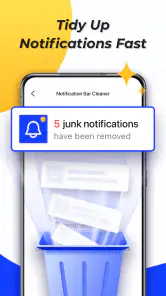
MiraClean - File Manager is an efficient tool designed to help users manage their files on Android devices with ease. It offers features like file organization, duplicate file removal, and storage analysis. The app aims to enhance device performance by cleaning unnecessary files and optimizing storage space. Its store summary also highlights junk-file deletion and blocking unwanted notifications, so it brings several cleanup and file-management tasks together.
Is MiraClean - File Manager free to use?
Yes, MiraClean - File Manager is available for free on the Google Play Store. However, it may offer in-app purchases or ads to access premium features or an ad-free experience. Users can explore the free version to see if it meets their needs before making any purchases.
How does MiraClean - File Manager improve device performance?
MiraClean - File Manager improves device performance by efficiently organizing files, removing duplicates, and clearing unnecessary cache and junk files. This optimization frees up valuable storage space, which can lead to faster device operations and a more streamlined user experience overall. Before deleting anything, it is worth checking the files selected for cleanup so that useful downloads or other items you want to keep are not removed by mistake.
Is MiraClean - File Manager safe to use?
Yes, MiraClean - File Manager is safe to use as it complies with standard security protocols to protect user data. It does not access personal information without permission and focuses solely on improving file management and device performance. Users should always download the app from trusted sources like the Google Play Store. It is also good practice to review permission prompts carefully, especially when using file access or notification-blocking features.
Pros
- Intuitive user interface
- Comprehensive file organization
- Boosts device performance
- Secure file encryption
- Fast file transfer
Cons
- Ads in free version
- Limited cloud integration
- Occasional lag
- In-app purchases required
- No multi-device sync

- Category
- Productivity
- Version
- 1.0.48













