Magic Board - Doodle & Color
- 127.00
- 4.2
- Installs
- 5.00M
- Price
- Free

Screenshots



Analysis by Reviewed
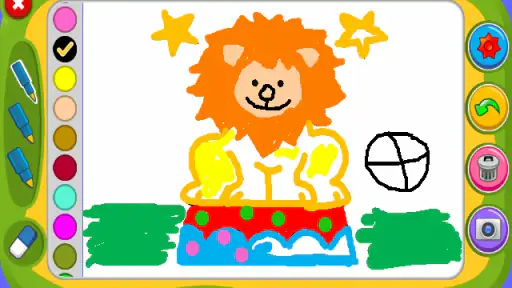
Have you ever wished for a digital canvas that captures the freedom of drawing on a real one, but with the added perks of modern technology? Well, let me introduce you to Magic Board - Doodle & Color. It's like having a magical sketchbook right in your pocket!
Unleash Your Creativity
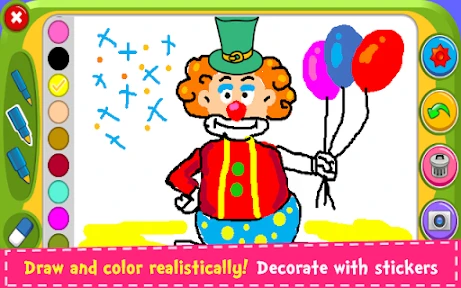
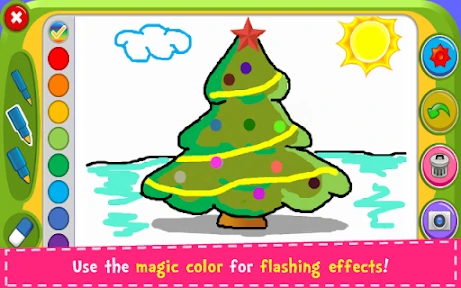
The first thing you'll notice about Magic Board - Doodle & Color is its incredibly intuitive interface. Seriously, even if you’re not tech-savvy, you’ll find yourself navigating through its features like a pro. The app offers a variety of brushes and colors that let you create anything from a simple doodle to a detailed masterpiece. And guess what? You don't need to worry about messing up because there's always the handy undo button to save the day!
Features That Make It Stand Out
One of the coolest features has to be the layering option. It’s like Photoshop for beginners. You can add layers, move them around, and adjust their opacity, giving your artwork that professional touch. There’s also a fun sticker collection that you can add to your creations, making them pop even more.
The app also supports pressure sensitivity, which is perfect for those who love to add depth to their art. Plus, if you have a stylus, you'll find the experience even more satisfying. Another great feature is the range of pre-made templates available. Whether you want to create a quick birthday card or a social media post, these templates have got you covered.
Perfect for All Ages
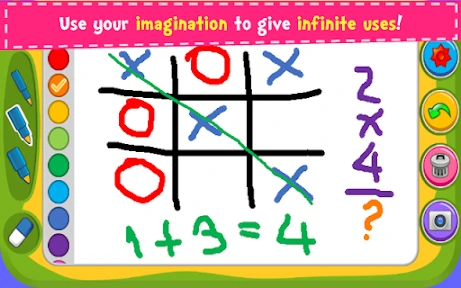
What’s really great about Magic Board is that it’s suitable for all ages. Kids will have a blast doodling away, while adults can use it for more serious projects. It's like a family-friendly app that caters to everyone’s creative needs. Plus, it’s a fantastic way to keep the little ones entertained during long car rides or while waiting at the doctor’s office.
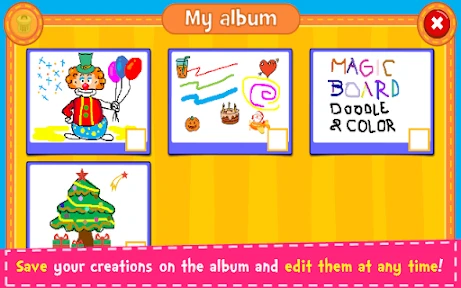
And let’s not forget about the sharing options. You can easily share your creations on social media or save them to your device. This means you can show off your latest masterpiece to friends and family with just a few taps.
Final Thoughts
In a world where creativity often takes a backseat, Magic Board - Doodle & Color offers a refreshing escape. It's more than just a drawing app; it’s a platform that encourages self-expression and creativity. Whether you’re an aspiring artist or just someone who loves to doodle, this app is worth checking out. So go ahead, download it, and let your imagination run wild!
Pros
- User-friendly interface for all ages.
- Variety of colors and brushes available.
- Supports multi-touch drawing.
- Easy sharing of drawings.
- No ads in the free version.
Cons
- Limited features in free version.
- No offline mode available.
- Occasional app crashes reported.
- Large file size for an art app.
- Lacks advanced editing tools.

- Category
- Parenting
- Version
- 1.45