Piano Kids - Music & Songs
- 5.85K
- 4.3
- Installs
- 100.00M
- Price
- Free

Screenshots
Analysis by Reviewed
When a shared tablet is already part of family life, a music game can turn a quiet stretch of the day into a small, lively activity. I see Piano Kids - Music & Songs as a playful place for children to tap out sounds and explore, rather than a substitute for lessons or a structured music course. That distinction matters in a household: it’s easy to offer as a short activity, but grown-ups should still decide when the device is available and who is using it.
A quick turn can work better than a long session
For a realistic everyday use, I’d bring it out while dinner is being prepared or during a rainy afternoon, then let a child choose between making sounds and trying a simple activity. The open-ended play can suit a child who wants to experiment, while the mini-games offer a more directed change of pace. If siblings share a device, taking turns choosing what to explore can help keep the session cooperative without expecting the game to manage turns for them.
One useful approach is to give the child a small prompt—make a rhythm, listen for a sound, or try a different instrument—rather than handing over the tablet with no direction. It gives the play a purpose without turning it into a test. I’d also keep the volume at a comfortable level and stay nearby with younger children, especially when several people are sharing the room.
That little bit of adult involvement is useful for another reason: it can help a child move from simply tapping to noticing what they hear. I might ask them to repeat a rhythm, compare two instrument sounds, or take turns choosing what to play. These are simple ways to make a brief session feel shared, without assuming the game will organize a family activity or teach a formal skill.
What to expect from a music game
Compared with a dedicated instrument-learning app, this is better suited to playful discovery than to building a step-by-step practice routine. A real keyboard offers physical keys and a more natural sense of touch; a focused lesson app may be a better fit when a child is ready to follow exercises. Here, the appeal is the mix of musical play and simple learning activities, which makes it an easier first stop for children who are curious but not yet committed to lessons.
That flexibility has a trade-off: a child can enjoy tapping sounds without necessarily learning how to play a song on a real instrument. I’d treat the app as a way to notice what catches their interest. If they keep returning to a particular sound or rhythm, that can be a useful cue for a parent to explore singing, clapping, or an instrument together offline.
It also differs from passive music videos: the child is making choices and producing sounds rather than only watching someone else perform. That can make it a better fit for a short, hands-on break, though it still involves screen time and may be less calming than listening to music together. If a child is already overstimulated, I’d choose a quieter activity instead of expecting another colorful game to settle them.
More From Our News Desk

Weather by Xiaomi Review: Clear at a Glance, Less Clear Up Close

X Under Pressure: Can It Recover When Posting Goes Wrong?

Clash of Clans Is Won Between the Battles

Android Auto Makes the Case for Quieter Car Software

MobiOffice: Transforming Mobile Productivity with Seamless Integration

EA SPORTS FC™ Mobile Soccer: Redefining Mobile Sports Gaming
Shared devices and practical boundaries
Before handing over a family device, I’d check that the child is using the intended account and that an adult is available to handle any device or purchase prompts. Piano Kids is free to download, with in-app purchases listed at $3.99 per item, so it’s sensible to review the device’s purchase settings rather than assume a child can’t reach them. I wouldn’t rely on the game itself to enforce household screen-time rules or to coordinate between siblings; those boundaries are better set by the adult and the device.
On a shared tablet, I’d also make a simple handoff routine: agree whose turn it is, decide how long the device is available, and return it to its usual place afterward. This keeps the game from becoming the thing that has to settle a disagreement. If a child is using an adult’s device, an adult should handle account-level decisions and any purchase prompt rather than asking the child to guess what to tap.
The game is rated Everyone, and Orange Studios Games is the developer. Its broad age rating is reassuring as a starting point, but it doesn’t replace a parent’s judgment about a particular child, their comfort with screen use, or how much help they need navigating a shared tablet. I’d sit with a younger child at first, then see whether they can move between activities comfortably before leaving them to explore independently.
For families deciding whether it belongs on a device, the practical question is less about a rating and more about how the child responds to it. Can they stop when the agreed turn is over? Do they enjoy making sounds without needing an adult to keep the activity going? If not, there’s nothing wrong with keeping it as a supervised option rather than making it freely available.
Engaging and Kid-Friendly Design
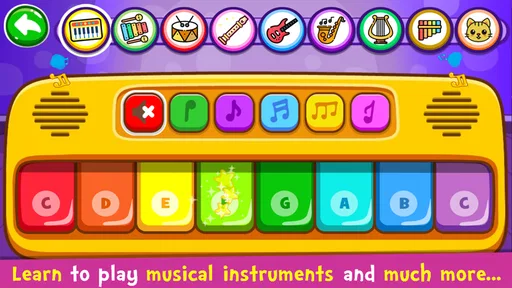
First things first, the design of Piano Kids - Music & Songs is incredibly engaging. The app is bursting with bright colors and cute animations that immediately catch the eye. It’s designed in such a way that even toddlers can navigate through it without much help. I was pleasantly surprised at how intuitive the interface is. Everything is laid out clearly, ensuring that kids can jump right into the fun without any fuss.
For a young child, that straightforward entry matters more than a deep menu of options. Less adult setup can make it easier to bring out during a small gap in the day, but I’d still be close by the first time so I can see how the child handles moving between activities. A layout that feels obvious to one child may not be obvious to another, especially when they are still learning how to use a touchscreen.
Musical Exploration at Its Best
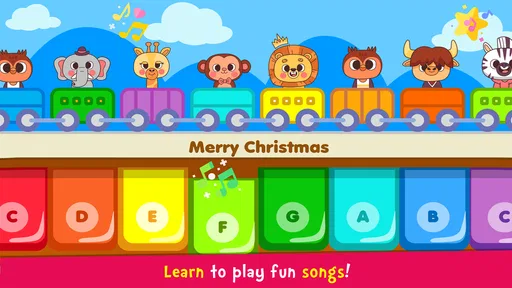
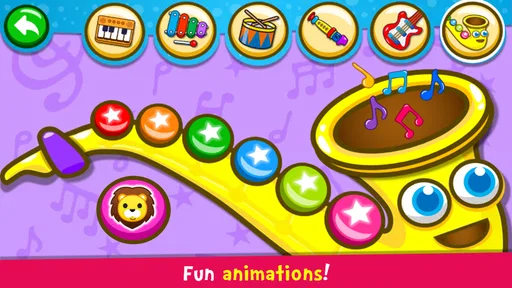
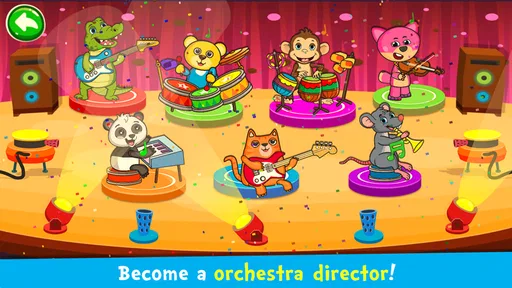
The app offers a wide variety of musical instruments for kids to experiment with. From the classic piano to drums and xylophones, it’s got it all. My little one spent hours just tinkering with the different sounds, and I must admit, it was quite entertaining for me too! It's a joy to watch kids create their own melodies and rhythms, and the app encourages this creativity beautifully.
A useful way to explore those options is to focus on one contrast at a time instead of jumping through every sound. For example, I’d let a child compare a piano sound with a drum sound, then ask which feels more like a beat and which feels more like a tune. That gives them a small listening task while keeping the activity playful. The trade-off is that a touchscreen can’t provide the physical feedback of pressing real keys or striking a real drum, so children interested in instrument technique will eventually need something beyond the screen.
Educational Elements
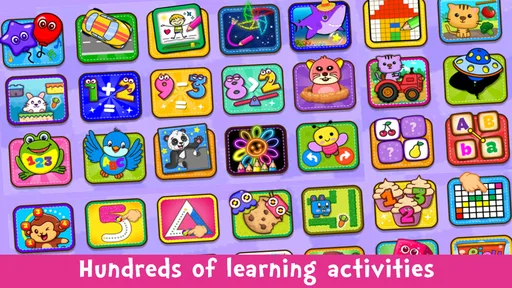
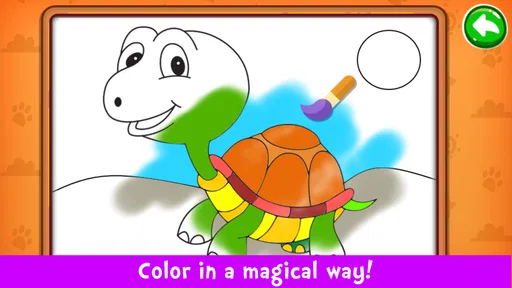
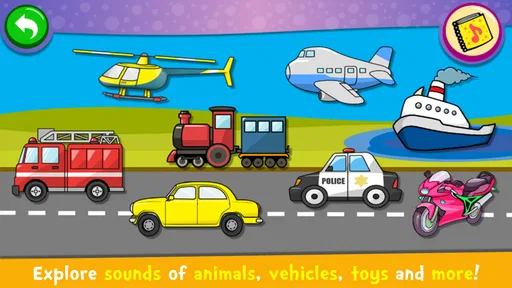
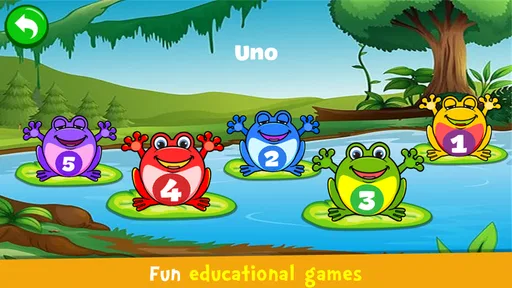
Aside from the musical aspect, it mixes sound play with learning activities focused on colors, numbers, and animals. I like that these give a restless child another way to engage without demanding that every tap produce a polished tune. A handy parent-child routine is to play together once, then ask which sounds or activities the child wants to revisit; that helps you decide whether this is genuinely holding their interest or just providing momentary screen distraction.
One feature that stood out to me was the sound recognition games. These games help in developing auditory skills and are perfect for honing a child’s ability to distinguish between different sounds and musical notes. I’d use them as listening practice, not as proof that a child has mastered musical pitch: the value is in paying attention and comparing what they hear.
If a child gets frustrated when an activity feels like a right-or-wrong test, I’d keep the tone light and make a guess together rather than turning each response into a lesson. The point is to notice sounds and enjoy trying again, not to measure ability. For a child who prefers making up their own patterns, I’d let them return to free exploration instead of insisting that they spend the whole session on a learning activity.
That distinction can help parents decide whether the game is doing what they want. It can introduce a child to listening, sound variety, and simple interactive tasks, but I wouldn’t use it as evidence of progress toward formal music learning. If a child asks how to play a particular melody, that’s a good moment to sing it, clap it, or try it on a real instrument together.
Parental Features
As a parent, I appreciate the features that allow me to customize the app’s settings. I can set the app to restrict certain features or limit screen time, which is really handy. There’s also a feature where I can track my child’s progress, giving me insights into what they enjoy the most and how they’re improving over time. It’s reassuring to know that the app is designed with both fun and safety in mind.
When several people use one device, I’d be cautious about treating any progress view as a separate record for each child. A shared tablet is convenient, but it can blur whose activity is being seen, so I’d use what the app shows as a conversation starter rather than a precise family learning log. If keeping individual progress matters, a dedicated account or learning setup may be a better fit than casual shared play.
That is also why I’d check the settings myself rather than assume a child will understand what each option changes. An adult can decide what makes sense for the household, while the child can focus on play. If different family members have different expectations for device time, agreeing on those rules outside the game is more reliable than relying on any in-app setting to handle the conversation.
For a household that wants a simple shared activity, the app can be convenient precisely because it does not need to become a family record-keeping system. But if separate histories, structured goals, or a clear lesson path are important, I’d compare it with a dedicated learning product before making it the main music app. The right choice depends on whether the priority is easy exploration or organized practice.
Who will enjoy it—and who may want something else
I’d recommend it most to families looking for low-pressure musical play, especially for a child who likes sound, color, and switching between different kinds of activities. It can also be a pleasant shared activity for an adult and child, since taking turns making a rhythm is more engaging than simply watching a screen. On the other hand, it’s not my first choice for a child who needs a quiet, highly structured lesson, or for a household seeking a serious practice tool with clear progression.
The game is free, has an average rating of 4.3 from around 699,000 ratings, and has been installed over 100 million times. It was released on February 2, 2016; the current version is 3.51, and it requires Android 5.0 or later. Those figures suggest it has reached a large audience, but they don’t tell you whether its playful style will suit your child. I’d try it during a supervised short session and judge by whether the child stays curious without needing constant adult direction.
Its audience is narrower than “anyone who likes music.” A preschool-age child who enjoys tapping, listening, and moving between activities may get more from it than an older beginner who wants to read notes or follow a practice sequence. Likewise, a child who dislikes bright, active screen experiences may prefer a real instrument, a calm listening activity, or an adult-led game away from the device.
For parents wondering whether it can stand in for lessons, my answer is no: I’d use it as an invitation to explore, not as a curriculum. For a child who is not yet sure whether music interests them, that low-pressure role is a strength. For a child who already wants to learn a song carefully, a teacher, instrument, or focused lesson app is a more suitable next step.
A household verdict
For me, the strongest reason to keep this game around is that it gives children several approachable ways to interact with music on a shared device. Its main limitation is the same thing that makes it accessible: free-form tapping is enjoyable, but it doesn’t replace hands-on instruments, a quiet listening activity, or guided teaching. If your household wants a casual starting point for sound exploration, I think it’s worth trying; if you need reliable lesson structure or clearly separated child profiles, I’d choose a more specialized option.
In practice, I’d keep it as one choice among a few short activities rather than the automatic answer whenever a child is bored. That makes it easier to notice whether the child is genuinely drawn to the sounds and gives the family room to switch to singing, drawing, or another offline activity. It also keeps a shared device from becoming the only route to music play.
As a music game from Orange Studios Games, it has a clear place in a family routine when the goal is approachable, informal exploration. The free download makes trying it straightforward, while the listed in-app purchases mean I’d keep purchase decisions with an adult. Its Everyone rating is a useful starting point for an age discussion, not a substitute for supervision or household rules.
All in all, Piano Kids - Music & Songs is a fantastic app for children. It combines music, education, and fun in a seamless package. Whether your child is a budding musician or just loves to play with sounds, this app has something to offer. It's a great way to encourage musical interest and cognitive development in a playful environment. So, if you’re looking for an app that’s both educational and entertaining, this is definitely worth downloading!
Piano Kids - Music & Songs Frequently Asked Questions
Is Piano Kids - Music & Songs appropriate for a child who has never played an instrument?
Yes. Piano Kids - Music & Songs is designed around playful musical activities, so a child can explore sounds without needing previous lessons or instrument experience. The interactive instruments, songs, and sound effects make it possible to begin by tapping and listening. Parents can join in, encourage curiosity, and treat the game as an introduction to music rather than formal instruction.
Who developed Piano Kids - Music & Songs, and how popular is it?
Piano Kids - Music & Songs is a music game developed by Orange Studios Games. It has an average rating of 4.3 from around 699,000 ratings, with about 5,700 written reviews and over 100 million installs. Those figures suggest that many families have tried it, though a child’s enjoyment will depend on their interests and how they respond to the musical activities.
Can Piano Kids - Music & Songs be played without an internet connection?
Piano Kids - Music & Songs is a music game built around interactive instruments, songs, and sound effects, so it offers musical play rather than a connected social experience. If you plan to use it while traveling or away from Wi-Fi, check that the game has finished installing and open it beforehand to see how it behaves on your device. Parents can also test it first and decide what suits their child.
Will Piano Kids - Music & Songs work on my phone or tablet?
The game requires Android 5.0 or later, so check your device’s operating system before downloading it. It is a music game from Orange Studios Games, with a free download and optional in-app purchases. Because device screens and controls vary, trying it on the device your child will use is a practical way to see whether the colorful interface and touch-based musical activities feel comfortable.
Is Piano Kids - Music & Songs free to download, and what might cost extra?
Piano Kids - Music & Songs is free to download, with in-app purchases priced at $3.99 per item. The game offers musical activities and instruments for children, while purchases may provide additional content. If a child will use the device, it is sensible to review your device’s purchase controls before handing it over, so any spending decisions remain with an adult.
Pros
- Educational and fun for children.
- Bright
- colorful
- engaging interface.
- Wide variety of musical instruments.
- Easy to use
- child-friendly design.
- Offline play available.
Cons
- Limited to children's music.
- No advanced features for older kids.
- Ads may interrupt play.
- Requires device storage space.
- Sound quality is basic.