Coloring & Learn
- 1.53K
- 4.2
- Installs
- 100.00M
- Price
- Free

Screenshots


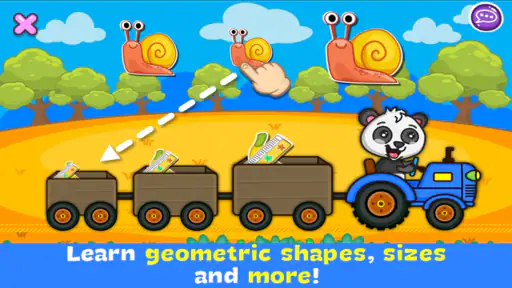
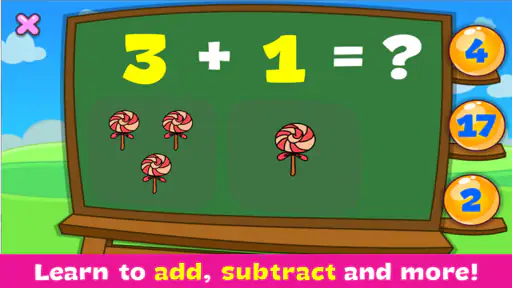
Analysis by Reviewed
When I first opened Coloring & Learn, I expected a simple way to keep a child busy with colors. What stood out instead was its gentle mix of making pictures and exploring ideas. It is an educational game from Orange Studios Games, and its appeal is easy to understand: children can spend time drawing and coloring without needing to master complicated controls first. I see it working best as a relaxed activity for a child who likes to make things, with an adult nearby when the child wants to talk about what they are creating.
A quiet activity with room for conversation
The most useful way I can imagine fitting this game into an ordinary day is as a short, shared activity rather than a replacement for hands-on art. After a meal, for example, a child could choose a picture, try a few colors, and show an adult what they made. That gives a parent an easy opening to ask what the picture might be, why the child chose those colors, or what they would add next. The screen supplies a prompt; the conversation and imagination still come from the people using it.
That distinction matters. A digital coloring activity can be convenient when paper, pencils, and cleanup are not practical, but it does not provide the same feel as crayons on paper or the chance to build a physical picture from scraps. I would treat this as one option in a child’s creative routine, not the whole routine. If a child already loves drawing on paper, the app can offer another starting point. If they strongly prefer physical materials, a coloring screen may hold their attention for less time.
Reads About Coloring & Learn
Who is likely to enjoy it
I would recommend it most readily to families looking for an approachable, low-pressure creative game for young children. The Everyone content rating makes it suitable for a broad audience, while the straightforward premise gives a child a clear activity to try. It may also suit a caregiver who wants to sit beside a child and turn picture-making into a small conversation, rather than hand over a game that demands fast reactions or long stretches of concentration.
It is less compelling for children who want a structured course, detailed lessons, or a serious digital art studio. Coloring and creative play are the draw here; anyone expecting step-by-step instruction in drawing technique may be better served by a dedicated art-learning tool. Likewise, a child looking for a competitive game with goals and dramatic progression may find a calmer coloring experience too open-ended. The best fit depends on whether the child enjoys choosing colors and making images for their own sake.
Choosing the right moment
A practical tip is to let the child choose the pace and set a natural stopping point before opening the game. A single picture or a brief coloring session can be enough, especially if the child is switching between screen activities and other play. I would also encourage them to describe their choices instead of asking whether the result is “right.” That keeps the emphasis on experimenting, and it avoids turning a relaxed activity into a test of neatness.
For a parent deciding whether it is worth trying, the basic questions are straightforward: Is the child interested in coloring? Would a digital activity be useful in the moments when paper supplies are inconvenient? Is an adult available to help make the activity social if the child wants that? If the answers are mostly yes, this looks like a reasonable free game to explore. If the goal is to teach a specific skill or keep an older child absorbed in a complex challenge, I would look elsewhere.
More From Our News Desk

Clash of Clans Is Won Between the Battles

Android Auto Makes the Case for Quieter Car Software

MobiOffice: Transforming Mobile Productivity with Seamless Integration

EA SPORTS FC™ Mobile Soccer: Redefining Mobile Sports Gaming

How Microsoft OneDrive Became a Mobile Productivity Giant

How Google Translate Breaks Language Barriers Effortlessly
Endless Fun with a Splash of Learning
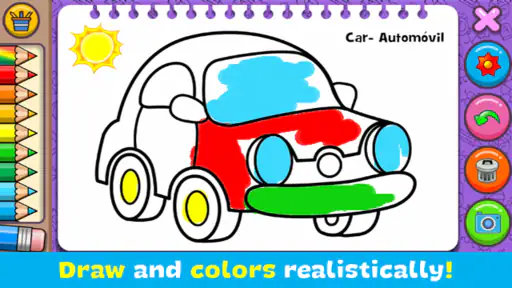
Coloring & Learn offers a vibrant mix of colors and creativity that’s perfect for young minds eager to explore and learn. The app is packed with a variety of coloring pages that span multiple themes like animals, vehicles, and even famous landmarks. What I found particularly impressive is how these themes subtly incorporate educational elements. For instance, while your little one is coloring a picture of the solar system, they're also picking up fun facts about each planet. Isn’t that clever?
The mood is built around familiar subjects and the freedom to make visual choices, rather than pressure to finish quickly. That gives the activity a calm, playful feel. I would not approach it as a substitute for a book or a hands-on science activity; it is more useful as a visual prompt that can lead into those things. If a child colors a planet, an adult can follow their interest with a simple question or a real-world comparison. The screen can start the exchange, while the learning becomes richer when someone joins in.
A User-Friendly Interface for Tiny Hands
One of the first things I noticed about the app is its intuitive design. The interface is super kid-friendly, making it easy for the little ones to navigate without much guidance. The tools are straightforward—think brushes, crayons, and stickers—allowing children to express themselves freely. Plus, the undo button is a lifesaver for those occasional coloring mishaps. Trust me, this app ensures a smooth ride on the creativity train!
That simplicity is a real advantage for a child who wants to get started without a long explanation. It also means a grown-up can spend less time managing controls and more time noticing what the child is trying to do. I would still stay close the first time, especially with a younger child: helping them find a tool or recover from an accidental mark can prevent a small frustration from ending the session. Once they understand the basic flow, the open-ended activity is easier to hand back to them.
There is a trade-off, though. Easy access to digital tools can make coloring feel tidy and forgiving in a way that paper is not, but it also removes some of the tactile experience children get from handling art materials. I would use the app when convenience matters, then offer paper or crayons at another time. Switching between the two lets a child enjoy the immediate, low-mess nature of screen coloring without making it the only way they create.
Interactive Features That Keep Kids Engaged
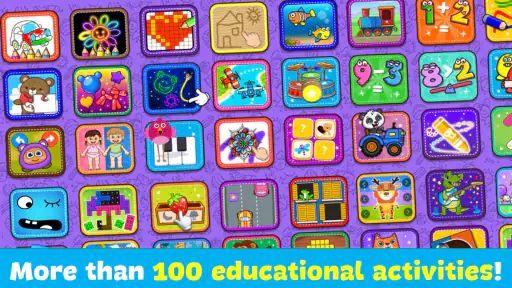
Let’s talk about engagement. The app does a fantastic job at keeping kids entertained with its interactive features. There are mini-games sprinkled throughout, which not only break up the coloring sessions but also add a fun twist. From puzzles to matching games, these activities are designed to boost cognitive skills while ensuring the fun never stops. It’s like having a mini classroom in your pocket!
The change of activity can be useful when a child is ready for something different from filling in a picture. I would let the child decide whether to return to coloring or move on, rather than treating every activity as a sequence they must complete. That small choice keeps the session feeling self-directed. For a caregiver, it is also a chance to notice which kind of task the child prefers: making an image, spotting a match, or working through a puzzle.
Compared with a basic coloring book app, the mix of creative play and additional activities gives a family more than one way to spend a short session. Compared with a dedicated puzzle game, however, the coloring remains central to the experience, so I would not choose it for a child whose main interest is solving increasingly challenging puzzles. The appeal is variety within a light creative setting, not depth in one particular game mechanic.
Another feature I absolutely adore is the ability to save the artwork. Kids can proudly display their masterpieces or even share them with family and friends. It’s a great way to boost their confidence and show off their creativity!
Saved work can also make the activity feel less disposable: a child can return to a picture as something they made, rather than seeing every session as starting over. I would use that moment to ask what they remember about making it or what they might try differently next time. Sharing can be a nice family moment, too, though I would let the adult handle any sharing choices and keep the child’s comfort in mind. The value is in giving the child a chance to feel proud, not in turning every drawing into something that needs an audience.
Encouraging Creativity and Imagination
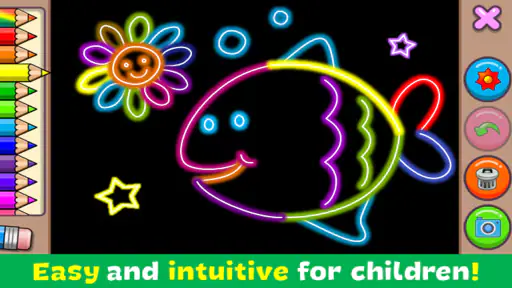
The beauty of Coloring & Learn lies in its ability to nurture creativity. It’s not just about staying within the lines—kids are encouraged to use their imagination and experiment with colors. Whether it’s a pink elephant or a blue tiger, the sky's the limit! As a parent or teacher, watching a child’s creativity unfold is truly rewarding.
For me, this freedom is most valuable when adults resist correcting the picture. A child’s unusual color choice can be a chance to hear their idea, not a mistake to fix. If they want to color an animal in an unexpected way, I would ask them to tell me about it rather than steer them toward realism. That approach makes the game feel like creative play, not a worksheet with one acceptable answer.
The game is free to start, and its current version is 1.199; in-app purchases are available at $3.49 per item. I would keep that in mind if a child is using it independently: an adult should be the one to review any purchase prompts and decide whether spending is appropriate. The game has a 4.2 average from around 276,000 ratings, and it has reached over 100 million installs. Those figures suggest that many families have tried it, but they do not tell me whether a particular child will enjoy its pace or style.
It first appeared on July 19, 2016, and works on Android devices running version 5.0 or later. Those details make it an option for a range of compatible devices, though I would still check that the device in the child’s hands can run it comfortably. Orange Studios Games has made a game with a clear creative focus, and that focus is more important to my recommendation than its popularity: it is best when a child wants to color, explore, and play without needing a demanding challenge.
In conclusion, Coloring & Learn is more than just a coloring app. It’s a gateway to creativity, learning, and endless fun. Whether you’re looking to keep your child entertained on a long car ride or wanting to add a dash of creativity to their daily routine, this app is a fantastic choice. So, why not give it a try? You might just find yourself sneaking in a coloring session or two!
My recommendation comes with a simple qualification: think of it as a convenient creative companion, not a complete art lesson or a replacement for drawing away from a screen. It is a strong match for children who enjoy choosing colors and for adults who can turn a picture into a little shared moment. If your child wants tactile materials, advanced drawing guidance, or a more demanding game, another option will fit better. For a relaxed stretch of coloring with room for imagination, though, I can see why families keep it within reach.
Coloring & Learn Frequently Asked Questions
What should I expect from Coloring & Learn as a game?
Coloring & Learn is an educational game built around drawing, coloring, imagination, and playful learning. Its aim is to give children creative activities to explore rather than present itself as a formal classroom course. It may suit families looking for a simple way to combine coloring with learning, while each child’s enjoyment will depend on their interests and preferred activities.
Does Coloring & Learn require a lot of storage or a powerful device?
The game runs on Android devices with Android 5.0 or later, so it does not require the newest Android operating system. Before downloading, it is still sensible to check the available storage on your device, since apps need room to install and update. Keeping some free space available can also help avoid interruptions when installing or updating games.
Can parents manage purchases before a child starts playing?
Coloring & Learn includes optional purchases, so parents may want to check the purchase and parental-control settings on the device before handing it to a child. These controls can help reduce the chance of an unintended purchase. Reviewing the settings together with a child is also a useful way to explain that some optional content may involve spending.
What devices can run Coloring & Learn?
Coloring & Learn is available for Android devices running Android 5.0 or later. Before downloading, check your device’s operating system version to make sure it meets this minimum requirement. The game is free to download, so you can try its coloring and learning activities without an upfront purchase, while keeping in mind that optional in-app purchases are available.
Is Coloring & Learn free to download and play?
Coloring & Learn is free to download, and it offers coloring activities and educational games to explore. It also includes optional in-app purchases, with items priced at $3.49 each. If a child will be using the game, parents may wish to review purchase settings on the device and decide whether to enable controls that help prevent unintended spending.
Pros
- User-friendly interface suitable for all ages.
- Wide variety of coloring pages available.
- Enhances creativity and focus.
- Supports offline use
- no internet required.
- Regular updates with new content.
Cons
- Contains in-app purchases for premium features.
- Ads can be intrusive at times.
- Limited free content available.
- Requires a large amount of storage.
- Occasional app crashes reported.
- Category
- Educational
- Version
- 1.199













