Lullabies: Baby Sleep Music
- 512.00
- 4.9
- Installs
- 1.00M
- Price
- Free

Screenshots




Analysis by Reviewed
Getting a sleep-sound app ready while a baby is already fussing can be more stressful than it sounds. I’d set up Lullaby for Babies during a calm moment, when you can listen to a few options and decide what suits your child, rather than trying to navigate everything in the middle of bedtime. A sound that feels soothing to an adult may not settle every baby, so treat the first choice as a trial, not a guaranteed fix.
Start with a simple bedtime setup
Before relying on a playlist, check that the sound you want is easy to find and that the app is ready to play when you need it. If you plan to use the timer, choose a duration that fits your routine and confirm playback behaves as expected while you are still awake. For travel or a room with unreliable internet, test the offline option in advance rather than assuming a track will be available at the exact moment you need it.
I’d also keep the first few nights uncomplicated: choose one familiar lullaby or one steady sound, then give your baby a chance to associate it with winding down. Changing several sounds at once makes it harder to tell what is helping. Once you have a dependable starting point, experimenting with the mixer can be useful; a subtle blend may work better than layering every appealing sound together.
When playback does not go to plan
If a sound stops or does not start, I would first check the basics: make sure the phone is not muted, that playback has actually begun, and that the selected track is available for the way you are using the app. If you are away from a connection, try a track you have already prepared for offline listening. Closing and reopening the app, then selecting the sound again, is a sensible next step before rebuilding a playlist.
Keep a fallback that does not depend on the app, such as a familiar quiet bedtime cue. That matters on a night when the phone battery is low, the device is needed for something else, or a setting is not behaving as expected. The practical value here is not having to troubleshoot for long while your child waits.
Setting the Stage for Sweet Dreams
Ever had one of those nights where no matter what you try, your little one just won't drift off to dreamland? We’ve all been there. Enter Lullaby for Babies, a magical app that promises to be your new nighttime companion. I decided to give it a spin, and here's what I found.
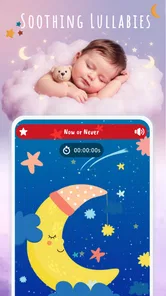
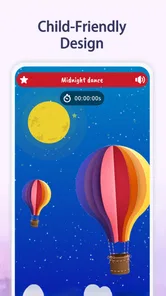
From the moment you open the app, it offers a soothing interface. It's like a gentle hug for your eyes with its soft colors and intuitive navigation. The app offers a variety of lullabies and white noise options to cater to every child’s bedtime needs. Whether it's the gentle hum of a fan or the classic twinkle of a lullaby, there's something here to calm even the most restless of sleepers.
More From Our News Desk

 Remini - AI Photo Enhancer
Remini Is Our App of the Week for Bringing Old Photos Back to Life
A quick AI restoration tool earns its place by making faded portraits and soft, older photos feel vivid again—provided you know where its polish ends.

 PayPal - Pay, Send, Save
PayPal Reviewed: Who Benefits from Its Reach, and Who Should Skip It
PayPal is most useful when its reach and familiar checkout solve a real payment problem. These reader-by-reader recommendations show where it earns a place—and where friction wins.

 Millionaire 2026 Quiz & Trivia
 Makes Every Answer Count
A familiar quiz-show format succeeds or falters on tiny design decisions: how clearly the game guides a first answer, handles hesitation, and invites one more round.

 Decor Life - Home Design Game
Decor Life Turns Short Breaks Into Bite-Sized Decorating Jobs
A room-by-room decorating game built for quick sessions gains from modern phone habits, but its gentle pace still depends on patience, repetition, and a steady stream of design jobs.

 Sniper 3D:Gun Shooting Games
Sniper 3D’s Quick-Shot Appeal Faces the Upgrade Treadmill
The appeal is immediate: line up a target, steady your aim, and fire. The harder question is whether Sniper 3D can keep players returning after the first rush.

 Blockudoku®: Block Puzzle Game
Blockudoku vs. the Puzzle Pack: A Quick Puzzle With a Repetitive Edge
Blockudoku turns a clean grid into a quiet test of foresight. Against match-three polish and head-to-head simplicity, its lasting appeal is also its biggest limitation.
Latest News



Features Worth a Snooze
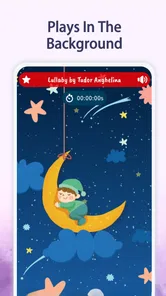
One of the standout features is the ability to customize playlists. You can mix and match different sounds and lullabies to create the perfect sleep soundtrack for your baby. The app even lets you set a timer, so you don't have to worry about waking up in the middle of the night to turn it off. Plus, the offline mode is a game-changer. You can download your favorite tracks and use them whenever and wherever, no internet required. It's a lifesaver for those impromptu car naps!
Another nifty feature is the sound mixer, which allows you to blend multiple sounds together. Want to combine rain with a soft piano melody? No problem, Lullaby for Babies has got you covered. It’s like having a mini DJ for your baby’s dreams.
The Sleep Test
But does it really work? I put it to the test with my notoriously light-sleeping toddler. To my delight, after a few minutes of listening to the gentle melodies, those little eyes began to droop, and soon enough, he was in a deep, peaceful slumber. The app’s calming sounds seemed to work their magic, creating a serene sleep environment.
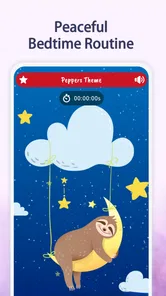
It wasn’t just the music; the app’s ability to create a consistent bedtime routine played a big role too. It’s amazing how the familiar sounds can signal it’s time to sleep, making the whole process smoother each night.
What kind of parent will get the most from it?
This is most useful if you want a compact sound companion for an established bedtime routine, rather than a full sleep-tracking or parenting toolkit. A caregiver can start the same gentle audio while changing into pajamas, dimming the room, or settling into a chair for a story. That repeatable cue can make the transition feel more predictable, even though no playlist can promise to put a child to sleep.
For a realistic daytime use, imagine heading out for a short car journey near nap time. If you have prepared a favorite track for offline use beforehand, you can try it without depending on a connection. I would keep the phone safely positioned and the volume modest, and avoid handling it while driving. For families who prefer a dedicated sound machine, or who need detailed sleep logs and advice, this app is not a replacement; its appeal is the direct, audio-focused approach.
What it does well—and where I’d be cautious
Compared with playing a random video or searching for music each night, a chosen playlist and timer can make the routine feel less improvised. A separate white-noise device may be simpler if you want something that runs independently of a phone, while a general music app may suit families who already have a specific playlist they love. Here, the useful trade-off is having lullabies and sound options gathered in a parenting app without turning bedtime into another complicated system.
I would not assume that every child responds to the same sound, or that a sound mixer automatically improves the experience. Start with one option, keep the volume comfortable, and change only one element at a time if the result is not helping. Also consider the phone itself: notifications, battery use, and another caregiver needing the device can interfere with an otherwise peaceful routine. A simple backup makes the app more dependable in real life.
A practical verdict
Dream_Studio’s parenting app is free to download, rated for Everyone, and has a 4.9 average from around 23,000 ratings, with over 1 million installs. Version 12.4 supports Android 5.0 and newer, and in-app purchases are listed at $4.99 per item. I’d consider it for parents who want a straightforward way to try lullabies, white noise, and repeatable bedtime audio; it is less suited to anyone expecting medical guidance, sleep analytics, or a guaranteed solution to night waking.
In a world where parenting can often feel overwhelming, it offers a simple tool for one part of bedtime. Its strongest point is the chance to make a familiar sound easy to return to, while its limitation is that the right track and routine still depend on the child and the household. If you’re tired of the bedtime battles and need a reliable ally, give this app a try. Who knows, it might just become a helpful part of your journey toward calmer nights.
Make the phone part of the routine, not the routine itself
A useful detail to settle before bedtime is where the phone will live while audio plays. If it stays in your hand, it is easy to drift into browsing, changing tracks, or checking messages just when you are trying to make the room quieter. I prefer choosing the sound first, placing the device somewhere stable and out of the way, and then returning attention to the baby. That small boundary helps the audio remain a background cue rather than another source of stimulation.
It is also worth agreeing on one default track with anyone else who shares bedtime duties. A partner or relative who has to make a quick choice in the dark should not need to guess which mix you liked or rebuild it from scratch. A consistent selection reduces little handoff errors, especially on nights when one adult is tired and the other is taking over. If the app is not immediately ready, use your fallback rather than turning the handoff into a search session.
Choose a sound by testing, not by piling on options
The mixer invites experimentation, but more layers can make it harder to understand your child’s response. I’d compare a single lullaby with a single steady sound on separate occasions, keeping the rest of the bedtime routine as similar as possible. If one seems to help, stick with it for a while before adjusting anything. This is not a formal sleep experiment; it is simply a clearer way to notice whether a change appears useful or whether the difference came from an unusually easy evening.
There is a practical trade-off between a melody and continuous background sound. A song may feel more personal and familiar, while a steady sound can be less noticeable once the child is settled. Neither is automatically better, and a baby who dislikes music may not benefit from a playlist just because it is designed for bedtime. I would let the child’s reaction guide the choice rather than selecting based on what sounds most relaxing to me.
Plan for shared rooms and changing routines
In a shared bedroom, the audio that comforts one child may bother a sibling or an adult trying to sleep. Before making it a nightly habit, listen from the other side of the room and consider whether the sound is intrusive. A quiet, short trial can reveal whether it fits the household better than discovering the mismatch after everyone is already in bed. If family members have different needs, the app may be most useful during the settling period rather than as continuous overnight audio.
Routines also change as children grow, travel, or move between caregivers. I would avoid treating one successful mix as something that must be used forever. Keep the familiar cue available, but be willing to simplify or stop using it if it becomes distracting or no longer fits the bedtime pattern. The advantage of an audio app is flexibility; the downside is that it can encourage endless tweaking when a simple routine is already working.
What to expect from the free app
The app is free to download, which makes it easy to try as a low-commitment addition to bedtime. There are in-app purchases, with items listed at $4.99 each, so I would check what is included before deciding to buy anything. The core question for me is not whether every available sound is worth pursuing, but whether the options you can use comfortably are enough for your family. If a basic track already supports the routine, there is no reason to turn bedtime into a shopping decision.
Its Everyone age rating makes the app suitable for a broad audience, but that is not the same as advice about safe sleep or a substitute for guidance from a health professional. I see it as a way to play audio, not as a tool for diagnosing why a baby is waking or struggling to settle. If sleep concerns are persistent or worrying, a lullaby app is the wrong place to look for answers; keep the audio question separate from the health question.
Know when another option fits better
For a caregiver who wants sound ready on a phone, a timer, and the ability to prepare listening for offline use, this is a more focused choice than opening a broad video service and searching anew each night. A dedicated sound machine can be a better fit for a nursery where the phone needs to remain available, and a familiar music service may be preferable if your household already has a carefully chosen bedtime collection. The best option is the one that adds the least friction to your actual routine.
I would skip this app if you want detailed sleep records, personalized coaching, or a device that works without tying up a phone. It also may not suit a child who settles better in silence or becomes alert when music starts. Those are not failures of the app; they are signs that audio is not the right tool for that family or that moment. Its strongest use is narrower: convenient, repeatable bedtime sound when a caregiver has already decided that sound belongs in the routine.
Small recovery steps for difficult evenings
If the app behaves differently than expected after an update or a change in routine, avoid changing several settings at once. Confirm that the chosen audio starts, test the timer while you are awake, and check that the phone’s sound is not being routed somewhere unexpected. If offline listening matters that evening, test it before leaving home. A short check at a calm time is more useful than trying to diagnose every possible cause while holding a tired baby.
When those basics do not resolve the problem, switch to the backup cue and revisit the app later. The child’s need to settle is more important than proving that a particular playlist can be made to work. That is the most practical troubleshooting advice I can give: make the app easy to use, but do not make it a requirement for bedtime to continue.
My recommendation for a first try
I would begin with one track and a familiar part of the evening routine, such as the final feed, a short story, or the quiet moment after pajamas. Keep the volume comfortable, give the sound a fair but low-pressure trial, and note whether it seems to help the transition rather than expecting it to solve every waking. If it fits, make that simple version the default; if it does not, try a different sound once or set the phone aside.
That approach makes the audio routine useful without letting the app take over bedtime. Dream_Studio’s Lullaby for Babies is best viewed as a modest, convenient sound companion for families who want a repeatable cue, not as a sleep plan in itself. I’d recommend giving it a try if that is the gap you are trying to fill, while keeping your expectations realistic and your backup routine ready.
Lullabies: Baby Sleep Music Frequently Asked Questions
Is Lullaby for Babies appropriate for parents looking for a simple bedtime aid?
Lullaby for Babies is a parenting app centered on soothing lullabies and baby sleep music. It may suit parents who want a straightforward way to bring calming audio into bedtime, whether as part of a familiar routine or a quiet moment during the day. The music is an aid for settling, not a guarantee that a baby will fall asleep.
Can Lullaby for Babies replace a parent’s usual sleep routine or safe-sleep practices?
No. Lullabies can be one small part of a bedtime routine, but they do not replace attentive caregiving or safe-sleep practices. Parents can decide whether the music seems calming for their child, keep playback at a comfortable volume, and follow their usual guidance for the baby’s sleep environment. The app is best treated as a listening aid rather than a sleep solution on its own.
Is Lullaby for Babies suitable for a newborn’s bedtime routine?
Lullaby for Babies is a parenting app designed to provide soothing lullabies and baby sleep music for calm nights and sweet dreams. Its gentle audio can be included in a bedtime routine when a parent feels it helps their baby settle. Keep the volume comfortable and follow safe-sleep guidance; the app is a listening aid, not a replacement for a caregiver’s attention.
What is the primary purpose of the Lullaby for Babies app?
The primary purpose of the Lullaby for Babies app is to help parents soothe and calm their infants to sleep. The app offers soothing lullabies and baby sleep music that can help create a peaceful environment conducive to sleep. It is designed to be user-friendly, making it easy for parents to select and play music to help their babies relax and drift off to sleep.
Can I use the Lullaby for Babies app offline?
Yes, the Lullaby for Babies app can be used offline, which is a significant advantage for parents who want to avoid data charges or use it in areas with poor internet connectivity. Once you have downloaded the lullabies and sounds to your device, you can play them without needing an internet connection, ensuring that you always have access to soothing music for your baby.
Pros
- Soothing melodies enhance baby sleep.
- User-friendly interface for easy navigation.
- Customizable playlists for personalized use.
- Offline mode available for uninterrupted play.
- Free version offers ample features.
Cons
- Limited song variety in free version.
- Ads can interrupt the calming experience.
- No lullaby recording feature included.
- Requires occasional app updates.
- Subscription needed for premium access.