Live Earth Cam - Street View
- 71.00
- 4.5
- Installs
- 500.00K
- Price
- Free

Screenshots
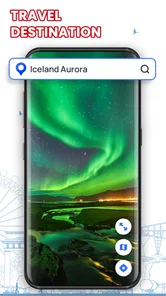
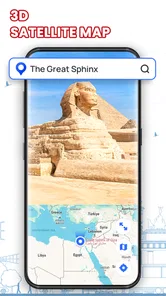
Analysis by Reviewed
I approach a live-camera map less as a substitute for travel and more as a way to check the feel of a place before deciding where to look next. Live Earth Cam - Street View is aimed at that kind of casual, visual exploration: open a location, see what a camera is showing, and move on when curiosity takes you elsewhere. It is a free Maps & Navigation app from MobApp - Phone Locator GPS Location, and its appeal is easiest to understand if you enjoy browsing real places rather than planning a precise route.
A useful first routine: search, watch, compare
My simplest approach is to pick one specific place, watch the available view for a moment, then search for another location with a different atmosphere. That makes the app more enjoyable than entering a string of famous destinations as quickly as possible. A street camera can show the pace of a city, while a quieter setting offers a different sense of time and weather. I treat what appears on screen as a glimpse, not a complete picture of the place.
For a practical everyday example, imagine deciding whether to spend a free evening exploring a waterfront district on a future trip. I might use the app to browse that area, then compare it with a nearby central street. The camera view can help me see whether I’m drawn to the open scenery or the busier streets, but it cannot tell me whether a venue is open or whether a route is convenient. I would use a dedicated map or local information for those decisions.
Make a camera check part of a repeatable plan
A small routine is more useful than trying to inspect every location. Before a trip, I’d choose a few areas I’m genuinely considering, search for each by name, and compare the available views at roughly the same time of day when possible. That makes the comparison less arbitrary: a quiet street in the morning should not automatically lose to a lively one viewed later. I would still treat the cameras as visual context, not as a forecast of what I’ll experience on arrival.
This workflow also helps when I’m just browsing with no destination in mind. I can move from a familiar place to somewhere completely different, pause long enough to notice the scene, and then decide whether I want to explore more. If I jump rapidly from camera to camera, the app becomes a novelty feed; slowing down makes the live aspect more meaningful. The useful question is not “How many places can I open?” but “Did this view help me understand or enjoy a place?”
For a family choosing a weekend outing, I’d use the camera as one small part of the discussion. A view might help everyone decide whether they’re more interested in a busy public square or a quieter scenic area. Then I’d check opening hours, access, and directions elsewhere. This division of labor is important: the app can make a destination feel more tangible, but it should not carry the burden of practical planning.
Explore the World in Real-Time
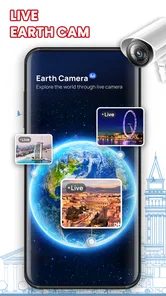
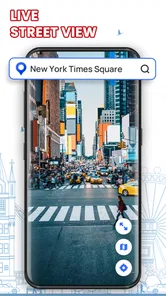
The first thing that strikes you about Live Earth Cam - Street View is its unique capability to transport you across the globe in real-time. Whether it's the vibrant streets of New York City or the tranquil canals of Venice, this app offers live streaming from hundreds of cameras worldwide. The interface is user-friendly; you simply type in a location, and voilà, you're there. It's like Google Earth on steroids, but with live, moving pictures!
More From Our News Desk

Weather by Xiaomi Review: Clear at a Glance, Less Clear Up Close

X Under Pressure: Can It Recover When Posting Goes Wrong?

Clash of Clans Is Won Between the Battles

Android Auto Makes the Case for Quieter Car Software

MobiOffice: Transforming Mobile Productivity with Seamless Integration

EA SPORTS FC™ Mobile Soccer: Redefining Mobile Sports Gaming
User-Friendly Interface
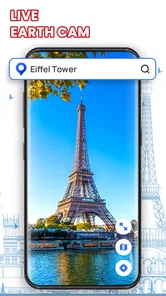
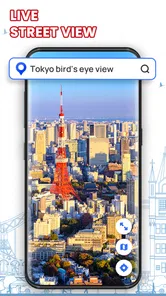
What truly sets this app apart is its simplicity and ease of use. You don't have to be a tech wizard to navigate through the options. With just a few taps, you can jump from one continent to another. The search bar is your best friend here, making it super easy to find the exact spot you want to explore. Plus, the app's design is sleek and intuitive, ensuring you spend more time exploring and less time figuring out how things work.
Settings and habits that make browsing smoother
Before settling into a long browsing session, I’d check the app’s available settings and make sure the experience suits the moment: a larger screen is more comfortable for lingering over a view, while a quick phone check is better for sampling locations between other tasks. I wouldn’t assume every camera has the same controls or picture quality. A useful habit is to note the location name before moving on, so you can find it again through search rather than relying on memory.
Bookmarks, if available for the cameras you enjoy, are more useful as a small, intentional shortlist than as a collection of every interesting view. I’d keep a few places for distinct reasons—perhaps a lively street, a scenic outlook, and a familiar destination—so returning to them is quick. If sharing or notifications appear among the options, I’d use them selectively: sharing a view is handy for showing a friend a place, while alerts only help if the app actually offers them for that camera and they fit what you want to follow.
Small choices that improve a viewing session
I’d begin with a place name rather than a broad theme, because a specific search gives me a clearer question to answer: what does this particular corner look like right now? If the result is not the scene I hoped for, I’d try a nearby landmark or a more precise area instead of repeatedly entering the same broad term. This is a practical way to avoid mistaking a camera’s limited viewpoint for a full picture of a neighborhood.
It also helps to decide whether I’m browsing for discovery or checking something familiar. For discovery, I’m happy to follow an unexpected camera and see where it leads. For a repeat visit, I want to remember the location label and return to it directly. Keeping those two modes separate makes the app feel less random, especially when I only have a few minutes and don’t want to spend the whole session searching.
Diverse Camera Network
The diversity of cameras available is impressive. From traffic cams in Los Angeles to wildlife cameras in Africa, Live Earth Cam - Street View covers a plethora of locations. The video quality is generally good, with some cameras offering HD streaming. However, keep in mind that the quality can vary depending on the camera and location. Still, it’s fascinating to witness the hustle and bustle of different cities or the peacefulness of a national park live.
That variation is the main trade-off to keep in mind. A live view depends on the camera itself, so a location may be less useful if the image is unclear, the angle is limited, or the scene is quiet at the time you check. I’d switch to another camera rather than treating one disappointing feed as a verdict on the whole destination. This is also where the app differs from a conventional map: a map is stronger for directions and reliable place details, while a live camera is better for a quick visual impression.
Choosing between a live view and a standard map
The two tools answer different questions. When I need to know how to get somewhere, estimate a route, or orient myself among nearby streets, a conventional map is the more dependable starting point. When I want a visual sense of a place, this app offers something a static map cannot: a moving view that can make a location feel less abstract. I would use them together rather than expecting one to replace the other.
There is a useful exception: if a camera happens to show a busy road or public space, that can offer a quick impression of activity at the moment I look. It is still only one angle, though, and should not be treated as a reliable traffic report or a complete account of local conditions. If timing matters—such as catching transport or choosing a route—I’d check a service designed for that job. The camera is a supporting glance, not a decision system.
Likewise, a street-level camera and a map image should not be judged by the same standard. A map helps me understand where things are in relation to each other; a live camera helps me see what one fixed viewpoint currently contains. If I’m trying to assess the character of an entire neighborhood, I’d compare more than one view and then consult a map for distance and layout. That combination is more informative than either source alone.
Virtual Travel with a Personal Touch
While the app excels in offering a virtual travel experience, it also adds a personal touch. You can bookmark your favorite cameras, share them with friends, and even set up notifications for specific locations. It's like building your own digital travel diary, which you can revisit anytime. This feature is particularly handy if you want to keep an eye on a specific place or event.
Who will enjoy it, and who should choose something else
I think this is a good fit for curious browsers, armchair travelers, and anyone who enjoys checking how a place looks at a particular moment. It can also be a fun way to pick a destination to explore more deeply later. It is less suitable if you need navigation, dependable traffic guidance, a detailed street-level route, or a guaranteed view of a particular event. For those jobs, I’d reach for a standard maps or traffic app first and use this one as a visual extra.
It is also a better match for someone who enjoys an open-ended activity than for someone who wants a precise answer every time. A camera may show a quiet scene when you expected activity, or a view that is visually interesting but not useful for planning. If those variations would feel frustrating, a conventional travel guide or map may be a better choice. I’d skip this as a primary tool for a time-sensitive outing, but I’d keep it around for curiosity and early-stage trip inspiration.
One practical way to get more from it is to compare views rather than over-reading a single camera. If you are checking a city before a trip, try a central street and a nearby landmark, then use a conventional map to understand how they relate. If you are simply unwinding, let one view run briefly and move on when it stops being interesting. Neither approach requires treating the camera feed as a complete or authoritative account of the area.
Questions I consider before relying on a view
Can I use it to decide whether to visit a place? I’d use it to narrow down what appeals to me, not to make the final call. A camera can help me compare scenery and activity, but it cannot replace checking access, opening times, weather, or local guidance. That distinction keeps the app helpful without asking it to do a job it was not built for.
What if a camera looks still or disappointing? I’d give it a short moment, then search for another viewpoint or a nearby place. The image may be limited by the camera’s position or by what is happening at that instant. Moving on is often more sensible than assuming the destination itself is dull or that the whole app has failed.
Is it useful for keeping up with a specific event? Only as a casual visual check when an appropriate camera is available; I would not count on it for guaranteed coverage or timely updates. For an event where timing and details matter, I’d use an official source. Similarly, if I want to share a scene, I’d share it as an interesting glimpse rather than presenting it as a full live report of the location.
The app is free, rated for Everyone, and has a 4.5 average from around 1,500 ratings, with over 500,000 installs. It was released on April 16, 2024, and version 1.1.16 requires Android 7.0 or later. Those details make it an easy app to try, but the decision to keep it comes down to whether live visual browsing is something you’ll return to. I would not install it in place of a navigation tool; I would keep it for the moments when seeing a place is more interesting than finding a route.
In conclusion, Live Earth Cam - Street View is an app that satisfies both the curious traveler and the casual observer. It brings the world to your fingertips, offering a unique, real-time window into different parts of the globe. So, if you're looking to quench your wanderlust without leaving your home, this app is definitely worth a try. It's a small step for technology, but a giant leap for armchair travelers everywhere!
Live Earth Cam - Street View Frequently Asked Questions
Does Live Earth Cam - Street View need access to my location to explore places?
The app is designed for exploring locations around the world, so location access may be useful when you want to view places relevant to where you are. You can also look up other parts of the world without treating it as a navigation companion. Before granting permissions, consider whether you want the app to use your device’s location and review the available privacy settings.
Is Live Earth Cam - Street View suitable for children?
Live Earth Cam - Street View is rated for Everyone, making it suitable for a broad audience, including families looking for a way to explore places virtually. As with any app that displays locations and camera views, parents may want to look at the content alongside younger children and discuss appropriate use. The app is in the Maps & Navigation category, with a focus on viewing places.
What is Live Earth Cam - Street View and how does it work?
Live Earth Cam - Street View is an application that allows users to explore real-time street views from around the globe. Utilizing satellite imagery and live camera feeds, the app provides a unique perspective of various locations, enabling users to virtually visit places and see live updates. It's a great tool for travelers, geography enthusiasts, and anyone curious about the world.
Can I use Live Earth Cam - Street View offline?
No, Live Earth Cam - Street View requires an active internet connection to function. Since the app provides live feeds and updates from various locations worldwide, it needs to access data in real-time. An internet connection ensures the users receive the most current images and videos.
Is Live Earth Cam - Street View free to use?
Yes, Live Earth Cam - Street View is free to download and use. However, it may offer in-app purchases or premium features that enhance the experience. These could include ad-free browsing, access to exclusive camera feeds, or additional functionalities, so users should check the app details for any potential costs.
Pros
- Real-time street views worldwide.
- User-friendly interface.
- High-quality video streams.
- Regular updates with new locations.
- Supports virtual reality mode.
Cons
- Requires stable internet connection.
- Limited free access.
- Battery drains quickly.
- Ads may disrupt experience.
- Some locations may not be available.












