Yandex Go: Taxi Food Delivery
- 2.66K
- 4.8
- Installs
- 100.00M
- Price
- Free

Screenshots





Analysis by Reviewed
My first useful test of Yandex Go would be a familiar trip, not a complicated cross-town journey: set a pickup point I can recognize, enter a destination, and check the ride details before confirming. That small first success shows what the app is for—a single place to arrange everyday transport, and, where available, delivery. It is a free maps and navigation app from Mikromobilnost LLC Belgrade, with a broad set of uses that can make it handy when plans change quickly.
What to expect before you open it
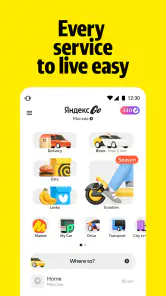
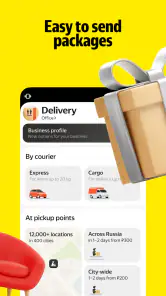
The main appeal is convenience, but I would not assume every service works the same way in every location. Yandex Go brings car and scooter rides together with item and food delivery, while the available choices depend on where you are. If you are considering it as a regular option, that local difference matters more than the breadth of the app’s menu: check what it actually offers around your home or the places you visit.
It has a 4.8 average from around 13 million ratings and more than 100 million installs, which suggests that it has reached a large audience. Those figures are useful context, not a promise that a car or courier will always be available when you need one. I would treat it as a convenient option to have ready, rather than the only way to get somewhere on a tight schedule.
The Latest on Yandex Go: Taxi Food Delivery
Getting Around with Ease
Honestly, the first time I opened the Yandex Go app, I was impressed by its sleek and intuitive interface. Booking a ride was as simple as pie. Just a few taps, and voila, a taxi was at my doorstep. The app provides real-time updates, so I always knew exactly where my driver was. Trust me, this feature alone saves a lot of the anxiety of waiting, especially when you're in a hurry. Plus, the option to choose from different types of rides, like economy or comfort, was a nice touch.
Food at Your Fingertips
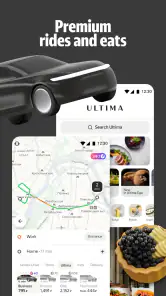
And let's talk about the food delivery service. Oh, it's a game-changer! I could browse through a plethora of restaurants, ranging from quick snacks to gourmet meals. The categorization and search functions make it super easy to find exactly what you're craving. And the best part? The food always arrives hot and on time. I've had a few lazy evenings where this feature saved the day.
A smoother first booking
For a first ride, I recommend checking the pickup pin before you request a car. A marker dropped on the wrong side of a large building can create a needless scramble, especially on a busy street. If the suggested spot is awkward, adjust it to a clear entrance or a place where a car can safely stop. Then compare the ride options shown and choose based on what you need, rather than assuming the cheapest choice is always the best fit.
Once a ride is arranged, use the driver and car details to make sure you are getting into the correct vehicle. If someone else is expecting you, sharing the trip details can make coordination easier. These are small habits, but they make the app more useful in real situations: leaving work in bad weather, meeting a friend in an unfamiliar area, or trying to get home without keeping someone waiting outside.
More From Our News Desk

Clash of Clans Is Won Between the Battles

Android Auto Makes the Case for Quieter Car Software

MobiOffice: Transforming Mobile Productivity with Seamless Integration

EA SPORTS FC™ Mobile Soccer: Redefining Mobile Sports Gaming

How Microsoft OneDrive Became a Mobile Productivity Giant

How Google Translate Breaks Language Barriers Effortlessly
The app also offers an integrated payment system, which is a lifesaver. No more fumbling for cash or dealing with card swipes. It's all digital and hassle-free. Plus, they often have promotions and discounts, which is always a win in my book.
Food orders and small trade-offs
For a food order, I find it helps to decide whether speed, a particular dish, or minimizing extra steps matters most. Browsing by category is convenient when I have only a vague craving; searching is better when I already know what I want. Before placing an order, take a moment to confirm the delivery details and review the order summary. That is more useful than rushing through the final screen and discovering a mistake after the kitchen has started preparing it.
Food delivery is not automatically the better choice for every meal. If I am already near a restaurant, collecting food myself may be simpler; if I need a specific place that is not available in the app, another ordering method may suit me better. Likewise, a ride app cannot remove traffic or guarantee that a pickup point is easy to reach. I see Yandex Go as a practical shortcut when the service options fit the situation, not as a replacement for planning.
Making the first session count
For someone opening the app for the first time, I would keep the first session deliberately simple. Start with one task you genuinely need, such as checking whether a ride can be arranged between two familiar places. Looking at the available choices before committing helps you understand the local version of the service without turning setup into a project. If nothing suitable appears, that is useful information too: you can leave the app ready for another occasion and use your usual alternative today.
It also helps to think about the destination before choosing the pickup. A building may have several entrances, a busy road may have limited stopping space, and a large venue may be easier to identify by a nearby public entrance than by its general address. I would choose a clear meeting point and make sure I can reach it safely. That small bit of preparation can matter more than quickly tapping through the booking flow.
User Experience and Reliability
In terms of reliability, I'd say the app performs consistently well. The GPS accuracy is spot-on, and I rarely face any technical glitches. The customer support is responsive too, which is reassuring if you run into any hiccups. It's evident that the team behind Yandex Go prioritizes user satisfaction.
One thing I particularly appreciate is the safety features. The app provides driver details and car information before the ride, ensuring you feel secure and informed. Also, there's an option to share your ride details with friends or family, which adds an extra layer of safety.
What to check when plans are uncertain
A practical question for a new user is whether to arrange a ride well ahead or wait until it is needed. I would first look at the choices currently shown and avoid treating an in-app estimate or a visible option as a guarantee that the street will be quiet or the car will arrive at a particular moment. If arriving on time is essential, leave a buffer and keep a backup plan, especially for a journey that depends on a tight connection.
The same cautious approach works for delivery. If dinner has a fixed deadline, I would not assume that browsing a restaurant means the order will fit that schedule. Check the details presented before placing it, and choose pickup or another way to order when timing is more important than convenience. The app can bring tasks together, but it cannot make traffic, kitchen preparation, or local availability predictable.
Who will get the most from it
I would recommend it to someone who regularly needs rides and likes having food or item delivery in the same app, especially if those services are available in their area. It is also a useful backup for visitors who want to arrange a car without figuring out a new local routine first. The app is free, rated for Everyone, and its current version is 5.57.0; it has been available since October 25, 2011. It requires Android 9 or later on Android devices.
On the other hand, if you rarely use paid rides, prefer to walk or take public transport, or only want a dedicated restaurant-ordering service, Yandex Go may feel broader than you need. A local taxi company or transit app can be a better fit when you want a specific service or need route planning rather than a car booking. Compared with using separate ride and delivery apps, the advantage here is having several everyday tasks together; the trade-off is that the usefulness of each one depends on local coverage.
Choosing it over familiar alternatives
Against a conventional taxi phone number, the app’s appeal is that you can enter a destination, review the presented ride choices, and keep the trip information together on your phone. A local taxi service may still win if you know its dispatch works reliably in an area where app coverage is thin, or if you want a human dispatcher to help with an unusual pickup. I would keep both options in mind rather than assuming one method is always superior.
Compared with a dedicated food-ordering app, the difference is less about which has the larger menu and more about what you need to do that day. When I need transport and a meal, having both types of service in one place can reduce app switching. When I am only choosing dinner, a specialist service or ordering directly from a restaurant may be more straightforward. I would judge it by the actual choices and delivery details shown locally, not by the convenience of one combined icon.
When plans change
Picture a rainy evening: I finish work later than expected, need a ride home, and realize I have not sorted dinner. I can first check the ride options and pickup point, then decide whether delivery makes sense once I know how long the trip may take. Keeping those decisions separate avoids placing an order in a rush or choosing a ride without checking the details. For a new user, that is the most reassuring way to learn the app: complete one straightforward task, then try another when there is no pressure.
There is a useful trade-off in that scenario: combining tasks is convenient, but doing them at the same time can make it easier to overlook a detail. I would settle the ride first, then review the food order as its own decision. If I am already on my way past a shop or restaurant, stopping in person might be quicker; if I am carrying things or the weather is unpleasant, delivery may be worth the extra convenience. The right choice depends on the evening, not on a need to use every service in the app.
If a pickup looks confusing, I would correct the location before confirming rather than relying on a driver to guess where I am. If the service I need is not offered nearby, I would switch to a local alternative instead of repeatedly searching the same screen. Those practical limits do not undo the convenience; they just make it clear when the app is the right tool and when a different option will save time.
For a first-time user, then, the clearest path is to check local availability, try one familiar ride or delivery task, and verify the important details before confirming. Keep a second option for journeys where timing is critical, and use a different service when it offers a more suitable local choice. That approach lets the app earn a place in your routine without asking it to solve situations it cannot control.
In conclusion, Yandex Go is more than just a convenience; it's a lifestyle enhancer. Whether you need a quick ride across the city or crave a sumptuous meal delivered to your doorstep, this app has got you covered. It's reliable, efficient, and incredibly user-friendly. So, next time you're in need of a taxi or a food delivery, give Yandex Go a whirl. I bet you'll be pleasantly surprised!
Yandex Go: Taxi Food Delivery Frequently Asked Questions
Can I change my pickup or delivery location after opening the app?
Yandex Go brings rides and deliveries together, and the options shown can depend on your location. Before selecting a service, check that the pickup or delivery point displayed in the app is the place you intend to use. Review the details again before confirming, particularly if you have moved or are arranging a handoff somewhere other than your current location.
Do I need an internet connection to use Yandex Go?
Yandex Go is an app for arranging rides and deliveries, so you should expect to use it while connected to the internet to browse services and manage a booking or order. Make sure your connection is working before relying on the app to arrange a ride or delivery. You can check the available options and details in the app before confirming a service.
Can I use Yandex Go while traveling to another city?
You can check Yandex Go in the place where you are traveling to see which services it offers there. Car and scooter rides, food delivery, and item delivery are among the app’s services, but the selection can depend on location. It is sensible to review the options in the app before making plans, rather than assuming the same services will be available everywhere.
Can I use Yandex Go for business or work-related trips?
Yandex Go can be used to arrange rides, including car and scooter rides, as well as food and item deliveries. Those services may be useful for everyday personal needs or a work-related journey, depending on what is available where you are. Check the choices and booking details shown in the app before confirming, and make sure the selected service suits your plans.
Can I use Yandex Go without creating an account?
Before downloading, it is worth considering whether you are comfortable setting up an account to arrange rides or deliveries. Yandex Go brings these services together, so account details can help connect a booking or order with you. Use the sign-in and registration options presented in the app, and review the information requested before proceeding. Keep your login details private, especially if you use a shared device.
Pros
- User-friendly interface for easy navigation.
- Wide range of services in one app.
- Reliable and fast delivery options.
- Affordable pricing for various budgets.
- Good customer support service.
Cons
- Limited availability in some regions.
- Occasional app glitches reported.
- Longer wait times during peak hours.
- Inconsistent service quality at times.
- Payment method limitations.
- Category
- Maps & Navigation
- Version
- 5.57.0