Learn Drawing
- 440.00
- 4.6
- Installs
- 1.00M
- Price
- Free

Screenshots

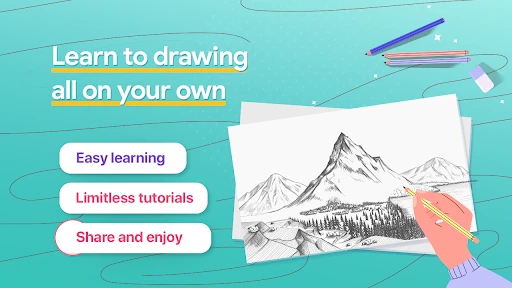
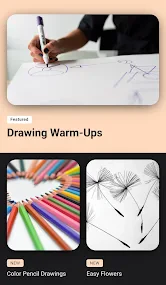
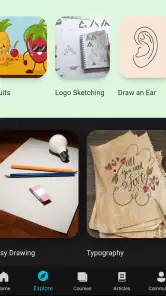
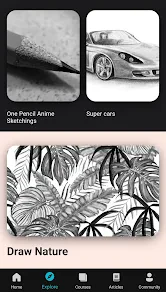
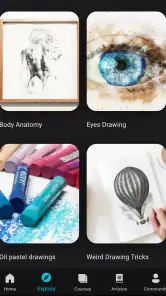
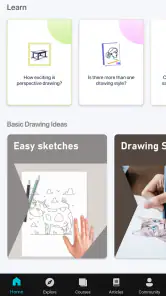
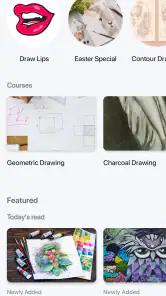
Analysis by Reviewed
Ever wanted to unleash your inner Picasso or maybe just doodle your heart out? Well, I've been exploring an app called Learn Drawing, and let me tell you, it might just be the perfect companion for budding artists or anyone who simply enjoys the therapeutic act of drawing. Here's my take on it.
The first-week appeal
The first few sessions are where a guided drawing app can feel especially inviting: you don't have to decide what to make before you begin. I like having a lesson to follow when a blank page feels intimidating, because it turns “I should practice” into a small, concrete activity. For a beginner, that structure can make it easier to start than opening a general-purpose art app and facing a large set of unfamiliar controls.
A realistic way to try it is to use a short break to work through one tutorial, then spend a few minutes repeating the parts that felt awkward. That gives the session a clear finish without making drawing feel like homework. If you are hoping to learn by watching a complete course or want detailed instruction in formal art theory, though, a step-by-step drawing app may not be the right substitute for a structured class.
Making a tutorial fit an ordinary day
I find this kind of lesson most useful when I attach it to a moment that already exists, rather than waiting for a perfect stretch of free time. You might sit down after dinner, choose one subject, and stop once you have a rough version on paper. The point is not to turn every spare minute into practice; it is to make starting simple enough that you actually do it. A parent could also use a tutorial as a shared activity with a child, since the app is rated for Everyone, while still letting the child make their own choices about colors or details.
One small but valuable habit is to keep a page of quick attempts rather than treating every drawing as something to show people. If a tutorial uses a character or object, I would draw it once while following along and then try a second version without looking. The second sketch can be messy and still tell you whether you remember the basic shapes. This is a more revealing test than simply tracing each step neatly, and it does not require special art equipment beyond whatever you normally use to draw.
Discovering the World of Art with Learn Drawing
When I first downloaded Learn Drawing, I was intrigued by its promise to cater to both beginners and experienced artists. As someone who loves experimenting with art but isn't exactly a pro, I was excited to dive into its myriad features. What caught my attention is how the app makes learning art fun and accessible, providing a platform that encourages creativity without overwhelming you with complex tools.
User-Friendly Interface
One of the first things you'll notice is the app's clean and intuitive interface. It's easy to navigate, which is a huge plus for anyone who wants to get straight to drawing without fiddling around trying to figure out what button does what. The menus are straightforward, and the tools are neatly organized, making it a breeze to select your brushes, colors, and styles.
More From Our News Desk

Weather by Xiaomi Review: Clear at a Glance, Less Clear Up Close

X Under Pressure: Can It Recover When Posting Goes Wrong?

Clash of Clans Is Won Between the Battles

Android Auto Makes the Case for Quieter Car Software

MobiOffice: Transforming Mobile Productivity with Seamless Integration

EA SPORTS FC™ Mobile Soccer: Redefining Mobile Sports Gaming
Comprehensive Tutorials
The app is packed with a variety of tutorials that cover different styles and techniques. Whether you're into sketching, painting, or digital art, there's something for everyone. Each tutorial is broken down into manageable steps, making it easy to follow along. I particularly enjoyed the cartoon drawing tutorials – they were fun, engaging, and before I knew it, I was sketching up some pretty cool characters!
Choosing a lesson with a purpose
With a broad range of subjects, it helps to decide what you want from a session before browsing for a tutorial. If you are new to drawing, pick something that looks approachable and focus on the sequence of shapes, not on making the first attempt look polished. If you have drawn for a while, a familiar subject can still be useful: deliberately change its pose or proportions after following the lesson and see what you can adapt. That turns a tutorial into a small study instead of a recipe you only repeat.
I also recommend keeping the goal modest. A single lesson can give you an idea to work on, but drawing confidence usually comes from revisiting what felt difficult. For instance, if the outline is easy but the proportions keep drifting, make a few small versions of the subject and compare their overall shapes before adding detail. That approach makes practice more diagnostic: you can spot which part needs attention, rather than deciding vaguely that the whole drawing is “wrong.”
Practice Makes Perfect
Another aspect I love about Learn Drawing is the practice feature. It allows you to redo the tutorials or attempt new ones as many times as you need until you feel confident. There's no rush, and the app encourages you to take your time and enjoy the process. That sense of freedom is something I genuinely appreciate, especially when you're learning something new.
Keeping the habit useful
After the novelty of a new tutorial fades, the lasting value depends on what you do with the steps. I find it more useful to treat each lesson as a prompt, not a finished result: follow it once, then try drawing the same subject from memory or change one detail. That small variation helps reveal whether I understood the shapes or merely copied them. It also gives repeat practice a purpose beyond producing another nearly identical sketch.
For someone who draws between errands, during a quiet evening, or while waiting for a family activity to finish, that low-pressure format can fit naturally into an existing routine. A useful habit is to keep a small set of subjects you want to improve at and return to them after trying a tutorial. If your goal is to build a polished portfolio, however, you will probably want to pair guided exercises with deliberate studies of your own work rather than rely on lessons alone.
From copying steps to making choices
A useful way to avoid getting stuck at imitation is to change only one variable after the guided attempt. Keep the subject but alter its expression, angle, or a few details; then notice which parts of the original lesson still help. Changing everything at once makes it hard to tell what you learned, while a single adjustment lets you test whether the underlying construction makes sense to you. This works particularly well for cartoon subjects, where small changes can make a drawing feel personal without demanding a completely new idea.
I would also separate learning from judging. When you look back at a sketch, ask a narrow question such as whether the head is too large or whether the main outline reads clearly. One specific observation gives you a next step for another session. A general verdict that you are “good” or “bad” at drawing does not. The app can supply a starting point, but the learner has to decide what to notice and what to practice next; that is where its open-ended repetition becomes more valuable than simply completing more lessons.
Community and Sharing
Art is best when shared, and the app provides a platform for you to do just that. You can upload your creations and get feedback from other users, which is both motivating and inspiring. It's like having a little art community in your pocket. Plus, seeing what others create with the same tools can be incredibly inspiring and might just spark your next masterpiece.
Where it fits among drawing apps
Compared with a blank-canvas drawing program, this app is more appealing when you need direction than when you already know exactly what you want to make. General art apps are usually the better choice for people seeking broad control over layers, detailed editing, or a personal workflow; a guided lesson is better when the immediate question is “what should I practice?” I see the two approaches as complements, not rivals: use a tutorial to get moving, then carry the idea into whichever sketching tools suit your own process.
It also occupies a different space from a video course or a classroom. A course may offer a planned sequence and deeper explanation, while an in-person teacher can notice how you hold a pencil or where your drawing habits are getting in the way. A step-by-step app is easier to dip into casually, especially when you want an immediate subject rather than a longer commitment. I would choose it for an approachable nudge and choose a teacher or structured course when I needed sustained critique, a curriculum, or help diagnosing a persistent technical problem.
Free to begin, with purchases to weigh
The app is from Rstream Labs and is free to start, with optional in-app purchases ranging from $0.49 to $59.99 per item. Its Everyone age rating makes it approachable for a wide audience, while the 4.6 average from around 18,000 ratings and more than 1 million installs suggest it has found a substantial group of learners. It first appeared on January 9, 2019, and the price range is worth keeping in mind if you are deciding whether to continue beyond the free experience. I would check what an optional purchase offers before paying, and avoid treating any single lesson as a promise of quick progress.
For me, the practical way to approach optional spending is to first establish whether I would use the app repeatedly without it. Try a few sessions, notice which kinds of lessons you return to, and only then consider whether a purchase solves a real problem for you. The listed range runs from small optional purchases to a much larger one, so it is sensible to look carefully at the specific item and its cost rather than assume every purchase is alike. If you are choosing this for a child, I would also make that decision together instead of treating the free download as a reason to buy anything later.
Maintenance, friction, and fatigue
The app asks for little upkeep as a learning tool: the main commitment is returning to practice and choosing lessons with a purpose. The friction is more personal than technical. If you already draw confidently, beginner-oriented guidance may feel slow; if you want instant finished artwork, following steps can feel repetitive rather than relaxing. And even enjoyable tutorials can become tiring if every session is only imitation. Switching between a guided exercise, a memory sketch, and an original idea is a practical way to keep the routine fresh.
The maintenance burden is therefore less about organizing a complicated creative setup and more about managing your expectations. A tutorial can make the next action obvious, but it cannot decide how often you should practice or whether a particular subject matters to you. I would rather complete one lesson thoughtfully than tap through several simply to feel productive. If I miss a few days, I would restart with an easy subject instead of trying to “catch up”; treating drawing as a pleasant return, rather than a streak to preserve, makes the habit less fragile.
Who will get the most from it
I would recommend giving it a try if you are a beginner who wants a clear first step, a casual doodler who sometimes runs out of ideas, or someone who learns better by following an example than by reading broad advice. It can also suit a person who wants a low-pressure way to spend a short break, provided the goal is practice rather than a polished result. The strongest match is someone willing to repeat a lesson and then make a small change of their own; that is where the app’s guidance can become personal learning.
It is less compelling for an experienced illustrator who needs a professional workspace, for someone who expects a complete art-school curriculum, or for a learner who needs individual critique to understand why a drawing is not working. It may also frustrate anyone who wants to open a blank canvas and immediately control every aspect of a finished image. In those cases, a general drawing program, a course, or a human instructor is likely to be a better fit. Knowing that distinction before downloading helps keep the app’s role realistic: it is a prompt for practice, not a replacement for every kind of art learning.
My long-term verdict
All in all, Learn Drawing is a fantastic app for anyone looking to dive into the world of art. Its blend of user-friendly design, comprehensive tutorials, and community features makes it a must-have for art enthusiasts. Whether you're sketching on your morning commute or winding down with some doodling in the evening, this app is a delightful way to bring a little more art into your daily life.
My recommendation is to give it room in your routine if you enjoy guided practice, but judge its value by whether you keep learning after a lesson ends. The most rewarding use is to repeat a tricky step, close the tutorial, and make a small drawing of your own. That approach turns a convenient prompt into a habit rather than another app you open once and forget. If that sounds like the kind of gentle structure you need, I can see it earning a regular place in your creative time.
Learn Drawing Frequently Asked Questions
Is Learn Drawing suitable for children, and is it appropriate for family use?
Learn Drawing is listed for everyone, making it a potential option for children, teens, and adults interested in drawing. Its focus on easy tutorials can make it approachable for beginners, including younger learners practicing with guidance. Since the app also offers optional purchases, families may want to review purchase settings together before use so children understand which features are free and which may cost extra.
What devices can I use Learn Drawing on?
Learn Drawing is an app in the Art & Design category, intended for people who want drawing instruction on a mobile device. Before downloading, check its availability and compatibility in the app store for your particular device and operating system. If you plan to use it on a tablet or phone, consider which screen feels more comfortable for following visual lessons and practicing alongside them.
Is Learn Drawing free to download, and are there optional purchases?
Learn Drawing is free to download, so you can try its drawing lessons without paying upfront. It also offers in-app purchases, with items ranging from $0.49 to $59.99. Consider checking the purchase options in the app before buying, especially if a child will use it, so you can decide whether any optional content fits your needs.
What is Learn Drawing and who is it suitable for?
Learn Drawing is a comprehensive app designed to help users of all skill levels improve their drawing abilities. Whether you are a complete beginner or an experienced artist, the app offers tailored lessons and exercises to enhance your skills. It is suitable for kids, teens, and adults who have a passion for drawing or want to explore their creative side. The app is listed for everyone and focuses on beginner-friendly drawing instruction.
Does Learn Drawing offer step-by-step tutorials?
Yes, Learn Drawing provides step-by-step tutorials that guide users through various drawing techniques and styles. The tutorials are designed to be easy to follow, with clear instructions and visual cues to help users understand and apply the concepts. This feature makes it ideal for beginners who need structured guidance in learning to draw. Its focus on easy drawing tutorials makes it a practical starting point for building skills through guided practice.
Pros
- User-friendly interface for beginners
- Wide variety of drawing tools available
- Step-by-step tutorials enhance skills
- Works offline without internet access
- Regular updates with new features
Cons
- Limited advanced features for professionals
- In-app ads can be disruptive
- Some tools require in-app purchases
- Lacks community support or forums
- Occasional app crashes reported
- Category
- Art & Design
- Version
- Varies with device