KidsGuard Pro-Phone Monitoring
- 77.00
- 4.0
- Installs
- 1.00M
- Price
- Free

Screenshots
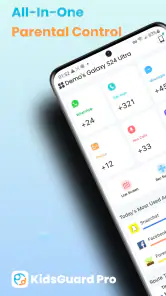
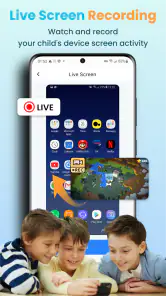
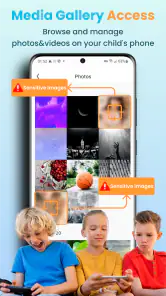
Analysis by Reviewed
When a child’s phone becomes part of school, friendships, and family logistics, it can be hard to tell whether you need a monitoring app or simply a clearer household rule. I looked at KidsGuard Pro-Phone Monitoring as a parenting tool for families who want more than a basic screen-time limit. My main takeaway is that its range of oversight can be useful, but the value depends less on how much information it can gather than on whether you have a clear, proportionate reason to check it.
What is KidsGuard Pro?
KidsGuard Pro-Phone Monitoring is a parental monitoring app from CLEVERGUARD TECHNOLOGY CO.,LIMITED. It is free to install, rated for Everyone, and currently at version 3.1.2; the minimum operating system listed for it is 8.0. The app has a 4.0 average from around 2.5 thousand ratings and more than 1 million installs. I’d treat those figures as background, not as a reason to install it: what matters most is whether the features fit your family’s needs and whether you can use them openly and responsibly. Optional in-app purchases range from $4.99 to $259.99 per item, so I would check the purchase details carefully before committing to anything beyond the free offering.
Setting Up and Getting Started
Getting started with KidsGuard Pro is as easy as pie. Once you download and install the app on your kid's phone, you can quickly set it up by following the simple on-screen instructions. The app runs in stealth mode, so your kids won’t even know it’s there, giving you peace of mind without invading their privacy blatantly. It’s like having eyes at the back of your head!
In practice, the part most likely to trip up a parent is not tapping through setup; it is making sure the family agrees on the purpose and boundaries first. I would explain what is being monitored, who can see the information, and what kinds of situations would lead me to check it. That conversation helps keep a safety tool from becoming a source of secrecy or conflict. I’d also confirm that the device being set up is the child’s phone and that I have the authority to manage it.
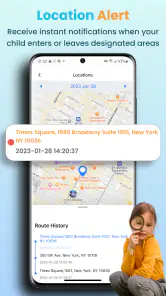
Before relying on location information, I’d check that the phone can provide location and that the app is configured for the intended use. A phone left at home, turned off, or without a connection cannot give a parent a useful picture of a child’s whereabouts. If something looks stale, I’d first check the phone itself and its connection rather than assuming the app has failed. For the same reason, I wouldn’t use a location display as a substitute for calling or messaging a child when plans change.
Deciding What to Monitor
The app’s broad reach is most useful when each part has a defined job. For example, a family concerned about a child getting home safely might make occasional location checks the priority, while treating app and game blocking as a separate agreement about device habits. Trying to inspect every available category every day can turn a safety tool into a stream of details with no clear next step. I’d decide in advance which information would actually change what I do, and leave the rest alone unless a specific concern arises.
That distinction matters because monitoring can show activity without supplying context. A browser entry or a message-related alert may be worth discussing, but it is not automatically evidence that something harmful happened. I’d ask an open question first and avoid making a restriction based only on a fragment. If the concern is a particular app or game, a direct conversation about what is bothering me will usually be more useful than quietly collecting more information.
More From Our News Desk

Weather by Xiaomi Review: Clear at a Glance, Less Clear Up Close

X Under Pressure: Can It Recover When Posting Goes Wrong?

Clash of Clans Is Won Between the Battles

Android Auto Makes the Case for Quieter Car Software

MobiOffice: Transforming Mobile Productivity with Seamless Integration

EA SPORTS FC™ Mobile Soccer: Redefining Mobile Sports Gaming
There is also a practical privacy trade-off in using a tool designed for broad oversight. A parent may appreciate having several kinds of information in one place, while a child may experience the same breadth as intrusive. I’d be especially cautious as a child grows older or gains more independence: the rules that feel reasonable for a younger child may need revisiting later. Keeping the monitoring purpose narrow and explaining when it will be used makes that boundary easier to discuss.
Features That Stand Out
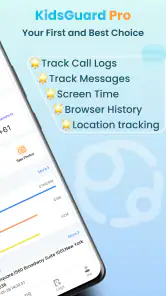
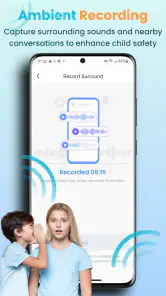
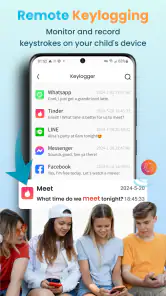
What really impressed me about KidsGuard Pro is the array of features it offers. From tracking real-time location to monitoring texts, calls, and even social media apps like WhatsApp and Snapchat, it covers all the bases. You can also access the browser history, so no more sneaky visits to inappropriate sites. The app sends regular updates straight to your dashboard, ensuring you’re always in the loop. Real-time alerts on suspicious activities are a game-changer for proactive parenting!
The useful question is how to turn that breadth into a routine that does not overwhelm you. I’d choose one or two clear reasons to check in—such as confirming a pickup or discussing a concern about online contact—instead of repeatedly scanning every category. That makes an alert a prompt for a calm conversation, not proof of wrongdoing. It also helps a child understand what an alert can and cannot tell a parent: context still matters, and a message or browsing entry may not explain the full situation.
A non-obvious benefit of agreeing on a checking routine is that it gives both parent and child a way to notice when the tool is no longer helping. If a location check is only being used to confirm a planned journey, it should not quietly become a habit of watching every movement. Likewise, if an alert leads to no meaningful conversation or action over time, I’d reconsider whether that category needs to remain part of the routine. The point is not to gather the most information possible; it is to make a small number of better-informed decisions.
User Experience
Now, let’s talk about user experience. Navigating through KidsGuard Pro is a breeze. The interface is intuitive and user-friendly, designed with parents in mind. It doesn’t require you to be a tech wizard to understand and operate it. Everything is laid out clearly, and you can customize the settings to suit your personal preferences. Whether you want to get daily reports or just occasional updates, KidsGuard Pro has got you covered.
A practical scenario is a parent coordinating an after-school pickup: a quick location check may help confirm that a child has left school, while a call or direct message remains the better choice if the child is late or the displayed location seems wrong. I’d avoid checking constantly during the school day; a planned check at a useful moment is less distracting and gives the tool a clear purpose. For app or game limits, I’d agree on expectations beforehand and review the settings together, rather than making a sudden block the first response to a disagreement.
For a household with more than one caregiver, I’d settle the routine between adults before introducing it to a child. Decide who is responsible for checking, what counts as a reason to follow up, and how you will share a concern without turning it into a second round of surveillance. This prevents duplicate checking and mixed messages. It also gives a parent a chance to ask whether the app is solving a real coordination or safety problem, rather than adding another task to an already busy day.
Compared with built-in family controls, KidsGuard Pro is appealing to parents who want several kinds of oversight gathered in one monitoring app, including location and app or game blocking. Built-in controls may be a better fit when the main goal is simply setting screen-time boundaries, because they can avoid adding another monitoring service to the household routine. I’d choose KidsGuard Pro when its broader monitoring approach is genuinely needed, and skip it if a straightforward time limit or an open conversation already solves the problem.
It is also worth separating the question “Can I manage screen habits?” from “Do I need to monitor phone activity more broadly?” If the issue is a bedtime routine or time spent gaming, start with the narrowest control that can address it. If the concern is a child’s travel or a specific online-safety situation, broader monitoring may feel more relevant, but it still needs clear limits. A focused built-in option is often easier to explain and maintain; KidsGuard Pro makes more sense when combining different kinds of oversight is the point.
When a Check Does Not Explain the Problem
If an update or location view does not look right, I’d work through the basics before changing settings repeatedly: check that the child’s phone is on, connected, and available, then reopen the app and allow time for information to refresh. If only one type of information seems out of date, that points to a different issue than a phone that is offline altogether. Keeping a note of what you expected to see and when you checked can make it easier to describe the problem if you need help later.
A useful troubleshooting habit is to change one thing at a time. If you alter several settings while also restarting or reconnecting a device, it becomes difficult to tell which action made a difference. I’d first confirm the phone is available and connected, then check the relevant view again. If the issue concerns only one kind of information, I’d focus on that part rather than assuming the entire app has stopped working.
It helps to know what the app is being asked to do at that moment. A location check during a planned trip has a clear reference point; a check while a phone is idle or unavailable may not. If the child is late, I would contact them directly and use ordinary family plans as the fallback, rather than waiting for an app view to settle the question. Monitoring tools can support communication, but they cannot replace it when timing or safety calls for a direct response.
Not every family conflict is a technical issue, either. A child may object to monitoring because they feel watched, even when everything is working as intended. In that case, more frequent checks are unlikely to fix the underlying concern. I’d revisit what the family agreed to monitor, narrow the routine to the original safety need, and consider whether a less intrusive built-in control would be enough.
There are situations where I would not recommend this approach. If a parent expects a dashboard to settle every disagreement, or plans to use hidden monitoring as a substitute for talking with a child, a broad monitoring app is likely to make trust harder rather than easier. It is also a poor fit when the family only needs a simple screen-time boundary or when caregivers have not agreed on who is responsible for using the information. In those cases, a direct conversation and a narrower control are more sensible starting points.
Ending Thoughts
In my humble opinion, KidsGuard Pro-Phone Monitoring is a solid choice for any parent. It's like having an extra layer of security in this fast-paced digital age. While it’s important to maintain trust and open communication with your children, having a tool like this can be extremely helpful in ensuring their safety. So, if you’re contemplating whether or not to take the plunge, I’d say give it a try. It might just be the ally you need!
My recommendation comes with a clear condition: use monitoring as a support for parenting, not as a replacement for trust, direct contact, or judgment. It is best suited to a family that has a specific reason to combine location checks with broader phone oversight and is prepared to explain that choice. If your priority is only reducing screen time, a simpler control may be easier to live with. And if you do try KidsGuard Pro, begin with a small, agreed-upon routine, check purchase options before paying, and reassess whether the information is helping your family make better decisions.
KidsGuard Pro-Phone Monitoring Frequently Asked Questions
What does KidsGuard Pro do, and who is it intended for?
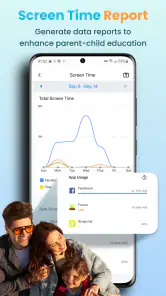
KidsGuard Pro is a parenting app built around parental controls, with tools for screen-time control, GPS tracking, and blocking apps or games. It may suit parents who want to manage how a child uses a phone and check the device’s location. Consider whether those controls match your family’s needs and discuss monitoring openly and responsibly.
Who develops KidsGuard Pro, and what is its age rating?
KidsGuard Pro is developed by CLEVERGUARD TECHNOLOGY CO.,LIMITED and is rated Everyone. That rating concerns the app’s content classification; it does not replace a parent’s judgment about whether monitoring is suitable for their family. Before installing it, think about how you will explain the app’s controls to your child and set expectations around phone use and privacy.
What devices are compatible with KidsGuard Pro?
KidsGuard Pro is compatible with both Android and iOS devices. For Android, it supports versions from 4.0 and above, while for iOS, it works with devices running iOS 9.0 or later. It's important to ensure your device meets these requirements for optimal performance of the app.
Is KidsGuard Pro legal to use?
Yes, KidsGuard Pro is legal to use, but it's crucial to comply with local laws and regulations. The app is designed for parental control and employee monitoring, and users must have consent from the person being monitored. Unauthorized spying can lead to legal issues, so always use the app responsibly.
How does KidsGuard Pro ensure data privacy and security?
KidsGuard Pro takes data privacy seriously by using encryption to protect user data. The app does not store data on its servers, ensuring that only the user has access to the monitored information. Regular updates and security audits are conducted to maintain high standards of data protection.
Pros
- Easy to install and set up.
- Real-time location tracking.
- Monitors social media apps.
- Comprehensive activity logs.
- Remote device control.
Cons
- Requires physical access for installation.
- May raise privacy concerns.
- Subscription required for full features.
- Limited compatibility with some devices.
- Can drain device battery.
- Category
- Parenting
- Version
- 3.1.2











