JBL Portable
- 6.20K
- 4.6
- Installs
- 10.00M
- Price
- Free

Screenshots
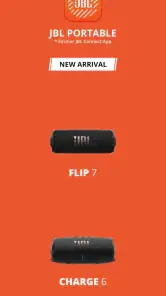

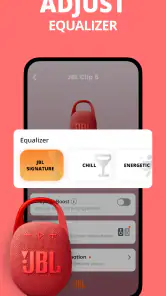
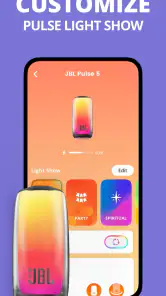
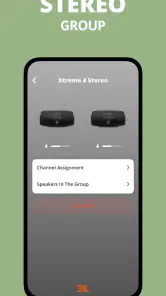
Analysis by Reviewed
I reach for JBL Portable when I want to manage a compatible speaker without treating my phone like a full audio-control studio. It is an entertainment app from Harman Consumer, Inc., and its usefulness is deliberately tied to JBL portable Bluetooth speakers: it gives owners a place to handle supported speaker features, rather than trying to replace the music app they already use. That narrow focus is its strength, provided you own a speaker it works with.
The app is free, rated for Everyone, and has a 4.6 average from around 272,000 ratings. It has passed 10 million installs, which suggests it is a familiar companion for JBL owners, though popularity alone cannot tell you whether your own speaker supports every option you want. I would check compatibility before building a routine around it. The practical question is not simply whether the app opens, but whether its controls match the model you actually use.
A sensible first connection routine
When I set up a portable speaker, I start with the basics: charge it, turn on Bluetooth, and open the companion app with the speaker nearby. I let the app identify the device before exploring its controls. That order keeps the first session simple and makes it easier to tell whether a problem is with pairing, the phone’s Bluetooth connection, or a setting inside the app. If the speaker is not detected, I check the phone’s Bluetooth connection and the speaker’s power before repeatedly tapping through screens.
Once connected, I treat the app as the speaker’s control panel, not as a place where all listening has to begin. I choose music in the service or player I normally use, then return to JBL Portable when I want to adjust a supported speaker setting or check for an update. That separation is useful: the app’s job is to help manage the hardware, while playback habits can stay familiar. If you were expecting a music library, streaming service, or universal controller for other brands, this is not that kind of app.
Settings that are worth a short test
The equalizer is the setting I would explore first, but with small changes and a song I know well. A bass-heavy track can make an adjustment seem exciting at first, while voices or acoustic instruments reveal whether the sound still feels clear after a few minutes. I prefer to make one change, listen at the volume I normally use, and then decide whether it genuinely improves the speaker in the room where I use it. Large adjustments are not automatically better; a setting that sounds fun in a quiet bedroom may feel muddy outdoors.
Try the same familiar track in two places before settling on a sound profile. A speaker close to a wall can sound different from one sitting in the middle of a table, so it is easy to blame the equalizer for a change caused by placement. I also avoid tuning only at very low volume if I usually listen louder. The point is not to chase a perfect-looking slider position, but to find a sound that remains comfortable across the situations you actually encounter.
Updates, group listening, and useful limits
Firmware updates are worth checking when you first set up a speaker and occasionally afterward, particularly if you are troubleshooting or have not opened the app in a while. I treat an update as a small maintenance task: keep the phone close to the speaker, allow the process to finish, and avoid switching off the speaker halfway through. Updating is not a sound-quality shortcut, and I would not start one just before guests arrive. It is better handled when you have a few uninterrupted minutes.
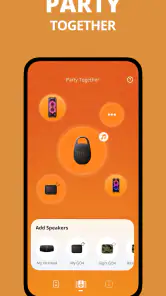
PartyBoost can make compatible JBL speakers work together for shared listening, which is more useful for filling a larger gathering space than for creating a precise stereo setup in every room. Before relying on it, check that the speakers you own support the feature and try the connection at home. A quick test lets you learn how the group behaves before people are waiting for the music. It also helps set expectations: a multi-speaker session is a way to extend playback, not a promise that every speaker model or brand can join in.
Who will get the most from it
I would recommend JBL Portable to someone who owns a supported JBL portable speaker and wants a straightforward place to adjust its sound, manage relevant connections, or look after its firmware. It is less compelling if you rarely change speaker settings, only use a non-JBL device, or want one app to control an entire mixed-brand audio setup. In those cases, the phone’s built-in Bluetooth controls or the speaker maker’s own tools may be all you need. The current version is 6.8.30, and the app requires OS 9 or later.
The Ultimate Sound Companion
First off, let's talk about its interface. As soon as I launched the JBL Portable app, I was greeted with a sleek and user-friendly design. It's intuitive, not overly cluttered, and honestly, it feels like the developers had us, the users, in mind. You won't find yourself lost in a sea of buttons and options that you have no clue about. Instead, everything is laid out in a manner that just makes sense.
Easy Connection and Management
Connecting my speaker was a breeze. The app seamlessly guided me through the process, and it was up and running in no time. One of the standout features is the ability to manage multiple JBL speakers at once. Whether you're throwing a party or just chilling in different rooms, you can easily switch and control which speaker is playing. It's like having your own little DJ booth right on your phone!
Customizable Sound Experience
But what truly sets this app apart is the sound customization. You can adjust the equalizer settings to your liking. Whether you’re into bass-heavy beats or prefer something more balanced, you can tweak it all to create the perfect sound profile. I found myself playing around with the settings more than I probably should have, but hey, who doesn't love a bit of experimentation?
Moreover, the app provides firmware updates for your speakers, ensuring that they’re always performing at their peak. It's like giving your speaker a little health check-up without any hassle. And let's be honest, nobody wants to be stuck with outdated tech!
PartyBoost and Beyond
Another killer feature is PartyBoost. If you’ve got a couple of JBL speakers lying around, you can connect them all for an amplified sound experience. It's perfect for when you have guests over or just want to be your own one-person party. The sound quality and the synchronization are top-notch, making your music come alive in ways you didn’t think possible.
A repeatable routine for busy days
The app makes the most sense when I use it as part of a small, repeatable habit instead of opening it only when something goes wrong. For example, before taking a speaker from the kitchen to the backyard, I can check that the intended device is connected, make any sound adjustment I want, and then start playback in my usual music app. When I bring it back inside, I can return to a more neutral setting if the outdoor sound felt too boomy. This is a practical way to avoid constantly changing settings at random.
For a gathering, I would prepare before anyone arrives: connect the speaker, decide whether PartyBoost is appropriate, and test the setup with a short track. That simple rehearsal is more valuable than trying to troubleshoot while people are talking. It also gives me a chance to confirm that the phone is controlling the speaker I intended, especially if several JBL devices are nearby. If the room is small, one speaker may be the cleaner choice; adding another is not automatically an upgrade when it creates more sound than the space needs.
Making multi-speaker control less fiddly
If I use more than one JBL speaker, I try to keep the routine deliberate: identify the speaker I want first, make the desired adjustment, and only then build a group for shared listening. This avoids confusing a device-selection problem with a playback problem. I also label the physical situation in my own mind—living-room speaker, patio speaker—rather than assuming I will remember which device is active after moving around. That small habit saves time when the phone sees more than one familiar device.
There is a trade-off to group playback. It can make music easier to hear across a social space, but it does not turn separate speakers into a universal whole-home system. A household with JBL speakers alongside other brands should expect to manage those other devices separately. If your priority is one control surface for an assorted collection of speakers, a broader smart-home or audio platform may suit you better. If your priority is getting more from compatible JBL portable hardware, a dedicated companion is a more direct fit.
What to expect when something does not connect
When detection fails, I avoid immediately deleting settings or repeating the pairing process over and over. I first check that the speaker is powered on, the phone’s Bluetooth is active, and the speaker is close enough for a straightforward connection. I then close and reopen the app if needed. These basic checks are useful because the app depends on a real connection to the speaker; it cannot adjust hardware that the phone is not currently communicating with.
I would also separate app troubleshooting from playback troubleshooting. If the speaker appears in the companion app but music does not come through, I check the selected output in the music app and the phone’s Bluetooth connection rather than changing the equalizer. If playback works but a group is not behaving as expected, I check compatibility and reconnect the intended speakers. Keeping those questions separate makes diagnosis faster and avoids changing a sound profile to solve a connection issue.
Where a dedicated companion beats generic controls
Phone Bluetooth settings are enough for basic pairing and selecting an output, so I would not install this app merely to connect once and play audio. The advantage of a dedicated JBL tool is that it brings speaker-specific controls and maintenance together, including equalizer adjustment, firmware updates, and supported multi-speaker features. That is a meaningful difference when you use those options, but a minor one if your speaker stays in the same place and you never touch its settings.
Compared with a general audio-control app, JBL Portable is also more focused and less useful outside its intended hardware family. That focus can make its job clearer, but it means it is not the answer for controlling a mixed collection of devices. I see it as a companion, not a replacement for a phone’s standard Bluetooth menu or a music service. The right choice depends on whether you want device-specific management or broad control across different brands.
Small decisions that improve everyday listening
I get better results by treating placement, volume, and equalizer changes as a combination rather than judging a slider in isolation. If a speaker sounds heavy near a wall, I try moving it before cutting bass. If voices seem buried, I listen to a familiar spoken track or vocal song before making a change. These are simple checks, but they help distinguish a room problem from a setting preference and keep adjustments from becoming an endless cycle.
I also keep a mental “known good” sound in mind: the setting that works for ordinary listening at home. When I experiment for a party or an outdoor session, I can return to that baseline instead of trying to remember every change. This is especially useful if several people use the speaker, since the last person’s preferences may not suit the next listener. The app gives you control, but a repeatable reference is what makes that control convenient rather than fussy.
Who should choose another approach
If you use headphones more than portable speakers, own a speaker from another manufacturer, or want playback, playlists, and device management all inside one application, this is probably not the tool to organize your listening life. Likewise, people who prefer to set a speaker once and never revisit it may get little value beyond the initial setup. I would keep the app available if I owned a compatible JBL model, but I would not expect it to improve hardware it was not designed to manage.
It is also worth being realistic about what software can change. Equalizer controls can shape the speaker’s sound, but they cannot make its physical size or placement disappear. Firmware maintenance can keep the device current, but an update is not a guarantee that every connection hiccup will vanish. For me, the app is most satisfying when expectations stay grounded: it makes supported JBL speakers easier to manage, rather than promising a transformation in sound or a universal audio system.
Mastering the companion, not overusing it
My best routine is simple: connect the speaker, make a restrained sound adjustment if the room calls for one, use PartyBoost only when compatible speakers genuinely help, and check firmware at a calm moment rather than during a time-sensitive gathering. That approach uses the app’s useful controls without turning listening into a project. After the setup is right, I can leave the phone aside and enjoy the music.
All in all, the JBL Portable app is more than just a companion for your JBL speakers. It's like the ultimate toolkit for any music enthusiast who wants to make the most out of their audio experience. The features are robust yet easy to use, and the customization options mean you’re always in control. If you own a JBL speaker, this app is a must-have. So go ahead, give it a spin and let your music play on!
JBL Portable Frequently Asked Questions
Can I listen to music through JBL Portable without using another app?
JBL Portable is a companion app for JBL portable Bluetooth speakers, rather than a standalone music player. You’ll need a compatible speaker to use its speaker-management features, and your music can come from the listening apps you already use. If you’re looking for an app that plays music by itself, JBL Portable is not intended for that purpose.
Is JBL Portable only for setting up a speaker, or can I use it afterward too?
The app can be useful after you have connected a speaker, since it is designed to help manage supported speaker settings and functions. Its role is not limited to the initial connection process: features such as equalizer settings, firmware updates, and party mode can support ongoing use. What appears in the app depends on the speaker you use.
Does JBL Portable work with every JBL Bluetooth speaker?
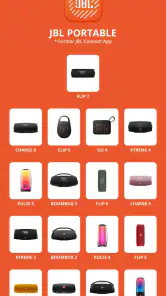
Not necessarily. JBL Portable is made to work with JBL portable Bluetooth speakers, but compatibility can vary by speaker model. Before downloading it for a particular speaker, check whether that model is supported. Having a JBL speaker alone does not guarantee that every app feature will be available, so the app is most useful when your speaker is compatible.
Is JBL Portable an official JBL app?
Yes. JBL Portable is developed by Harman Consumer, Inc. and is intended to work with JBL portable Bluetooth speakers. That makes it a companion for managing supported JBL speaker functions, rather than a general-purpose audio app. If you own a compatible JBL portable speaker and want access to its supported controls, this is the app designed for that role.
Does JBL Portable require an internet connection to connect to my speaker?
The speaker connection described for JBL Portable uses Bluetooth: your speaker should be powered on and in pairing mode, and Bluetooth should be enabled on your phone. You can then open the app and follow its on-screen instructions. Because functions may differ by speaker, check the controls available after connecting rather than assuming every feature works the same way.
Pros
- High-quality sound output
- Portable and easy to carry
- Durable build with water resistance
- Long battery life for extended use
- Seamless Bluetooth connectivity
Cons
- Can be pricey compared to competitors
- Limited color options available
- Sound distortion at maximum volume
- No voice assistant integration
- Charging time is relatively long

- Category
- Entertainment
- Version
- 6.8.30