House Design 3D - Home Planner
- 92.00
- 3.4
- Installs
- 1.00M
- Price
- Free

Screenshots


Analysis by Reviewed
Have you ever found yourself daydreaming about your dream home, trying to figure out what it would look like in reality? Well, House Design 3D - Home Planner is here to turn those dreamy thoughts into a tangible plan. As someone who’s been down the rabbit hole of home design apps, I can confidently say this one is a game-changer. Let’s dive into what makes this app so special.
Getting Started with Your Dream Home
First things first, when you fire up House Design 3D - Home Planner, you’re greeted with an intuitive interface that doesn’t require a degree in architecture to navigate. Whether you're looking to redesign your current space or conceptualize a new build, this app makes it all so accessible. It’s like having a mini-architect in your pocket.
User-Friendly Interface
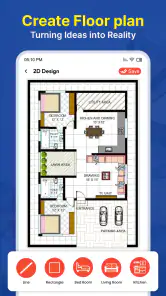
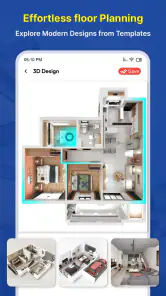
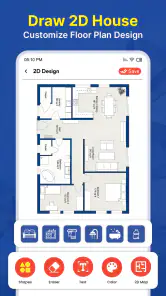
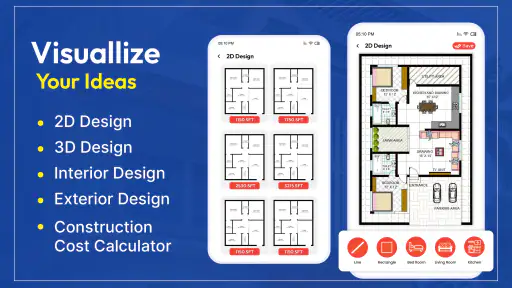
The interface is sleek and straightforward, which is crucial when you're dealing with something as intricate as home design. You can easily toggle between 2D and 3D views, allowing you to visualize your space from every angle. The drag-and-drop functionality is super smooth, making it a breeze to place furniture, walls, and other elements exactly where you want them.
Feature-Packed and Flexible
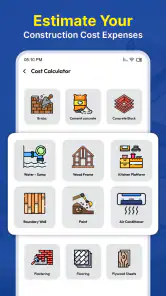
One of the standout features of this app is its flexibility. You can customize pretty much everything - from wall colors to furniture styles. It even lets you adjust the thickness of walls and the dimensions of rooms, so your designs can be as detailed as you want. Plus, with a vast library of furniture and decor items, you can really let your creativity run wild.
The app also supports multi-floor designs, which is perfect if you’re planning a larger renovation or a multi-story building. You can switch between floors effortlessly, ensuring that your designs are cohesive from top to bottom.
Sharing and Collaboration
Once you’ve crafted your masterpiece, House Design 3D - Home Planner makes it easy to share your designs. Whether you want to get feedback from friends or need to collaborate with a professional, you can export your designs in various formats. This feature is a blessing if you’re working with contractors or interior designers who need to see your vision.
Final Thoughts
In a nutshell, if you’re looking for an app that combines ease of use with powerful design capabilities, this is it. House Design 3D - Home Planner is more than just an app; it's a toolkit for bringing your home design dreams to life. Whether you’re a seasoned designer or a newbie with a passion for interiors, you’ll find this app invaluable. So, why not give it a whirl and see what amazing designs you can come up with?
Pros
- Easy-to-use interface for beginners
- Wide variety of design elements
- 3D visualization is immersive
- Supports offline mode
- Frequent updates with new features
Cons
- Limited free version
- Some features require in-app purchases
- Can be slow on older devices
- Occasional crashes reported
- High battery consumption

- Category
- House & Home
- Version
- 2.7.1