Home Assistant
- 490.00
- 4.3
- Installs
- 1.00M
- Price
- Free

Screenshots
Analysis by Reviewed
I think of Home Assistant less as a ready-made smart-home kit and more as a control panel you shape around the devices and routines you already have. That difference matters: it can be rewarding if you like connecting things and adjusting how they work together, but it is not the easiest route for someone who wants a polished, instant setup. Home Assistant is a free House & Home app from Home Assistant, rated for Everyone, and its appeal is the flexibility to manage a home from your phone rather than being tied to one room.
What makes setup worthwhile
The biggest practical question is what you want the app to do. If your main need is to operate one brand’s lights or thermostat, that company’s own app may be quicker to learn and perfectly adequate. Home Assistant makes more sense when you want a central place for devices from different parts of your home, or want to make their controls fit your habits. The trade-off is that you may need patience while getting your setup into a useful shape; I would not choose it expecting every device to appear ready to use with no configuration.
A useful way to begin is to focus on one small routine rather than trying to organize the whole home at once. For example, you might put the controls you use before bed together, then refine the dashboard as you discover what you actually reach for. That keeps the first experience manageable and helps avoid a screen crowded with buttons you rarely need. Once the basics feel dependable, automation rules can reduce repeated taps, but I’d keep important controls easy to find in case a routine does not suit the moment.
When the phone becomes the remote
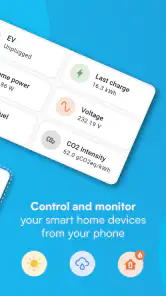
Imagine leaving home and realizing a light is still on. Remote control is the kind of everyday convenience that makes a central app worthwhile: you can check and manage connected devices without walking back inside. At home, a carefully arranged dashboard can also make a quick action easier than opening several separate manufacturer apps. The benefit depends on having your devices set up and on the dashboard reflecting the way you use them; customization is useful, but it takes a little thought rather than happening automatically.
That flexibility is also why I would not call this a universal fit. If you are not interested in setting up or maintaining a smart-home system, a simpler brand-specific app may be less work. And if a device is not part of your setup, there is no advantage in choosing a broad control app just for the idea of having one. I’d start with the devices and routines you genuinely want to manage, then decide whether a shared dashboard earns its place.
Connecting Your World
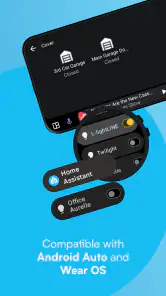
First off, let’s talk about what Home Assistant actually does. In the simplest terms, this app is like the universal remote control for all your smart devices. Whether it’s your lights, thermostat, or even your coffee maker, this app brings them all under one roof. It's compatible with a dizzying number of products, so you won’t be left in the lurch with some of your more obscure devices.
Setting Up: Not Just for Techies
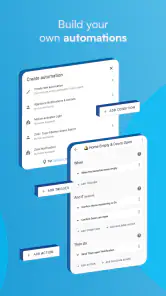
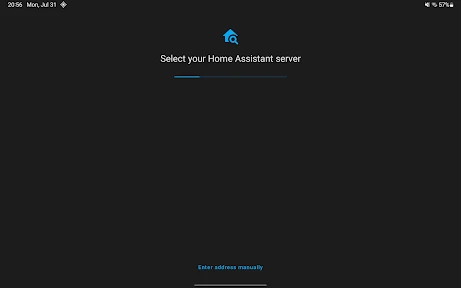
Now, I’ll be honest, the setup wasn’t exactly as breezy as a walk in the park. But hey, nothing worth having comes easy, right? The app guides you through the process, and once you’ve got it all set up, it feels like magic. You’ll be able to control your devices with ease and even set up automation rules that make your home run like a well-oiled machine.
More From Our News Desk

Weather by Xiaomi Review: Clear at a Glance, Less Clear Up Close

X Under Pressure: Can It Recover When Posting Goes Wrong?

Clash of Clans Is Won Between the Battles

Android Auto Makes the Case for Quieter Car Software

MobiOffice: Transforming Mobile Productivity with Seamless Integration

EA SPORTS FC™ Mobile Soccer: Redefining Mobile Sports Gaming
User Interface: A Clean Slate
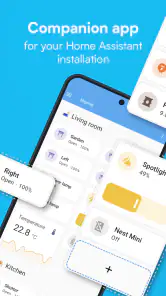
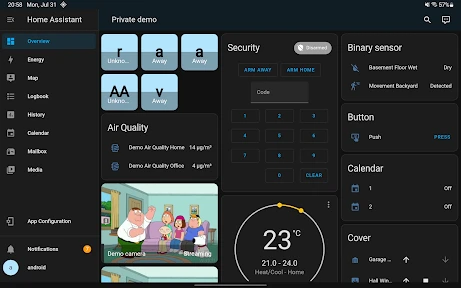
The user interface is quite straightforward. It's not going to win any beauty pageants, but it does what it needs to do - give you control. The dashboard is customizable, so you can tweak it to show what matters most to you. I found this particularly handy because, let’s face it, who doesn’t love a bit of personalization?
Performance: Smooth Operator
Performance-wise, Home Assistant is rock solid. It’s responsive and quick, which is exactly what you want when you’re trying to turn off the lights without getting out of bed. The app rarely crashes, which is a massive plus, especially when you’re relying on it to manage your home.
Performance in a busy home
How fast it feels in daily use can depend on more than the phone app itself: the connected home and the way it is set up matter too. When several controls or routines are involved, I’d keep the dashboard focused on the actions you need most, rather than turning it into a catalogue of every device. That makes ordinary tasks easier to spot and gives you a clearer fallback when you want to operate something directly.
For reliability, it helps to distinguish between opening the app and the whole control chain working as expected. If a device does not respond, the cause may be somewhere in the setup rather than in the screen you tapped. I’d test important routines at home before relying on them while away, and keep a simple manual option for anything essential. That is a sensible habit with any connected-home system, especially when convenience starts to replace familiar switches.
Phone fit and practical limits
The app is free, and its broad appeal is reflected in an average rating of 4.3 from around 12 thousand ratings, with more than a million installs. Those figures suggest a substantial audience, but they do not guarantee that every household will find setup effortless. The release date is November 12, 2019, and the developer is Home Assistant. For someone who enjoys tuning a dashboard and building useful routines, that flexibility is a strength; for someone who wants a single-purpose remote with no learning curve, it may feel like too much system to manage.
I would also avoid judging it by how many controls you can fit on one screen. A phone is useful for checking a status or making a quick change, but detailed setup and ongoing adjustments can be more comfortable when you have time to concentrate. If the interface feels busy, remove or rearrange what you rarely use instead of adding more panels. A lean dashboard is not just tidier; it reduces the chance of tapping the wrong control in a hurry.
Another worthwhile habit is to treat automation as a convenience, not as the only way to operate a device. A bedtime routine, for instance, is handy when the household follows a predictable pattern, but real evenings do not always run to schedule. Keeping the key controls visible lets you make a one-off change without rebuilding the routine. That balance between automation and direct control is where I see the app being most useful.
Home Assistant has been available since November 12, 2019, and the Home Assistant developer has built an app with a clear focus on connecting home controls rather than dressing them up. It is free to use and rated for Everyone; I’d still recommend that a new user begin with a few essential devices and learn the setup at a comfortable pace. That makes it easier to see whether the extra flexibility is genuinely helpful in your home.
Another cool feature is its open-source nature. This means that there's a community of developers constantly working on improving the app, and you can even suggest features or report bugs. It feels good to know that your feedback might actually make a difference.
Choosing a manageable first project
If you are deciding whether to install it, I would pick one recurring annoyance as a trial rather than plan an ambitious whole-home makeover. A useful first project could be grouping a few everyday controls, such as the lights you use in the evening, in one place. Notice whether that saves steps after the novelty wears off. If you find yourself opening the app only to search for controls, simplify the layout before adding more devices.
For a household with several people, the dashboard also needs to make sense to someone who did not build it. Clear labels and a small number of obvious actions matter more than clever organization only the setup’s owner understands. I would be especially cautious about making a complicated routine the sole way to handle something everyone needs to operate. A shared home works better when direct controls remain easy to recognize.
Where it differs from simpler alternatives
Compared with using a separate app for each device, a central dashboard can reduce app-switching and bring unrelated controls into a common view. The cost of that convenience is setup effort and another layer to understand when something behaves unexpectedly. A manufacturer’s app is often the more straightforward choice for a single product or for someone who wants its basic controls without building a wider system. Home Assistant is more appealing when bringing devices together is itself the point.
I would not treat a large device catalogue as a guarantee that every product will be equally simple to use. Before committing time, check whether the devices you actually own can be incorporated in the way you expect, and start with the essentials. The practical question is not how many possible connections exist; it is whether your particular combination can become a dashboard you will use. That small bit of planning can prevent a frustrating start.
What to expect when something feels slow
When a control takes longer than expected, I would avoid assuming the phone is automatically the problem. A request has to pass through the app and the connected-home setup before the device responds, so checking one control at a time can help narrow down where the delay occurs. If only one device is affected, compare it with another control you know usually works. This is a more useful first check than rebuilding the whole dashboard in response to one slow moment.
Likewise, recovery is easier when you have not made the phone app the only route to an important action. Keep familiar physical controls available where they exist, and test essential routines when you can observe the result. The app is most reassuring when it adds convenience without making a household helpless if a control chain is interrupted. That is a sensible design principle for any smart home, not a reason to avoid automation.
Final Thoughts
All in all, Home Assistant is a solid choice if you’re serious about home automation. It might take a bit of effort to get everything up and running, but once you do, it’s smooth sailing. The app offers the flexibility and control that can make managing your smart home an absolute breeze. Whether you’re a tech enthusiast or just someone looking to simplify their home life, this app is definitely worth checking out.
My recommendation is to start small, organize the controls around real routines, and judge the experience by whether it saves effort after the initial setup. If you enjoy that process, it can become a practical hub for everyday decisions; if you would rather avoid configuration altogether, a simpler alternative is likely a better match. For me, its strongest point is that it gives a curious homeowner room to make a smart home feel personal, while asking for a little involvement in return.
Home Assistant Frequently Asked Questions
Do I need Home Assistant hardware or a server before downloading the app?
The Home Assistant app is the mobile companion for a Home Assistant setup, rather than a complete smart-home system by itself. Before downloading, consider whether you already have a Home Assistant instance running or are prepared to set one up. The app is designed to connect to that system so you can view and control your home from your phone.
What is Home Assistant and what platforms does it support?
Home Assistant is an open-source home automation platform that allows you to manage and control smart devices in your home. It supports integration with a wide range of smart home products, including lights, sensors, and more. The application is available for Android and iOS devices, offering a seamless user experience across different platforms.
How easy is it to set up Home Assistant for new users?
Setting up Home Assistant can be straightforward, especially with its user-friendly mobile app interface. However, new users might initially find the configuration process slightly complex due to the wide range of supported devices and customization options. The app provides detailed documentation and community support to assist users throughout the setup process.
Does Home Assistant require an internet connection to function?
While Home Assistant operates locally and can control your smart home devices without an internet connection, some features require internet access. For instance, accessing the app remotely, receiving updates, and integrating with certain cloud-based services need an active internet connection. Nonetheless, the core functionalities remain operational offline.
Can I integrate third-party smart devices with Home Assistant?
Yes, Home Assistant supports integration with a vast array of third-party smart devices. It is compatible with many popular brands and services such as Philips Hue, Google Assistant, Amazon Alexa, and more. Users can easily add new devices through the app, allowing for extensive customization and automation of their smart home environment.
Pros
- Highly customizable for various smart devices
- Open-source with a supportive community
- Local control for enhanced privacy
- Regular updates and new features
- Compatible with most smart home platforms
Cons
- Setup can be complex for beginners
- Requires technical knowledge for advanced features
- Limited official support
- Interface may feel overwhelming
- Dependent on a stable local network
- Category
- House & Home
- Version
- Varies with device









