GPS Phone Location Tracker
- 240.00
- 4.4
- Installs
- 1.00M
- Price
- Free

Screenshots
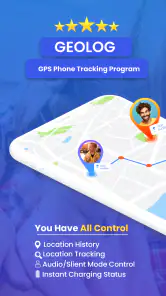

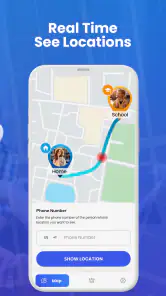
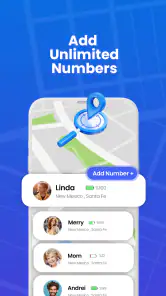
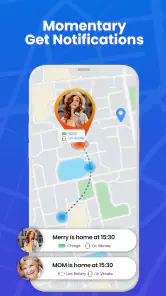
Analysis by Reviewed
I’d consider GeoLog when the main problem is coordinating whereabouts with people who have agreed to share them, rather than simply finding a lost handset. The distinction matters: a family location app works best as a shared routine, not as a way to monitor someone without their knowledge. I’d talk through who can see whose location and when before relying on it, especially with older children.
Where it fits in a family’s routine
A practical use is checking whether a child has arrived after school while you’re still at work, or confirming that an older relative has reached a familiar destination. In either case, I’d treat the map as a useful prompt for a conversation, not as proof that everything is fine. A phone can be left behind, switched off, or unable to report a fresh position, so a quick call may still be the sensible next step.
For a low-friction routine, agree on a small number of moments when location checks are useful: arrival at school, the end of an activity, or a long trip home. That keeps checking purposeful instead of turning it into a constant habit. It also gives everyone a clear reason for sharing and a chance to say when the arrangement no longer feels comfortable.
How it compares with other ways to check in
Compared with texting, a location tracker can answer “where are you?” without asking someone to stop and type while they are travelling. Compared with a phone’s built-in lost-device tool, a family tracker is more relevant to ongoing coordination among people than to recovering one missing phone. Those are different jobs, so I wouldn’t choose a dedicated location-sharing app just to locate my own handset once in a while.
It also isn’t a substitute for a family calendar or a direct message. A map can show a position, but it cannot explain a late pickup, a changed plan, or why someone has stopped moving. I’d use location information to reduce needless uncertainty, then use ordinary communication for context. That balance is especially helpful when a family member has a variable commute or regularly changes plans.
Small habits that make tracking more useful
Before depending on a location app for a particular journey, I’d check that the people involved can see the shared location and understand how to use it. A short test while everyone is together can expose setup confusion before anyone is waiting outside school or at a station. It’s also worth agreeing on a backup contact method, because no map should be the only plan for an important pickup.
Location history can be useful for retracing a route or settling a practical question about where a trip went, but it deserves restraint. I’d look at it for a clear reason rather than browse someone else’s movements out of curiosity. For parents, explaining that distinction can make the tool feel more like a safety arrangement and less like secret surveillance.
More From Our News Desk

Weather by Xiaomi Review: Clear at a Glance, Less Clear Up Close

X Under Pressure: Can It Recover When Posting Goes Wrong?

Clash of Clans Is Won Between the Battles

Android Auto Makes the Case for Quieter Car Software

MobiOffice: Transforming Mobile Productivity with Seamless Integration

EA SPORTS FC™ Mobile Soccer: Redefining Mobile Sports Gaming
Battery and connectivity are everyday trade-offs for any GPS-based tracking workflow. If a phone is running low or has poor reception, its location may not be as helpful as expected. I’d avoid treating a stale map position as a live emergency update; for urgent concerns, contact the person directly or use the appropriate local help instead.
That practical approach is useful whether you’re checking a school journey, coordinating a family meetup, or helping a relative who sometimes forgets to send an arrival text. I’d skip this kind of app if everyone involved does not agree to share location, if you only need a one-off way to find your own phone, or if regular location checks would add more anxiety than reassurance.
A realistic check-in, without making the map the whole plan
Imagine a parent finishing work while a teenager walks from school to an after-school activity. The parent can look for a location update at the agreed arrival point rather than send repeated messages during the walk. If the displayed position appears unchanged, the useful next move is not to assume the worst or keep refreshing indefinitely; it is to check whether the phone has signal and then contact the teenager using the family’s agreed backup method. That workflow turns tracking into a modest convenience, not a verdict on anyone’s safety.
I’d also set expectations before the first busy day. Decide what counts as a normal delay, who should make the call if a check-in is missed, and whether the child can pause sharing in situations where privacy matters. The conversation may feel less exciting than installing an app, but it prevents the map from becoming a source of conflict or false reassurance.
Who is likely to get the most from it
GeoLog makes most sense for households that already want a shared location routine and are willing to discuss its boundaries. It can be handy when one person is often driving between errands, a child has a familiar route, or relatives coordinate pickups across different schedules. The value is less about watching every movement and more about avoiding a string of “Are you there yet?” messages when a quick glance can answer a simple practical question.
I’d be more cautious if the people being tracked are uncomfortable with the arrangement, if the family is dealing with frequent plan changes that need conversation rather than a map, or if someone expects the app to function as an emergency service. It is also a poor fit for someone who wants only to recover their own misplaced phone; a built-in device-finding option is usually the more direct tool for that narrow task.
Another reasonable choice is to rely on text check-ins when location sharing would feel intrusive or when the household only needs occasional confirmation. Texts ask the person to report their status, while a tracker offers a visual reference, but neither approach explains what has happened when plans shift. I’d choose the least intrusive method that reliably solves the family’s actual problem.
Practical questions before relying on it
One question I’d settle early is what a visible location really tells you. It indicates where the phone has reported being, not necessarily where its owner is at that moment. A device left in a classroom or car can make the map misleading, so I wouldn’t treat a dot as proof of someone’s presence without context.
Another is whether everyone in the household can use the same setup. Android support begins with version 5.0, so I’d check an older device before making it part of a family plan. If one person’s phone cannot run the app, the answer may simply be a call or agreed text rather than replacing a working phone solely to keep the map consistent.
Cost is worth thinking about before a household gets used to a particular workflow. The app is free to start, with optional purchases priced from $1.49 to $24.99 per item. I’d try the basic routine first and only consider paying if an available option clearly addresses a need; there is little value in buying something just because it appears in the app.
Ever found yourself in a situation where you just can't seem to locate your phone or, worse yet, have no clue where your loved ones are in this vast world? Well, let me introduce you to the lifesaver that is the GPS Phone Location Tracker. This app swoops in like a superhero, ready to rescue you from those heart-stopping moments when you need to know the whereabouts of your device or family members.
Getting to Know GPS Phone Location Tracker
The GPS Phone Location Tracker is your go-to app for real-time location tracking. It's designed for both Android and iOS devices, making it an accessible option for a wide range of users. Once you install it, you’re immediately greeted with a clean, intuitive interface that makes navigation a breeze. Trust me, you won't need a manual to figure this one out.
Features That Stand Out
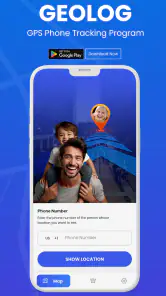
What really makes this app shine is its array of features. First off, it offers precise location tracking, so you can pinpoint the exact location of your device or the person you're tracking. I tested it out on a trip downtown and was amazed at how accurately it traced my steps, even in areas with spotty GPS signals.
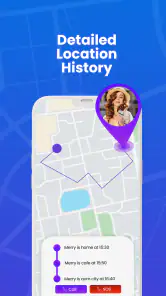
Another feature that's worth mentioning is the location history. Ever wondered where you were on a specific date and time? This app has got your back. It logs your locations, letting you scroll back in time to see your past journeys. It's like having a digital diary of your adventures.
Ease of Use and Performance
One of the things I love about the GPS Phone Location Tracker is how smoothly it runs. During my time with the app, I didn’t experience any crashes or bugs, which is a huge plus. The app is lightweight too, so it doesn’t hog your phone’s resources, leaving it free to perform other tasks efficiently.
Security and Privacy
In today's world, security and privacy are more important than ever, and this app doesn’t disappoint. It offers robust encryption to ensure your location data stays safe from prying eyes. Plus, you can set up geofencing alerts, which notify you when a tracked device enters or leaves a designated area. This feature is perfect for parents wanting to keep tabs on their kids.
Notably, the app respects your privacy, requiring permission only for essential functions. It’s reassuring to know that it’s not snooping around your personal data without your consent.
Final Thoughts
After spending some quality time with the GPS Phone Location Tracker, I can confidently say it's a must-have for anyone who values safety and convenience. Whether you're keeping track of your kids, ensuring the safety of your elderly parents, or simply trying to locate your misplaced phone, this app is a reliable companion. It's like having a personal detective in your pocket!
So, if you’re on the hunt for a dependable location tracking app, look no further. Give the GPS Phone Location Tracker a try, and breathe easy knowing that your loved ones and devices are just a tap away.
What to expect from the current release
GeoLog is a free parenting app from LastSeen Technology, with optional in-app purchases ranging from $1.49 to $24.99 per item. It has a 4.4 average from around 164,000 ratings, and more than 1 million installs. The Everyone age rating makes it broadly accessible, though I’d still treat location sharing as a family decision that calls for clear boundaries, not as something to enable casually.
The app was released on January 7, 2024, and its current version is 63.0.0. Those facts show that the product has moved beyond its initial release, but a version number by itself doesn’t tell me which features changed or how they work. I’d approach the present build as the current option to evaluate, rather than assume that a particular update fixed a problem or introduced a capability.
What the version history means for existing users
If you already use an earlier build, I wouldn’t assume that upgrading changes your family’s setup or sharing choices in a particular way. Before relying on a new version for a school pickup or trip, open the app together and confirm that the people who need to share are still connected and can view the expected location. That simple check is more useful than relying on a version number as a guarantee of continuity.
For someone deciding whether to install it now, Android support starts at version 5.0. I’d check the device’s operating system before planning a household setup, since an older phone that cannot install the app could leave one family member outside the arrangement. If that is the case, ordinary calls or texts may be a more dependable shared plan than trying to make every device fit.
What I would keep an eye on
Location tools earn trust through predictable behavior: people should understand who can see them, what a map position means, and how to stop sharing when circumstances change. I’d review those choices whenever a child gets a new phone or a family routine changes. If the app offers a paid option that seems useful, I’d first decide whether it solves a real need; the free entry point makes it easier to try the basic workflow before spending.
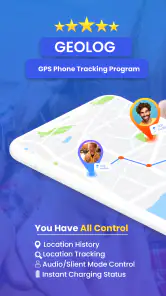
My main reservation is that a location display can look more certain than the situation really is. The app’s history, geofence alerts, and live tracking are potentially useful, but they do not replace a direct check-in when a position seems old or unexpected. I’d use it as one layer in a sensible family plan, with clear consent and a backup way to communicate.
GPS Phone Location Tracker Frequently Asked Questions
Is GPS Phone Location Tracker free to download?
GPS Phone Location Tracker is free to download, so you can install it without paying upfront. It also includes in-app purchases, with items ranging from about $1.49 to $24.99. Check the purchase details shown in the app before confirming anything, especially if a child will use the device, and make sure any optional purchase fits your budget.
Who develops GPS Phone Location Tracker, and what is its current version?
GPS Phone Location Tracker is developed by LastSeen Technology. Its current version is 63.0.0, which can help you compare the app on your device with the version described in the app store. Before installing, check the app’s permissions and consider whether its location-related features are appropriate for your household and the people whose devices may be involved.
What is GPS Phone Location Tracker, and who is it for?
GPS Phone Location Tracker is a parenting app for people who want to follow a phone’s location. Its store summary is GeoLog - Real-Time Location Tracker, and its short description is GPS Phone Tracker. It may suit families looking for a location-tracking tool, but anyone considering it should review the app’s features and permissions and discuss location sharing with the people involved.
Which phones can run GPS Phone Location Tracker?
GPS Phone Location Tracker is listed for Android devices running Android 5.0 or later. Before downloading, check your phone’s Android version in its settings and make sure there is enough space for the app. The app is free to install, though it offers in-app purchases. The available compatibility information concerns Android, so iPhone users should check their own app store for availability before proceeding.
How accurate is the GPS Phone Location Tracker?
The GPS Phone Location Tracker offers high accuracy levels, providing real-time location updates. However, the precision can vary based on several factors such as the user's device, network connectivity, and environmental conditions like tall buildings or dense forests that might interfere with GPS signals. Generally, users can expect a location accuracy within a few meters.
Pros
- Accurate real-time location tracking
- User-friendly interface
- Cross-platform compatibility
- Battery-efficient operation
- Provides location history
Cons
- Requires constant internet connection
- Limited features in free version
- Potential privacy concerns
- Ads in free version
- Can drain battery quickly if misused
- Category
- Parenting
- Version
- 63.0.0











