Glam AI: Video & Photo Editor
- 1.43K
- 4.7
- Installs
- 1.00M
- Price
- Free
Screenshots




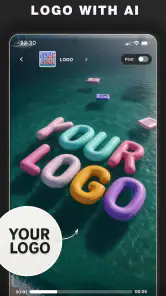
Analysis by Reviewed
Hey there, photo enthusiasts! Let me tell you about this little gem I stumbled upon called Glam AI: Video & Photo Editor. If you’re anything like me and just can’t resist sprucing up your photos and videos before they hit the ‘Gram, then buckle up because this app is about to become your new best friend. 🎨✨
Unleashing Your Inner Artist
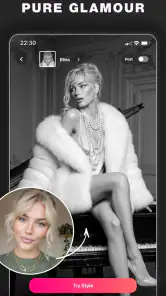
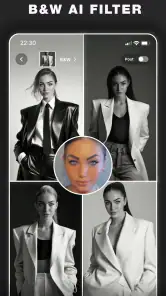
First off, let's talk about how user-friendly Glam AI: Video & Photo Editor is. The interface is sleek and intuitive, so you won’t need a degree in graphic design to navigate it. Whether you're a newbie or a seasoned editor, you'll find yourself gliding through the features like a pro in no time. What really caught my eye is the AI-powered editing tools. Seriously, it's like having a personal editor sitting right there in your pocket. You can effortlessly remove blemishes, enhance colors, and even apply those fancy filters that make everyone look like they just walked out of a magazine shoot.
Features That Make You Go Wow
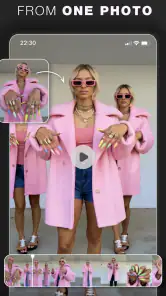
One of the standout features is the automatic background changer. I mean, who hasn’t dreamt of swapping out a dull background with something a bit more exotic? Whether you want to appear as if you’re lounging at a beach or trekking through a jungle, the app’s got you covered. And for those of us who love creating visual stories, the video editing capabilities are top-notch. You can trim, splice, and add music, all while keeping the quality crisp and clean.
Another cool feature is the batch processing tool. Imagine being able to apply edits to multiple photos at once. This is a total game-changer for those times when you've just come back from a trip and have a bazillion photos to edit. It saves time and ensures consistency across all your images.
The AI Edge
What sets Glam AI: Video & Photo Editor apart from the sea of editing apps is the AI technology underpinning it. The AI isn’t just a buzzword here; it genuinely enhances the editing experience. The app can suggest edits based on the photo’s composition, lighting, and even the subject matter. It’s like having a seasoned photo editor whispering tips in your ear. Plus, the AI learns from your editing style, which means the more you use it, the better it gets at predicting what you like. Neat, right?
And let's not forget the social sharing capabilities. Once you’ve crafted your masterpiece, you can share it directly to social media platforms without a hiccup. The app optimizes your photos and videos for each platform, ensuring they look their absolute best.
Final Thoughts
In a nutshell, Glam AI: Video & Photo Editor is a powerhouse of an app that offers a seamless blend of creativity and technology. It’s perfect for anyone looking to up their photo and video editing game without the hassle of complicated software. Whether you’re editing a selfie or putting together a video montage, this app has got everything you need to make your content pop.
So, what are you waiting for? Give it a try and watch your creations transform into stunning works of art. Trust me, your followers will thank you for it. 😉
Pros
- User-friendly interface for easy editing
- Advanced AI features enhance photo quality
- Wide variety of filters and effects
- Quick processing and export times
- Supports high-resolution image editing
Cons
- Limited free version features
- Occasional glitches in AI processing
- Requires internet for full functionality
- High subscription cost for premium version
- Limited video editing features
- Category
- Photography
- Version
- 1.68.1











