Getcontact
- 4.09K
- 3.8
- Installs
- 100.00M
- Price
- Free

Screenshots
Analysis by Reviewed
Have you ever found yourself staring at your phone, wondering who on earth is calling you from that unknown number? Well, fret no more! Let me introduce you to Getcontact, the app that promises to reveal the identity behind those mysterious digits. I’ve had the chance to dive deep into this app, and here’s my take on it.
A Peek into Getcontact’s World
First things first, downloading Getcontact was a breeze. Available on both Android and iOS, it’s a lightweight app that won’t hog much space on your device. Once installed, you’re greeted with a simple and intuitive interface that’s easy to navigate, even for the tech-challenged among us.
Features that Stand Out
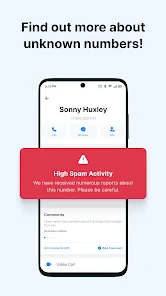
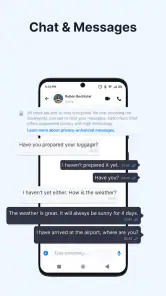
So, what does Getcontact bring to the table? Well, it’s all about caller identification and spam blocking. The app smartly identifies callers by cross-referencing numbers with its extensive database. This means you can finally put a name to that irritating unknown number that keeps buzzing you during dinner.
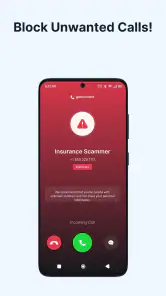
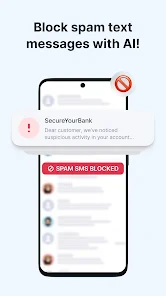
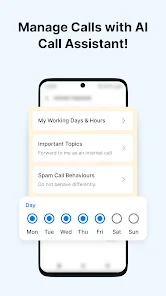
But that’s not all! Getcontact also offers a robust spam blocking feature. Imagine never having to deal with those pesky telemarketers again. You can customize the level of protection, allowing the app to automatically block calls from numbers identified as spam. It’s like having a personal bouncer for your phone!
The Social Element
Another cool aspect of Getcontact is its community-driven approach. Users can tag numbers with labels, helping others know what to expect from a particular caller. It’s like Yelp, but for phone numbers. This feature adds a social twist, making it not just a utility app, but one that fosters a sense of community.
Latest News
Moreover, you can check how your number is saved on other people's phones. It’s a fun way to see how you’re perceived in the digital world, although it might lead to some interesting discoveries!
Privacy Concerns?
Now, I know what you’re thinking. An app that accesses your contact list and phone calls must be a privacy nightmare, right? Well, Getcontact assures users that they take privacy seriously. They’ve implemented several security measures to protect your data. Still, it’s always wise to read through the privacy policy and decide what you’re comfortable with.
However, it’s important to note that while the app promises safety, granting access to your contacts and calls is a requirement, which might not sit well with everyone. It’s a trade-off between convenience and privacy, and the choice is entirely yours.
Final Thoughts
In a world where unknown numbers are often ominous, Getcontact is a handy tool to have. It offers a blend of caller identification, spam blocking, and social interaction, wrapped in an easy-to-use package. While it might not be perfect, especially with privacy concerns, it does deliver on its promises.
Whether you’re tired of spam calls or just curious about who’s trying to reach you, this app is worth checking out. Just remember to weigh the convenience against your privacy preferences. Happy calling!
Pros
- User-friendly interface for easy navigation.
- Accurate caller ID and spam blocker.
- Supports multiple languages.
- Real-time updates on call activity.
- Allows blocking unwanted calls.
Cons
- Requires internet for full functionality.
- May access user's contact list.
- Some features need premium upgrade.
- Occasional false spam alerts.
- Privacy concerns over data handling.

- Category
- Communication
- Version
- 8.10.0











