Carrier Services
- 32.88K
- 4.2
- Installs
- 5.00B
- Price
- Free

Screenshots



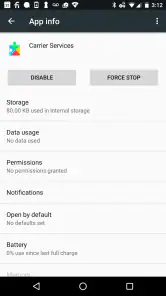
Analysis by Reviewed
Carrier Services is one of those apps that you might not notice on your phone until you stumble upon it while diving deep into your settings. But trust me, once you know what it does, you’ll appreciate its presence. So, what's this app all about? Let’s break it down.
Where it fits on an Android phone
I think of Carrier Services less as a messaging app and more as a supporting piece of Android’s mobile communication setup. It comes from Google LLC, is free, and is rated for Everyone. Its role is easy to misunderstand because it has a familiar app name but no ordinary inbox, contact list, or screen where you compose a message. You generally use it by letting it do its job alongside the phone’s carrier connection and compatible communication services.
That distinction matters when deciding whether to install or open it. If you want a place to chat, Google Messages or another messaging app is the direct choice; Carrier Services is not a replacement for those. Its value is more indirect: it helps enable carrier communication services that an app can rely on. I would not expect it to improve every call, text, or mobile-data problem, since reception, account status, device settings, and the other apps involved can all affect the result.
The Latest on Carrier Services
A small component, not another place to chat
Before deciding whether it belongs on your phone, I’d ask what you actually want from a communication app. If you need to send messages, organize conversations, or choose how a particular chat works, use your messaging app. Carrier Services does not give you a second inbox or a set of controls for managing those tasks. Its role is behind the scenes, so the most useful thing it offers may be support for a communication setup you already use rather than a feature you can launch on demand.
That makes it a poor fit for someone who is searching the app drawer for a way to fix a failed message. There is no conversation screen to inspect and no obvious diagnostic panel to explain why a text is delayed. I’d treat it as one part of the environment in which carrier-supported messaging can work, not as the place where troubleshooting begins or ends.
What Exactly is Carrier Services?
Picture this: you’re sending a text to your friend, and it’s not just any text. It’s one of those long, emoji-filled messages that somehow still feels too short. Behind the scenes, Carrier Services is hard at work ensuring that message gets to your friend without a hitch. It's like the invisible hand that makes sure your texting experience is smooth and seamless.
Key Features
First off, let’s chat about what this app really does. It’s primarily designed to enhance the messaging experience for Android users. If you’ve ever used Google’s Messages app, you’ve probably benefited from Carrier Services. It enables support for features like RCS (Rich Communication Services), which is like texting on steroids. You know, when you can see typing indicators, read receipts, and send high-res images without a fuss. It’s all thanks to this nifty little app.
More From Our News Desk

MobiOffice: Transforming Mobile Productivity with Seamless Integration

EA SPORTS FC™ Mobile Soccer: Redefining Mobile Sports Gaming

How Microsoft OneDrive Became a Mobile Productivity Giant

How Google Translate Breaks Language Barriers Effortlessly

Why Google Sheets Is the Ultimate Mobile Productivity Tool

Unveiling the Dynamic World of My Talking Tom Friends
Another cool thing is that it helps in connecting your phone to your carrier's network, ensuring that all those behind-the-scenes data exchanges happen smoothly. This isn’t just about texting, but also about keeping your network connections stable and robust.
My Personal Experience
Alright, so you might be wondering, "Does this app really make a difference?" From my own experience, I’d say yes, especially if you’re big on messaging. I remember when my texts would sometimes take forever to send or fail altogether, and it was beyond frustrating. After ensuring that Carrier Services was updated, those issues pretty much disappeared like magic.
Of course, it’s not an app you interact with directly, but knowing it’s there working its magic gives a sense of peace. Plus, it’s updated regularly, which means it’s always evolving to support new features and improvements. It’s like having a silent helper in your device that’s always got your back.
Understanding updates and everyday use
The practical approach I recommend is to leave Carrier Services installed and let its updates come through normally, especially if you use Google Messages and rely on carrier-supported messaging. An update alone does not guarantee that a particular feature will appear: the carrier, phone, messaging app, and the person you’re contacting can all shape what works. If a message feature is missing, check those parts before assuming this one component is the cause.
For example, imagine you’re trying to send a photo in a family group chat while away from Wi-Fi. If the conversation supports RCS, the message may use that route; if it does not, your messaging app may offer a different way to send it. Carrier Services works in the background rather than giving you a manual switch to force a better connection. That is convenient when it works, but it also means there is little to troubleshoot inside the app itself.
What a normal day with it looks like
A realistic use case is less dramatic than a feature demo. You might leave home, lose Wi-Fi, and continue a conversation while your phone is using its mobile connection. If your messaging app and carrier support the relevant service, Carrier Services can be part of the infrastructure that helps the communication work. You are not expected to open it before sending a picture or tap a button to hand the conversation over; you use the messaging app as usual and let the supporting component remain in the background.
For a useful check, compare more than one conversation before deciding something is broken. If a feature works with one person but not another, the difference may be the other person’s setup or the type of conversation, rather than a fault on your phone. If several chats behave the same way, then checking the messaging app’s connection and your carrier service makes more sense. This simple distinction can save time because it stops you from treating every failure as an app-wide problem.
Who benefits, and where the limits are
This is most useful for Android users whose carrier and messaging setup make use of supported services. It is less relevant if you mainly communicate through internet chat apps, or if you are looking for a tool to manage texts, block callers, or diagnose weak reception. Compared with a typical communication app, it has almost no direct user controls; the trade-off is that you do not need to learn another interface or manage conversations in another place.
If messaging stops behaving as expected, I would first check whether the issue affects one conversation or all of them, then look at the messaging app’s connection and settings. A single contact may not support the same features, while a broader failure can point to network conditions or account setup rather than this background component alone. Keeping the app current is sensible, but repeatedly opening it or clearing its data is not a useful first step when there is no visible task to perform there.
When another option is better
Compared with ordinary SMS, carrier-supported messaging can offer a richer experience when the service is available, but this component is not an alternative messaging client. Compared with internet chat apps, it also does not give you their independent conversation interface or make every communication depend on the same service. If your friends and family already use a particular chat platform, that platform may be the more practical choice for group conversations, file sharing, or keeping messages in one familiar place.
I would skip treating Carrier Services as a solution if your main concern is poor signal, a billing or account problem, or a call that keeps dropping. Those issues call for checking the phone’s network settings or contacting the carrier, not searching for controls in this app. It is also not especially useful to someone who wants a visible utility with settings to adjust. Its value is conditional: it matters most when the phone, carrier, messaging app, and conversation can use the services it supports.
My Personal Experience
Alright, so you might be wondering, "Does this app really make a difference?" From my own experience, I’d say yes, especially if you’re big on messaging. I remember when my texts would sometimes take forever to send or fail altogether, and it was beyond frustrating. After ensuring that Carrier Services was updated, those issues pretty much disappeared like magic.
Of course, it’s not an app you interact with directly, but knowing it’s there working its magic gives a sense of peace. Plus, it’s updated regularly, which means it’s always evolving to support new features and improvements. It’s like having a silent helper in your device that’s always got your back.
Why You Should Care
In the grand scheme of things, you might think, "Do I really need another app on my phone?" But here’s the thing: Carrier Services isn’t just any app. It’s a crucial component that ensures your phone communicates effectively with the network. Whether it’s sending a text, making a call, or using data, this app is the unsung hero making it all possible.
So, next time you’re updating your apps, take a moment to think about Carrier Services. It's like the plumbing in your house—you never see it, but you sure miss it when it's not working right.
In conclusion, while Carrier Services might not be the flashiest app on your phone, it certainly plays a vital role in keeping your communication seamless and efficient. So, give it a nod of appreciation the next time you send a text without a hitch. You might not see it, but it’s working tirelessly behind the scenes.
A grounded way to judge it
Its long presence on Android is part of why I treat it as background infrastructure rather than a new tool to explore. Released on March 13, 2017, it now has over five billion installs and an average rating of 4.2 from around 1.9 million ratings, alongside about 33,000 written reviews. Those figures suggest broad reach, but they do not mean every carrier or phone will expose the same capabilities. I would judge it by whether my own supported messaging setup works, not by expecting a visible feature list or a dramatic before-and-after change.
There is also a useful boundary to keep in mind: Carrier Services is not a universal fix for communication trouble. If ordinary SMS fails, a call drops, or mobile data is unavailable, the cause may lie elsewhere. For urgent troubleshooting, checking signal, restarting the phone, confirming the selected SIM, and contacting the carrier are more practical than treating this app as a control panel. I would avoid removing or disabling a component I do not understand just to reclaim space; if it is already present, leaving it alone is usually the simpler choice.
What to watch as services evolve
The app’s purpose is tied to carrier-supported communication, so its usefulness can change as compatible services and device software change. That does not let me predict a particular upcoming feature. It does mean that keeping the phone and messaging app reasonably current, then testing with a contact and network where the feature is expected to work, is a more reliable way to assess changes than looking for a new icon or menu inside Carrier Services.
My overall recommendation is straightforward: if you use an Android phone with Google Messages or other carrier-enabled communication features, let Carrier Services remain in the background and keep it updated. If you want a standalone messaging experience, choose a messaging app; if you need help with coverage or your carrier account, go to the phone’s network settings or your carrier instead. For the right setup, this quiet component is useful precisely because it asks so little of you, though its invisible nature can make it hard to tell when it is helping.
Carrier Services Frequently Asked Questions
Does Carrier Services come preinstalled, or do I need to download it myself?
Carrier Services may appear among the apps on an Android device as a supporting component for communication services provided by mobile carriers. If it is not already installed and you want the carrier-enabled features it supports, you can download it from Google Play. Its role is different from a messaging app: it helps enable carrier services rather than providing a place to chat.
Can I use Carrier Services without a mobile carrier plan?
Carrier Services is intended to enable communication services offered by mobile carriers, so its usefulness is connected to the carrier and messaging setup used on your device. It is not a standalone chat service or a substitute for mobile service. If you do not use carrier-supported communication features, you may have little reason to interact with the app directly.
Is Carrier Services free, and which devices can install it?
Carrier Services is a free Android app from Google LLC in the Communication category, with an Everyone content rating. It is intended to support communication services provided by mobile carriers, so whether it is useful on a particular device depends on that device’s carrier and messaging setup. Before downloading, consider whether you use carrier-supported messaging features that rely on the app.
What is Carrier Services and why do I need it?
Carrier Services is an app by Google that allows the latest communication services and features, such as RCS (Rich Communication Services), to be delivered to your device, ensuring enhanced messaging capabilities. It acts as a bridge between your carrier network and your device, enabling advanced features and improving your overall messaging experience. You will need it to fully utilize modern messaging options.
Does Carrier Services consume a lot of battery or data?
Carrier Services is designed to run in the background efficiently, using minimal battery and data. It primarily updates communication protocols and settings, which don't require significant resources. Users typically won't notice any substantial battery drain or data usage, as the application is optimized for low resource consumption.
Pros
- Improves call quality significantly.
- Enhances messaging capabilities.
- Optimizes network connectivity.
- Facilitates faster data speeds.
- Supports advanced network features.
Cons
- Limited to specific Android devices.
- Can occasionally cause app conflicts.
- May increase battery consumption.
- Not noticeable in all regions.
- Requires regular updates.
- Category
- Communication
- Version
- Varies with device