FreeStyle LibreLink - US
- 3.61K
- 2.6
- Installs
- 500.00K
- Price
- Free

Screenshots
Analysis by Reviewed
Hey there! So, I recently got my hands on the FreeStyle LibreLink - US app, and let me tell you, it's been quite a journey. If you're someone who's managing diabetes, this app might just become your new best friend. It's like having a mini health assistant right in your pocket. Let's dive into what makes this app tick!
Getting Started with Ease
First off, setting up the FreeStyle LibreLink - US app is a breeze. You simply download it from the app store, follow the on-screen instructions, and voila! You're ready to go. The interface is user-friendly and intuitive, which is great because, let's be real, who has time to fiddle around with complicated settings when you're trying to manage your health?
Scan and Go
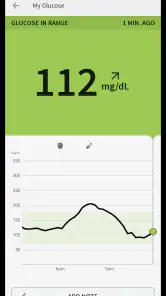
One of the standout features for me is the ability to scan your glucose sensor with your phone. Yes, you heard that right. No more finger pricks and test strips. Just a quick scan, and you get your glucose readings in an instant. It's like magic, and honestly, it's a game-changer for anyone who's tired of the old-school methods.
Data at Your Fingertips
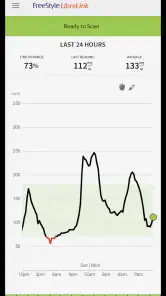
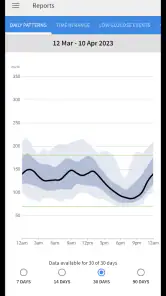
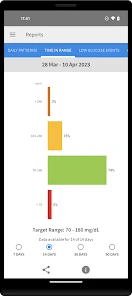
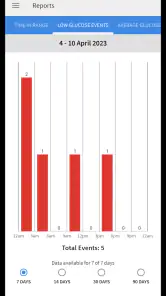
The app doesn't just stop at giving you glucose readings. It compiles all your data into easy-to-read graphs and charts. This means you can track your glucose trends over time. Whether you're tech-savvy or not, you'll appreciate how the app lays everything out for you. It's straightforward and doesn’t require a degree in data analysis to understand.
Share Your Progress
Another cool feature is the ability to share your glucose levels with your healthcare provider or family members. This can be incredibly helpful during appointments or just to keep your loved ones in the loop. Sharing is caring, right? Plus, having that extra layer of accountability can be a real motivator to keep on top of your health goals.
Alerts and Reminders
Let's talk about the alerts and reminders. The app allows you to set personalized alarms to remind you to check your glucose levels. If you're anything like me and tend to get caught up in the hustle and bustle of daily life, this feature is a lifesaver. It's like having a little nudge to keep you on track.
In conclusion, the FreeStyle LibreLink - US app is a fantastic tool for anyone managing diabetes. It's easy to use, packed with features, and can truly make a difference in your daily routine. If you're looking to simplify your glucose monitoring, this app is definitely worth checking out. Happy scanning!
Pros
- User-friendly interface for easy navigation.
- Quick access to glucose monitoring data.
- Seamless integration with Libre sensors.
- Customizable alerts for glucose levels.
- Share data easily with healthcare providers.
Cons
- Requires compatible smartphone for use.
- Limited sensor compatibility.
- May drain phone battery quickly.
- Data accuracy depends on sensor placement.
- Subscription required for full features.

- Category
- Medical
- Version
- 2.12.1