Framly - AI Photo Video Maker
- 59.00
- 3.7
- Installs
- 1.00M
- Price
- Free
Screenshots
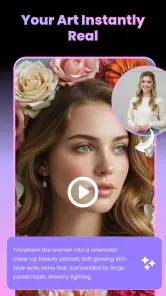
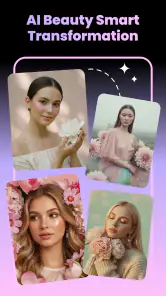
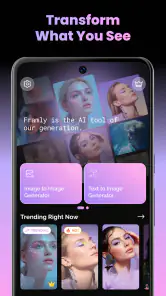
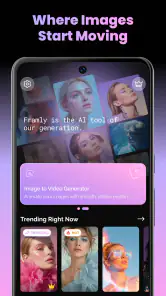
Analysis by Reviewed
I can see the appeal of Framly in the first few minutes: it turns a photo or a written idea into a starting point for an AI-made image or video, without asking me to learn a full editing suite. Its templates make that quick experimentation the main attraction. The more useful question, though, is whether I would still open it after the novelty of trying a few transformations wears off. My answer is that it can earn a place for occasional creative projects, but it is less compelling as a daily tool unless you regularly make visual posts or enjoy testing new looks.
Quick experiments are the strongest first impression
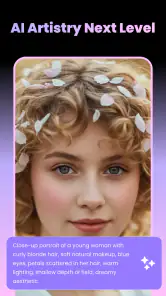
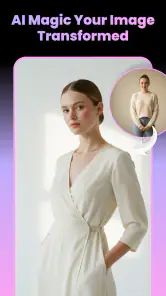
Framly is an art and design app from NXL AI Solutions, built around generating photos and videos from images or text. The experience is aimed at people who want a result quickly rather than a long chain of manual edits. In practical terms, I would treat it as a creative prompt box with ready-made directions, not as a replacement for a camera, drawing app, or detailed video editor.
The templates are useful because a blank prompt can be a surprisingly high barrier. Instead of having to invent a precise description from scratch, I can begin with a visual treatment and see whether it suits the picture or concept I have in mind. That makes the app approachable for someone who has never worked with image-generation tools. It also gives experienced creators a fast way to explore a direction before committing time to a more controlled workflow.
A realistic first-week use might be making a playful clip from a favorite portrait, testing a few visual styles for a social post, or turning a short text idea into a rough image concept. Those are low-stakes tasks where speed matters more than exact control. I would save the original photo and think of the result as a variation, rather than expecting the generated version to preserve every detail perfectly.
The app is free to install and is rated for Everyone. It has a 3.7 average from around 1,500 ratings, with 59 written reviews, and has passed over a million installs. That gives a prospective user a useful sense of its reach, but I would not treat popularity as a promise that every generated result will match personal expectations. AI output is inherently a matter of iteration, and a template that looks appealing in preview may not fit every source image.
Where the templates help—and where they narrow the result
Templates are most valuable when I have a clear goal but not a clear production method: “make this portrait feel more dramatic” is easier to act on than a technically detailed prompt. The trade-off is that a preset can steer the result toward a familiar look. If I need precise composition, consistent brand colors, or a specific subject detail to remain untouched, a conventional editor with direct controls is usually a better choice.
One practical habit is to start with a clean, well-lit source image and change only one creative direction at a time. If I test several unrelated styles on the same picture, it becomes difficult to tell whether the source photo or the template caused the improvement. Keeping a mental note of which approach worked also makes repeat visits less like random browsing and more like a small, repeatable process.
Text-to-image work has a different strength: it is useful for exploring an idea before a finished asset exists. I might use it to sketch a mood for an invitation, a post, or a personal project. I would not rely on it as the final step for work that needs exact typography or tightly controlled layout; generated visuals are better treated as inspiration or a base to refine elsewhere.
Can it become useful beyond the first session?
Month-to-month value depends on whether the app fits a recurring need. If I make occasional profile images, themed posts, or short creative experiments, Framly can save the effort of setting up an elaborate editing workflow each time. If I rarely create visual content, the initial fun may fade once I have tried the templates that immediately catch my eye.
That distinction matters more than the number of possible styles. A large-feeling range of creative choices is not automatically lasting value if I only need one finished result. I would ask myself before installing whether I have a real use waiting: a batch of personal photos to reinterpret, a recurring social account, or a habit of turning ideas into visuals. Without one, it may become another app I open briefly and forget.
For a small creator, a sensible workflow is to use Framly for ideation and quick variations, then move the strongest output into a familiar editor for cropping, captions, sequencing, or other finishing touches. This division of labor plays to the app’s apparent strength—fast AI-assisted creation—without asking it to do every production job. It also helps avoid the frustration of trying to force a quick-generation tool into a precision-editing role.
Compared with standard photo editors, Framly offers a more generative starting point and less of the direct, predictable adjustment that comes with sliders and layer controls. Compared with dedicated video-editing apps, its appeal is the possibility of making a video from an image or text rather than building a timeline by hand. Those are different jobs, so I would choose based on the task: fast transformation here, careful correction or assembly in a traditional editor.
Keeping the workflow light
The maintenance burden is not only about keeping an app installed; it is also about how much effort it takes to get a usable result. For an occasional project, I would keep the process simple: choose a source image with a clear subject, pick a template that matches the intended mood, and judge the output at the size where it will actually be seen. A result that looks striking full-screen may not communicate as well in a small social feed preview.
It is also worth deciding in advance what counts as “good enough.” AI creation encourages repeated attempts, and chasing a perfect version can consume more time than a straightforward edit. I would set a practical limit—perhaps a few distinct directions, not endless near-identical retries—and switch to another tool if the important details keep changing. That approach makes the app a shortcut rather than a time sink.
Framly is currently at version 2.3.0 and requires Android 8.0 or later. Those details matter mainly when deciding whether an older device can run it; they do not tell me how well a particular phone will handle a specific creative task. If you are considering it on a device you rely on, I would begin with a nonessential image and check the experience before making it part of a regular workflow.
The free entry point lowers the risk of trying it, but in-app purchases range from $12.99 to $139.99 per item. That is a broad enough range that I would pause before paying and be clear about what I expect to create repeatedly. A one-off experiment may not justify a purchase, while someone who uses AI visuals often may value access to paid options differently. I would weigh recurring usefulness, not just the excitement of a single result.
What can wear thin
The main source of fatigue is repetition. When the same set of visual directions becomes familiar, the app’s quickness can start to feel like browsing variations rather than making deliberate choices. The best defense is to arrive with a small brief: the intended audience, the mood, and where the result will appear. That gives each session a purpose and makes it easier to stop when the output is suitable.
Another limitation is the gap between creative intent and generated control. A prompt or template can suggest an overall mood, but a user who needs a specific object, exact framing, or dependable consistency across a series may find the process unpredictable. For those needs, I would favor a tool that exposes more manual controls or lets me build a repeatable design from fixed elements. Framly is a better fit when exploration is acceptable.
There is also a practical difference between generating something entertaining and producing something ready to publish. A playful transformation may be satisfying on its own, while a promotional image or a polished video usually needs decisions about context, readable text, and final composition. I would not confuse the speed of producing an AI variation with the end-to-end work of preparing a finished piece.
People who simply want to improve lighting, remove a small distraction, or make consistent crops may be happier with a conventional photo editor. People who need detailed timelines, precise transitions, or repeatable video assembly should look to a dedicated video editor. Framly is not the obvious choice for either job; its particular appeal is the creative leap from an image or an idea to an AI-generated visual.
Who should keep it installed?
I would recommend trying Framly if you enjoy experimenting with visual styles, create casual social content, or often need a quick concept image without starting from a blank canvas. It is especially approachable if templates help you get past the “what should I type?” problem. For a hobbyist, the best value may be the occasional spark that helps turn a vague idea into something visible.
I would be more cautious if your work depends on exact control, predictable results, or frequent production of polished assets. It may still be useful for brainstorming, but I would not make it the only app in a professional workflow. Likewise, if you do not have a recurring reason to generate images or videos, the free download alone is not a strong reason to keep it taking up attention on your phone.
My long-term verdict is that Framly can justify a spot for the right kind of creator, but its staying power comes from a habit, not from novelty. Use it when you have a specific image or idea to explore, keep expectations realistic about precision, and move elsewhere when you need dependable manual editing. If you can name a regular use for that quick AI-assisted step, it is worth trying; if not, it may be more entertaining for a first session than useful month after month.
Framly - AI Photo Video Maker Frequently Asked Questions
What is Framly - AI Photo Video Maker?
Framly is a mobile photo and video editing app focused on AI-assisted creative effects. It can help turn images into stylized visuals or short videos using the tools and templates available in the app. The exact options may vary by app version, device, and region, so check the current store listing and in-app descriptions to confirm which features are offered before downloading.
How do I create a photo or video with Framly?
After installing Framly, you typically select a photo or video from your device, choose an available AI effect, style, or template, and let the app process the result. Some features may ask you to provide a prompt or adjust settings before generating. Processing time and output quality can depend on the effect, your connection, and the source media. Review the app’s permissions and preview the result before saving or sharing.
Is Framly free to use, or does it require a subscription?
The cost can depend on the version and offers available in your region. An app may provide some free editing options while reserving particular effects, exports, or usage limits for a paid plan or in-app purchase. Check Framly’s store page and the pricing screen inside the app for current terms, trial details, renewal timing, and cancellation instructions. Avoid assuming that a free download means every feature is free.
Does Framly upload my photos or videos to online servers?
AI generation may require media to be processed online, but the handling of uploaded content depends on Framly’s current technology and privacy practices. Before using personal or sensitive images, read the privacy policy and review any in-app notices explaining storage, processing, and deletion. Also check the permissions requested by the app and avoid selecting content you are not comfortable submitting for AI processing.
Can I save and share Framly creations, and what should I check first?
Framly’s available export and sharing options may depend on the selected tool, subscription status, and app version. Check the preview and export settings for resolution, file format, watermarking, and any usage limits before finishing a project. If you plan to post a result publicly, consider whether you have permission to use the original image and whether the generated content could be mistaken for an authentic photo or video.
Pros
- Turns photos into short
- shareable AI-generated videos.
- Offers a simple workflow suited to quick edits on mobile.
- Useful for creating personalized clips from portraits and images.
- Can add visual variety to social posts without advanced editing skills.
- Combines photo and video creation in one app.
Cons
- AI results may not closely match the style or motion you expect.
- Processing can take time
- especially with larger images or busy servers.
- Some effects or export options may require a paid plan.
- Generated clips may have limited control over movement and details.
- Uploads of personal photos raise privacy considerations; check the app’s policy.
- Category
- Art & Design
- Version
- 2.3.0