Linguza: AI English Tutor
- 38.00
- 3.9
- Installs
- 5.00M
- Price
- Free

Screenshots
Analysis by Reviewed
I’d approach Linguza as a way to practise speaking English, not as a complete language course or a place to store sensitive information. Its central idea is an AI tutor you can talk with, which makes it potentially useful when you want practice without arranging a lesson or waiting for a conversation partner. That convenience is appealing, but it also means I’d make a deliberate choice about what I say aloud and check the app’s privacy and account options before settling into regular use.
Speaking practice is the point, not a full course
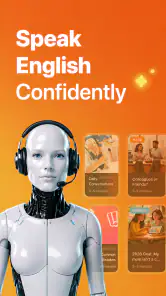
Linguza: AI English Tutor is an education app from NXL AI Solutions. It is aimed at people who want to speak English and practise with an AI tutor, rather than primarily study through a conventional sequence of lessons. That distinction matters: if your biggest obstacle is feeling awkward when you speak, a conversational tool may be more useful than another set of grammar explanations.
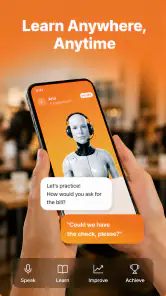
I can see it fitting into small gaps in the day: practising a few sentences before a meeting, trying to explain a familiar topic in English, or getting comfortable speaking after a long break. The low-pressure format can make it easier to begin than calling a tutor or joining a group conversation. It is also a practical option for learners who do not have someone nearby to practise with.
The app is free to download, and its audience is broad: the content rating is Everyone. Linguza has a 3.9 average from around 4,000 ratings, with over 5 million installs. Those figures suggest that it has reached many learners, but they do not tell me whether its conversation style or learning approach will suit any particular person. I’d treat the rating as context, then judge the experience against my own goals.
Where AI conversation can help
The main advantage of practising with an AI tutor is that you can start when you have time, without coordinating schedules or worrying about taking up another person’s time. For a learner who understands English but freezes when asked to answer aloud, even a short practice session can help turn passive knowledge into something easier to retrieve.
A useful way to approach it is to pick one narrow situation before opening a conversation. For example, rehearse introducing yourself, describing a recent project, or asking for directions. Afterward, note one phrase you struggled to produce and one you want to use again. This gives the practice a purpose and makes it easier to notice progress than simply chatting until you run out of time.
That workflow is especially valuable for people preparing for real interactions. If you have a call the next morning, practise the opening and likely questions rather than trying to cover every possible topic. I would still make a few notes afterward: speaking practice can expose hesitation, but the learner has to turn that into a review habit if they want the same expressions to come more naturally next time.
What it cannot replace
An AI conversation is not the same as speaking with a person. A human conversation partner can bring unpredictable reactions, cultural context, and the natural interruptions that make real dialogue challenging. If your priority is understanding different accents, negotiating meaning, or building confidence in a live group, a language exchange or tutor may be a better complement.
Likewise, learners who need a carefully structured path through pronunciation, grammar, reading, and writing should not assume a speaking-focused app covers all of those needs. I would pair Linguza with a course, textbook, or teacher if I needed systematic correction or a clear syllabus. The strongest case for the app is targeted speaking practice, not replacing every other part of language learning.
Trust, controls, and what to check before speaking
With any voice-based learning tool, trust is part of the user experience. Speaking naturally can mean sharing personal details without thinking, especially when a conversation feels friendly. I’d keep practice focused on language tasks and avoid using real names, private workplace information, contact details, or anything I would not want to disclose in an ordinary online conversation.
I would also review the app’s visible privacy information and the choices it presents during setup before using it regularly. Pay attention to any explanation of how voice or conversation content is handled, what permissions the app requests, and whether there are account or data controls you can use. I would not grant a permission merely because an app asks; I’d first consider whether it is necessary for the practice I want to do.
These checks are especially worthwhile if you plan to practise professional scenarios. You can rehearse a client presentation without naming the client, or discuss a work problem in general terms rather than repeating internal details. The exercise can still be realistic while leaving sensitive information out. For personal topics, the same principle applies: use invented names and broad descriptions when the exact details are not needed for English practice.
Make the conversation useful without oversharing
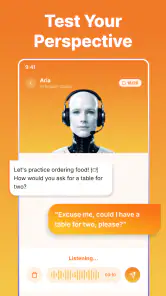
One practical approach is to prepare a few neutral prompts in advance. Ask to practise ordering food, explaining a hobby, or making small talk at an event. These topics create room to test vocabulary and sentence flow without needing to draw on private experiences. If you want to rehearse a job interview, use a fictional company or describe your background generally.
Voice practice also calls for a little attention to surroundings. Choose a place where you can speak comfortably and where other people are unlikely to overhear details you would rather keep private. This is not just about app settings: the microphone and the room are part of the same decision. If speaking aloud is inconvenient, noisy, or uncomfortable, a text-based study method may be a better choice at that moment.
Before paying for anything, I’d first try the free version long enough to answer a simple question: does the conversation style make me speak more often? Linguza offers in-app purchases ranging from $6.99 to $89.99 per item, so I would check the exact purchase and its terms in the app rather than assuming every option provides the same value. A paid feature only makes sense if it solves a specific learning problem you have identified.
Choice and practical setup
The app is currently at version 2.1.0 and requires Android 8.0 or later. That makes compatibility worth checking before you plan to use it on an older device. Since speaking is central to the experience, I’d also test it somewhere quiet and make sure the phone’s audio setup works well enough for a clear exchange. A frustrating first session caused by background noise can make the app seem less useful than it is.
Linguza’s short description is simply “Linguza,” while its purpose is clearer in the way it is presented as an AI English tutor. I’d go into it with a specific expectation: use it to practise producing spoken English, then use other resources for skills or feedback that conversation alone does not address. Keeping that boundary clear helps avoid expecting an AI tutor to behave exactly like a teacher or human partner.
It is also reasonable to stop if the experience does not suit you. If you find yourself avoiding speaking, prefer written correction, or need dependable guidance on a structured study plan, another learning format may keep you more engaged. If account controls or privacy choices do not meet your comfort level, that is a valid reason to limit use or choose a different tool. Convenience is useful, but it should not override your own boundaries.
My cautious verdict
I’d recommend trying Linguza: AI English Tutor to learners who want an easy way to practise speaking in short, self-directed sessions. Its appeal is strongest when you already have a topic in mind and need a low-pressure opportunity to say the words aloud. A few focused minutes before a real conversation can be more useful than an unfocused session that leaves you unsure what you learned.
I would not treat it as a substitute for human conversation, a complete language curriculum, or a reason to share personal details freely. Start with ordinary practice topics, check the choices and permissions the app presents, and decide whether the experience genuinely helps you speak more. If it does, it can earn a place alongside other study methods; if not, a tutor, language exchange, or structured course may be a better fit.
Linguza: AI English Tutor Frequently Asked Questions
What is Linguza: AI English Tutor, and what can you use it for?
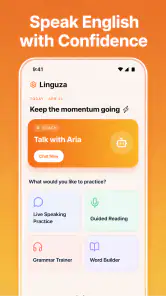
Linguza: AI English Tutor is an English-learning app centered on AI-supported practice. It is designed to help learners work on skills such as speaking, vocabulary, grammar, and everyday communication through interactive lessons or conversations. The exact tools and course content may vary by app version, so check the current store listing to confirm which features are available before downloading.
Is Linguza suitable for beginners, or is it better for advanced English learners?
The app may be useful to learners at different stages, but the best fit depends on the lessons, difficulty settings, and feedback available in the current version. Beginners should look for clear introductory material and explanations, while more experienced learners may prefer open-ended conversation practice. Review the app’s description and try its initial activities, if available, to see whether the level matches your needs.
Does Linguza require a subscription or include in-app purchases?
Pricing can change over time and may differ by platform, region, or promotion. Before starting, check the app’s Google Play or Apple App Store page for its free features, subscription options, trial terms, and in-app purchases. If you begin a trial, note when it ends and how cancellation works; deleting the app generally does not cancel a subscription managed through your store account.
Do I need an internet connection or a microphone to use Linguza?
AI tutoring and spoken-language practice commonly depend on an internet connection, and speaking activities may require microphone access. Availability of offline lessons or text-only exercises can vary, so check the app’s permissions and current feature information before relying on it while traveling. You can also review your device settings to control microphone access and grant it only when you want to use voice-based features.
Is Linguza a replacement for a human English teacher, and how should I evaluate its feedback?
Linguza can offer convenient practice and immediate AI-generated responses, but it should not automatically be treated as a full replacement for a qualified teacher. AI feedback may miss context, nuance, or pronunciation details, and it may not suit every learning goal. Use it as a supplementary study tool, verify important explanations, and consider combining it with structured courses or feedback from a fluent speaker.
Articles Related to Linguza: AI English Tutor
Clash of Clans Is Won Between the Battles
Its raids are quick; its community is a long-term project of coordination, teaching, rivalry, and shared responsibility—with all the friction that entails.
Android Auto Makes the Case for Quieter Car Software
The car interface is no longer judged by how much it can do, but by how quietly it helps. Android Auto shows what drivers now expect—and what still gets in the way.
MobiOffice: Transforming Mobile Productivity with Seamless Integration
MobiOffice: Word, Sheets, PDF is redefining mobile productivity with a surprising blend of functionality and innovation.
EA SPORTS FC™ Mobile Soccer: Redefining Mobile Sports Gaming
Dive into EA SPORTS FC™ Mobile Soccer, where immersive gameplay and strategic depth transform mobile sports gaming.
Pros
- Offers flexible
- on-demand English practice without scheduling lessons.
- AI conversations provide a low-pressure way to build speaking confidence.
- Useful for learners who want extra practice between formal classes.
- Can tailor practice to the learner’s interests and goals.
- A convenient option for studying in short sessions on a phone.
Cons
- AI feedback may miss nuance or give explanations that need verification.
- It cannot fully replace natural conversation with fluent speakers.
- Speaking practice may be less useful in noisy settings or without a microphone.
- Some features or usage may require a paid plan.
- Learners seeking a structured
- teacher-led course may need another resource.

- Category
- Education
- Version
- 2.1.0













