Frameo: Share to photo frames
- 5.59K
- 4.8
- Installs
- 5.00M
- Price
- Free

Screenshots



Analysis by Reviewed
In a shared home, the best use for a photo frame is often the simplest: leave it somewhere people naturally pass, then let relatives send pictures that make the room feel connected to people who are elsewhere. I see Frameo: Share to photo frames as a companion to a compatible Frameo Wi-Fi frame, not as a general photo-editing or social-media app. Its appeal is that a phone can send a moment to a household display without asking everyone to check a feed or group chat.
A small household routine that works
Picture a family member visiting a new place and sending a photo while everyone else is having dinner at home. The frame can turn that update into something people notice together, rather than another message that gets buried on a phone. Captions are useful here: a short note can explain who is pictured or why the moment matters, especially for relatives who weren’t there.
This works particularly well for households with relatives in different places, or for anyone who wants an older family member to enjoy new pictures without navigating a stream of apps. It is less compelling if the intended recipient rarely looks at a display, or if they prefer photos to stay on their own phone. A digital frame also needs a visible, suitable spot; tucked away on a shelf, it loses much of the point.
Setup has a clear boundary
The important distinction is that the app sends pictures to a Frameo frame; it does not turn an ordinary tablet or phone into the same kind of shared display. Before choosing it, I would make sure the household already has a compatible frame or genuinely wants one. That dependency is the main practical trade-off compared with simply sharing pictures in a messaging app, which most people can already use on the devices they own.
Once a frame is involved, think about who will help with the initial connection and who will actually send photos afterward. A useful routine is to agree on a few contributors and explain how to add a caption before the first picture goes out. That small bit of coordination helps prevent a display from filling with images that leave viewers wondering what they are seeing.
What Exactly is Frameo?
Imagine having a digital photo frame at your fingertips that you can update anytime you want. That's Frameo for you! It's not just an app; it's an experience that lets you share photos directly to a digital frame, making it feel like you're right there with your family and friends.
Setting Up is a Breeze
Downloading and setting up Frameo is as easy as pie. Once you have the app on your phone, you just connect it to a Frameo digital photo frame. The whole process is straightforward, and trust me, even your non-tech-savvy grandma could set it up without breaking a sweat!
More From Our News Desk

Weather by Xiaomi Review: Clear at a Glance, Less Clear Up Close

X Under Pressure: Can It Recover When Posting Goes Wrong?

Clash of Clans Is Won Between the Battles

Android Auto Makes the Case for Quieter Car Software

MobiOffice: Transforming Mobile Productivity with Seamless Integration

EA SPORTS FC™ Mobile Soccer: Redefining Mobile Sports Gaming
Share Your Memories Instantly
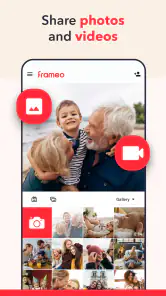
One of the coolest features is the ability to share photos instantly. Whether you're on vacation or just hanging out at home, you can send your pictures directly to a connected photo frame. It's almost like magic! Plus, the app allows you to add captions to each photo, so your family knows exactly what they're looking at.
My practical tip is to choose the photo with the frame in mind, not just the phone screen. A busy group shot or a wide landscape may be harder to appreciate at a glance than a clear subject with a little context. Cropping thoughtfully before sending and writing a brief caption can make a shared image feel intentional rather than like another camera-roll upload.
For a household, instant sharing is also a matter of timing and expectations. A frame may be in a shared room, so I would avoid treating every picture as a private message or assuming everyone will see it immediately. If a photo is meant for one person, a direct message is a better fit; if it is a cheerful update for the household, the frame makes more sense.
User-Friendly Interface
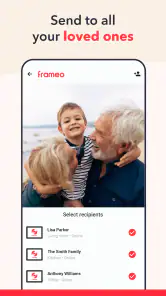
The interface of the app is super intuitive. With just a few taps, you can select photos from your gallery and send them straight to a frame. The app also lets you manage multiple frames from a single device, making it perfect for families scattered across different locations.
Managing more than one frame can be handy when different households want different pictures: for example, you might send a travel snapshot to relatives in one place and a family celebration photo to another. I would still pause before sending and check the selected destination each time. Convenience does not replace coordination, and a quick check can help avoid sharing a personal moment with the wrong household.
Privacy at Its Best
In a world where privacy is a big concern, Frameo takes it seriously. All photo distributions are encrypted, ensuring that your precious memories are shared securely. You can also control who gets access to your frame, giving you peace of mind.
Because a frame is a shared device, I would agree on its audience before inviting contributors: decide which relatives should be able to send pictures and what kind of images belong in a common space. That is a household conversation, not a substitute for checking the frame’s access settings. With children or teens, I’d make clear that a picture sent to a shared display may be seen by everyone in the room; for a one-to-one exchange, another channel is more appropriate.
A practical choice for photo-sharing
Compared with a group chat, Frameo gives photos a persistent place in the home instead of making people scroll back through messages. Compared with a conventional digital frame that is updated manually, sending from a phone can make sharing feel more immediate. The trade-off is that the household needs the compatible frame and a shared understanding of who is contributing. If you want editing tools, a broad social audience, or a display that works without buying a dedicated frame, this is not the option I would choose.
Frameo is a free photography app from Frameo, with a 4.8 average rating from around 92,000 ratings and more than 5 million installs. It is rated for Everyone and has been available since November 29, 2016; optional in-app purchases range from $1.99 to $19.99 per item. Those details make it easy to try the app itself, but the useful question for a household is whether a shared frame fits its habits. I’d recommend it when relatives will genuinely enjoy seeing new pictures in a common space, and skip it when ordinary messaging already does the job or the recipient does not want another device to manage.
Choosing what belongs on a shared frame
One small but important habit is to treat the frame as a display for selected moments, not as a mirror of your whole camera roll. A phone gallery includes screenshots, duplicates, accidental shots and pictures taken for a very specific audience. Before sending, I would consider whether the image will make sense to someone who has no access to the conversation that surrounded it. A frame is more rewarding when each picture can stand on its own.
This also helps with sensitive context. A photo of a child’s school event, a private celebration or a location can be perfectly ordinary to one sender and feel too personal to another person in the room. I would use the same judgement I use when sharing a printed photograph in a living room: if I would hesitate to leave it visible when visitors arrive, I would choose a private message instead. The app’s shared-display purpose makes that distinction worth considering before tapping send.
Keeping contributors in sync
For a frame shared by several relatives, the practical question is not only who can contribute, but how people avoid sending the same moment repeatedly or crowding out everyone else’s pictures. A simple family agreement can do more than a complicated routine: send a few meaningful highlights, add enough caption to identify the occasion, and let other people have room to contribute. This is especially useful when one person is enthusiastic about uploading while the recipient would prefer a quieter display.
If a picture is sent to the wrong frame, the best prevention is a deliberate pause to check the destination, particularly when managing multiple frames. I would also make sure contributors know which household sees each display and avoid assuming that selecting a frame is an unimportant step. The convenience of phone-based sharing is real, but it makes a mistaken destination easier to overlook than handing someone a photograph in person.
There is another useful distinction between sending a photo and starting a conversation. A picture with a brief caption can communicate a cheerful update, but it is not a dependable replacement for a call or message when someone needs a response. I like the frame for small, low-pressure moments—a garden in bloom, a finished project, a family gathering—not urgent news or anything that needs a private reply.
What to expect from the phone-and-frame arrangement
The app’s value depends on both sides of the arrangement: the sender needs a phone and the recipient needs a compatible Frameo display that is set up and connected for sharing. If the frame is switched off, put away, or left somewhere people do not look, sending a picture may not create the shared moment you intended. I would choose the frame’s location and make sure the recipient is comfortable with it before building a habit around regular uploads.
People often ask whether this is a way to send images to any digital frame. It is not how I would describe it: the app is designed around a Frameo Wi-Fi frame, so checking compatibility before buying or setting up a display is essential. If a household already owns another kind of frame, a built-in transfer method or the manufacturer’s own app may be a better route than assuming this one will connect.
Another reasonable question is whether a recipient needs to be confident with smartphones. The person sending pictures uses the app, while the frame’s purpose is to make the result visible in the home. That separation can suit a relative who enjoys looking at photos but does not want to manage a social feed. Someone still needs to take responsibility for the initial setup and help if the connection or sharing arrangement changes, so I would not present it as completely maintenance-free.
Where it beats familiar alternatives—and where it doesn’t
A messaging group is more flexible for back-and-forth replies, planning and sending information to a particular person. It is also the natural option when everyone already checks their phone and no one wants an additional display. But pictures in a busy chat can quickly become hard to find, and a relative who avoids messaging apps may never see them. The frame gives selected photos a place in everyday surroundings, though it cannot offer the same conversation or reach someone away from the room.
Cloud photo albums are a better fit when the goal is to collect a large set, sort pictures together or browse them privately on personal devices. They can be easier for a group that wants to look back through whole events rather than see occasional highlights. Frameo feels more direct when the aim is simply to let a household notice new images on a dedicated display. I would choose according to the recipient’s habits, not just the sender’s preference for one sharing method.
A manually updated digital frame may be enough for someone who wants a fixed collection and does not need relatives to send new pictures from afar. The phone-to-frame approach is more appealing when ongoing contributions are the point. In return, it asks the household to maintain a shared routine and gives up some of the simplicity of placing a few files on a device once and leaving them there. Neither approach is automatically better; the deciding factor is whether new contributions will be welcome and actually seen.
Age, trust and the limits of a shared screen
The Everyone age rating makes the app broadly suitable, but I would separate that rating from household rules about what appears on a family display. A child or teenager may be able to use the app, yet the frame can be visible to siblings, visitors and anyone passing through the room. Parents and contributors should agree on what is appropriate for that shared audience, rather than assuming that a general age classification settles every question about privacy.
I would also make sure the person whose picture is being shared is comfortable with it, especially when the image could be seen by people beyond the intended recipient. For older relatives, a short caption can prevent confusion about unfamiliar faces or places. For younger users, the more useful lesson is that a shared household display is not the same as a private conversation. Those are simple expectations, but they help the technology fit the family instead of creating awkward surprises.
Finally, household access should be reviewed when the people involved change: a relative moves, a phone is replaced, or a contributor no longer needs to send pictures. The app supports frame access management, but I would not assume that a display automatically reflects changing family boundaries. The person responsible for the frame should keep track of who is meant to contribute and revisit the arrangement when circumstances change.
Final Thoughts
Overall, Frameo: Share to photo frames is a fantastic app that brings people closer together through the power of photography. It's easy to use, secure, and offers a delightful way to share your life's moments with those you love. Whether it's for a tech-savvy teenager or a grandparent living miles away, Frameo is sure to be a hit!
So, if you're looking to stay connected in the most personal way possible, give Frameo a try. You'll be amazed at how much joy a simple photo frame can bring.
Frameo: Share to photo frames Frequently Asked Questions
Can I send photos to someone else’s Frameo frame, or must we be on the same Wi-Fi network?
Frameo is made for sharing photos from a smartphone to a Frameo WiFi digital photo frame, which makes it useful for sending pictures to family or friends who live elsewhere. The app’s central purpose is to let you share moments with a compatible frame rather than simply display photos on your phone. Before relying on it for a particular household, make sure the recipient’s frame supports Frameo and is set up for sharing.
Does Frameo work on both Android and iPhone?
Frameo is a smartphone app intended to share photos with a Frameo-compatible WiFi digital photo frame. If you are considering downloading it, check that it is available for your phone’s operating system in the relevant app store and that your recipient has a compatible frame. The key part of the setup is using the app on a smartphone to send photos to that frame.
Can I use Frameo without owning a compatible digital photo frame?
Frameo is designed to send photos from your smartphone to a Frameo-compatible WiFi digital photo frame, so a compatible frame is needed to use its main sharing feature. If you are choosing a frame as a gift or for your household, check that it supports Frameo before downloading the app. Once the frame is set up, the app provides a way to share moments with it.
What is Frameo and how does it work?
Frameo is a user-friendly app designed for sharing photos and videos directly to digital photo frames. Once you install the app, you can easily send your favorite memories to any Frameo-compatible digital frame using Wi-Fi. It's perfect for staying connected with family and friends by sharing moments instantly, no matter where you are.
Is Frameo free to use or are there any hidden costs?
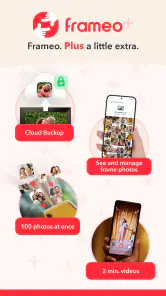
Frameo is free to download and use for sending photos and videos to digital frames. However, some advanced features or specific frame models might require additional purchases or subscriptions. It's always a good idea to check the frame's specifications or consult the manufacturer for any potential costs before committing fully. In-app purchases are also available, so review the purchase details in the app before choosing any optional extras.
Pros
- User-friendly interface for easy photo sharing.
- Real-time photo updates on connected frames.
- Compatible with multiple frame brands.
- Secure and private photo transfer.
- Supports both images and videos.
Cons
- Limited editing tools for photos.
- Requires Wi-Fi for photo updates.
- Subscription needed for premium features.
- Occasional app sync issues reported.
- Limited to compatible frames only.
- Category
- Photography
- Version
- Varies with device











