Find who's spying my phone
- 405.00
- 4.4
- Installs
- 500.00K
- Price
- Free

Screenshots
Analysis by Reviewed
I look at phone-monitoring apps with one question in mind: do they offer a practical reason to change how I protect my device, or do they simply make ordinary phone security feel more complicated? Find who's spying my phone is aimed at people who want to notice suspicious access, rather than manage a broad suite of digital-security tools. Its appeal is easy to understand, but the useful question is whether its alerts and activity tracking fit your habits—and whether you need a separate app for that job.
Cost, setup, and first impressions
The app is free, so trying it does not require a purchase. That is useful if you are curious about monitoring access to your own phone but do not want to commit money before deciding whether the extra oversight helps. I would treat free access as a low-cost way to assess the fit, not as proof that every possible feature or service is included. The app is developed by Viticly, sits in the parenting category, and is rated for Everyone.
When I first downloaded Find who's spying my phone, the setup was surprisingly straightforward. In a world where apps often come with a maze of instructions, this was a breath of fresh air. The interface is clean, with a sleek design that makes navigation a breeze. It didn't take long for me to get the hang of it, which is a huge plus for anyone who's not particularly tech-savvy.
What the monitoring is meant to do
The app’s focus is phone access: it is meant to help you notice when someone may have tried to get into your device. That makes it different from a general antivirus app, which is usually concerned with malicious software, or a password manager, which helps you organize credentials. Those tools solve different problems; this one is most relevant when your worry is someone physically handling your phone.
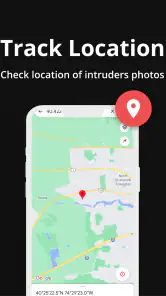
The app’s store summary also refers to a wrong-password photo and anti-loss GPS. Those labels suggest additional security and recovery uses, but I would not assume that a feature alone can identify a person or guarantee that a lost phone can be recovered. For a practical trial, I would check which options are available in the current app, review what each one does, and test any location-related function before depending on it in an emergency.
Features That Stand Out
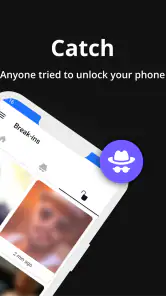
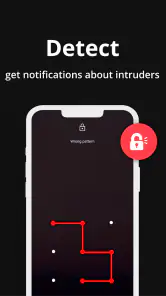
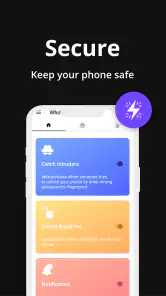
The app boasts several features that are aimed at keeping your phone secure. One of the standout features for me was the ability to get real-time alerts. Imagine this: you're sipping coffee at a café, and suddenly you get a notification that someone just tried to unlock your phone. It's like having a personal security guard in your pocket! Another feature worth mentioning is the detailed activity log. It keeps track of all the apps accessed and any suspicious activity, which is perfect for anyone who wants to keep an eagle eye on their device's security.
Moreover, the app offers a feature to track failed unlock attempts. This is particularly useful if, like me, you sometimes forget how many times you've tried to unlock your phone. It's a neat way to differentiate between your own forgetfulness and potential snooping attempts.
More From Our News Desk

Weather by Xiaomi Review: Clear at a Glance, Less Clear Up Close

X Under Pressure: Can It Recover When Posting Goes Wrong?

Clash of Clans Is Won Between the Battles

Android Auto Makes the Case for Quieter Car Software

MobiOffice: Transforming Mobile Productivity with Seamless Integration

EA SPORTS FC™ Mobile Soccer: Redefining Mobile Sports Gaming
A useful habit is to establish a baseline before treating an alert as evidence of snooping. If you mistype your own passcode, make a note of the time and compare it with the activity later. That small check helps prevent a normal mistake from turning into an unnecessary confrontation. I would also keep the phone locked when leaving it on a shared table; monitoring can help you notice an event, but it cannot replace basic care.
Everyday use and practical limits
Consider a parent who leaves a phone on the kitchen counter while helping a child with homework. If another family member picks it up and tries an incorrect code, an alert or log could prompt a useful conversation about privacy and device boundaries. The same idea may suit someone who regularly shares a workspace. But a notification does not explain why an attempt happened, so I would use it as a prompt to check context rather than as proof of bad intent.
Monitoring also depends on the phone and the app being able to do their jobs. Notifications can be easy to overlook, and a log is only useful if you check it and understand what it records. Before relying on alerts, I would confirm that they are enabled and that the app has the access it needs on my device. I would also test the setup with my own phone in a controlled way, then make sure I can tell a harmless test from an event I did not initiate.
Privacy is another trade-off. A security app that observes device activity may feel uncomfortable to someone who prefers to keep installed apps and monitoring to a minimum. I would only use it on my own phone or a device I am responsible for, and I would explain monitoring clearly if the phone is shared. If you need stronger protection against online threats, built-in phone security and a reputable security suite may be a better starting point; this app’s central idea is detecting access attempts, not replacing every other safeguard.
Performance and Usability
Performance-wise, Find who's spying my phone runs smoothly without any noticeable lag. It's pretty lightweight, so it doesn't hog your phone's resources, which is something I always look out for. After all, nobody wants an app that drains the battery faster than a kid in a candy store!
Usability is another aspect where this app shines. The developers have clearly put a lot of thought into making it user-friendly. Everything is well-labeled, and the learning curve is minimal. Even if you're not a tech guru, you'll find it easy to navigate through the app and utilize its features effectively.
It has an average rating of 4.4 from around 14,000 ratings, and it has passed 500,000 installs. Those figures indicate that many people have tried it, but they cannot tell you whether its monitoring style suits your phone or expectations. The current version is 3.8 and it requires Android 9 or later, so I would check compatibility before planning to use it on an older device.
What to check during a careful trial
Because the app is meant to help you spot access attempts, I would set it up during a calm moment rather than waiting until a phone has gone missing or a worrying incident has just happened. First, I would learn where the app shows its records and alerts; then I would deliberately test a harmless failed unlock on my own device. This gives me a point of comparison and helps me understand what an ordinary mistake looks like in its log.
I would also make a practical decision about notifications. If every alert appears on the lock screen, it may draw attention to the fact that monitoring is in place, while a quiet notification could be easier to miss. I would look at the available notification controls and choose a setup that suits how I use the phone. The right balance depends on whether I need immediate awareness or prefer to review activity later.
One detail worth thinking through is what you would do after seeing an unfamiliar attempt. A useful response is to check the time, consider who had access to the phone, and then change the lock method if you have reason to believe it is known. The record can help you investigate, but it cannot establish someone’s motive. I would avoid using a single alert as the basis for accusing a family member or coworker.
How it compares with other phone-safety options
Compared with relying only on a screen lock, this app’s potential advantage is visibility: a lock can block casual access, while monitoring may give you a way to notice attempted access afterward. The trade-off is that the lock is a basic safeguard you need regardless, whereas a monitoring app adds another layer to configure and check. If your main concern is simply preventing someone from opening your phone, a strong lock and careful handling may be enough.
It also has a narrower purpose than a full security suite. Antivirus and account-protection tools are more appropriate when you are worried about harmful software, suspicious links, or compromised online accounts. Find who's spying my phone is a more focused choice for someone concerned about another person physically trying to unlock the device. I would not treat it as a substitute for updates, backups, account security, or the phone’s own privacy controls.
The anti-loss GPS reference may sound useful when a phone is misplaced, but location tools are not the same as a guaranteed recovery service. Before counting on it, I would test how the option works and make sure I understand what needs to be enabled in advance. If your priority is reliable device recovery, compare the phone’s built-in locating tools with this app’s available options instead of assuming one replaces the other.
Who is likely to get value from it?
I can see this being useful for someone who often leaves a personal phone unattended and wants a simple way to review attempted access. It may also suit parents looking for a conversation starter about phone privacy, provided they use monitoring openly and appropriately. Since it is free, a careful trial is a reasonable option if that specific concern is yours.
I would skip it if you rarely leave your phone unattended, already feel comfortable with its built-in lock and security controls, or do not want another app involved in monitoring your device. If your main concern is malware, account takeovers, or keeping files backed up, choose tools designed for those needs instead. A failed unlock record cannot tell you whether an online account has been compromised.
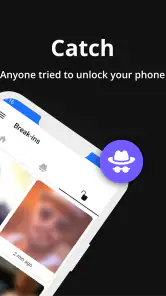
It is also not the right fit for someone who expects the app to quietly settle a dispute or identify exactly who touched a phone. A wrong-password record or photo may provide context, but I would not treat either as unquestionable proof. Shared devices call for an especially clear agreement about monitoring: if another person uses the phone regularly, explain what is being observed and why before relying on it.
Final Thoughts
So, is Find who's spying my phone worth downloading? In my opinion, absolutely. It delivers on its promise to provide a layer of security that every smartphone user should have. It's like having an extra pair of eyes watching over your device, ensuring your personal information stays personal. While no app can guarantee 100% security, this one certainly packs a punch with its range of features and ease of use.
If you're looking for a reliable way to keep tabs on any suspicious activity on your phone, I suggest giving this app a try. It's a small investment of time that could potentially save you from a lot of hassle down the road. Happy safeguarding!
My verdict is a conditional recommendation: because it is free, it is easy to consider for focused monitoring, but I would not install it expecting a complete privacy or security solution. Try it if attempted physical access is a real concern, check how its features behave on your own device, and keep your normal lock-screen and account protections in place. If those safeguards already meet your needs, skipping another monitoring app may be the simpler choice.
Find who's spying my phone Frequently Asked Questions
What does the WTMP feature do, and how might it help protect my phone?
WTMP is one of the features named in Find who's spying my phone’s summary, alongside “dont touch my phone,” wrong-password photos, and Anti Lost GPS. Together, these names suggest a focus on noticing unwanted access and helping protect a misplaced device. If you are considering the app, think about whether those phone-protection and anti-loss functions fit the way you use your phone.
What should I check before installing Find who's spying my phone?
First, check that your phone runs Android 9 or later, since that is the app’s minimum operating-system requirement. It is a free app in the Parenting category from Viticly, and its content rating is Everyone. It is most relevant to people looking for phone-security and anti-loss tools; compare its stated focus with the features you actually want before installing.
What does Find who's spying my phone do, and who might find it useful?
Find who's spying my phone is a free app in the Parenting category, published by Viticly. Its short description focuses on finding out who may be spying on your phone, while its summary highlights WTMP Spy Detector, “dont touch my phone,” wrong-password photos, and Anti Lost GPS. It may interest people who want phone-security and anti-loss tools in one app.
Is 'Find who's spying my phone' safe to use on my device?
Yes, the app is designed with user privacy and security in mind, ensuring that it operates without infringing on your personal data. It uses detection algorithms to identify potential threats without accessing or storing your personal information. Regular updates also help maintain its security standards, so users can feel confident using it.
How does 'Find who's spying my phone' detect spyware or unauthorized access?
The app employs advanced algorithms to scan your device for unusual activities or configurations that suggest the presence of spyware. It checks for known vulnerabilities, unauthorized installations, and suspicious background processes. By continuously monitoring these factors, it provides real-time alerts if any threats are detected, helping keep your device secure.
Pros
- User-friendly interface
- Detects suspicious activities
- Real-time alerts
- Battery efficient
- No ads
Cons
- Limited free version
- Needs internet access
- Occasional false positives
- Not compatible with all devices
- No call blocking feature
- Category
- Parenting
- Version
- 3.8











