- 4.25M
- 4.6
- Installs
- 10.00B
- Price
- Free

Screenshots



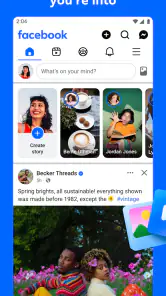

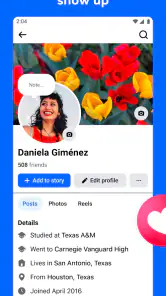


Analysis by Reviewed
So, I’ve been diving into the world of Facebook on mobile, and let me tell you, it’s quite the ride! Whether you’re a social media maven or just someone looking to stay in touch with friends, Facebook has something for everyone. Let’s chat about what makes this app a staple on almost every smartphone.
Connecting the World
First off, the app’s main goal is to keep you connected, and boy, does it succeed. With just a few taps, you can chat with friends, share pictures, and catch up with what everyone’s been up to. I love how easy it is to post updates, and the interface makes it super simple to navigate. It’s like having a mini world in your pocket!
Features Galore
Now, let’s talk features. From Facebook Stories to Marketplace, there’s so much packed into this app. I personally enjoy scrolling through my feed while sipping on my morning coffee. The algorithm is pretty smart too; it seems to know exactly what I want to see! And let’s not forget the Groups feature, which is perfect for finding people who share your interests.
Events are another big deal on Facebook. Planning a party? Just create an event, invite your friends, and boom, done! It’s also a fantastic way to discover local happenings and maybe even make some new friends along the way.
Keeping It Personal
One thing I appreciate is the level of personalization. You can tailor what you see in your feed, which means more of what you love and less of what you don’t. Plus, with privacy settings that are easier to manage than ever, you can control who sees what. It’s all about making the experience your own.
Latest News
On the flip side, sometimes the sheer amount of content can be overwhelming. I mean, how many cat videos are too many? Jokes aside, it can be a bit much at times, but that’s where the customization comes in handy.
Final Thoughts
In the end, Facebook on mobile is a powerhouse for social networking. It’s intuitive, packed with features, and a great way to keep up with the world. Whether you’re a long-time user or new to the scene, there’s something here for everyone. So, give it a whirl and see how it fits into your digital life. You might just find it’s the perfect app for keeping your social circle spinning.
Pros
- User-friendly interface
- Wide range of features
- Global connectivity
- Regular updates
- Strong security measures
Cons
- Data privacy concerns
- High battery consumption
- Frequent notifications
- Complex privacy settings
- Dependence on internet

- Category
- Social
- Version
- Varies with device