Bigo Live - Live Streaming App
- 99.44K
- 4.5
- Installs
- 500.00M
- Price
- Free

Screenshots
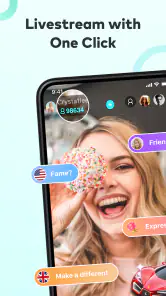
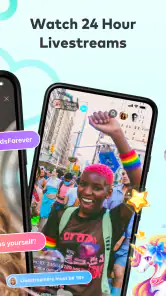


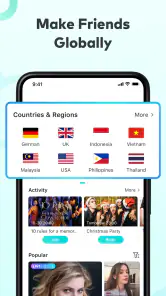
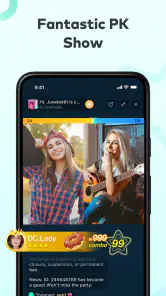
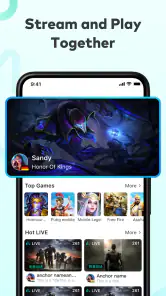
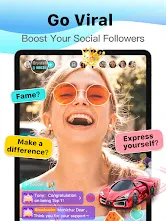
Analysis by Reviewed
I find Bigo Live easiest to understand when I treat it as a busy public room rather than a conventional social feed. The first screen puts live video front and center, so I can browse what people are doing right now instead of waiting for friends to post. That immediacy is the app’s appeal, but it also means the experience can feel crowded if I want a quiet, carefully organized feed. I’d approach it with a little curiosity and a clear idea of whether I want to watch, chat, or broadcast.
Finding a comfortable way to browse
The visual layout makes live activity the main event, and I can move from watching to participating without having to understand a complicated publishing workflow first. Streams vary widely, so choosing one is less like selecting a polished episode and more like walking into a conversation already in progress. I find it useful to sample a room briefly before settling in: the host’s style, chat pace, and language can tell me quickly whether it is a good fit.
That open-ended discovery is a strength for people who enjoy spontaneous entertainment, but it is not the same as searching a tidy library for a specific video. If I arrive with a particular topic in mind, I may need patience to find a stream that suits me. I also wouldn’t assume every room will be easy to follow at a glance; fast-moving live conversation can ask more attention than a recorded clip.
The Latest on Bigo Live - Live Streaming App
Watching and joining in on my own terms
I can use the app as a viewer without making every session a public performance. Watching first gives me a chance to learn the local rhythm before I comment or try hosting. When I do take part, chat and voice interaction make the experience feel more direct than leaving a reaction under a post, while live competition between broadcasters adds a game-like reason to stay and see what happens.
There is a trade-off: live interaction depends on timing. If I join late, I may miss the context, and if a room is lively, keeping up with messages can be harder than watching a one-way video. Virtual gifts add another social layer, but I would treat them as optional entertainment rather than a requirement for being part of a stream. Anyone who prefers to avoid in-app spending should pay attention to that distinction and keep viewing separate from gifting.
Accessibility depends on the situation
For different abilities and daily contexts, the most welcoming part is that I can choose how active I want to be: browse quietly, type, or appear as a broadcaster. Those options do not make every stream equally accessible, though. A conversation built around rapid speech may be difficult for someone who cannot hear it clearly, while a busy screen and quick chat may be tiring for someone who needs more time to read. I would choose rooms and participation styles based on what feels manageable rather than assume one format works for everyone.
Live video is also less flexible than content I can pause and return to at any moment. A noisy commute, limited attention, or an unpredictable schedule can make it difficult to follow a stream from beginning to end. In those situations, I’d use Bigo Live for short visits rather than depend on it for information I need to retain. If privacy or being on camera matters to me, I can simply remain a viewer instead of going live; the app’s social energy does not mean I have to broadcast.
More From Our News Desk

X Under Pressure: Can It Recover When Posting Goes Wrong?

Clash of Clans Is Won Between the Battles

Android Auto Makes the Case for Quieter Car Software

MobiOffice: Transforming Mobile Productivity with Seamless Integration

EA SPORTS FC™ Mobile Soccer: Redefining Mobile Sports Gaming

How Microsoft OneDrive Became a Mobile Productivity Giant
Choosing the right way to take part
The app works best when I match my expectations to the room. If I want background company while doing a familiar task, I can watch without needing to follow every comment. If I want to learn a skill or catch a specific detail, I’d give the stream my attention instead; live content may move on before I can process it. That difference is useful to keep in mind when deciding whether to open a live room or pick a recorded video that I can pause.
For a broadcaster, a low-pressure first session can be more useful than planning a polished show. I’d settle on one simple subject, check what is visible behind me, and decide how long I’m comfortable staying live. That makes it easier to focus on the conversation rather than constantly searching for something to say. It also helps me avoid sharing personal surroundings simply because the camera is already on.
Who will get the most from it?
I think Bigo Live suits people who like the unpredictable give-and-take of live rooms: aspiring performers testing a song, hobbyists sharing a process, or viewers who enjoy meeting creators in real time. It is less compelling if I only want to keep up with close friends, watch edited videos at my own pace, or avoid public social spaces altogether. A conventional short-video app is usually easier for quick, replayable entertainment; a private messaging app is better when the goal is a focused conversation with people I already know.
A realistic way I might use it is to open a cooking stream while making dinner, stay long enough to ask the host one question, then leave when I need to concentrate on the stove. As a broadcaster, I’d plan a simple topic before pressing go live and keep the first session manageable rather than trying to entertain a large audience continuously. That small bit of preparation helps a live room feel intentional without turning a casual hobby into a production.
Practical trade-offs before going live
One useful habit is to decide in advance whether a session is for watching, socializing, or showcasing something. Switching between those intentions can make the app feel scattered, especially when a stream’s chat moves quickly. For a first broadcast, I’d choose a setting where I can speak comfortably and avoid showing private details in the background. If I’m just exploring, I can watch first and join the conversation only when I have something to add.
Gifting and audience interaction can make a broadcast feel lively, but they also bring social and spending pressure for some users. In-app purchases range from a few cents to hundreds of dollars per item, so I would check the purchase prompt carefully and never treat gifts as a condition of belonging. The app is free to download, but that does not mean every optional feature is free. This distinction matters most for younger users and anyone trying to keep entertainment spending predictable.
Stepping into the World of Live Streaming
When I first downloaded Bigo Live, I was intrigued by its vibrant and user-friendly interface. The app welcomed me with a plethora of live streams, from musicians strumming their guitars to gamers showcasing their latest conquests. It's like stepping into a lively digital carnival where there's always something interesting happening.
Features That Keep You Hooked
One of the coolest features of Bigo Live is the ability to go live anytime, anywhere. Whether you're at a concert, cooking up a storm in your kitchen, or just chilling at home, you can share these moments with your followers in real-time. The app also offers a unique feature called "Virtual Gifts," where viewers can send gifts to their favorite broadcasters as a token of appreciation. It's a fun way to engage with your audience and earn some rewards too!
Another feature worth mentioning is the "Live PK". This is where two broadcasters can compete against each other in real-time, and the audience gets to vote for the winner. It's entertaining and adds a competitive edge to the live streaming experience.
Community and Interaction
What makes Bigo Live truly stand out is its vibrant community. The app isn't just about broadcasting; it's about connecting. There are endless opportunities to interact with people from all over the world. You can chat with viewers during your live stream, join group chats, or even start a voice call. It's like having a world full of friends at your fingertips.
Moreover, the app hosts various events and challenges which encourage users to participate and showcase their talents. From singing contests to cooking challenges, there's always something to keep you entertained and engaged.
Reading the room and the screen
Because every broadcast is shaped by its host and audience, I would not judge the whole app by a single awkward or noisy room. I’d leave quickly if the pace, subject, or conversation does not suit me, then try a different stream rather than forcing myself to keep up. This quick exit is a practical advantage of browsing live rooms: sampling does not require a long commitment, even though finding a comfortable match can take a little browsing.
For someone who finds dense visual activity tiring, the best approach is to make sessions deliberate and brief. I can focus on one host, ignore the pressure to follow every message, and avoid treating chat as a second screen that must be read continuously. People who need captions, a slower pace, or reliable access to spoken information may find the live format less accommodating than text-based communities or edited media.
Making live sessions work around everyday life
I would treat Bigo Live as a place to drop into, not as a dependable way to catch information I cannot miss. If I have a short break, I can browse for a few minutes and leave when work resumes; if I am cooking, I can listen casually but should not expect to follow every exchange. The value is the feeling of being present with other people, not a replayable record of what happened.
For a creator, a practical way to reduce pressure is to plan a modest subject and an easy stopping point before starting. A hobby demonstration, a short music practice, or a casual conversation gives viewers a reason to join without requiring a polished performance. If the room is quiet, I would not take that as a signal to disclose more personal information just to fill the silence.
Ending Thoughts
In a world where digital interaction is becoming increasingly important, Bigo Live provides a platform for people to express themselves and connect with others on a global scale. The app is not just about streaming; it's a community where everyone can be a part of the action. Whether you're looking to share your talents, make new friends, or simply explore the world from your screen, Bigo Live has something for everyone. So, if you're ready to step into the spotlight, give Bigo Live a try and let your creativity shine.
What to expect from the app
Bigo Live is a social app from Bigo Technology Pte. Ltd. It has a 4.5 average from around 6.3 million ratings and has passed 500 million installs, which signals a very large audience but does not guarantee that every room will suit me. It is rated Teen, first appeared in 2016, and its current version is 6.40.3 for devices running Android 6.0 or later. I’d still make my choice based on the live format itself: scale brings variety, while a large community can also mean more noise and more effort to find the right room.
My inclusive verdict is that Bigo Live offers several ways to take part, but it cannot remove the natural barriers of live video: speed, sensory intensity, public exposure, and the need to catch a moment while it is happening. I would recommend trying it as a viewer first, especially if spontaneous interaction sounds appealing. If accessibility for a particular need, a calmer pace, or tightly controlled private communication is the priority, a different kind of social app may be a better fit. For anyone curious about live communities and comfortable choosing their own level of involvement, it is worth exploring with sensible boundaries.
Bigo Live - Live Streaming App Frequently Asked Questions
Is Bigo Live available in my country, and can I watch broadcasters from around the world?
Bigo Live is a social live-streaming app intended to bring broadcasters and viewers together across a broad audience. You can explore live content and interact with people through features such as chat and sessions. What you see depends on which broadcasts are available and the communities you choose to follow, so the experience can vary as you browse.
Can I choose what kind of live content to watch on Bigo Live?
Bigo Live focuses on live broadcasts, giving you the chance to explore different creators and the experiences they share. You can browse as a viewer and decide which streams or sessions interest you, rather than needing to broadcast yourself. Since content is live and created by users, the mix of broadcasts you encounter can change over time.
Can I follow broadcasters on Bigo Live and find them again later?
Bigo Live is built around social connections between viewers and broadcasters, so following creators can be a useful way to keep up with people whose streams you enjoy. You can also participate through live chat or sessions when they are broadcasting. The experience is centered on discovering and engaging with live content, rather than simply watching a fixed collection of videos.
Is Bigo Live mainly for watching, or can I create my own live streams?
Bigo Live supports both watching other people’s broadcasts and going live yourself. Viewers can explore streams, chat, and join interactive sessions, while broadcasters can share experiences with an audience in real time. You do not have to host to use the app, so it can suit people who want to watch as well as those interested in creating live content.
Does Bigo Live need a fast internet connection?
Live video works best with a stable internet connection, so a reliable Wi-Fi or mobile connection can make watching broadcasts and joining sessions more enjoyable. If your connection is weak or inconsistent, streams may be less smooth. You can still consider how you plan to use the app and whether your usual connection is suitable before downloading.
Pros
- High-quality video streaming.
- Diverse content creators.
- Interactive live chats.
- Frequent updates and improvements.
- Global community of users.
Cons
- In-app purchases can be costly.
- Potential for inappropriate content.
- High data consumption.
- Ads can be intrusive.
- Requires stable internet connection.
- Category
- Social
- Version
- 6.40.3