eufy-original eufy Security
- 12.97K
- 4.6
- Installs
- 5.00M
- Price
- Free

Screenshots
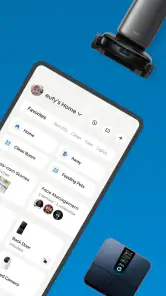
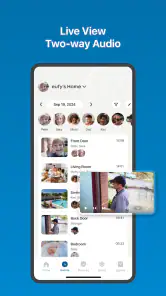
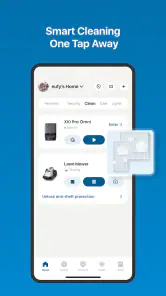
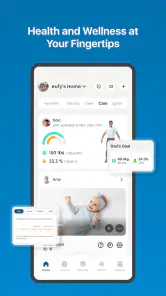
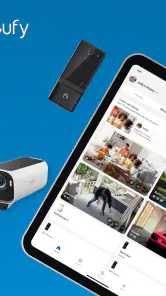
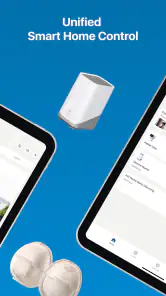
Analysis by Reviewed
Hey there, security enthusiasts! Let's talk about an app that's got everyone buzzing—eufy Security. It's the app you didn't know you needed until you realized how much peace of mind it can bring. So, grab a seat and let's dive into the world of digital security with eufy.
Getting Started with eufy Security
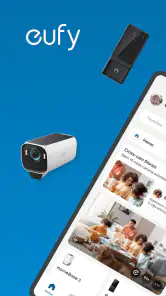
First things first, setting up the eufy Security app is a breeze. Once you've downloaded it from the App Store or Google Play, you're greeted with a clean, user-friendly interface. I mean, nobody wants to wrestle with a confusing app when all you want is to see who's at your door, right?
The app walks you through connecting your eufy devices—be it cameras, smart locks, or alarm systems. It's pretty straightforward, and before you know it, you're all set up. Oh, and did I mention the app supports voice commands via Alexa and Google Assistant? It's like having your own personal security assistant!
Features That Stand Out
Now, let's talk features. What makes eufy Security stand out in a crowded market? For starters, the live video streaming is top-notch. You get crystal clear footage, whether it's day or night, thanks to its excellent night vision capabilities. It's like having night goggles but cooler.
Another highlight is the motion detection alerts. You can customize these notifications to suit your needs, so you're not bombarded with alerts every time a leaf blows by. Plus, the app's facial recognition feature is quite impressive. It can distinguish between familiar faces and strangers, which is a game-changer for reducing false alarms.
The User Experience
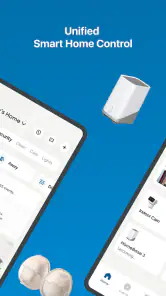
Using the app daily, I found the experience to be smooth and intuitive. The dashboard is well-organized, offering quick access to all your devices. I could easily check the live feed, review past footage, and even communicate through the two-way audio feature. It's like having a walkie-talkie on your phone!
And can we talk about the storage options? eufy Security offers both local and cloud storage, which is a huge plus for privacy-conscious users. You get to choose where your data goes, and that's something not every security app offers.
More From Our News Desk

Clash of Clans Is Won Between the Battles

Android Auto Makes the Case for Quieter Car Software

MobiOffice: Transforming Mobile Productivity with Seamless Integration

EA SPORTS FC™ Mobile Soccer: Redefining Mobile Sports Gaming

How Microsoft OneDrive Became a Mobile Productivity Giant

How Google Translate Breaks Language Barriers Effortlessly
Final Thoughts
In a world where security is a top concern, the eufy Security app provides a robust solution that's both effective and easy to use. It's packed with features that make managing your home security simple and reliable. Whether you're tech-savvy or a newbie to smart home devices, this app has got your back.
So, if you haven't already, give eufy Security a go. It's not just an app—it's your personal security guard, ready at the tap of a button. Stay safe out there!
eufy-original eufy Security Frequently Asked Questions
What does eufy Security help me do in one place?
eufy Security is a Lifestyle app from Anker for bringing compatible eufy security products together in one place. Its store summary highlights the convenience of avoiding multiple apps, so it may be useful if you already use or plan to use eufy devices. Check that your particular products work with the app before downloading, since its usefulness depends on the devices in your setup.
Who can use eufy Security, and what operating system does it require?
The app has an Everyone content rating, and the current version requires Android 8.0 or later. Before installing, check your phone’s operating system and consider whether you have compatible eufy security products to manage. Meeting the system requirement makes installation possible, while having supported devices is what makes the app relevant to your home setup.
Is eufy Security free to download, and are there optional in-app purchases?
eufy Security is a free Lifestyle app from Anker, so you can download it without paying an upfront purchase price. Optional in-app purchases are available, ranging from $0.99 to $299.99 per item, so review any purchase details before confirming. The app is intended for use with eufy security devices, making device compatibility an important consideration too.
What should I check before installing eufy Security on my phone?
Check that your device runs Android 8.0 or later, the minimum operating system requirement for the current app version. eufy Security is rated for Everyone, and its purpose is to bring control of compatible eufy security products into one place. If you already own a device, confirming that it works with the app can help you decide whether it is useful for your setup.
What is eufy Security and what features does it offer?
Eufy Security is a smart home security app designed to manage and control various eufy security devices, such as cameras, doorbells, and alarms. It offers features like live streaming, motion detection, real-time notifications, and two-way audio communication. The app also provides cloud storage options for recorded footage, enabling users to access their security data remotely and securely.
Pros
- User-friendly interface for easy navigation.
- High-quality video streaming and recording.
- Customizable alert settings for security needs.
- Wide compatibility with various eufy devices.
- Regular software updates enhance functionality.
Cons
- Limited integration with third-party systems.
- Occasional connectivity issues reported.
- Subscription required for advanced features.
- Notifications can be delayed at times.
- Some features require specific eufy devices.

- Category
- Lifestyle
- Version
- 5.4.00_17920