Soundcore
- 7.12K
- 3.7
- Installs
- 10.00M
- Price
- Free

Screenshots

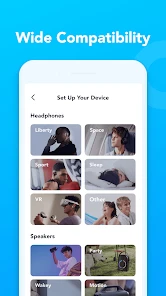

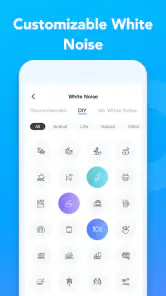
Analysis by Reviewed
When it comes to audio experiences on mobile, few apps stand out like Soundcore. This app, designed for both Android and iOS, transforms your smartphone into a powerful audio companion. Let me walk you through my experience with this vibrant app, which promises to enhance your audio journey with its user-friendly interface and exceptional sound quality.
Getting Started with Soundcore
Installing Soundcore was a breeze. Available on both the Google Play Store and Apple App Store, the app quickly found its place on my phone. Upon launching, the sleek and intuitive interface immediately caught my eye. The design is minimalist yet functional, making navigation a walk in the park. I could easily connect my Soundcore devices via Bluetooth, and the app automatically recognized them, which was a huge plus for me.
Features that Stand Out
One of the first things I noticed was the customizable equalizer settings. Whether you’re a bass lover or someone who enjoys crisp vocals, the app lets you tweak the sound to your heart's content. I spent a good amount of time playing with these settings, and it was like having a personal DJ at my fingertips. The app also offers various sound modes, including indoor and outdoor, which adjust audio output based on your environment. Trust me, this feature is a game-changer for audiophiles like me!
Another feature I appreciated was the firmware update option. Keeping your audio devices updated ensures they're performing at their best, and Soundcore makes this process seamless. The app notifies you when updates are available and guides you through the update process with ease.
The User Experience
Using Soundcore daily has been a joy. The app's stability is commendable – I never experienced any crashes or lags. It's evident that the developers prioritized a smooth user experience. Additionally, the app supports multiple languages, making it accessible to a broader audience. I found this particularly thoughtful as it reflects the brand's commitment to inclusivity.
What truly sets Soundcore apart is its integration with voice assistants. Whether you're team Google Assistant or an Alexa enthusiast, the app plays nice with both, adding a layer of convenience to my daily routine. I could control my music playback and adjust volume without even touching my phone – talk about living in the future!
In Conclusion
After spending considerable time with Soundcore, I can confidently say it’s a must-have for anyone serious about their audio experience. Its combination of robust features and a user-friendly interface makes it stand out in a crowded market. Whether you're a casual listener or a hardcore audiophile, this app caters to all.
So, if you’re looking to elevate your music game, give Soundcore a try. You might just find that it becomes an indispensable part of your mobile toolkit, just like it did for me!
Pros
- Excellent sound quality
- Long battery life
- Comfortable fit
- Advanced noise cancellation
- User-friendly app interface
Cons
- Limited color options
- Expensive for some users
- Bulky charging case
- No multi-device pairing
- Occasional Bluetooth issues

- Category
- Tools
- Version
- 4.0.30











