Dormi - Baby Monitor
- 976.00
- 4.0
- Installs
- 1.00M
- Price
- Free

Screenshots

Analysis by Reviewed
Before I rely on any phone-based baby monitor, I want to know one thing: can I set it up without turning bedtime into a technology project? Dormi - Baby Monitor is designed to make two Android devices work together, with one near the baby and the other with the caregiver. That simple idea is useful when you already have a spare phone or tablet and want a way to listen in without buying a separate monitor straight away.
What to expect from a phone-based monitor
I’d think of Dormi as a practical listening and viewing aid, not a replacement for checking on a child in person. It is a parenting app from sleekbit, and its focus is remote audio and video monitoring. The app is free to download, with optional in-app purchases priced from $1.99 to $16.99 per item. It has a 4.0 average from around 17,000 ratings and more than a million installs, so it has found an audience among families looking for this kind of setup. Its Everyone age rating is about the app’s content, not a claim that it can supervise a child by itself.
The main trade-off is that a phone monitor depends on two devices being available and working as intended. A dedicated monitor is often simpler if you want a purpose-built camera and receiver; Dormi makes more sense if you value using devices you already own. I would also keep the baby-side device securely placed, connected as needed, and out of reach. A monitor can help me notice a sound, but it does not make an unsafe placement safe or remove the need for ordinary supervision.
For a first-time user, a calm test before bedtime is worth the few minutes. Check that both devices are charged, choose which one stays in the nursery, and keep the parent device with you. Try the arrangement while the baby is settled and you are nearby, rather than discovering a pairing or connection problem after leaving the room. That small rehearsal makes the first real use feel much less stressful.
There is another useful way to judge whether this arrangement suits your home: consider where you need to move while monitoring. If you only need to step into the kitchen or another room, an existing home audio or video monitor may already meet the need. Dormi is more appealing when two Android devices are handy and you want the option to keep tabs on the room from farther away through an internet connection. I would still test the connection in the exact places I plan to use it; a feature that depends on connectivity is only reassuring when it works reliably in my routine.
It is also worth deciding in advance who will use the parent device and how it will be kept available. If another caregiver needs to take over, a clear handoff—who has the device, whether it is charged, and whether the monitoring session is active—avoids confusion. That is not a special app trick, just a practical habit that makes a two-device system easier to trust.
Setting Up the Magic
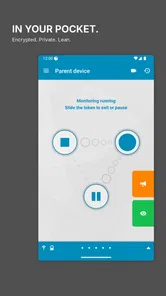
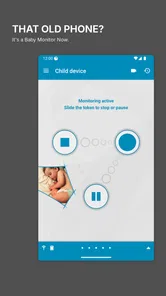
Getting started with Dormi - Baby Monitor is a breeze. All you need are two devices—one to act as the baby unit and another as the parent unit. Once you’ve installed the app on both, they automatically recognize each other. It’s like magic! I was genuinely surprised at how seamless the setup process was. No need for complicated instructions or tech-savvy skills here. Just install, pair, and you’re good to go.
More From Our News Desk

 Remini - AI Photo Enhancer
Remini Is Our App of the Week for Bringing Old Photos Back to Life
A quick AI restoration tool earns its place by making faded portraits and soft, older photos feel vivid again—provided you know where its polish ends.

 PayPal - Pay, Send, Save
PayPal Reviewed: Who Benefits from Its Reach, and Who Should Skip It
PayPal is most useful when its reach and familiar checkout solve a real payment problem. These reader-by-reader recommendations show where it earns a place—and where friction wins.

 Millionaire 2026 Quiz & Trivia
 Makes Every Answer Count
A familiar quiz-show format succeeds or falters on tiny design decisions: how clearly the game guides a first answer, handles hesitation, and invites one more round.

 Decor Life - Home Design Game
Decor Life Turns Short Breaks Into Bite-Sized Decorating Jobs
A room-by-room decorating game built for quick sessions gains from modern phone habits, but its gentle pace still depends on patience, repetition, and a steady stream of design jobs.

 Sniper 3D:Gun Shooting Games
Sniper 3D’s Quick-Shot Appeal Faces the Upgrade Treadmill
The appeal is immediate: line up a target, steady your aim, and fire. The harder question is whether Sniper 3D can keep players returning after the first rush.

 Blockudoku®: Block Puzzle Game
Blockudoku vs. the Puzzle Pack: A Quick Puzzle With a Repetitive Edge
Blockudoku turns a clean grid into a quiet test of foresight. Against match-three polish and head-to-head simplicity, its lasting appeal is also its biggest limitation.
Latest News



Features that Stand Out
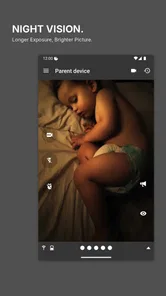
This app is packed with features that make monitoring your baby super easy and reliable. First off, the audio and video quality are top-notch. You get a clear view and sound of your baby, which is reassuring, especially when you’re in another room or even outside in the yard. Plus, Dormi provides unlimited range as long as you have an internet connection. Whether you’re using Wi-Fi or mobile data, you’re covered. I found this particularly useful when I had to step out to get groceries and still wanted to keep an eye on my little one.
Another feature I absolutely love is the alert system. The app sends you notifications if your baby starts crying or if there’s a loud noise in the room. It’s like having a sixth sense. I no longer have to hover around, trying to hear every sound. Dormi does the listening for me!
That kind of notification is most helpful when I’m doing a quiet task nearby, not when I’m trying to ignore the monitor altogether. I’d first learn how the alerts behave in a low-stakes moment: leave the room briefly while another caregiver is still close, then see what reaches the parent device. This helps set realistic expectations for volume, timing, and whether ordinary room sounds draw my attention. I wouldn’t treat an alert as a diagnosis of why a baby is crying, or assume that every sound will be detected in every environment.
Battery Efficiency
One thing I was genuinely impressed with is how battery-efficient the app is. With so many apps draining my phone’s battery these days, Dormi was a pleasant surprise. It manages to run smoothly without gobbling up your device's battery life, which is a huge plus. You can leave it running for hours without worrying about your phone dying on you.
Even with that benefit, I’d avoid making battery life a reason to skip basic preparation. The baby-side phone may be tied up for monitoring, and the parent-side phone is more useful if it is not simultaneously needed for a call, navigation, or another task. For a longer stretch, I’d check the charge before settling in and keep the devices where their screens and microphones are not blocked. If you are sharing a single spare device among family members, that practical limitation may matter more than the app itself.
My Personal Take
Overall, Dormi - Baby Monitor has been a game-changer for me. It's not just an app; it’s peace of mind in digital form. Knowing that I can step away and still be within "earshot" of my baby is incredibly freeing. Whether you’re a new parent or someone who’s been in the game for a while, this app is definitely worth checking out. It’s reliable, easy to use, and most importantly, it does exactly what it promises—keeping your baby safe and sound.
If you’re on the hunt for a dependable baby monitoring solution, give Dormi a shot. It might just become your new best friend in parenting!
Who will get the most from it
I’d recommend trying Dormi if you already have two Android devices, want audio and video access without starting with dedicated hardware, and are comfortable checking that the connection is behaving before relying on it. A realistic use is putting the baby unit in place for a nap, then carrying the parent phone while folding laundry or preparing food in another room. The useful success is modest but meaningful: hearing a change in the room and being able to check the video, rather than repeatedly walking back just to see whether the baby is still settled.
I’d choose a dedicated baby monitor instead if you prefer a separate camera and receiver that are always assigned to this job, or if managing two phones sounds like one more thing to remember. Dormi is also a poor fit if you need an arrangement that does not depend on phone availability or connectivity. Before relying on it outside the home, I’d test that exact route and network conditions while someone else remains close to the baby. That is a sensible check for any internet-based monitor, not a guarantee that every location will work equally well.
Small habits that make the setup smoother
One non-obvious tip is to make a short “handoff check” part of your routine when another adult takes over: confirm which device is the parent unit, that it is with the person responsible, and that the session is still active. With two phones, it is easy to leave the monitoring device on a counter while carrying the other one away. A quick check prevents that simple mix-up better than relying on memory during a busy evening.
I’d also try the system at the same time of day and in the same room where I expect to use it. Background noise and where the devices sit can change what is easy to hear or see. If video is less useful in a dim room, audio alerts may be the more practical cue; if I need to see what is happening, I would keep the parent screen accessible and check it rather than assuming sound alone tells the whole story. That division of attention is a useful expectation to set before the first nap.
Deciding whether to keep using it
Dormi has been around since February 17, 2014, and its long presence in the parenting category is reassuring in a limited sense: it is an established app rather than a newly appeared idea. Still, popularity cannot tell me whether the two devices will suit my household, so I’d judge it by a simple trial: can I pair them, receive the kind of monitoring I need, and remember to keep the parent device with me? If the answer is yes, the free download gives me a straightforward way to see whether this style of monitoring fits before considering any optional purchases.
My bottom line is that Dormi is best treated as a flexible, device-based helper for parents who are willing to do a quick setup check and keep a sensible backup habit. It can make ordinary moments—making tea, tidying nearby, or taking a short break in another room—feel less interrupted. I would not choose it as a substitute for direct supervision or as a guaranteed connection in every setting, but for a household with spare Android devices, it is a reasonable option to test and keep only if it works reliably in your own routine.
A first successful session, without the bedtime rush
For the first meaningful test, I would choose a nap or quiet period when I can remain close enough to check in directly. Put the baby-side device where it has a clear view and is safely out of reach, then take the parent device to the room where you expect to spend time. Make a little ordinary noise nearby and check whether the sound and picture give you the information you actually need. The goal is not to stress-test every possibility, but to confirm that the basic routine makes sense in your home.
Once that works, try one small change at a time: move to the next room, close a door if that is part of your normal routine, or let another caregiver carry the parent unit. This helps identify whether a difficulty comes from placement, the connection, or simply not having the right device in hand. I would avoid changing several things at once, because then it is harder to tell what needs adjusting.
Common points of confusion
One easy mistake is assuming that installing the app is the same as being ready to monitor. The practical check is whether the two devices are paired and the parent unit is showing or receiving what you expect. Another is treating an alert as a complete account of what is happening. A notification can prompt me to look or listen, but I still need to interpret the situation and decide whether to go into the room.
It is also worth keeping the phone roles simple. Labeling the devices in your own routine as “nursery” and “parent” avoids swapping them by accident, especially when both belong to the same household. If the person carrying the parent phone needs to use it for something else, make a deliberate handoff rather than assuming another adult is monitoring. These small habits are more useful than expecting software to compensate for a muddled routine.
How it fits beside other monitoring choices
Compared with a basic audio monitor, Dormi offers the appeal of checking video as well as listening, using devices you may already own. Compared with a dedicated camera-and-receiver kit, its advantage is flexibility; its cost is that the phones become part of the setup and need to be available, charged, and connected. A simple audio unit may be the calmer choice if you only need sound and want equipment reserved for monitoring. A purpose-built system may suit you better if you want a fixed nursery camera and a dedicated parent receiver rather than managing phones.
There is no single best choice for every family. Dormi is most compelling when spare Android devices are already on hand and the need is occasional, such as keeping an ear on a sleeping baby while doing chores nearby. It is less compelling if you need a hands-off arrangement that other caregivers can use without learning a phone-based workflow, or if a dependable connection is uncertain where you live. I would make that decision based on the daily routine, not on the number of features a monitor appears to offer.
Who should skip it, and what to try next
If you have only one suitable device, do not want a phone occupied during monitoring, or prefer equipment that works as a dedicated pair, I would look at a conventional baby monitor instead. If you do try Dormi, begin with the free app and confirm the basic setup in the room where it will be used before considering any optional purchase. The in-app items range from $1.99 to $16.99, so I would first decide whether the everyday experience already meets your needs rather than paying in anticipation of a problem.
For a household that likes the arrangement, the next step is making it repeatable: choose a safe, stable place for the baby device, keep the parent device with the responsible adult, and check the session when duties change. I would still keep ordinary supervision and a direct visit as the fallback. Used with those boundaries, Dormi can be a useful way to make a short stretch of household activity easier without pretending that a phone can replace a caregiver.
Dormi - Baby Monitor Frequently Asked Questions
Can Dormi - Baby Monitor help when I am in another room or away from home?
Dormi is intended to let a parent listen and check in through a second connected device, which can be useful when you are elsewhere in the home. The existing setup information also describes remote use through an internet connection. Keep in mind that monitoring depends on both devices being ready and connected, so it is sensible to check the connection before relying on it.
Can more than one parent use Dormi - Baby Monitor to check on the baby?
Dormi’s described features include connecting multiple parent devices to one baby unit, so more than one caregiver can take part in monitoring. Each person will need a compatible device with the app available, and the baby unit still needs to be positioned safely in the room. Try the arrangement before depending on it, especially if caregivers will be in different places.
Does Dormi - Baby Monitor need special equipment or a dedicated camera?
Dormi is a phone-based baby monitor, so its basic setup uses two devices rather than a dedicated monitor camera: one serves as the baby unit and the other as the parent unit. The devices need working microphones and speakers for the monitoring functions described. Place the baby-side device securely and well beyond the baby's reach, and check that it can pick up sounds from the sleeping area.
Is Dormi - Baby Monitor suitable for a first-time parent to set up?
The core idea is straightforward: prepare two devices, assign one to the baby's room and use the other as the parent unit. Before using it during sleep, take a moment to check that both devices are running the app, the connection works, and sound is being picked up as expected. The app is in the Parenting category and is rated Everyone, but careful setup and safe placement remain important.
Can I adjust Dormi - Baby Monitor so it does not alert me for every small sound?
Dormi is described as offering sensitivity settings, which can help tailor alerts to your household and the sounds in the room. It is worth testing the settings while you are nearby so you can judge how the app responds before relying on it. The aim is to make alerts useful, not to replace checking on your baby or using your own judgment.
Pros
- Easy to set up and use.
- Reliable real-time audio and video.
- Works well over Wi-Fi and mobile data.
- Affordable compared to competitors.
- Customizable alarm and notification settings.
Cons
- Requires two devices for use.
- Battery consumption can be high.
- Limited features in free version.
- May experience occasional connectivity issues.
- Audio quality can vary with network.