Collage Maker | Photo Editor
- 41.24K
- 4.9
- Installs
- 100.00M
- Price
- Free

Screenshots
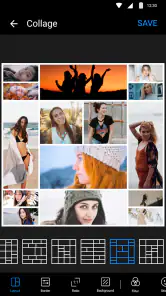

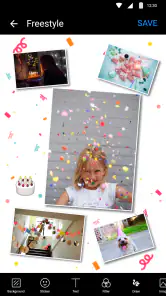
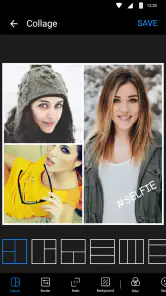

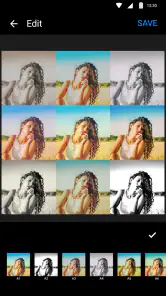

Analysis by Reviewed
When I want a quick way to bring several photos into one frame, I look for an editor that lets me make a clear result without turning the task into a design project. Collage Maker | Photo Editor is aimed squarely at that kind of everyday use: choose images, arrange them, and add a little personality. I find it most useful for sharing a small story—a day out, a family moment, or a set of before-and-after pictures—rather than replacing a full photo-editing workflow.
Readable choices and a straightforward route
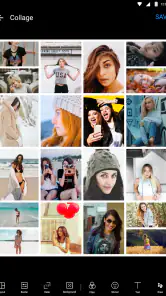
The main appeal is how direct the basic process feels. You pick photos and a layout, then refine the result with filters, stickers, or text. That sequence is easy to grasp even if you do not spend much time editing pictures. The collection of layouts gives you room to choose between a neat grid and a less formal arrangement, while keeping the central job—combining photos—front and center.
That simplicity is helpful, but it also means the app is better suited to quick visual decisions than painstaking composition. When several pictures have different lighting or colors, a layout alone may not make them feel cohesive. I’d choose a restrained filter and consistent text treatment rather than adding decoration to every image. A collage usually looks more deliberate when one detail gets attention and the rest stays quiet.
Keeping a collage readable for its audience
I’d think about who will look at the finished collage before choosing its shape. For a family group chat, a few large frames make it easier to recognize people than a dense arrangement of tiny pictures. A small set of images also gives captions more breathing room. If I’m making a recap for friends who already know the story, I can use a looser composition; if the collage needs to explain an event to someone who wasn’t there, I’d put the most informative image first and keep any wording brief.
That approach is useful when a single image has to work across different viewing situations. A collage opened on a phone is often seen at a glance, while a recipient may later zoom in. I would not rely on tiny decorative labels to carry important information. Instead, I’d make the photographs do most of the work and reserve text for a date, place, or short clue that genuinely helps the viewer understand the set.
The All-in-One Photo Playground
First off, let's dive into what makes Collage Maker | Photo Editor such a standout in the crowded market of photo editing apps. This app is not just about throwing a few pictures together; it’s an entire playground for photo editing. You get to choose from a plethora of layouts that make your photos pop. Whether you’re into classic grids or something more avant-garde, there’s something here for everyone.
What caught my eye immediately was the ease of use. The interface is super user-friendly, so even if you’re not tech-savvy, you won’t have any trouble navigating through the features. Just select your photos, choose a layout, and voila! You’ve got a masterpiece ready to share with the world. And trust me, the templates are so chic, they could turn even the most mundane photos into something special.
More From Our News Desk

Clash of Clans Is Won Between the Battles

Android Auto Makes the Case for Quieter Car Software

MobiOffice: Transforming Mobile Productivity with Seamless Integration

EA SPORTS FC™ Mobile Soccer: Redefining Mobile Sports Gaming

How Microsoft OneDrive Became a Mobile Productivity Giant

How Google Translate Breaks Language Barriers Effortlessly
Filters, Stickers, and Text—Oh My!
Now, let’s talk about the extra fun stuff—filters, stickers, and text! This app doesn’t skimp on the extras. There’s a wide variety of filters that can give your photos any vibe you’re going for, from vintage to modern. And the stickers? They’re just adorable. Whether you’re adding a cute emoji or some decorative flair, they’re a fun way to personalize your creations.
The text feature is also a nice touch. You can add quotes, captions, or even just silly comments to give your collages that extra bit of personality. And the best part? The fonts are customizable, so you can match the text style to the theme of your collage. It’s like having a mini graphic design studio right in your pocket.
Making a collage work for different needs
For a practical workflow, I’d start by deciding what the collage needs to communicate. A set of food photos for a family chat benefits from a simple layout and a short caption; a weekend recap can use a few more images, but too many small frames make faces and details harder to see on a phone. If the pictures are intended for printing, I’d check the finished image at a larger size before sharing it, since tiny text and fine decorative details may not hold up as well as they do on a bright screen.
Compared with editing each photo separately and arranging them later in a general design tool, a dedicated collage app saves steps and keeps the focus on the arrangement. That is a real advantage when I want a quick social post. A more advanced editor or desktop design program is still the better choice for exact spacing, careful color matching, or a layout that must follow precise brand rules. This app is about convenience and playful presentation, not detailed publishing control.
Motor, sensory, and situational access
Because the workflow is visual and relies on choosing images and editing elements on a screen, it may feel comfortable for someone who likes direct, hands-on adjustments. On a small phone display, though, a busy collage can be harder to inspect, and decorative choices can compete with the photographs. I’d keep layouts simple when the finished image needs to be understood quickly, especially if people will view it at a glance or on a smaller screen.
It can fit into short pockets of time: I could assemble a recap while waiting for a friend or make a quick family update after an outing. For a more demanding session—sorting many similar shots, aligning details, or composing something that needs to be especially legible—I’d use a larger screen and a tool designed for more exact control. The best choice depends less on how many effects are available and more on whether the editing steps feel comfortable for the person using them.
A small workflow that saves rework
One practical way to avoid frustration is to narrow the photo selection before experimenting with layouts. I’d first remove near-duplicates and keep pictures that add something different: a wide view, a close-up, and a moment with people, for example. Then I’d try a layout that gives the most important image enough space. This matters because the easiest collage to assemble is not always the easiest one to read; adding every shot can turn a personal recap into a wall of thumbnails.
I’d also treat filters as a finishing choice rather than a starting point. If the photos were taken in different lighting, a subtle, consistent look can help them sit together, but a heavy effect may flatten skin tones or make details harder to distinguish. For an image meant to preserve a memory, I prefer a light touch. The original photos remain the better source if I later want to edit a single frame more carefully, so I would keep them rather than relying only on the combined collage.
Who will enjoy it, and where it has limits
This is a good match for casual photographers, families, and anyone who often wants several pictures in one shareable image. The app is free, with optional in-app purchases priced from around a dollar to around twenty-two dollars per item. Its broad appeal is reflected in a 4.9 average from around three and a half million ratings, and more than one hundred million installs. It is rated for Everyone, comes from Photo Editor & Collage Maker, and was released in October 2016. The current version is 2.341.192 and it requires Android 8.0 or later.
Those figures do not change the main trade-off: a large selection can make it tempting to keep trying layouts and decorations when a simpler result would serve better. I’d also avoid treating a collage as a substitute for keeping the original photographs; the combined image is convenient to share, while individual pictures remain more useful when you later want to crop or edit one carefully. If you prefer fine-grained controls over speed, or need a highly structured layout, a more specialized editor is likely a better fit.
When a different editing approach is better
The choice between this app and a conventional photo editor comes down to the job I need done. If I want to correct one portrait, adjust a single photograph, or work carefully on color and detail, a dedicated image editor makes more sense. If I’m laying out a flyer with strict alignment or a consistent brand style, a general design tool offers more room to control the page. I’d reach for a collage-focused app when the finished image itself is the point: a compact set of related photos that is ready to send without building a design from scratch.
For a realistic everyday example, imagine returning from a short outing with several pictures and wanting to share the best moments with relatives. I’d choose a handful that tell the story, put the group shot in a prominent frame, and add a short caption only if the location or occasion might not be obvious. That is a sensible use of the app’s quick layout-and-decoration approach. Trying to include every photo, label each one, and style every frame would take longer and make the result harder to scan.
Seamless Sharing and Saving
Once you’ve created your perfect collage, sharing it is a breeze. The app integrates smoothly with social media platforms, so you can post your creations directly to Instagram, Facebook, or wherever else you like to hang out online. Plus, the app saves your high-resolution images without any fuss, so you can print them out and keep those memories alive offline too.
One thing I really appreciate is the app's performance. It runs smoothly without any glitches, which is a rarity in some of the more feature-heavy apps out there. It’s clear that a lot of thought has gone into making sure everything works seamlessly, making the user experience top-notch.
Choosing a comfortable way to use it
For someone with limited patience for small-screen editing, I’d keep the session short and focused: choose the photos in advance, settle on a simple layout, and make just one or two finishing decisions. That reduces the amount of visual searching and repeated adjustment. If precise selection or small controls are uncomfortable, or if a busy screen is tiring, this may not be the easiest tool for a long editing session. A larger display and a more deliberate editor can be a better fit for work that calls for sustained, careful adjustments.
The same practical test applies to sensory preferences. Filters, stickers, and decorative text offer ways to make a collage playful, but they can also add visual noise. I’d use the plainest layout that serves the story and skip effects that obscure the photographs. The app’s visual simplicity at the task level is helpful, yet it should not be mistaken for a guarantee that every person will find every interaction comfortable. Trying a small, low-stakes collage first is a good way to judge whether the workflow suits you.
A considered choice for everyday collages
If you are deciding whether to try it, I’d ask what you usually do after taking photos. If you often send several related pictures and want them to feel like one finished piece, this app offers a convenient starting point without requiring graphic-design experience. If you mostly adjust one image at a time, a standard photo editor may be a more natural fit. And if accessibility depends on particular controls or display settings, I’d test the actual editing flow on your device before relying on it for a demanding project; the visual simplicity does not guarantee that every interaction will suit every person.
My best tip is to select the photos before opening the layout choices. That gives the collage a clear purpose and helps avoid choosing a template that forces you to include weaker shots. For a small-screen share, keep captions short, use text with clear contrast against its background, and preview the whole image before posting. These choices make the result easier to scan without depending on extra effects.
My inclusive verdict
I see this as a useful, approachable option when the goal is to bring a few photos together quickly, especially for family updates and informal social sharing. The free starting point makes it easy to try, while optional purchases mean some choices may sit behind paid items. I would not choose it for exact layout work, extensive single-photo retouching, or a project where every element must be positioned precisely. Nor would I assume that a straightforward visual flow is accessible for everyone; individual comfort depends on the device, the screen, and the editing task.
So, if you’re looking to up your photo game and have a blast doing it, Collage Maker | Photo Editor is definitely worth a try. It’s packed with features, super easy to use, and lets your creativity run wild. Happy collaging!
Collage Maker | Photo Editor Frequently Asked Questions
Will Collage Maker | Photo Editor work on my device?
The app is available for Android and iOS, and its minimum operating system requirement is version 8.0. Check your device’s operating system before downloading to make sure it meets that requirement. Collage Maker | Photo Editor is a photography app for creating collages and editing pictures, so it may suit you if you want those tools on a compatible phone or tablet.
Who develops Collage Maker | Photo Editor, and is it widely used?
Collage Maker | Photo Editor is developed by Photo Editor & Collage Maker. It has an average rating of 4.9 from around 3.5 million ratings, with about 41,000 written reviews and more than 100 million installs. That broad reach makes it a familiar option for people looking for a collage and photo-editing app, though your own experience will depend on the features you use.
Do I need an internet connection to make a collage?
The app is built around creating and editing photo collages, so it can be useful whenever you want to arrange pictures and add creative touches. Whether you need a connection for every feature can depend on what you are doing, such as accessing online sharing options. Before downloading, consider whether your usual editing routine includes sharing your finished images or using content that may need to load.
How many layouts and creative options are available?
Collage Maker | Photo Editor’s store summary highlights more than 1,000 layouts, along with filters, stickers, and text options. That gives you plenty of ways to combine photos and personalize the result, whether you want a simple arrangement or a more decorative design. The selection makes the app appealing for users who like experimenting with different looks rather than relying on one fixed collage style.
What features does Collage Maker | Photo Editor offer?
Collage Maker | Photo Editor offers a wide array of features, including customizable collage layouts, various photo filters, stickers, text options, and background designs. The app also supports advanced photo editing tools such as cropping, rotating, and adjusting brightness or contrast, allowing users to enhance their photos creatively before sharing them on social media platforms.
Pros
- User-friendly interface with intuitive controls.
- Wide range of templates and layouts.
- High-quality photo editing tools.
- Easy social media sharing options.
- Regular updates with new features.
Cons
- Contains in-app purchases and ads.
- Limited free features available.
- Occasional app crashes reported.
- Requires internet for full functionality.
- Large file size may be an issue.

- Category
- Photography
- Version
- 2.341.192