Camera for Android
- 5.13K
- 4.6
- Installs
- 10.00M
- Price
- Free
Screenshots

Analysis by Reviewed
Alright, let's dive into the world of mobile photography with the Camera for Android app. If you're anything like me, your phone is your go-to gadget for snapping pictures on the fly. So, having a reliable camera app is crucial. Does this app hit the mark? Let’s find out!
First Impressions and Interface
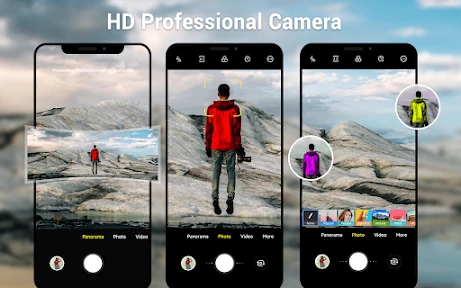
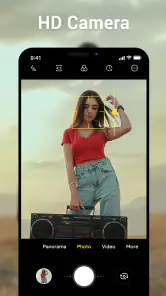
When you first open the Camera for Android, you're greeted with a sleek and intuitive interface. It's like the app is saying, "Hey, let's make some magic!" The layout is super user-friendly, with all the essential features right at your fingertips. No need to dive into endless menus or get lost in settings. Everything you need is right there, and I really appreciate that.
Features That Stand Out
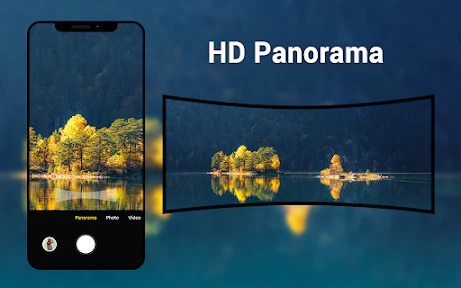
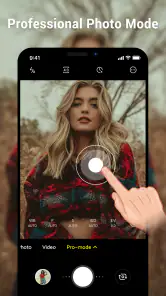
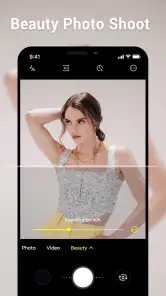
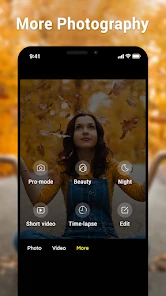
The app is packed with features that cater to both amateur and professional photographers. From different shooting modes like Portrait, Night, and Panorama, to a variety of filters to give your photos that extra pop, it’s got you covered. One feature I found particularly cool is the manual mode. It lets you adjust focus, ISO, and shutter speed, just like a DSLR. I mean, how awesome is that? Having that level of control in a mobile app is a game-changer for budding photographers.
Another highlight is the app's HDR capability. It enhances your photos by balancing the light and dark areas, which is perfect for those tricky lighting situations. Plus, the real-time preview lets you see the effect before you snap the picture. It’s like having a mini editing suite in your pocket!
Performance and Usability
In terms of performance, the app is smooth as butter. Launching the app is quick, and there’s minimal lag between shots, which is crucial when you’re trying to capture those fleeting moments. Battery drain is also surprisingly minimal, even when using advanced features like HDR and real-time filters. That’s a big win in my book because who wants their battery to die mid-photoshoot?
Usability-wise, the app is straightforward. Whether you’re a seasoned photographer or just someone who likes to take pictures of their brunch, you’ll find it easy to navigate. The app doesn’t overwhelm you with options, but still offers enough depth for those who want to explore more advanced settings.
Final Thoughts
Overall, I have to say the Camera for Android app really impressed me. It’s a powerful tool that manages to stay accessible to all users. Whether you're capturing epic landscapes or just that perfect selfie, this app is up for the task. The combination of user-friendly design, robust features, and solid performance makes it a must-have for anyone looking to up their mobile photography game.
So, if you're in the market for a new camera app, give this one a shot. You might just find it’s exactly what you’ve been looking for to turn your everyday photos into something spectacular.
Pros
- User-friendly interface for easy navigation.
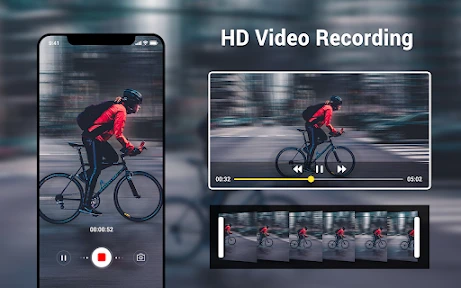
- High-quality image and video capture.
- Multiple shooting modes and effects.
- Fast processing and saving of photos.
- Regular updates with new features.
Cons
- Requires a lot of storage space.
- Occasional glitches with certain devices.
- Ads can be intrusive at times.
- Limited free version features.
- Some features need in-app purchases.

- Category
- Photography
- Version
- 6.7.0











