Bedtime Stories for Kids Sleep
- 125.00
- 4.4
- Installs
- 500.00K
- Price
- Free

Screenshots
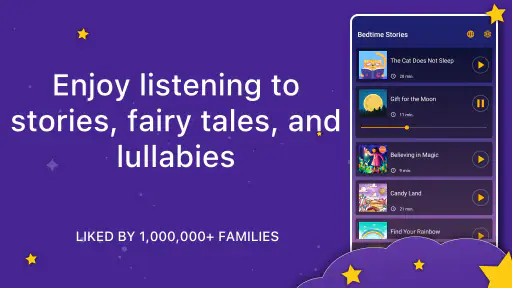
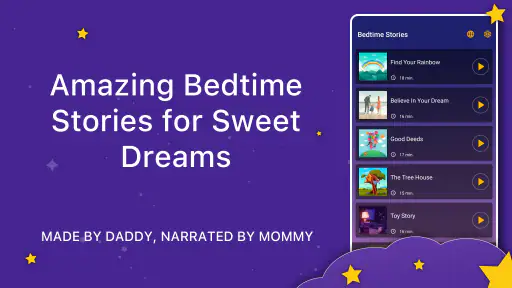
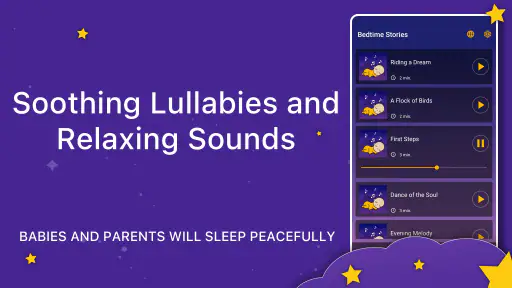
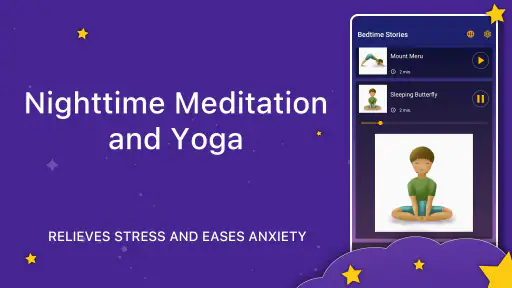
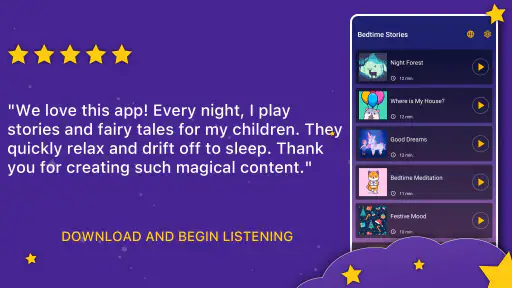
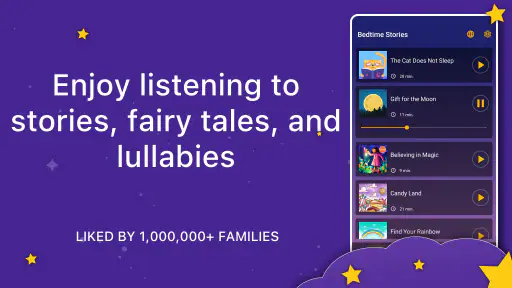
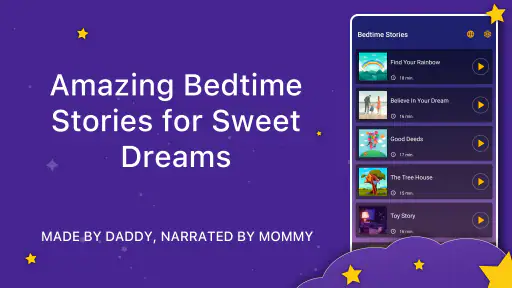
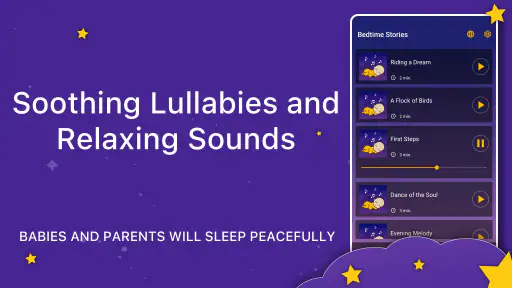
Analysis by Reviewed
I judge a bedtime-story app less by its promise of helping children sleep and more by whether it makes the evening routine easier for the adult too. Bedtime Stories for Kids Sleep is a parenting app from Stas Apps, built around narrated tales and lullabies for young listeners. I’d treat it as a storytime aid, not a guaranteed sleep solution: a familiar voice and calm routine can help a child settle, but every family’s evenings are different.
Where bedtime use can get awkward
The main friction with any audio story is choosing what to play when everyone is already tired. A child may want a different tale each night, while a parent may prefer one predictable choice that signals lights-out. I’d decide on the story before getting under the covers, then keep the phone out of reach once playback begins. That avoids turning a quiet moment into repeated browsing or screen tapping.
Audio also changes the feel of bedtime compared with reading a paper book. It can be useful when a caregiver is busy, tired, or looking after more than one child, but it does not offer the same shared page-turning or chance to pause for a conversation. For a child who settles best with a parent’s own voice, I’d use the app as an occasional alternative rather than replacing that connection.
Small setup checks that make a difference
Before starting, I’d check the device’s volume and place it where the sound is clear but the screen is not inviting. A comfortable listening level matters more than making the narration fill the room. If a child tends to wake easily, a short test while you are still nearby can help you decide whether the sound suits the room and whether the phone needs to be moved.
The app is free to download, with in-app purchases listed at $2.99 per item, so I’d look at any purchase prompt carefully before handing the device to a child. It is rated for Everyone, and the minimum Android requirement is version 5.1. On the store, it has a 4.4 average from around 4,700 ratings and more than 500,000 installs. It was released on August 19, 2020, and its current version is 25.37.1.
Making the routine work for your family
Recovering when storytime goes off track
If playback stops or the wrong story starts, I’d keep the fix simple: pause, return to the app, and choose again rather than letting a child explore menus in the dark. If the audio itself is the problem, check the device’s sound level and whether another audio source is playing. Those basic checks are useful without assuming the app has a particular setting or connection requirement.
One practical workflow is to make story choice part of getting ready for bed, before brushing teeth or changing into pajamas. Then the story is a cue to settle, not a reward that leads to bargaining over one more selection. For siblings with different tastes, taking turns choosing on different nights can prevent a nightly debate while keeping the routine familiar.
More From Our News Desk

Clash of Clans Is Won Between the Battles

Android Auto Makes the Case for Quieter Car Software

MobiOffice: Transforming Mobile Productivity with Seamless Integration

EA SPORTS FC™ Mobile Soccer: Redefining Mobile Sports Gaming

How Microsoft OneDrive Became a Mobile Productivity Giant

How Google Translate Breaks Language Barriers Effortlessly
When a different approach is better
This app is best suited to families who want spoken stories or lullabies as part of winding down. It may be less suitable if your child needs a caregiver beside them, prefers silent picture books, or becomes more alert when a screen is nearby. In those cases, a printed story, a parent’s own narration, or quiet music may fit better. Audio stories are also not a substitute for a consistent bedtime routine; they work best as one small part of it.
Compared with a general video app, an audio-focused story routine can make it easier to keep visual stimulation out of the bedtime moment. Compared with reading aloud, it asks less of the caregiver but gives you less room to adapt the pacing and conversation. I’d choose between them based on what helps your child relax, not on which format sounds more convenient in theory.
Discovering the Magic
First things first, the variety of stories on Bedtime Stories for Kids Sleep is impressive. From classic fairy tales to modern adventures, it’s got something for every child’s taste. The app's user interface is super intuitive, so even if you're not tech-savvy, you’ll find it easy to navigate. Just a few taps and you're ready to start storytime.
The Story Experience
What’s really cool is the narration. The app offers soothing voiceovers that are perfect for calming down the kiddos after a long day. You can choose to read along with them or let the app do all the talking. Plus, there are some neat sound effects that really bring the stories to life. Picture this: a gentle breeze in the background as a story unfolds about a magical forest. It’s like being transported into another world, and it’s all happening in your kid’s bedroom!
Interactive Features
Now, one feature that really caught my attention is the interactive elements. Some stories allow children to interact with the characters by tapping on the screen. This not only keeps them engaged but also adds a layer of fun to the listening experience. It’s like adding a sprinkle of magic dust to each story!
Customization and Settings
Let’s talk about customization. The app lets you adjust the settings based on your child’s preferences. You can alter the narration speed, change the background theme, and even set a timer for how long the story should play. This flexibility ensures that the app grows with your child’s changing needs.
Putting the app into an ordinary evening
A useful way to test whether it belongs in your routine is to try it on a night when bedtime is not already rushed. Let your child choose a story earlier in the evening, then keep the rest of the sequence familiar: pajamas, teeth, a drink of water, and settling down. That gives you a fair sense of whether listening helps your child transition or whether the novelty leads to more requests and screen attention.
If you are caring for two children, the app can be a shared listening option when they can agree on one tale. If their ages or tastes are far apart, a single story may not hold both of them, and alternating choices can be fairer than trying to find one perfect pick every night. I would also use a story as a bridge during a caregiver’s busy evening, rather than expecting it to occupy children for an extended stretch or replace supervision.
Choosing among stories without extending bedtime
The most useful decision is often not which story is best in general, but which one fits tonight. A child who is already calm may be content with a familiar tale; a child who is restless may be tempted to keep sampling options. I’d set a simple boundary before opening the app: one selection, then listening. If your child is too young to make that choice quickly, an adult can pick in advance and keep the phone with them.
There is a small trade-off between variety and predictability. New stories can keep the app interesting, while repeating a favorite can make the routine easier to recognize. I would not assume that more choice automatically means a better bedtime. For some children, familiar narration is reassuring; for others, a fresh tale is the part that makes them willing to lie down. A few evenings of noticing what happens after playback begins will tell you more than trying to optimize the choice every night.
Screen habits and child independence
Although the main appeal is listening, a phone is still a screen within reach, and that matters in a bedtime setting. If your child is drawn to tapping, looking at the display, or asking to browse, the app may work better when an adult chooses and starts the story. Once it is playing, placing the device beyond easy reach can preserve the audio benefit without inviting another round of interaction.
That approach also helps answer a common practical question: can a child use it alone? It depends less on the story format than on the child’s age, bedtime habits, and ability to leave the device alone. I would supervise the first few uses and see whether listening stays calm. If the app becomes a reason to sit up and explore, an adult-led setup or a paper book is likely to work better.
What the listening format gives up
A narrated story can reduce the effort of reading aloud, especially at the end of a long day, but it cannot respond to a child’s questions or tailor the story in the moment. A parent can skip a frightening passage, explain an unfamiliar idea, or slow down when a child is worried. Recorded narration is less flexible, so I would preview a story or stay close if a child is sensitive to particular characters, sounds, or themes.
The same distinction applies to lullabies and quiet music. A song may be a better choice when a child is already settled and does not need a plot to follow. A story may suit a child who wants something to focus on while winding down. Neither format is automatically calming for every listener; volume, content, timing, and the child’s mood all shape the experience.
Understanding the purchase boundary
Because the app is free to download but offers in-app purchases at $2.99 per item, I’d treat browsing and purchasing as an adult task. Before bedtime, check what is available and decide whether the free experience is enough for your family. This avoids discussing a purchase when a child is already asking for one more story, and it helps keep the bedtime routine separate from spending decisions.
For families sharing a device, it is also sensible to handle any purchase prompt yourself rather than letting a child tap through it. That is not a reason to avoid the app; it is simply a practical boundary that applies to children’s apps with paid items. If the selection your child enjoys is already sufficient, there is no need to buy more just to make the routine work.
When playback trouble may come from elsewhere
If a story seems too quiet, cuts out, or does not sound as expected, I would first check the device rather than assume the app is at fault. Confirm that the volume is set appropriately, that the speaker is not covered by bedding, and that another audio source is not competing. A quick test before your child gets into bed can prevent troubleshooting from becoming the main event.
If the app behaves differently after an update or a device change, close it and reopen it, then try again when you have time to pay attention. Keep the check calm and basic; avoid handing over the phone for a child to investigate. If the problem persists, use the app’s available support route through the platform rather than relying on guesses about settings or technical requirements.
Who is most likely to enjoy it
I can see this being especially useful for parents who want a spoken story available when they cannot read aloud, families who already use audio as part of winding down, and children who enjoy fairy-tale narration. It may also help a caregiver keep the routine consistent when different adults take turns at bedtime: the same kind of listening activity can be used even when the person reading changes.
I would skip it, or keep it as an occasional option, if your child is easily stimulated by screens, strongly prefers a live conversation, or turns every choice into a long negotiation. It is also not the best match for a household that wants bedtime to be entirely device-free. In those cases, a familiar printed book or an adult’s own telling offers more personal connection and fewer opportunities to browse.
Final Thoughts
In conclusion, Bedtime Stories for Kids Sleep is a delightful app that brings a sprinkle of magic to bedtime routines. It’s filled with enchanting stories, soothing narrations, and interactive features that keep kids engaged and help them wind down. If you’re looking to transform bedtime into a more peaceful and enjoyable experience, this app is definitely worth checking out. Sweet dreams await, and it’s all just a download away. Happy storytelling!
Bedtime Stories for Kids Sleep Frequently Asked Questions
Is Bedtime Stories for Kids Sleep free to download, and what costs should parents expect?
Bedtime Stories for Kids Sleep is free to download, so families can try the app without paying upfront. It also offers in-app purchases, with items priced at $2.99 each. Parents may want to check the purchase options before handing the device to a child, so it is clear which content is available at no extra cost and which requires a purchase.
What kind of content does Bedtime Stories for Kids Sleep offer?
The app focuses on audio bedtime storybooks for children and toddlers, including fairy tales and baby lullabies. That makes it a bedtime-oriented choice for families looking for stories or soothing listening content as part of a nighttime routine. Its short store description is simply “Bedtime Stories,” so parents can expect a straightforward story-focused experience rather than a general-purpose children’s app.
What age group is Bedtime Stories for Kids Sleep suitable for?
Bedtime Stories for Kids Sleep is designed for children aged 3 to 10 years. The app features a wide range of stories that cater to different age groups within this range, ensuring that the content is age-appropriate and engaging. Parents can select stories that best fit their child's comprehension level and interests.
Does the app require an internet connection to access the stories?
No, Bedtime Stories for Kids Sleep does not require an internet connection once the stories are downloaded. Users can download the stories to their device and access them offline, which is especially convenient for parents who wish to use the app during travel or in areas with limited internet connectivity.
Are the stories in Bedtime Stories for Kids Sleep narrated or can children read them on their own?
The app offers both narrated and text-based stories. Children can choose to listen to professionally narrated stories, which is great for bedtime as it helps them relax and fall asleep. Alternatively, older children or those learning to read can opt to read the text on their own, which encourages reading skills development.
Pros
- Soothing narrations help children relax.
- Wide variety of stories to choose from.
- Customizable story duration settings.
- Engaging illustrations enhance storytelling.
- Offline mode available for travel use.
Cons
- Limited free content available.
- Some stories may repeat themes.
- In-app purchases can add up.
- Requires initial internet connection.
- Not suitable for older children.
- Category
- Parenting
- Version
- 25.37.1











