BabyCam - Baby Monitor Camera
- 636.00
- 4.4
- Installs
- 1.00M
- Price
- Free

Screenshots
Analysis by Reviewed
Ever been in that predicament where you just wish you could have eyes on your little one at all times? Well, let me introduce you to an app that’s essentially a godsend for all the parents out there. Meet BabyCam - Baby Monitor Camera, an app that turns your smartphone into an instant baby monitor. And trust me, it's as handy as it sounds!
Setting Up: As Easy as ABC
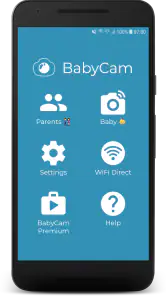
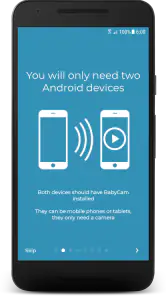
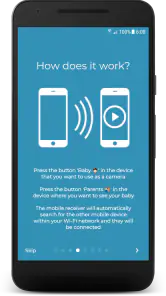
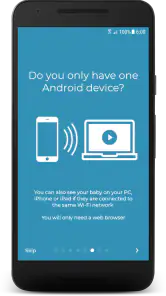
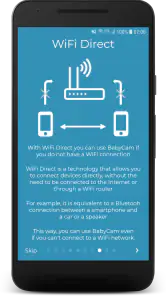
First things first, let's talk about setup. One of the beauties of BabyCam - Baby Monitor Camera is its simplicity. All you need are two devices — one that stays with the baby and another with you. You can use a combination of smartphones, tablets, or even a TV. How cool is that? Just connect the devices through the same Wi-Fi network and boom, you’re in business. No more fretting over complicated instruction manuals; it’s all pretty intuitive.
Features That Make Life Easier
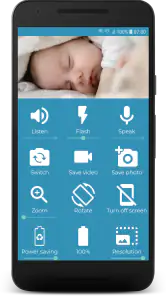
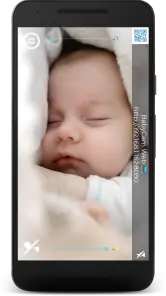
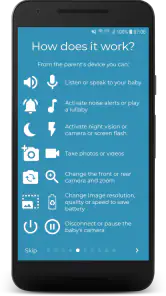
One of the standout features of this app is the live video streaming. You get to watch your baby in real-time, with the ability to toggle between front and rear cameras. The video quality is surprisingly good, making it feel like you're right there in the nursery with them.
Then there’s the two-way audio feature. You can not only hear your baby but also speak to them. It’s like a walkie-talkie, but for baby monitoring. This is perfect when you need to soothe them with your voice or maybe even sing a lullaby from the kitchen while you cook dinner.
And let’s not forget about the night vision mode. This app has got your back even when the lights are out. The night vision is quite clear, which is a huge relief when you want to do those late-night checks without waking up your little one.
Peace of Mind Anywhere, Anytime
What’s amazing about this app is that you can even monitor your baby when you’re away from home. As long as the devices are connected to the internet, you can check in on your baby while you’re at work or out running errands. This feature is a lifesaver for working parents who want to keep an eye on their children throughout the day.
Moreover, the app can send you notifications in case something unusual happens. Whether it’s the baby crying or any movement detected, you’ll get an alert straight to your phone. It’s like having a personal assistant who’s solely focused on your baby’s safety.
Wrapping It Up
In conclusion, BabyCam - Baby Monitor Camera is a stellar app that brings the baby monitor experience right to your fingertips. It's packed with features that are practical and easy to use, making it a top pick for parents who want to keep an eye on their little ones without a hitch.
So if you're in the market for a reliable, user-friendly baby monitor app, give BabyCam a shot. It just might become one of those apps you can’t live without. Trust me, it’s worth every megabyte!
Pros
- Easy setup and user-friendly interface.
- High-quality video and audio streaming.
- Supports night vision for low-light monitoring.
- Two-way communication feature available.
- Compatible with both Android and iOS devices.
Cons
- Requires stable internet connection.
- Limited features in free version.
- Consumes significant battery power.
- May have occasional connectivity issues.
- Subscription needed for premium features.

- Category
- Parenting
- Version
- 2.41