Baby Language
- 89.00
- 3.6
- Installs
- 1.00M
- Price
- Free

Screenshots
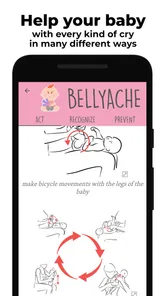
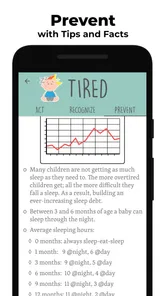
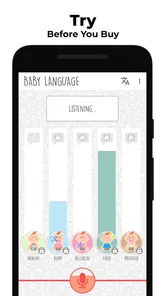
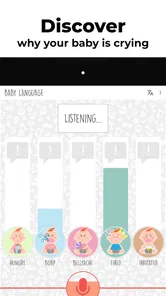
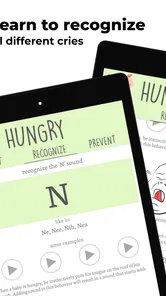
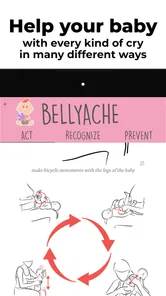
Analysis by Reviewed
If you've ever gazed into your baby's eyes, wondering what those adorable coos and cries mean, you're not alone. Enter the world of Baby Language, an app designed to decode the mystery of infant communication. As a new parent, I've found myself juggling between sleepy nights and curious days, trying to understand my little one's needs. This app promises to be a game-changer, so let's dive right into what makes it stand out.
The most useful way to approach a cry translator is as a prompt for observation, not a verdict. When a baby starts crying, I would first check the familiar possibilities—feeding, a nappy, tiredness, temperature, or needing comfort—then use an interpretation as another clue. That order matters: an app can help me think through a moment, but it cannot know the full context of a child’s day or replace a caregiver’s judgement.
For example, imagine a baby fussing shortly before a usual feed. I might record the sound, note the app’s suggestion, and compare it with what happens after feeding or soothing. If the same kind of cry appears in similar situations, that observation can be more useful than treating one result as a definitive answer. Keeping a simple mental note of the circumstances—time, recent sleep, and what helped—can make the guidance easier to assess without turning every cry into a test.
The Magic Behind Baby Language
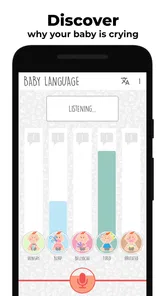
The premise of Baby Language is simple yet intriguing. It uses advanced AI technology to analyze and interpret the different sounds your baby makes. The app categorizes these sounds into basic needs: hunger, discomfort, sleepiness, and more. I was initially skeptical, but the idea of having a digital "baby whisperer" was too enticing to pass up.
Baby Language is a free parenting app from Enbyin, and its focus is narrower than a general parenting library: it centers on understanding cries and finding guidance on how to respond. It has an average rating of 3.6 from around 2,400 ratings, with more than a million installs. Those figures suggest plenty of parents are curious about this approach, but they are not a guarantee that the interpretation will fit every baby. The app is rated for Everyone, runs on Android 5.0 or later, and its current version is 4.264. Optional in-app purchases are listed at $3.99 per item, so I would check what is included before paying; the basic app is free.
Getting Started
Setting up the app was a breeze. I downloaded it from the app store, and within minutes, I was ready to explore its features. The user interface is intuitive, with a clean design that guides you through the setup process. You start by recording your baby's sounds, and the app takes it from there. It's like having a tech-savvy babysitter at your fingertips.
In practice, the recording step is easiest when the phone is already within reach and the room is reasonably calm. A rushed recording from across a noisy room may be less helpful than a clear sample, so I would avoid assuming that every result is equally meaningful. This is also a useful reason to try the app during an ordinary fussy spell rather than waiting for a stressful late-night moment: you can learn the routine while you have more time to think.
More From Our News Desk

 Remini - AI Photo Enhancer
Remini Is Our App of the Week for Bringing Old Photos Back to Life
A quick AI restoration tool earns its place by making faded portraits and soft, older photos feel vivid again—provided you know where its polish ends.

 PayPal - Pay, Send, Save
PayPal Reviewed: Who Benefits from Its Reach, and Who Should Skip It
PayPal is most useful when its reach and familiar checkout solve a real payment problem. These reader-by-reader recommendations show where it earns a place—and where friction wins.

 Millionaire 2026 Quiz & Trivia
 Makes Every Answer Count
A familiar quiz-show format succeeds or falters on tiny design decisions: how clearly the game guides a first answer, handles hesitation, and invites one more round.

 Decor Life - Home Design Game
Decor Life Turns Short Breaks Into Bite-Sized Decorating Jobs
A room-by-room decorating game built for quick sessions gains from modern phone habits, but its gentle pace still depends on patience, repetition, and a steady stream of design jobs.

 Sniper 3D:Gun Shooting Games
Sniper 3D’s Quick-Shot Appeal Faces the Upgrade Treadmill
The appeal is immediate: line up a target, steady your aim, and fire. The harder question is whether Sniper 3D can keep players returning after the first rush.

 Blockudoku®: Block Puzzle Game
Blockudoku vs. the Puzzle Pack: A Quick Puzzle With a Repetitive Edge
Blockudoku turns a clean grid into a quiet test of foresight. Against match-three polish and head-to-head simplicity, its lasting appeal is also its biggest limitation.
Latest News



Features That Stand Out
One feature I particularly appreciate is the personalized sound profile. Over time, the app learns your baby's unique vocal patterns, making its interpretations more accurate. There's also a handy log that keeps track of the sounds and interpretations, helping you spot patterns in your baby's behavior. Imagine being able to predict when your baby might be hungry or tired just by glancing at your phone!
The log is most valuable as a way to notice context, not as a substitute for a reliable care record. I would use it to compare repeated moments—such as fussiness around naps—rather than trying to build a precise schedule from isolated entries. A practical tip is to look for patterns across several similar situations and see whether the suggested need matches what actually settles your baby. If it does not, your direct observation should carry more weight.
Another noteworthy feature is the community section. Here, you can connect with other parents, share experiences, and even get tips on baby care. It's like having a support group in your pocket, which is especially comforting during those 2 AM feedings.
That social element can help a tired parent feel less alone, but other families’ experiences are still anecdotes, not a diagnosis for your child. I would take general suggestions as ideas to consider and keep personal details private when sharing. Parents who prefer a quiet, focused utility may find the community less important than the recording and interpretation tools, while someone new to caregiving may appreciate hearing how others handle ordinary unsettled periods.
Does It Really Work?
Now, onto the million-dollar question: does it actually work? In my experience, the app does a commendable job of providing insights into my baby's needs. While it's not foolproof (let's be real, babies are unpredictable!), it offers a helpful guide that complements your parental instincts. Plus, it's a great conversation starter with fellow parents who are just as intrigued by the concept as I am.
The key trade-off is confidence. A clear suggestion can feel reassuring, yet a baby’s cries overlap, and the same sound can accompany different needs. I would not keep recording repeatedly in search of a perfect answer; that can add stress when what the baby needs is attention. If a cry is unusual, persistent, or accompanied by signs that worry you, rely on appropriate medical advice rather than a sound interpretation. This app is best for everyday curiosity and reflection, not urgent health decisions.
Compared with the usual alternatives—guessing from routine, asking another caregiver, or consulting a general baby-care guide—Baby Language offers a focused sound-based clue. A parent’s familiarity with the child remains stronger for context, while a guide may be better for broad care questions. The app makes most sense alongside those approaches: use it to generate a possibility, then test that possibility against the baby’s cues and what actually helps.
It is likely to suit first-time parents who want a structured way to think about cries, caregivers who share responsibility and want a common starting point, or simply curious families willing to treat suggestions as tentative. It may be the wrong choice for anyone expecting certainty, a replacement for professional guidance, or a complete parenting resource. If recording sounds feels inconvenient or makes you more anxious, there is no need to force it; observing your baby and following a trusted care routine may be a better fit.
In conclusion, Baby Language is a fascinating tool for new parents. It combines cutting-edge technology with the age-old quest of understanding our little ones. If you're a tech-savvy parent or simply curious about what your baby's trying to tell you, this app is worth a try. The peace of mind it offers is invaluable, and who knows? You might just become the ultimate baby whisperer in your circle of friends.
I would recommend trying the free experience with modest expectations, especially if you enjoy noticing patterns and want an extra prompt during everyday fussiness. Give each suggestion room to be wrong, and judge its usefulness by whether it helps you respond calmly rather than by whether it claims to name every cry. Used that way, it can be a small aid in a much bigger process of learning your own baby.
Baby Language Frequently Asked Questions
Is Baby Language free to download, and are there any extra costs?
Baby Language is free to download, so parents can try the app without paying upfront. It also offers in-app purchases, with items priced at $3.99 each. Check the purchase details in the app before confirming anything, especially if a child might use the device. The app is listed for general audiences, and its core purpose is to help caregivers interpret cries and find practical guidance.
What devices can run Baby Language?
Baby Language is an Android app that requires Android 5.0 or later. Before downloading, check that your device meets this requirement and has enough available storage for the installation. The app is developed by Enbyin and is currently at version 4.264. If you are looking for an iOS download, make sure to check the relevant app store for availability rather than assuming the Android version will work on an Apple device.
What is the main purpose of the Baby Language app?
The Baby Language app is designed to help parents and caregivers understand the basic needs and emotions of their infants. By interpreting various baby sounds and cries, the app aims to identify whether a baby is hungry, tired, needs a diaper change, or just wants to be held, thus alleviating stress for both the baby and parents.
How does the Baby Language app analyze and interpret baby sounds?
The Baby Language app uses advanced sound recognition technology to analyze the pitch, tone, and pattern of a baby's cries and sounds. By comparing these with a vast database of pre-recorded baby sounds, the app can provide parents with insights into what their child might need or be feeling, helping them respond more effectively.
Is the Baby Language app safe and easy to use?
Yes, the Baby Language app is designed with user safety and simplicity in mind. It doesn't require any intrusive permissions and operates with a straightforward interface. Parents can simply open the app, record their baby's sounds, and receive instant feedback, making it accessible even for those who aren't tech-savvy.
Pros
- Easy to navigate interface
- Visually appealing design
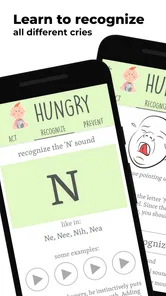
- Offers comprehensive baby language lessons
- Interactive exercises for better retention
- Regular updates with new content
Cons
- Limited free content
- Requires internet for full functionality
- Occasional app crashes
- Subscription can be pricey
- Content might be too basic for advanced users