Amazon Photos: Photo & Video
- 130.08K
- 4.7
- Installs
- 50.00M
- Price
- Free

Screenshots


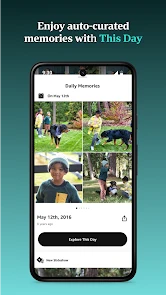
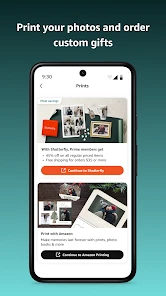
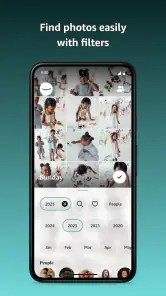

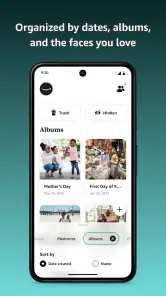
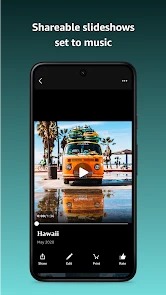
Analysis by Reviewed
Have you ever found yourself scrolling endlessly through your phone, trying to find that one picture you took last summer? Well, that's where Amazon Photos comes into play. This app not only organizes your photos but also backs them up, ensuring you never lose your precious memories. Let me walk you through my experience with it.
Getting Started with Amazon Photos
Setting up Amazon Photos is a breeze. You simply download the app from the Play Store or App Store, log in with your Amazon account, and voila! You're ready to start backing up your photos. The app automatically uploads your photos to the cloud, which means you can free up some much-needed space on your phone. And let's be real, who doesn't need more storage space?
Features that Stand Out
One of the best features of Amazon Photos is its unlimited photo storage for Prime members. Yes, you heard that right—unlimited! This is a game-changer for those of us with thousands of photos. And if you're not a Prime member, don't worry; you still get 5GB of storage for free, which isn't too shabby.
The app also has a handy search function. You can type in keywords like "beach" or "birthday," and it will pull up relevant photos. It's like having your own personal photo assistant. Plus, Amazon Photos offers a facial recognition feature. It groups photos of the same person together, making it easier than ever to find them.
User Experience
Using Amazon Photos is pretty intuitive. The interface is clean and simple, which I really appreciate. No one wants to navigate through a cluttered app, right? It also offers various ways to share your photos with friends and family, either through a shared album or a link. I found this particularly useful during the holidays when I wanted to share albums with my family across the country.
Another cool feature is the "Family Vault," where you can invite up to five family members to collaborate on an album. It's a fun way to keep everyone in the loop and share memories effortlessly.
Is It Worth It?
In my humble opinion, Amazon Photos is totally worth it, especially if you're already an Amazon Prime member. The unlimited storage alone is worth its weight in gold. Even if you're not a Prime member, the features and user-friendly interface make it a solid choice for anyone looking to back up and organize their photos.
So, if you're tired of losing photos or running out of storage on your phone, give Amazon Photos a shot. It might just become your new favorite app to keep your memories safe and sound.
Pros
- Easy backup for photos and videos
- Unlimited photo storage with Prime
- User-friendly interface
- Automatic photo organization
- Secure sharing options
Cons
- Limited video storage space
- No photo editing tools
- Requires Amazon account
- Occasional sync issues
- Limited file format support

- Category
- Photography
- Version
- Varies with device











