Amazon Shopping
- 336.16K
- 4.4
- Installs
- 500.00M
- Price
- Free

Screenshots




Analysis by Reviewed
I find Amazon Shopping most useful when I treat it as a place to research and manage a purchase, not as a shortcut that makes every decision for me. Its broad catalog makes it easy to start with a specific need, but the range also means I have to check what I am actually buying. For everyday items, that balance works well: I can search, compare, and return to a choice later without making the whole task a trip to several shops.
Where Small Shopping Tasks Get Stuck
The app is most useful when I already have a specific item in mind, but a crowded search can still make choosing harder than expected. Similar-looking products may differ in size, seller, or included accessories, so I slow down before tapping buy. I check the product details and the selected option rather than relying on the first image or title. That small pause is especially worthwhile for replacement parts, where a near match may not fit.
For a routine purchase, I might search for a household item while waiting for a bus, save a couple of plausible choices, then compare them later when I have time. That is more dependable than treating the first result as the best result. If the app seems to be showing irrelevant suggestions, I return to a precise search term and use the product page details to narrow my decision instead of browsing recommendations indefinitely.
The Latest on Amazon Shopping
Checks That Make Checkout Less Risky
Amazon Shopping is a free shopping app from Amazon Mobile LLC. It is rated Teen, and it has an average rating of 4.4 from around 4.4 million ratings, with more than 500 million installs. The current version is 30.21.0.100, and it requires Android 9 or later. Those figures suggest a widely used service, but they do not guarantee that every product, seller, or delivery experience will suit you.
Before checkout, I recommend confirming the item variation, quantity, and delivery details displayed for that order. If you use saved payment methods, check that the one selected is the one you intend to use. The app also offers in-app purchases, with listed amounts ranging from $0.99 to $149.99 per item; that is worth knowing if you are trying to keep app-related spending predictable. The app itself is free to install, but individual purchases are a separate decision.
Finding Your Way Around a Large Marketplace
One of the first things you'll notice about the Amazon Shopping app is how easy it is to navigate. The layout is clean, and everything is where you’d expect it to be. Need to find a product? Just use the search bar at the top, and voilà, a list of options appears almost instantly. The side menu is packed with useful shortcuts to your orders, wish lists, and account settings, making it super convenient to manage your shopping experience.
A Catalog That Helps, and Sometimes Overwhelms
Amazon is known for its vast range of products, and the app is no different. Whether you’re looking for the latest tech gadgets, fashion trends, or groceries, you’ll find everything neatly organized into categories. The app even suggests products based on your previous purchases, which is a neat touch if you’re in a hurry and need a quick buy.
More From Our News Desk

Clash of Clans Is Won Between the Battles

Android Auto Makes the Case for Quieter Car Software

MobiOffice: Transforming Mobile Productivity with Seamless Integration

EA SPORTS FC™ Mobile Soccer: Redefining Mobile Sports Gaming

How Microsoft OneDrive Became a Mobile Productivity Giant

How Google Translate Breaks Language Barriers Effortlessly
Comparing Options Without Losing Track
The range is a strength, but it also creates a trade-off: browsing a large marketplace can take longer than visiting a specialist shop with a narrower selection. I use the wish list as a holding place when I am not ready to decide, rather than filling my basket with near-duplicates. For something I buy repeatedly, checking the previous order can help me identify the same product again, but I still verify the listing before placing another order.
Reviews are most helpful when I read for specifics that matter to my use, not just the overall score. For example, a comment about fit, setup, or durability may answer a practical question better than a broad statement that an item is “great.” I also look for patterns across several reviews, since one shopper’s experience may not match the version or use case I have in mind. This takes a little longer, but it is a sensible counterweight to the speed of one-tap shopping.
Using Deals Without Letting Them Set the Agenda
Who doesn’t love a good bargain? The app offers exclusive deals and discounts that are updated regularly. Keep an eye on the daily deals section, and you might just score some amazing discounts. Plus, if you’re a Prime member, the deals get even sweeter with special offers and faster delivery options.
I try to decide what I need before browsing offers, rather than letting a discount create a reason to buy something. That simple order of operations makes deal browsing more useful: I can check whether an offer applies to the item I was already considering, then compare the details and final order summary. A lower displayed price is only helpful if the product, chosen option, and delivery details still fit the original need.
Recovering When a Search or Order Seems to Stall
If a search, payment, or order step does not work as expected, I avoid repeating the same tap immediately. I first check whether the item is still in my basket or whether an order appears in the orders area; that helps prevent accidentally submitting the same purchase twice. If the app is slow, returning to the relevant page or restarting the app is a reasonable basic check. I would not assume a payment failed just because the screen did not update instantly.
For a purchase that needs more thought, I treat checkout as a final review rather than a reflex. I confirm the product and its chosen options, then make sure the order summary reflects what I meant to buy. This is particularly useful when shopping on a small phone screen, where a quick scroll can leave a detail out of view. If the displayed information still seems unclear, I pause instead of guessing.
When the App Is Not the Whole Problem
Not every frustrating shopping experience is caused by the app itself. A product’s description, seller, or delivery estimate can affect the outcome, and an app cannot make a poor match into the right purchase. If an item arrives or performs differently than expected, I revisit the product details and order information to understand what I selected. For urgent, highly specialized, or fit-sensitive items, a local specialist may be a better option because I can ask questions or inspect the product before buying.
The app is a strong fit for people who want to search across many kinds of products, keep track of routine orders, and compare shopper feedback from one place. It is less appealing if you prefer buying only from a small set of specialist retailers, dislike broad recommendations, or find a large catalog tiring to sort through. Compared with a store devoted to one category, Amazon Shopping offers breadth and convenience, while a specialist can make it easier to focus on a narrower range and get tailored guidance.
Checkout and Order Follow-Through
When it’s time to check out, the process is simple and straightforward. The app securely saves your payment methods, so you don’t have to fumble around with cards every time you shop. And with a few taps, your order is placed. The app also keeps you updated on your order status, from processing to delivery, ensuring you’re always in the loop.
For a first order, I would take an extra moment to review the final screen rather than assuming a familiar product page means the details are unchanged. This is especially sensible when I have selected between sizes or other variations. After placing an order, the orders area gives me a place to check its status, which is more useful than searching my browsing history if I simply want to confirm what I bought.
Making Better Use of Shopper Feedback
Before making a purchase, I always check the reviews and ratings, and the app makes this super easy. Each product page is equipped with customer reviews that give you insights into the product quality and performance. It’s like having a mini community of shoppers guiding your decisions, which I find incredibly helpful.
For anything where compatibility matters, I use reviews as a second opinion rather than a substitute for checking the product information. A reviewer may be describing a different use, selected option, or expectation than mine. Reading comments that discuss the exact concern I have—such as whether an item fits a particular purpose—can be more valuable than scanning a long stream of general reactions. If those details remain uncertain, I would rather ask a specialist or choose a retailer that can answer directly.
Who Benefits Most From This Kind of Shopping
For an ordinary weekday example, I might notice that a basic household item is running low, search for it during a break, compare the size and reviews, and leave it saved until I can check what I already have at home. Later, I can return to the item and complete the purchase if it still looks right. That workflow is convenient without turning every suggestion into an impulse buy. I also like the app for researching options before deciding; browsing does not have to end in an order.
The app is particularly handy if you already know the kind of item you need, are comfortable checking listing details, and want a single place to revisit searches and routine purchases. It is less suited to someone who wants a salesperson to narrow down choices, needs to examine materials in person, or dislikes weighing many similar listings. In those situations, a local shop or a focused retailer may save time even if it offers fewer options.
Amazon Shopping was released on December 10, 2014, and its current Android version is 30.21.0.100. I would recommend it to someone comfortable comparing listings and wanting a broad shopping starting point. If you need expert fitting advice, want to handle a product before paying, or are buying something where a precise local service matters, I would compare with a specialist or nearby shop instead. The app is a practical option, not a substitute for every kind of retail experience.
My Practical Take
For me, the best way to use Amazon Shopping is to arrive with a purpose, verify the details, and use saved items to give myself room to decide. Its main advantage over a specialist retailer is the breadth of the marketplace and the convenience of returning to orders and saved choices. Its main trade-off is that I have to do more of the filtering myself, and a familiar interface cannot guarantee that a listing matches my needs.
In conclusion, the Amazon Shopping app is a must-have for anyone who values convenience and efficiency in their shopping experience. With its intuitive design, vast product selections, and enticing deals, it’s no wonder it has become a favorite among shoppers worldwide. Whether you’re a frequent online shopper or just someone looking to make a quick purchase, this app has got you covered. Happy shopping!
Amazon Shopping Frequently Asked Questions
Is Amazon Shopping available in my country, and will I see the same products everywhere?
Amazon Shopping is a mobile shopping app for browsing, searching, and buying products. What appears in the app can depend on the Amazon marketplace and account settings you use, so the selection and shopping experience may vary by location. Before downloading, consider whether you intend to shop through the marketplace available to you and check product details in the app before placing an order.
Do I need an Amazon account to use Amazon Shopping?
An Amazon account is useful for managing shopping activity and completing purchases through the app. You can explore products and search for items, then sign in when you want to use account-related features. If you already shop on Amazon, using the account you normally use can help keep your shopping activity together. Review the account details before confirming purchases or changing settings.
Can I use Amazon Shopping to compare products before buying?
Yes. The app is designed for browsing and searching products, and customer reviews can help you consider different options before making a decision. You can look through product information and feedback as part of your research, rather than buying immediately. Reviews reflect individual shoppers’ experiences, so read them alongside the product details and choose the option that best fits what you need.
Does Amazon Shopping let me save items I may want to buy later?
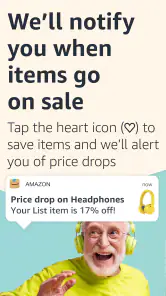
Amazon Shopping supports shopping activity through your account, making it useful for returning to items you have considered. If you are not ready to purchase, you can explore the app’s available account and shopping controls to organize your choices for later. The exact options you see may depend on the app version and your account, so check the relevant product and account screens.
How much space and what permissions should I consider before installing Amazon Shopping?
Amazon Shopping is free to download, but it still needs room on your device and may request permissions as you use particular features. Check available storage before installing, and review permission prompts on your phone so you can decide what to allow. The app is designed for browsing, searching, and buying products, so you can consider each request in the context of the feature you want to use.
Pros
- Wide range of products available.
- User-friendly interface.
- Secure payment options.
- Fast and reliable delivery.
- Easy order tracking.
Cons
- Occasional app glitches.
- High shipping costs for some items.
- Limited customer service support.
- Push notifications can be overwhelming.
- Some items have delayed delivery.
- Category
- Shopping
- Version
- 30.21.0.100