All video downloader and saver
- 29.00
- 4.0
- Installs
- 10.00M
- Price
- Free

Screenshots

Analysis by Reviewed
When I want to keep a video for a trip, a recipe, or a moment I might want to revisit, I value a straightforward route from finding it to watching it offline. All Video Downloader and Saver is built around that simple idea: it brings video saving and playback together in one Android app. Its appeal is less about editing clips and more about making a saved video easy to find and play later.
How quickly does the workflow feel?
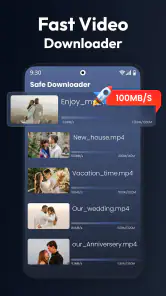
The basic routine is easy to understand: copy a video link, bring it into the app, and let the download proceed. That can feel quicker than switching between a browser, a separate downloader, and a standalone player, particularly when I already know which clip I want to keep. The app is free to install, though it also offers in-app purchases priced from $0.49 to $17.99 per item.
That simple flow should not be mistaken for a guarantee that every video will download instantly. Actual speed can depend on the connection, the source, and the size of the clip. I would start larger downloads on Wi-Fi, and check that the chosen quality is sensible before saving several videos. When storage is tight, a smaller file may be the more practical choice than the sharpest available version.
What to expect during a busy download session
A quick save and a batch of large videos are not the same kind of test. If I need several clips, I would add them in manageable groups rather than treating the phone as if it can work through an unlimited queue unnoticed. That makes it easier to see whether a particular source is causing trouble and to keep the device available for messages, navigation, or other everyday tasks. I would also avoid judging the app by a single slow download before checking whether the connection or source is the bottleneck.
For a practical routine, I would decide what I actually need offline before downloading. A short tutorial I plan to replay may justify keeping a clearer copy, while a clip I only need to reference once can be saved at a more modest quality if that option is available. This small decision helps control storage use and avoids turning the library into a pile of videos I rarely revisit.
Reliability means checking the result
With any link-based downloader, there is a difference between pasting a link and ending up with a usable file. A source can change, become unavailable, or impose its own restrictions, so I would not make an important plan around a clip until I had confirmed that it finished and played. If a download stalls, I would first check the connection and the original video, then try again when the network is steadier rather than repeatedly tapping through the same steps.
That is especially useful before a flight, a long commute, or a cooking session where I may not want to handle the phone much. Saving a clip the night before and opening it once while still online is a simple way to catch a failed or incomplete download early. I would keep the original post easy to find if the video is important, because a saved copy should be a convenience, not the only plan.
More From Our News Desk

Weather by Xiaomi Review: Clear at a Glance, Less Clear Up Close

X Under Pressure: Can It Recover When Posting Goes Wrong?

Clash of Clans Is Won Between the Battles

Android Auto Makes the Case for Quieter Car Software

MobiOffice: Transforming Mobile Productivity with Seamless Integration

EA SPORTS FC™ Mobile Soccer: Redefining Mobile Sports Gaming
Device limits and everyday trade-offs
Downloads compete for the same limited phone storage used by photos, messages, and other apps. I would check available space before collecting a batch, and remove videos once they have served their purpose. Quality is part of that decision: a sharper file can be worthwhile for small text or visual detail, but it may be wasteful for a clip watched once on a phone screen. The best setting is the one that suits the reason I am saving the video.
Older or entry-level devices can also feel more constrained when handling several large media files, even when an app meets the operating-system requirement. I would keep the workflow modest on a phone that is already short on space or busy with other tasks: save one or two clips, let them finish, and check playback before starting another group. That is more dependable than assuming that every phone will handle heavy downloading in the same way.
Where its all-in-one approach helps
As a video downloader and player in the video tools category, the app is most useful when I want fewer steps after saving a clip. Its built-in player means I can watch saved videos without immediately opening another app, and a library gives those files a place to return to. For someone who saves occasional clips for offline viewing, that combination is more convenient than using separate tools for each task.
A realistic example is saving a cooking clip while planning a meal, then opening it later in the kitchen when the connection is unreliable or I would rather not keep browsing. I would download it ahead of time, use a quality that is clear enough to follow without taking more space than necessary, and check the library before I need it. That last step matters: a download workflow is only helpful if I can locate the right clip when I want it.
Compared with the usual alternatives, this app prioritizes link-based saving and in-app playback rather than a full editing suite. If I want to trim footage, add effects, or make a polished video, a dedicated editor is a better fit. If I only need to watch a clip that is already stored on my phone, the phone’s regular gallery or video player may be enough. This app makes more sense when saving and replaying are both part of the same routine.
Exploring the Features
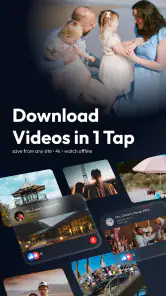
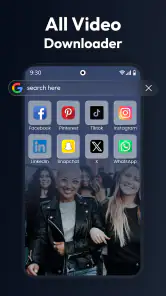
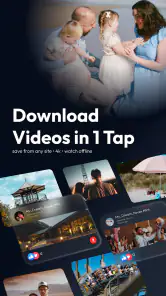
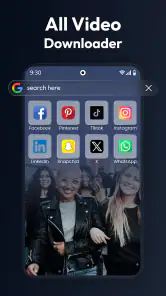
I was pretty impressed with the variety of platforms that All Video Downloader and Saver supports. From Instagram to Facebook, and even TikTok, the app covers almost all the popular social media platforms. The interface is super intuitive too. You simply copy the link to the video you want to save, paste it into the app, and voila! The download starts immediately.
User Experience
The developers have clearly put a lot of thought into the user experience. The app performs smoothly without any annoying lags or crashes. One feature that stood out to me was the ability to choose the video quality. Whether you want a quick download in lower quality to save space or a high-definition version to enjoy every detail, the choice is yours.
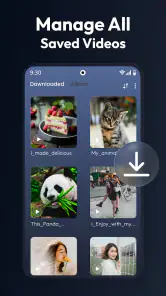
I also appreciated the built-in video player. It's like having a mini-theater right on your phone! You can watch your downloaded videos without leaving the app, which is a nice touch. Plus, organizing your saved videos is a breeze thanks to the app's easy-to-use library system.
Making downloads easier to manage
One useful habit is to treat quality as a storage decision, not just a picture-quality setting. If a clip is mainly a quick reference, a smaller version may be easier to keep; if visual detail is important, a higher-quality copy is more worthwhile. I would also save videos in small batches and check the library as I go, rather than collecting many links at once and sorting them later. That keeps the saved collection more useful and makes it easier to spot a clip that did not land where I expected.
Link-based saving also has a trade-off: the source matters. A link that is unavailable, restricted, or no longer accessible may not behave like a straightforward public clip. I would use the app for videos I am allowed to save and keep a backup plan—such as viewing the original post—when a clip is important. A downloader cannot make every source equally dependable.
Stability, device fit, and limits
In my experience, the app feels smooth for ordinary tasks, but heavy use is a different test from saving one clip. Several large downloads, high-quality files, and a crowded phone can make any media workflow feel less convenient. I would leave room in storage, avoid starting a long queue when I need the phone for something else, and reopen the library after a download to confirm the result. These are practical ways to reduce frustration, not a promise that every download will recover automatically if interrupted.
The app is made by Attractive Apps Valley and is rated for Everyone. It was released on December 23, 2024, and version 2.0.92 requires Android 7.0 or later. That makes it an Android option for a broad range of devices that meet the requirement, but it is not the right choice for someone seeking an iOS app. The app has a 4.0 average from around 14,000 ratings and more than 10 million installs, which suggests that many people have tried it, though those figures cannot tell me whether a particular source or phone will work smoothly.
Choosing it over a browser or separate player
The main convenience here is having saving and playback in one place, rather than expecting it to replace every media app on a phone. A browser is still the simplest choice when I only want to watch online, and a regular player is less work for videos I already own. I would choose this app when I have a legitimate reason to keep a link-based video and expect to watch it again offline. If those needs are rare, adding another app may not make my routine any easier.
It is also worth separating “easy to use” from “works with every source.” A familiar paste-and-save process lowers the effort of trying, but it does not remove the source’s limits. I would test a representative clip from the kind of page I actually use before relying on the app for a large collection. That gives me a realistic sense of whether its workflow suits my habits without spending time gathering links that may not work as expected.
Security and Privacy
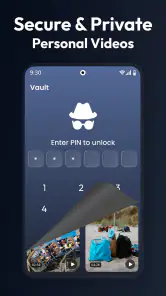
In today's digital age, you can't be too careful about security. Rest assured, All Video Downloader and Saver takes privacy seriously. The app doesn't require unnecessary permissions, and I felt comfortable knowing my data was safe. It's always a relief when an app respects user privacy, right?
One thing that I found particularly cool was that the app doesn't bombard me with ads. There's nothing more frustrating than being in the middle of something and having to deal with intrusive pop-ups. Thankfully, this app keeps things clean and user-friendly.
Who should choose it?
I would recommend this app to Android users who regularly save social video links, want a built-in way to replay downloads, and are comfortable checking quality and storage themselves. It is less suitable if you need advanced editing, want a player only, or expect every online video to download regardless of its source. Before relying on a clip for travel or a task, I would save it while connected to a stable network and test playback in the app; that small check is more useful than assuming the link alone guarantees an offline copy.
It should also suit someone who has a clear purpose for saved clips: a reference they revisit, a tutorial to follow away from a strong connection, or a video they want to keep accessible without reopening a social feed. I would skip it if I rarely save online videos, am already happy with a browser and gallery, or need a tool to edit and publish finished work. Its value depends on whether the saving step is a recurring need, not merely on having a download button available.
Final Thoughts
All in all, my experience with All Video Downloader and Saver was nothing short of fantastic. It does exactly what it promises and does it well. If you're someone who loves to save videos for offline viewing, I highly recommend giving this app a try. It's reliable, easy to use, and it gets the job done without any fuss.
So, next time you're browsing through your favorite social media app and see a video you just have to keep, remember that All Video Downloader and Saver has got your back. Happy downloading!
All video downloader and saver Frequently Asked Questions
Can I use All Video Downloader and Saver without creating an account?
If you prefer to keep your setup simple, check the app’s first screens after installation to see what is required before you can use its downloader and player. Its short description focuses on one-tap downloading, playback, and sharing, but account requirements can vary by app workflow. Before saving content, review any prompts and permissions so you understand what the app asks you to provide.
What permissions might All Video Downloader and Saver need on my phone?
A video downloader and player may need access to storage so it can save files and play videos stored on your device. Permission prompts can differ depending on your phone and operating-system settings. Review each request when it appears, and allow only the access needed for the features you want to use. You can also check your device’s app settings later to manage permissions.
Can I watch saved videos offline with All Video Downloader and Saver?
The app is intended to download and save videos, and its description also highlights playback. Once a video has been saved successfully to your device, you can use the app’s player to watch it without relying on a streaming connection, subject to the file being available locally. Remember that downloading and keeping a video should follow the source platform’s rules and the rights holder’s permissions.
Does All Video Downloader and Saver work on every Android phone?
The app requires Android 7.0 or later, so a phone running an older version may not be compatible. Meeting that minimum does not guarantee an identical experience on every device, since available storage and device settings can also affect use. Before installing, check your Android version and make sure you have enough room for the app and the videos you expect to save.
Is All Video Downloader and Saver suitable for children?
The app has an Everyone content rating, which indicates that it is categorized for a general audience. It is a video downloading and playback tool, so families may still want to discuss what content is appropriate and how video-sharing features should be used. Children should follow household rules and respect copyright and platform policies when saving or sharing videos.
Pros
- Supports multiple video formats efficiently
- Fast download speeds for large files
- User-friendly interface and easy navigation
- Allows batch downloads without glitches
- Includes a built-in video player
Cons
- May contain intrusive ads
- Limited support for some streaming sites
- Occasional download errors
- No option for automatic updates
- Requires in-app purchases for premium features
- Category
- Video Players & Editors
- Version
- 2.0.92