Roku Tv Remote Control
- 220.00
- 3.9
- Installs
- 1.00M
- Price
- Free
Screenshots
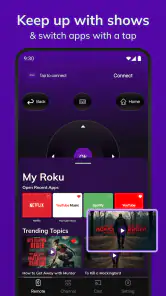
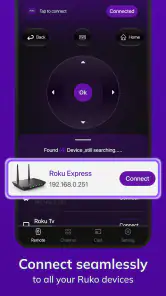
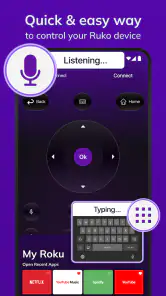
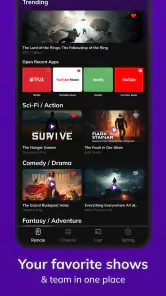
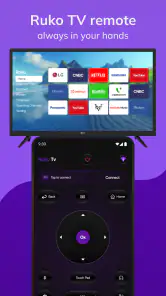
Analysis by Reviewed
I usually install a phone remote app for one reason: the physical remote has disappeared at the exact moment I want to watch something. Roku Tv Remote Control, made by Attractive Apps Valley, is aimed at that familiar problem. It is a free tools app for Android that turns a compatible phone into a Roku TV controller, and its main promise is speed rather than a long list of extras. In my experience, that focus makes the first few days appealing, but the more important question is whether it becomes a dependable household habit after the novelty wears off.
The app has reached over a million installs and holds a 3.9 average from around two thousand ratings, so it is clearly being used beyond a handful of curious testers. It is also rated for Everyone, which makes the basic idea approachable for families. Still, popularity alone does not tell me whether it deserves a permanent place on my phone. For that, I look at connection reliability, everyday convenience, interruptions, and how much attention the app demands compared with the regular Roku remote.
What using the remote feels like in the first week
The first useful moment comes when the physical controller is missing. Instead of searching under cushions or checking another room, I can open the app and try to connect the phone to the television. The store summary says it connects in seconds, and that is the right expectation to set: this is designed as a quick replacement tool, not as a full media-management system.
That simplicity is a strength during the first week. I do not need to learn a complicated interface before trying basic television control. The app’s purpose is immediately clear, which matters when I am standing in front of the screen rather than calmly exploring settings. If someone in the household regularly misplaces the Roku remote, having a phone-based backup can remove a surprisingly annoying interruption from the evening.
I also see value in the phone being a device people already keep nearby. A physical remote can be trapped beneath a blanket, left beside a different television, or taken by another family member. A smartphone is more likely to be in my hand, on a desk, or charging close by. That does not make the app better than a real remote for every task, but it gives it a practical role as an emergency controller and a shared backup.
One useful habit is to test the connection before the remote is urgently needed. I would open the app while the Roku TV is on, check that the intended television is selected, and then close it. That small check can reveal a problem while I still have time to find the physical controller. It also prevents the common mistake of assuming that installing a remote app automatically means the phone is ready to control every Roku device nearby.
The first-week appeal is strongest for people who use one compatible Roku TV in a stable home setup. It is less convincing for someone who expects the phone to behave exactly like a dedicated controller in every situation. A phone screen can lock, notifications can interrupt, and the device may be in use for something else. The app solves the missing-remote problem, but it does not remove the ordinary inconveniences of using a phone as a remote.
More From Our News Desk

Weather by Xiaomi Review: Clear at a Glance, Less Clear Up Close

X Under Pressure: Can It Recover When Posting Goes Wrong?

Clash of Clans Is Won Between the Battles

Android Auto Makes the Case for Quieter Car Software

MobiOffice: Transforming Mobile Productivity with Seamless Integration

EA SPORTS FC™ Mobile Soccer: Redefining Mobile Sports Gaming
Where the phone replacement is genuinely useful
A realistic example is a family movie night. The physical remote is nowhere in sight, the television is already on, and one person has a phone nearby. In that situation, the app can be more useful than waiting for someone to search the house. It can also help when a guest needs basic control but nobody wants to hand over the only physical remote.
Another good use is as a temporary replacement while a damaged or lost controller is being sorted out. I would not install it only for occasional curiosity, but I would keep it available if the household repeatedly loses the remote. The app earns its space when it prevents a recurring nuisance rather than when it is opened once and forgotten.
There is a less obvious benefit for people who move between rooms or rearrange their living space. A phone remote avoids having to remember which physical controller belongs to which television. However, that advantage depends on selecting the correct device carefully. If several Roku TVs are within reach, a quick glance at the selected device becomes part of the routine, especially before changing channels or stopping someone else’s program.
Connection expectations and the first troubleshooting steps
When the app does not connect immediately, I would start with the simple checks rather than repeatedly tapping the same control. The phone and Roku TV should be on the same home network, and the television should be powered on and ready to respond. I would also confirm that I am trying to control the intended screen, particularly in a home with more than one Roku device.
Restarting the app can be a sensible next step if the device list looks stale. If that does not help, checking the phone’s network connection and waking the television before trying again is more productive than blaming the interface. These are not glamorous steps, but they are the kind of small routines that determine whether a remote app feels dependable.
The important trade-off is that a physical remote is usually ready without this setup thinking. The phone version depends on the phone being charged, unlocked, nearby, and connected properly. That difference is easy to overlook during the first enthusiastic week, when the convenience of having a remote on a screen feels more important than the preparation behind it.
Whether it keeps earning space after the novelty fades
After the first month, I would judge this app less by how clever it feels and more by whether I still reach for it naturally. Its recurring value comes from being available at the right moment. If the household loses the physical remote often, the app can become a quiet safety net. If the physical controller is always beside the sofa, the phone app may gradually become unused storage.
The free entry point helps with that decision because I can try the basic experience without paying upfront. However, the app includes in-app purchases ranging from around nine dollars to around forty dollars per item. That makes it important to separate the usefulness of the free installation from the value of any optional purchase. I would not spend money simply because the app is convenient during one emergency; I would first see whether it remains part of my routine over several weeks.
For month-to-month use, I prefer to keep the app as a backup rather than treating it as my only controller. That approach reduces frustration. The physical remote remains faster for repeated viewing sessions, while the phone app is there when the controller is missing, out of reach, or being used by someone else. In other words, its lasting value is strongest as redundancy.
That may sound less exciting than replacing the physical remote completely, but it is more realistic. A phone is a multipurpose device, and opening a remote app adds a step to an action that dedicated hardware handles instantly. The app becomes worthwhile when that extra step is smaller than the inconvenience it prevents.
There is also a maintenance question. I would keep the app’s current version, 7.4, installed only if it continues to work comfortably with my setup. When an app is used as a backup, I do not want to discover during an urgent moment that it needs attention. Opening it occasionally is enough to keep the workflow familiar and to make sure I remember which television it is meant to control.
Small routines that improve long-term usefulness
My most practical tip is to place the app where it can be found quickly, rather than burying it in a folder with unrelated tools. A remote replacement has value only when it is faster to open than it is to search for the physical controller. A home-screen shortcut or a clearly named folder can make a bigger difference than any extra customization.
I would also avoid leaving the app open unnecessarily. Once the viewing session is finished, closing it helps keep the phone available for normal tasks and avoids turning a simple controller into another background habit. The app should be easy to reach, not constantly demanding attention.
For a shared home, I would agree on one simple rule: check the television name before sending a command when multiple Roku devices are present. That prevents accidental control of the wrong screen and is especially useful when family members use different phones. This is a small but important distinction between a remote that is merely installed and one that is used responsibly.
Another useful workflow is to keep the physical remote in a predictable place even while using the app. If the phone becomes unavailable, someone else can still take over. Relying entirely on one person’s smartphone creates a new household dependency, which defeats part of the convenience that made the app attractive in the first place.
Where fatigue begins
The biggest source of fatigue is not the idea itself; it is the repeated friction around a phone. A physical remote is a single-purpose object. A phone may be locked, low on battery, receiving messages, or needed for a call. Every interruption makes the app feel less like a replacement and more like a workaround.
I also would not choose this kind of tool for someone who dislikes using a touchscreen for basic controls. Physical buttons provide tactile feedback, and many people can operate them without looking. A phone remote asks me to pay attention to the screen, which can be slower when I am already comfortable with the dedicated Roku controller.
Another limitation is household consistency. If several people use the television, the app is only useful when they know where it is, understand which device to select, and have a compatible phone available. A physical remote is easier to share because it does not belong to one person. For a family that values immediate handoff, the usual hardware remains the better default.
The purchase structure can also affect long-term comfort. Since optional items can cost from around nine dollars up to around forty dollars each, I would examine any purchase screen carefully and decide whether the added value matches my actual usage. A free remote that solves an occasional problem may be enough. Someone who wants a more permanent replacement should compare that possible spending with the cost and simplicity of obtaining a dedicated Roku controller.
The app is not the right choice for a user who expects universal television control. Its identity is specifically tied to Roku TV use, so it should not be treated as a general remote for every brand or device in the room. If my home entertainment setup includes several unrelated systems, a broader solution may be more practical, even if it is less focused.
How it compares with the usual alternatives
Compared with the standard Roku remote, this app wins on availability. I cannot misplace a phone in quite the same way I misplace a small controller, and I can use the device already in my pocket. The physical remote wins on immediacy, battery independence from the phone, tactile operation, and easy sharing.
Compared with buying a replacement controller, the app is quicker to try and free to install. That makes it a sensible first response when the remote has vanished temporarily. A replacement controller is the stronger long-term choice if the original is permanently gone and the television is used frequently by several people. Hardware removes the need to unlock a phone and avoids the question of optional in-app purchases.
Compared with a generic universal remote app, this focused Roku tool has a clearer purpose. I would prefer a dedicated Roku solution when Roku TV is the only target and I want fewer unrelated controls. A universal alternative becomes more attractive when I need one app for multiple brands, but that broader coverage can also make setup and daily use less direct.
The choice therefore depends on the problem I am actually solving. If I need a backup for a Roku TV, this app has a convincing role. If I need a permanent, shared, button-based controller, the conventional remote remains more comfortable. If I need to operate several kinds of equipment, a different tool may save more effort overall.
Who should install it and who should skip it
I would recommend trying it to Roku TV owners who frequently lose the physical controller, share a television with people who keep their phones nearby, or want a quick backup before buying replacement hardware. It is also a reasonable option for someone who prefers keeping fewer dedicated accessories around and does not mind using a touchscreen for basic control.
I would skip it if the physical remote is always available and I strongly prefer buttons. I would also skip it as a primary solution for a busy shared household where the phone owner is not always present. In that setting, the app may solve one person’s problem while creating another when everyone needs access to the television.
For older relatives or children, the Everyone rating makes the app broadly approachable, but age suitability does not guarantee that the phone interface will be comfortable. I would test it with the actual person who will use it, paying attention to whether device selection and touchscreen controls feel clear. A simple app can still be inconvenient if the user is more comfortable with a physical remote.
My long-term verdict
The lasting value here comes from reliability as a backup, not from replacing every reason to own a physical remote. In my view, Roku Tv Remote Control is useful when it removes a recurring household annoyance. It is easy to understand, free to try, and specific enough to make sense for Roku TV owners. Its broad install base and 3.9 average suggest that many people find the concept worthwhile, while the rating also encourages realistic expectations rather than blind enthusiasm.
After the first-week novelty fades, I would keep it installed if I had already used it successfully during a missing-remote moment or if my household regularly misplaces the controller. I would not force it into daily use when the physical remote is more comfortable. The best arrangement is often to let each tool do what it does well: hardware for effortless everyday control, and the phone app for recovery, convenience, and those moments when the remote has disappeared again.
Attractive Apps Valley has made a focused tools app rather than an all-purpose entertainment hub, and that focus is its clearest advantage. Version 7.4 supports a straightforward trial on Android devices running Android 7.0 or later. My recommendation is to install it, test the connection before you need it, and observe whether it solves a repeated problem over the next few weeks. If it becomes part of your normal backup routine, it has earned its place. If not, the usual Roku remote will probably remain the less tiring choice.
Roku Tv Remote Control Frequently Asked Questions
Is Roku TV Remote Control free to download, and are there optional purchases?
Roku TV Remote Control is free to download, so you can try the app without paying upfront. It also offers in-app purchases, with listed items ranging from $8.99 to $39.99. Check the purchase details in the app before confirming anything, especially if you only want basic remote functions. The app is rated for Everyone, but purchases may still require the account holder’s approval.
What is Roku TV Remote Control, and how does it work?
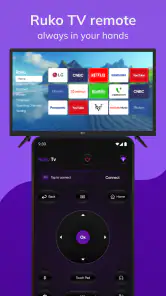
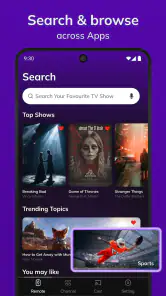
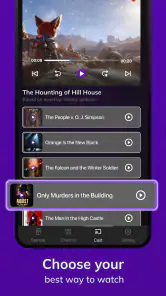
Roku TV Remote Control is a mobile application designed to control compatible Roku streaming players and Roku TV devices from an Android or iOS smartphone. After installing it, your phone generally needs to be connected to the same Wi-Fi network as the Roku device. Once detected, the app can provide navigation buttons, playback controls, volume adjustment, keyboard input, and access to Roku channels.
Is Roku TV Remote Control compatible with every Roku device?
Compatibility depends on the specific application and your Roku hardware. Most official Roku mobile features work with current Roku streaming players, Roku TVs, and some older supported models, but certain third-party remote apps may support fewer devices. Before downloading, check the app listing, your Roku model, and the required operating-system version. Some advanced functions may also vary between Roku TV brands.
Does Roku TV Remote Control require Wi-Fi, Bluetooth, or an internet connection?
In most cases, the phone and Roku device must be connected to the same local Wi-Fi network for the remote to function. Bluetooth is not normally required for standard navigation. Internet access may be needed for streaming content, account features, advertisements, or initial setup, but the basic remote controls can often work over the local network. Public, guest, or isolated Wi-Fi networks may prevent device discovery.
Can I use Roku TV Remote Control to change channels, adjust volume, and enter text?
The available controls depend on whether you are using a Roku TV or a Roku streaming player. With a compatible Roku TV, the app may offer volume, mute, power, and input controls, while streaming players usually provide navigation and playback functions only. Many versions also include a phone keyboard, which makes searching for movies, shows, and channels considerably easier than using the physical Roku remote.
Pros
- Quickly pairs with Roku devices on the same Wi‑Fi network.
- Includes a convenient keyboard for faster text entry.
- Supports private listening with compatible headphones.
- Makes switching between multiple Roku devices simple.
- Offers direct access to popular streaming channels.
Cons
- Requires both the phone and Roku device to share a Wi‑Fi network.
- Some features may vary depending on the Roku model.
- Voice control may be unavailable on certain devices or regions.
- The app can consume noticeable battery during extended use.
- Ads or promotional content may appear in the free remote app.
- Category
- Tools
- Version
- 7.4









