AirPlay
- 1.23K
- 4.4
- Installs
- 1.00M
- Price
- Free
Screenshots
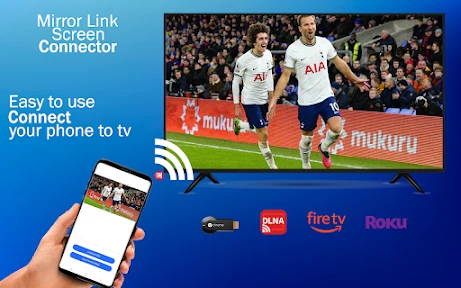
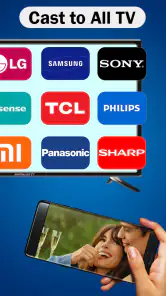
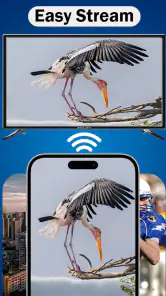
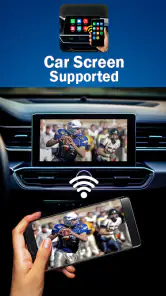
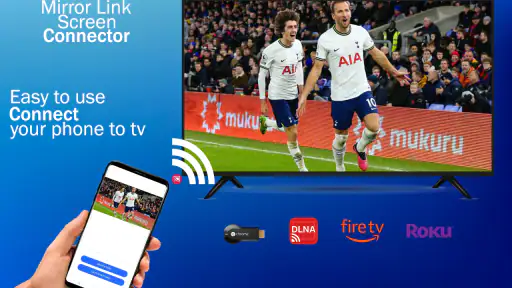
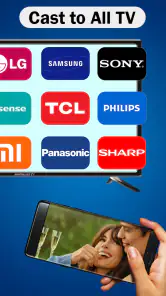
Analysis by Reviewed
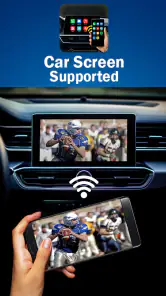
Before relying on AirPlay for a movie night or a presentation, I’d first check that the app or feature matches the device I’m trying to connect. The name can refer to Apple’s wireless media-sharing technology, but this Android app is listed in the Libraries & Demo category and is described as a way to connect an Android phone to a car’s infotainment screen. That distinction matters: someone looking for a tool to mirror an iPhone to a television may be thinking of a different use entirely. I would start by confirming the intended connection rather than assuming the name tells the whole story.
Where the connection can get confusing
In my view, the biggest source of friction is the gap between familiar AirPlay expectations and the app’s Android-to-car focus. If you install it hoping to send a phone’s display to an Apple TV, a speaker, or a smart TV, you may find that your goal does not match what this app is meant to do. It is better suited to someone exploring a phone-to-car connection, and even then the car’s infotainment system needs to be compatible with the approach being used.
That makes this a product I would approach with a specific question in mind: “Can my Android phone connect to this particular car screen through this app?” It is less useful as a general wireless-streaming solution for every screen in the house. Before spending time troubleshooting, identify the exact phone, car display, and connection method you want to use. That small check can prevent a frustrating loop of tapping around while expecting a different kind of mirroring.
Simple checks before trying again
I’d begin with the basics: make sure the app is installed on the Android phone you want to use, open it, and follow the connection guidance it presents. Check that the car is in a state where its infotainment system can accept a phone connection, then look for the relevant phone-link or mirroring option on the display. If the app and the car show different names for the same connection, take a moment to compare what each screen is asking you to do instead of repeatedly selecting the first available option.
It also helps to test while parked, with the phone unlocked and close at hand. That gives you room to read prompts and respond without dividing attention with the road. If a connection attempt stalls, I would close and reopen the app, check that the infotainment display has not returned to its home screen, and retry from the beginning. These are ordinary recovery steps, not a guarantee that every phone and car combination will work.
When comparing cars, remember that a successful phone connection in one vehicle does not prove the same setup will work in another. Infotainment systems vary, and a phone may offer a different set of options depending on the display. If you are choosing between this app and a built-in phone integration or another mirroring method, I would favor the option your car explicitly supports. That is usually the least confusing route for everyday driving.
Setting Up AirPlay: A Breeze
Getting started with AirPlay is surprisingly easy. The feature is built right into iOS and macOS, so there's no need for any additional downloads. All you need is an Apple device and a compatible TV or a speaker. To connect, just look for the AirPlay icon and tap it. Voila! Your device is now ready to share its screen or audio. It's this simplicity that makes it so appealing. You don't have to be a tech guru to get it up and running.
Compatibility and Connectivity
One of the standout features of AirPlay is its wide compatibility. It works with most Apple devices, including the iPhone, iPad, Mac, and even the Apple Watch, although you might not be streaming video from your wrist anytime soon. A variety of smart TVs also support AirPlay, which expands its usability significantly.
When it comes to connectivity, AirPlay is known for its reliable performance. The connection is stable, and the quality of the stream is excellent, ensuring that your videos don't stutter, and your music doesn't skip. This is especially important for those who use AirPlay for professional presentations or important family movie nights.
Making it work in everyday routines
The most useful test for someone considering an Android-to-car app is not a perfect showroom demonstration; it is a repeatable trip-preparation routine. I would try connecting before leaving, while parked, and note which screen on the phone and which menu on the car are involved. If the setup works, repeating those same steps next time is more dependable than searching through menus while in a hurry. If it does not, that early test gives you time to decide whether the car’s own phone-link option is the better fit.
For example, imagine getting into the car before a familiar commute and wanting the phone’s supported content available on the dashboard. I would launch the app and confirm the display recognizes the phone before pulling away. If it does not connect promptly, I would use the car’s standard controls and postpone troubleshooting until parked. This is a practical trade-off: a few minutes of setup can be worthwhile, but no mirroring feature should become a distraction once the car is moving.
There is also a useful distinction between mirroring a phone and using an app made for the car’s display. Mirroring can make familiar phone content visible, while a car’s native interface may be simpler to operate and better suited to driving. I would choose the native option for routine navigation or controls when it is available, and treat screen sharing as a specific convenience rather than a replacement for every dashboard function.
When the app may not be the cause
If the display does not appear, I would avoid immediately concluding that the app is broken. The car might not be in its phone-connection mode, the selected input could be wrong, or the phone and display may not support the same connection path. A quick way to narrow this down is to check whether the car detects the phone at all, then retry after reopening the app. If the car never offers a matching connection option, repeated attempts inside the app are unlikely to solve that compatibility mismatch.
Likewise, if a connection starts and then drops, I would note when it happens: before the car changes screens, after the phone locks, or only in one particular vehicle. That observation is more useful than repeating the same tap sequence without a plan. Test one change at a time, such as returning the car display to its connection menu, so you can tell whether the issue follows the phone, the vehicle, or the setup steps.
Choosing it for the right job
AirPlay is a free app from Boss Inc in the Libraries & Demo category. It has an average rating of 4.4 from around nineteen thousand ratings, and more than one million installs. It is rated for Everyone, first appeared on May 27, 2018, and its current version is 160.0, with Android 7.0 as the minimum system requirement. Those details make it easy to see why curious users may try it, but popularity alone cannot establish whether a particular car and phone will connect successfully.
I would recommend trying it if you use Android and want to investigate a phone-to-car infotainment connection, especially if you are comfortable checking compatibility and testing while parked. It is a weaker choice if your real goal is Apple-device streaming to a television or speaker, or if you need a guaranteed connection for an important trip. In those situations, the car maker’s supported phone integration or the receiving device’s own built-in option is a more sensible first choice.
As a general alternative comparison, built-in phone integration is usually the more straightforward route when the car explicitly supports it, while a mirroring app can be worth exploring when you have a specific compatible setup in mind. A separate screen-sharing method may suit home entertainment better than a car-focused workflow. I would not treat all these options as interchangeable: the right choice depends on whether you want dashboard access, a television display, or audio playback, and on what the receiving device actually accepts.
Experience and Usability
Using AirPlay feels like second nature once you've tried it. The interface is incredibly user-friendly, and the integration with Apple’s ecosystem is flawless. You can control everything from your device, which means you can pause, play, or adjust the volume without having to get up from your cozy spot on the couch. It's the little things that make the overall experience so delightful.
Moreover, AirPlay also supports multi-room audio, allowing you to play different songs in different rooms or the same song throughout your entire home. This feature is perfect for parties or when you just want to keep the music going as you move around.
What I would expect before installing
A common practical question is whether this is the right app for a particular Android phone. Its stated minimum is Android 7.0, so I would check the phone’s software version before installing. Meeting that requirement is only a starting point, though; it does not mean every car screen will accept the same connection. I would also decide in advance what I need to see on the display, because a successful link does not automatically make every phone app appropriate or convenient to use while driving.
Another reasonable question is whether to use this instead of the car’s regular phone connection. If the vehicle already provides a supported way to connect the Android phone and that method covers your needs, I would start there. This app makes more sense as something to test when its particular connection approach fits your setup, not as a reason to abandon a working built-in option. Keeping the fallback available is especially useful if you rely on the car for a time-sensitive journey.
For someone deciding whether to try it, I would weigh the low commitment of a free app against the time required to test compatibility. The best test is a short, parked trial with the exact phone and car you plan to use. Check whether the display recognizes the phone, whether the prompts are understandable, and whether reconnecting feels manageable. If those steps are awkward on the first attempt, that is valuable information about the fit, not a personal failure to operate the app.
Final Thoughts
In conclusion, AirPlay is more than just a feature; it's a must-have for any Apple enthusiast looking to enhance their media consumption experience. Whether you're streaming your favorite Netflix series or sharing photos from your latest adventure, AirPlay makes it easy and enjoyable. Its seamless integration, ease of use, and reliable performance make it a standout in the world of wireless streaming. So go ahead, give AirPlay a try, and transform the way you enjoy media at home.
My practical verdict is more cautious for the Android app bearing this name: it is worth exploring when your goal is to connect an Android phone with a car infotainment screen, but I would verify the match before counting on it. The key question is not whether wireless sharing is appealing; it is whether your exact car and phone support the same route. Try it while parked, keep the car’s normal connection method as a fallback, and choose a different option when your real aim is home streaming or a dependable dashboard workflow. That is the most honest way to decide whether it belongs in your setup.
AirPlay Frequently Asked Questions
Does the AirPlay app connect an Android phone to a car screen, or does it stream media to a TV?
The app’s stated purpose is MirrorLink for connecting an Android phone to a car’s infotainment screen. That is different from Apple’s AirPlay wireless streaming technology, which is commonly used to send content from Apple devices to compatible TVs, speakers, or other receivers. Before installing, consider which use you need: the app’s description points to Android-to-car-screen connectivity.
Will I need a compatible car infotainment system to use AirPlay?
The app is described as MirrorLink for connecting an Android phone to a car’s infotainment screen, so a compatible in-car system is relevant to its intended use. Check that your car’s screen supports the connection method you plan to use and that your phone can connect to it. The app’s name may suggest Apple’s AirPlay, but its stated purpose is different.
Is AirPlay free to download, and what should I know about the app before installing it?
AirPlay is listed as a free app in the Libraries & Demo category, and its short description is simply “AirPlay.” The developer is Boss Inc. Its store summary describes it as MirrorLink for connecting an Android phone to a car’s infotainment screen, so check that this matches what you want before downloading. The app is rated for Everyone.
What is AirPlay and how does it work?
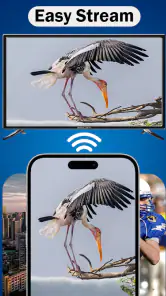
AirPlay is a wireless streaming technology developed by Apple that allows you to stream audio, video, and other content from Apple devices to compatible receivers like Apple TV, smart TVs, and speakers. It works over Wi-Fi, enabling users to mirror their device's screen or simply play media through connected devices effortlessly.
Which devices are compatible with AirPlay?
AirPlay is compatible with a range of Apple devices including iPhones, iPads, iPod Touch, and Mac computers. It also supports streaming to Apple TV, AirPlay-compatible smart TVs, and speakers. Recent updates allow some non-Apple devices to support AirPlay 2, enhancing its versatility across different platforms.
Pros
- Seamlessly stream video and audio.
- Easy integration with iOS devices.
- Supports multiple device connections.
- High-quality streaming without lag.
- User-friendly interface.
Cons
- Limited to Apple ecosystem.
- Requires stable Wi-Fi connection.
- Not available on Android devices.
- Some features need a subscription.
- Occasional connectivity issues.
- Category
- Libraries & Demo
- Version
- 160.0