Woodsense: Wood Plans & Guides
- 27.00
- 4.4
- Installs
- 100.00K
- Price
- Free

Screenshots

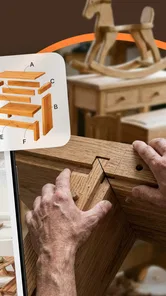
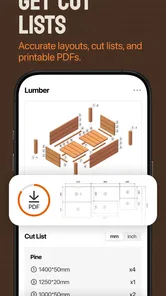


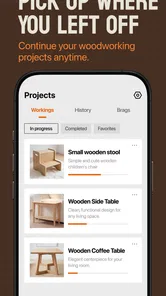
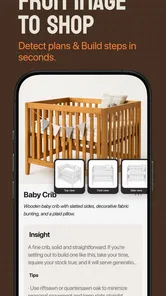
Analysis by Reviewed
I approach a woodworking guide differently from a general DIY app: the useful test is whether it helps me make a sound choice before I cut, then keeps the steps easy to follow when my hands are busy. Woodsense: Wood Plans & Guides is aimed at that practical space, pairing wood identification with step-by-step project videos for home, backyard, and workshop jobs. I’d treat it as a visual companion for planning and learning, not as a replacement for careful measuring, safe tool use, or a reliable building plan.
From choosing wood to following a project
I use the wood-identification step to frame the question, not to make the whole decision: what do I know about this board, and what still needs checking before I choose a project? From there, I’d preview the demonstration and note any steps that call for exact details. That gives me a practical starting point and sets up a closer look at the viewing and setup choices that can make the process smoother.
A useful baseline for a first project
My simplest workflow would start with the material rather than the project. If I have a board already in the garage, I’d use the wood-identification side to help narrow down what I’m looking at, then consider whether it suits the job. That is a sensible first check before committing a board to a shelf, planter, or repair. Identification is a starting point, though: appearance alone can be misleading, and the app shouldn’t be treated as a substitute for checking a board’s condition, dimensions, or suitability for a particular load or environment.
Once I know what I’m working with, I’d move to a relevant project video and watch it through before gathering tools. That first viewing matters. It gives me a chance to understand the order of operations and notice whether the project looks appropriate for my skill level, available space, and equipment. On a second pass, I’d pause at each major stage and write down the measurements or materials I need to verify. Video is helpful for seeing how a task unfolds, but it is easy to miss a small detail when trying to follow along in real time.
A realistic use would be planning a weekend backyard project after discovering a few spare boards in the shed. I’d use the guide to explore an appropriate build, check the sequence, and make a short shopping list before heading to the hardware store. If the video leaves a measurement unclear, I would not guess: I’d consult a complete plan or another dependable reference before cutting. That small habit turns a useful demonstration into a safer, less wasteful workflow.
The app is a Books & Reference tool from Next Vision Limited, and its focus is narrower than a broad home-improvement library. That focus is a benefit when I want wood-related guidance without sorting through unrelated renovation topics. It also means the experience is most valuable to someone who already has a concrete question—what might this wood be, or how does this kind of project proceed?—rather than someone looking for an all-purpose workshop course.
Settings and setup worth checking
Before relying on any project guide, I’d check the app’s available settings and the device setup that affects viewing. In particular, I’d make sure text and video are comfortable to use in the space where I plan to work, and that I can return to the relevant guide without fumbling around. I’m not assuming Woodsense has particular playback controls or saved-project tools; the practical point is to learn what the current version actually offers before building a routine around it.
More From Our News Desk

Weather by Xiaomi Review: Clear at a Glance, Less Clear Up Close

X Under Pressure: Can It Recover When Posting Goes Wrong?

Clash of Clans Is Won Between the Battles

Android Auto Makes the Case for Quieter Car Software

MobiOffice: Transforming Mobile Productivity with Seamless Integration

EA SPORTS FC™ Mobile Soccer: Redefining Mobile Sports Gaming
For a workshop session, I’d also decide in advance whether I’m using the phone as a quick reference or watching a longer demonstration. A phone placed safely away from dust, glue, and cutting surfaces is more useful than one balanced beside a tool. If I need to revisit a step, I’d stop the work, clean my hands, and check the screen rather than trying to operate it while handling material. That is a simple habit, but it keeps a video guide from becoming a distraction at the wrong moment.
Compatibility is worth checking before installing: Woodsense requires Android 9 or later. The app is free to download, with in-app purchases listed at $39.99 per item, so I’d look carefully at any purchase prompt and confirm what it covers before paying. The free entry point makes it easy to assess whether the wood-reference and video approach fits my needs, while the item-based purchase detail is a reason to be deliberate rather than assume every piece of content is included.
Its age rating is Everyone, which makes the app broadly accessible as a reference, but that should not be confused with a safety guarantee. Woodworking involves sharp tools, dust, and sometimes heavy materials. I would still judge each project against my own experience and follow the safety guidance that applies to the equipment I’m using. A beginner should feel free to pause, ask for help, or choose a simpler project instead of treating a polished video as proof that a task is easy.
Repeatable habits that save time
The best way I can see to get more from Woodsense is to use the same small routine each time. First, identify the question I’m trying to answer. Second, inspect the wood or project context. Third, watch the relevant demonstration before starting. Finally, note the steps that require exact measurements, special materials, or tools I don’t own. This prevents aimless browsing and makes it easier to decide whether I can complete the job now or should plan it for another day.
A second helpful pattern is to separate learning from execution. I’d watch the video once without stopping, then replay only the sections that clarify a technique or sequence. During the actual build, I’d refer back to the guide at natural stopping points—before assembly, for example, rather than while holding two pieces in place. This is especially useful for a home project where interruptions are likely. It also reduces the temptation to rush because the next step is visible on screen.
For wood identification, I’d compare more than one clue instead of making a decision from color alone. Grain, texture, visible defects, and the board’s known source can all affect how confident I feel. If the identification remains uncertain, I’d treat the result as a lead and choose a project that does not depend on a precise species match, or seek another reference. That cautious approach is more useful than forcing a definite answer when the material itself is ambiguous.
Woodsense has reached over 100,000 installs, with a 4.4 average from 926 ratings. Those figures suggest it has found an audience, but they don’t tell me whether a particular guide matches my tools or standards. I’d use other people’s overall response as a reason to take a look, not as a substitute for checking the actual instructions against the job in front of me.
The current version is 1.0.0, so I’d keep expectations grounded and judge it on the specific tasks it handles well. A focused app can still be worthwhile at an early version if its core references and videos help me make better decisions. I would not build a complicated project around an assumption that the app contains every detail I need; I’d use it as one part of a repeatable process, with a full plan or specialist guidance available for work where precision matters.
Where the format has limits
Video has a clear advantage over a paragraph when a technique is easier to understand by watching someone perform it. It can show the order and general motion of a task, which is valuable when I’m new to a kind of build. But a video can also make a project look more straightforward than it feels in a cramped workspace, with imperfect lumber or tools that differ from those shown. I’d pay attention to the difference between seeing a process and having enough detail to reproduce it accurately.
That is where Woodsense differs from a traditional woodworking book or a carefully dimensioned plan. A book may be easier to annotate and revisit, while a detailed drawing can make measurements and joinery choices clearer than a demonstration alone. A general video platform, meanwhile, offers a wider range of creators and techniques, but often leaves the viewer to judge consistency and find trustworthy explanations. Woodsense’s appeal is its combination of wood reference and project-led video guidance; its trade-off is that a focused video resource may not answer every technical question.
I’d be cautious about using a short visual explanation for structural work, outdoor builds exposed to weather, or projects where a wrong cut could waste expensive material. For those, I’d want exact dimensions, appropriate material specifications, and a plan that accounts for the intended use. The app can help me explore and understand a project, but I would not infer engineering details from a general demonstration or treat wood identification as a guarantee of strength or durability.
There is also a practical difference between browsing on a couch and working at a bench. At home, the videos can help me decide whether a project is worth attempting. In the workshop, repeated screen checks can interrupt concentration and expose a device to dust or accidental damage. I’d prepare notes beforehand and consult the app only at safe pauses. Anyone who prefers printed instructions or needs detailed diagrams beside every step may be better served by a plan-based reference.
Who will get the most from it
I’d recommend Woodsense to curious DIYers who want a visual introduction to wood and approachable projects, especially people who are comfortable learning by watching. It should also suit a homeowner who occasionally handles small repairs or backyard builds and wants a wood-focused starting point rather than a broad catalogue of household advice. The strongest use case is not replacing expertise; it is helping me frame a project, understand its sequence, and identify what I should check before I begin.
It is less suitable for someone who expects professional-grade plans for every build, needs comprehensive technical specifications, or wants a complete woodworking curriculum. Experienced makers may find the videos useful as quick refreshers, but they should not assume the app will match their preferred methods or cover advanced joinery in the depth they need. If I were tackling a high-stakes or unusually precise project, I’d choose a detailed plan, a trusted book, or advice from an experienced woodworker and use this app only as supplementary inspiration.
The app is free to start, but the listed in-app purchase price of $39.99 per item makes it worth checking the scope of a paid item before committing. I’d first decide whether I need that specific content and whether it fills a real gap in my project. That is a more sensible way to assess the value than buying on the assumption that a purchase unlocks a complete library or guarantees the exact instructions I want.
My verdict after considering the workflow
Woodsense: Wood Plans & Guides makes the most sense when I use it deliberately: identify the material as far as I can, preview a relevant video, prepare tools and notes, then return to the guide at safe pauses. That habit turns its mix of reference and visual instruction into something practical rather than just another place to browse. I especially like the idea of using the wood-identification side to guide better questions before a project begins, while staying cautious about treating an identification as certain.
My recommendation is measured. If you enjoy learning through demonstrations and want wood-centered ideas for home, backyard, or workshop projects, Woodsense is worth exploring. If your work depends on exact specifications, advanced techniques, or dependable structural guidance, pair it with a detailed plan or choose a more technical reference. With a 4.4 average across 27 reviews, it has a positive reception, but the real test for me would still be whether its particular guides fit my materials, tools, and skill level. Used with that judgment, it can be a helpful companion—not the authority I would trust for every cut.
Woodsense: Wood Plans & Guides Frequently Asked Questions
What is Woodsense: Wood Plans & Guides?
Woodsense: Wood Plans & Guides is presented as a resource for people interested in woodworking, offering plans and guidance for building projects from wood. The exact range of plans, instructions, and learning tools may vary by app version, so check the current store listing and in-app descriptions before downloading. It is best viewed as a planning aid; safe, successful work still depends on suitable skills, tools, materials, and careful preparation.
Does Woodsense provide complete, beginner-friendly woodworking instructions?
The app’s plans and guides may help users understand how a project is laid out, but beginners should check whether each plan includes clear steps, measurements, material lists, and tool requirements before relying on it. Not every woodworking guide is equally detailed, and a design may assume prior experience. Start with a simple project, read the full instructions first, and seek reliable help if you are unsure about a cut, joint, or tool.
Is Woodsense: Wood Plans & Guides free to download and use?
The price and access model can depend on the platform, region, and current app version. Check the Google Play Store or Apple App Store listing for the download price, in-app purchases, subscriptions, or other payment details. If the app offers paid features, review what is included and whether a recurring charge applies before confirming a purchase. Store information is the best place to verify current costs and available features.
Can I use Woodsense plans offline, and is it available for Android and iOS?
Device compatibility and offline access depend on the app’s current releases and how its content is delivered. Confirm that your phone or tablet meets the requirements shown on its official store page, and check the listing for supported operating-system versions. If you need plans in a workshop without reliable internet, open the app beforehand and verify that the specific guides you need remain accessible offline; do not assume every feature works without a connection.
Is Woodsense safe to use, and should I rely on its plans for workshop safety?
Download Woodsense only from an official app store, and review its developer information, permissions, privacy disclosures, and recent user feedback before installing. Any plans or guides should be treated as project references rather than substitutes for safe workshop practice. Follow the tool manufacturer’s instructions, wear appropriate protective equipment, secure workpieces, and double-check measurements and structural requirements. If a project involves electrical work, heavy loads, or other hazards, consult a qualified professional.
Pros
- Step-by-step plans make projects easier to follow.
- Useful for exploring woodworking ideas before buying materials.
- Plans can help beginners understand the order of tasks.
- A range of project types offers inspiration for different skill levels.
- Reference guides can help users plan measurements and materials.
Cons
- Some projects may require tools that casual DIYers do not own.
- Plan details may not suit every wood type or regional measurement standard.
- Beginners may still need extra guidance for complex techniques.
- Material and tool costs can add up beyond the plan itself.
- The available project selection may not match every user's needs.













