Picture Mushroom - Mushroom ID
- 1.23K
- 4.2
- Installs
- 1.00M
- Price
- Free

Screenshots
Analysis by Reviewed
I like mushroom apps best when they make me look more closely, not when they encourage me to trust a quick answer. That distinction matters with wild fungi, where two species can look remarkably similar and a wrong guess can have serious consequences. Picture Mushroom is most useful to me as a handy first stop: it can turn an unfamiliar find into a question worth investigating, while leaving the final judgment to careful observation and reliable reference material.
Free to try, with paid options to consider
Picture Mushroom is a free education app from Next Vision Limited, and that makes it easy to try on a walk without committing money upfront. It also offers in-app purchases priced from $0.99 to $32.99 per item. I’d treat those as optional extras rather than assume you need to pay to get started; the price range alone doesn’t tell me which purchase suits a particular user, so I’d check the options in the app before buying.
Its average rating is 4.2 from around 17,000 ratings, and it has passed one million installs. Those figures suggest plenty of people have tried it, but they don’t settle the question that matters on a trail: whether a particular identification is dependable enough for your purpose. I find it more useful to judge it as a learning aid than as an authority.
Uncovering the Magic of Mushroom Identification
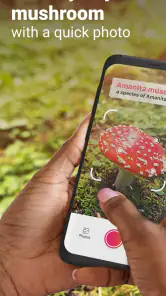
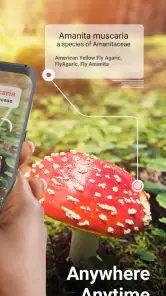
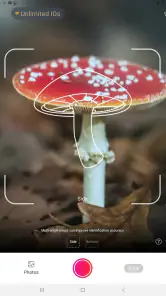
Imagine you're on a nature walk, surrounded by lush greenery and a carpet of mushrooms sprouting after a rain shower. You pull out your phone, open the Picture Mushroom - Mushroom ID app, and point your camera at a mushroom that catches your eye. Within seconds, the app analyzes the image and provides you with detailed information about the mushroom. It's like having a mushroom expert in your pocket!
How Does It Work?
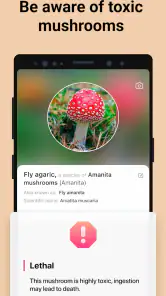
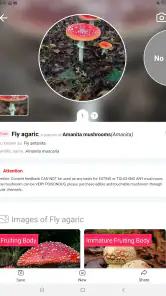
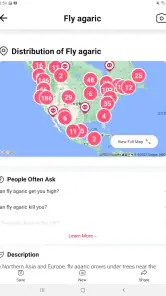
Using advanced AI technology, the app can recognize thousands of mushroom species. All you need to do is take a clear photo, and the app does the rest. It offers insights into the mushroom's edibility, toxicity, and even its ecological role. The interface is user-friendly, ensuring that even the most novice of mycologists can navigate it with ease.
Make a photo useful after the walk
For better results, I’d photograph the mushroom in context first, then take a closer, well-lit image of its cap and stem if it is safe to do so. A single top-down shot can hide details that distinguish similar fungi. I’d also keep the original photos and note the location and habitat separately; that gives me something concrete to compare with a field guide later, rather than relying on a name returned from one image.
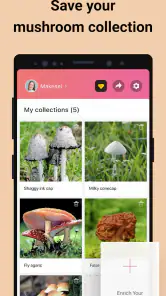
A realistic use is a family walk after rain: I can identify a few unfamiliar fungi out of curiosity, save the discoveries for later, and use them to start a conversation about how fungi grow. The app’s log is useful here because it turns scattered snapshots into a record I can revisit. For a serious forager, though, an app identification should be a starting point for careful checking, not permission to collect or eat anything.
More From Our News Desk

Weather by Xiaomi Review: Clear at a Glance, Less Clear Up Close

X Under Pressure: Can It Recover When Posting Goes Wrong?

Clash of Clans Is Won Between the Battles

Android Auto Makes the Case for Quieter Car Software

MobiOffice: Transforming Mobile Productivity with Seamless Integration

EA SPORTS FC™ Mobile Soccer: Redefining Mobile Sports Gaming
Why You'll Love It
One of the standout features of this app is its ability to work offline. So, even if you're deep in the woods with no cell service, your fungal adventures won't be interrupted. Additionally, the app keeps a log of your identified mushrooms, which is perfect for those who love to track their findings or share them with fellow mushroom enthusiasts.
That offline claim is handy for remote walks, but I’d test the exact workflow before depending on it: identify what you can while connected, and don’t assume every related feature will behave the same way without service. Compared with a printed field guide, photo recognition is faster for an initial clue, while a guide encourages slower comparison of several traits. I’d use both when accuracy matters, especially because lookalike species can make a confident-sounding result misleading.
Picture Mushroom - Mushroom ID also comes with a community feature, where users can share their discoveries and learn from others. It's a vibrant community filled with fungi fanatics eager to share their knowledge and experiences.
Who gets the most from it?
I think casual nature walkers, curious gardeners, and beginners who want a convenient way to learn names will get the clearest value. It is less suitable for anyone who needs a definitive identification for cooking, medical decisions, or scientific recording. If you want a structured reference that does not depend on image matching, a regional mushroom guide is a better companion; if you mainly want to catalog what caught your eye, the photo-and-log approach is more inviting.
The app is rated for Everyone, was released on December 3, 2019, and its current version is 2.9.31, with Android support starting at OS 9. I’d check that my device meets the requirement before downloading. These practical details make it a straightforward option for a broad audience, but they don’t change the central rule: never taste a wild mushroom based on an app result.
Use the result as a lead, not a verdict
When a suggested species appears, I’d treat it as a way to narrow my reading rather than as proof. I would compare the photo with several features in a trusted regional guide, including details that a phone image may not capture well, and check whether the candidate species is known in my area. If the app and the reference disagree, I’d keep the identification unresolved instead of selecting whichever answer sounds more certain.
This approach is useful even when I have no plan to forage. A child asking what is growing beside a garden path, for example, can turn the result into a small observation exercise: notice where the fungus is growing, what surrounds it, and how the visible parts differ from nearby mushrooms. The app can provide a name to investigate, while the walk and follow-up reading do the teaching.
There is also a practical reason to take more than one photo before leaving a site. A wide image preserves the growing conditions and nearby plants or wood; a close image can show the cap and stem. Keeping both makes later comparison more informative than cropping a single attractive shot. I’d avoid disturbing the specimen just to get a better picture, and I would never treat a clearer image as a guarantee that the identification is safe.
How it compares with guides and general searches
A printed mushroom guide is slower to consult, but it gives me a deliberate way to compare characteristics and can be focused on fungi found in a particular region. A general web search can surface many images quickly, yet it may leave me sorting through conflicting names and uneven explanations. Picture Mushroom sits between those approaches: image recognition offers a convenient starting point, and its log makes it easier to return to finds, but the result still needs context and verification.
That balance makes the app appealing for people who are curious in the moment and willing to do a little follow-up. It is not the best substitute for a field course, an expert’s assessment, or a carefully chosen local guide. If I were documenting fungi for research or deciding whether a specimen can be eaten, I would choose a more rigorous identification process and seek qualified help where appropriate.
What to expect from offline use and purchases
Offline access can matter when a walk takes me beyond reliable coverage, but I would check the app’s behavior in advance rather than wait until I am out of range. Trying the steps while connected helps me learn what is available on my device and what I can still revisit later. I would also keep a camera copy of important observations, so my own record does not depend entirely on an app log.
The free entry point is a sensible way to see whether the photo-based workflow suits me. The paid items may be worthwhile to someone who finds the app useful enough to want its optional offerings, but I would first review what each purchase includes and whether it addresses a real need. A price by itself cannot tell me whether an upgrade improves identification confidence, adds a tool I will use, or is simply unnecessary for casual learning.
One useful habit is to decide why I am opening the app before taking a picture. If I want to learn, I can save the result and compare it at home; if I am simply enjoying a walk, I can photograph the fungus without needing a definite name. That small distinction helps keep convenience from turning into overconfidence, particularly when someone else in the group is asking whether a mushroom is edible.
Who should choose another approach?
I would skip this as a primary tool if I needed dependable answers for harvesting, clinical concerns, or formal records. Image-based suggestions can be affected by the angle, lighting, growth stage, and condition of the specimen, and those issues are especially important when lookalikes are involved. A local expert or a detailed regional reference is a better choice when the consequences of an error are high.
It may also be a poor fit for someone who wants a text-first encyclopedia and does not enjoy taking or organizing photos. In that case, a traditional guide may feel more direct, since it invites browsing by features rather than starting with a camera image. Conversely, someone who likes collecting observations may appreciate having a convenient record to revisit, even if they still maintain their own notes about where and how each fungus was found.
Final Thoughts
In a world where technology often pulls us away from nature, this app does the opposite. It encourages exploration and learning, making every hike an educational adventure. Whether you're a seasoned mushroom hunter or just curious about the fungi popping up in your backyard, this app is a must-have.
So next time you're out in the wild and spot a mysterious mushroom, don't just admire it from afar. Whip out your phone, snap a photo, and let Picture Mushroom - Mushroom ID unveil the secrets of the fungal kingdom. Happy hunting!
My recommendation is more measured: I’d download it if I wanted a convenient, free way to begin identifying fungi and keep track of what catches my eye, while treating any result as a prompt for further learning. Its age rating is Everyone, and Android users need OS 9 or later; the app is currently at version 2.9.31. For cautious beginners, nature walkers, and curious gardeners, that combination of camera-based exploration and a revisit-friendly log can make ordinary outings more interesting. For anyone making a safety-critical decision, I’d put a regional guide and expert confirmation ahead of the app.
Picture Mushroom - Mushroom ID Frequently Asked Questions
Can I use Picture Mushroom - Mushroom ID to keep track of mushrooms I find?
Picture Mushroom - Mushroom ID focuses on identifying mushrooms from photos and offering information about species, so it can support learning as you explore. If you want to revisit a find, check the app’s available features and save any useful identification details there. Treat an app result as a starting point, not proof of a species’ identity, and never eat a wild mushroom based only on an app result.
Is Picture Mushroom - Mushroom ID helpful for learning about fungi beyond identification?
Yes. Its purpose is not limited to naming mushrooms from photos: it is also presented as a mushroom guide for people interested in hunting and foraging. That makes it relevant for users who want to learn as they encounter fungi, rather than only get a quick label. Use the information as educational support, and rely on qualified expertise for consequential identification decisions.
Can Picture Mushroom - Mushroom ID be used as a guide while exploring outdoors?
Picture Mushroom - Mushroom ID is intended to help users learn about mushrooms they encounter by identifying them from photos and presenting information about species. It can be a handy reference during an outdoor walk or foraging trip, but treat an app identification as a starting point for learning rather than a guarantee. Never eat a wild mushroom based only on an app result.
What is Picture Mushroom - Mushroom ID and how does it work?
Picture Mushroom - Mushroom ID is a mobile application designed to help users identify various types of mushrooms using their smartphone camera. Simply take a picture of the mushroom you want to identify, and the app uses image recognition technology to analyze the photo and provide information about the species, including its scientific name, edibility status, and distinguishing features.
Is Picture Mushroom - Mushroom ID available for both Android and iOS?
Yes, Picture Mushroom - Mushroom ID is available for download on both Android and iOS platforms. Users can find the app on the Google Play Store for Android devices and the Apple App Store for iOS devices. Ensure your device meets the minimum system requirements to install and run the app smoothly. The app is rated for Everyone, and its minimum operating-system requirement is version 9.
Pros
- Accurate mushroom identification
- User-friendly interface
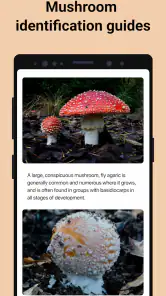
- Extensive mushroom database
- Offline mode available
- Regular updates
Cons
- Limited to mushroom species
- Requires camera access
- Ads in free version
- Some features need subscription
- Occasional identification errors
- Category
- Education
- Version
- 2.9.31













